




 Affiliate Disclaimer
 Monitoring someone’s text messages is available through dedicated apps for parental control. Moreover, for iOS user it can be done even for free.
And while this may raise concerns about privacy, it becomes imperative when it’s going on, for example, about safety of your children.
In fact, according to a survey conducted by The Pew Research Center, 59% of U.S. teenagers have experienced some form of online harassment. These statistics highlight the need for parents to remain vigilant and take proactive measures to safeguard their children from online predators.
Parental control apps have emerged as valuable tools to assist parents in monitoring and managing their children’s digital interactions. This includes monitoring their child’s text message activities, identifying potential risks and taking appropriate action when necessary.
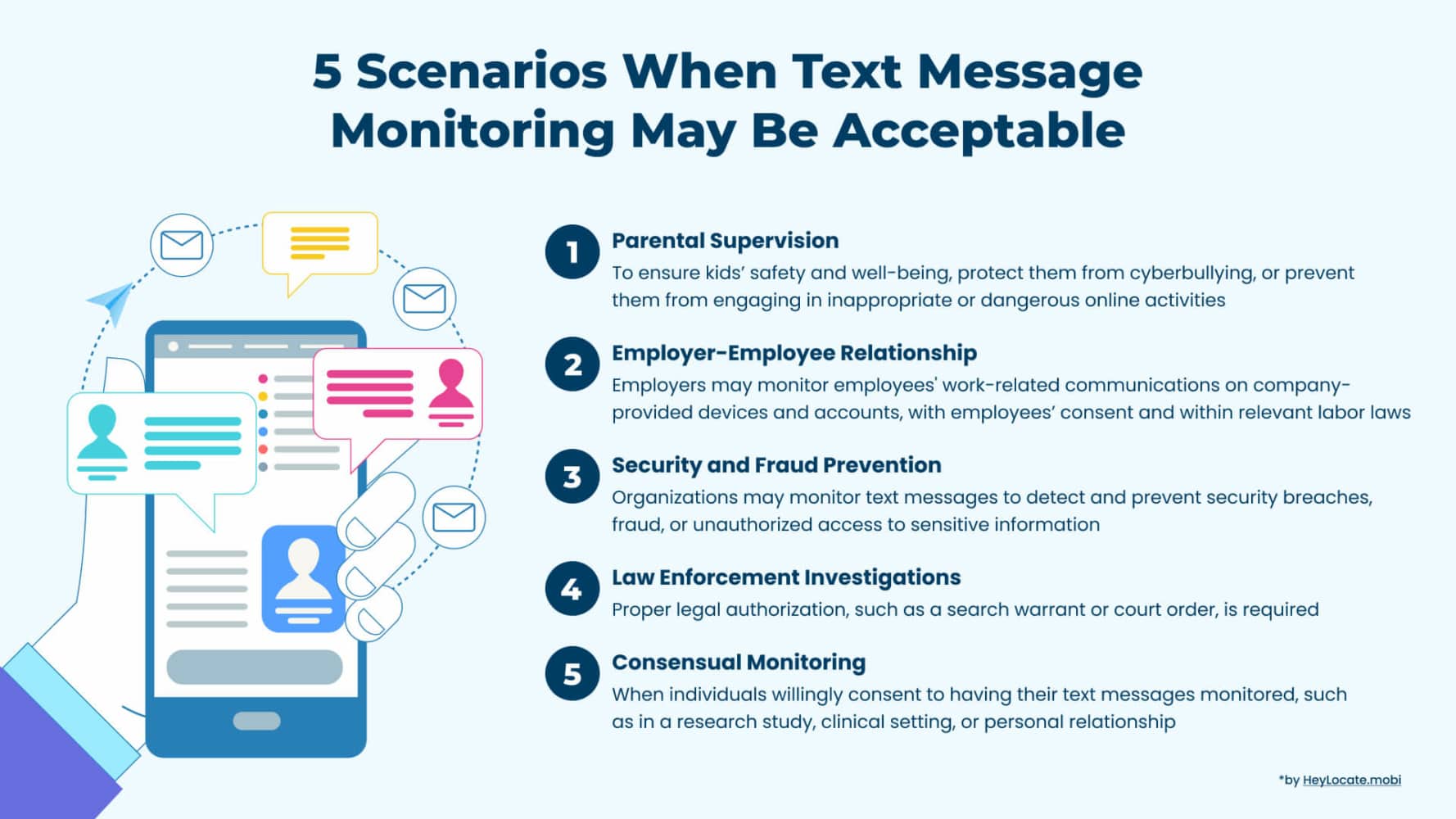
In this article, we will review some of these legal and authorized apps that can assist you in monitoring text messages on iPhone and Android.
Top Pick Based on Our Research
Don’t have time to read the whole article? Then try our top-3:
🥇 uMobix is a standout choice for monitoring text messages on iPhone and Android devices. Offers fast data updates every 5 minutes. No iPhone jailbreaking required. Works silently, guaranteeing parents can keep a watchful eye on their children’s online activities.
🥈 Parentaler is a reliable app that allows parents to remotely view text conversations, including multimedia attachments, and provides real-time notifications for suspicious or inappropriate content.
🥉 XNSPY, a trustworthy parental control app, provides reliable text message monitoring features. Easily view sent and received messages, even track deleted ones. Stay one step ahead of your child’s digital activities.
Comparison Table Of Text Monitoring Apps
Services reviewed – 19
Services selected – 8
| Service | Best for | Compatibility | App size | Stealth Mode | Price / Trial | Rating |
|---|---|---|---|---|---|---|
| uMobix | Monitoring iPhones, fast data updates, and real-time notification | All iOS versions | – | Yes | $9-42 depending on the package | 4.5 |
| mLite | Monitoring messages on social media chats | iOS 11 – 14+ and Android 8.0+ | – | No | $14.99/mo $0.99/1 Day trial | 4 |
| XNSPY | Remote monitoring of any device | Android 4 – 13 iOS 6 to 16.3.1 | – | Yes | Starts at $4.99 – 59.99 per month for annual billing | 3.5 |
| Parentaler | Text message monitoring with multimedia attachments | All iOS and Android versions | – | Yes | $10.17 – 42.69/mo (depending on package) | 3 |
| Famisafe | Screen time management | iOS 9.0 or later | 186 MB | Yes | 7 days free or 10.99/mo | 3.8 |
| mSpy | Comprehensive Android phone monitoring for parents | All iOS and Android 4.1 and above | – | Yes | $11.67- 48.99/month (depending on package | 3.8 |
| EyeZy | Android comprehensive monitoring | All iOS and Android version | 177.1 MB | Yes | Starts at $9.99/- 47.99mo (depending on package | 3.5 |
| AirDroid Parental Control | Monitoring kids’ online activities and manage screen time | iOS 11.0 or later | 61.8 MB | Yes | 7 days free or $9.99/mo | 3 |
We took some resources from the top reviews of the best, and almost all of them were awful. So trust only verified sources of information or blogs of specialized services related to telecommunications. For example, like our HeyLocate blog.
Track Text Messages on iPhone With iCloud
Tracking text messages on an iPhone can be done using iCloud ID, which is the cloud storage and synchronization service provided by Apple on for any Apple device. Here are the steps to track text messages on an iPhone using iCloud:
- Ensure iCloud Backup is enabled on the target iPhone
Go to the iPhone’s Settings, tap on your Apple ID, select “iCloud,” and make sure that “iCloud Backup” is turned on. - Verify iCloud Sync for Messages
On the target iPhone, go to Settings, tap on your Apple ID, select “iCloud,” and ensure that the “Messages” option is enabled. This will sync the text messages to iCloud. - Access iCloud Messages on a computer
Open a web browser on your computer and visit the iCloud website. Log in using the same Apple ID and password associated with the target iPhone. Open Messages in iCloud. - Track text messages on iPhone
You can browse conversations, read individual messages, and easily monitor the content.
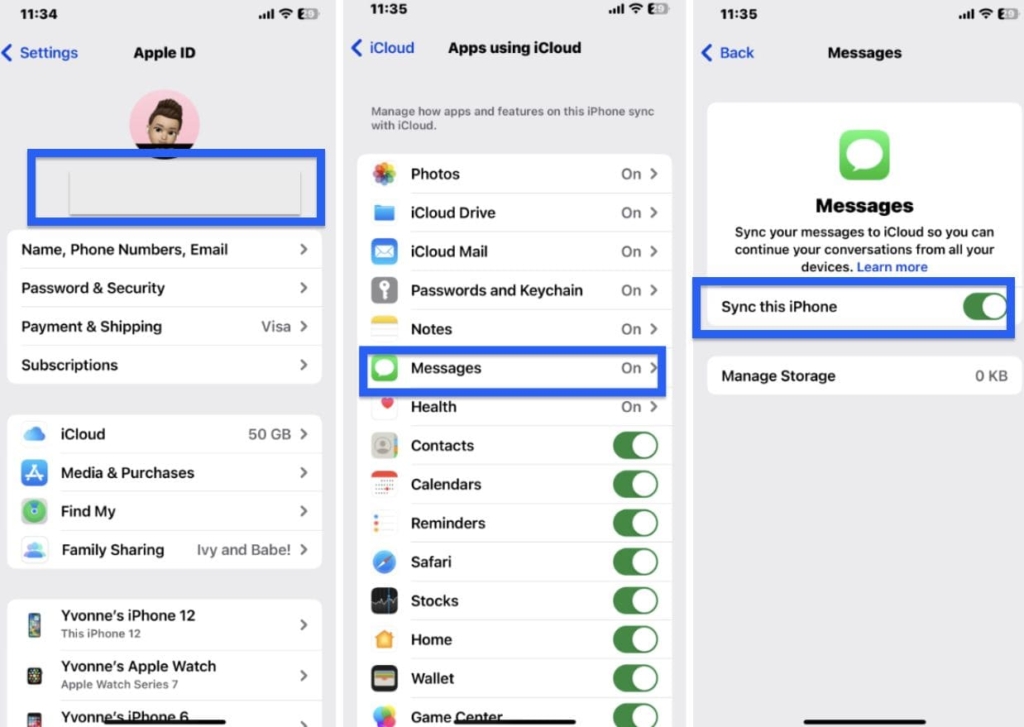
It’s important to note that this method only allows you to track text messages that have been synced to an iCloud account. Additionally, the target iPhone and the monitoring device need to be connected to the internet for iCloud synchronization.
Forward Text Messages on iPhone
Text forwarding is a useful method to monitor your children’s text conversations, particularly if they have an iPhone. To set it up, follow these steps:
- Access the device settings on the iPhone. Scroll down and locate the “Messages” option.
- Tap on “Send & Receive” within the Messages settings. Sign in using your Apple ID credentials.
- Return to the device settings and enable text message forwarding specifically within the Messages settings.
- Choose the desired recipient device for forwarding and enter the verification code sent to that device.
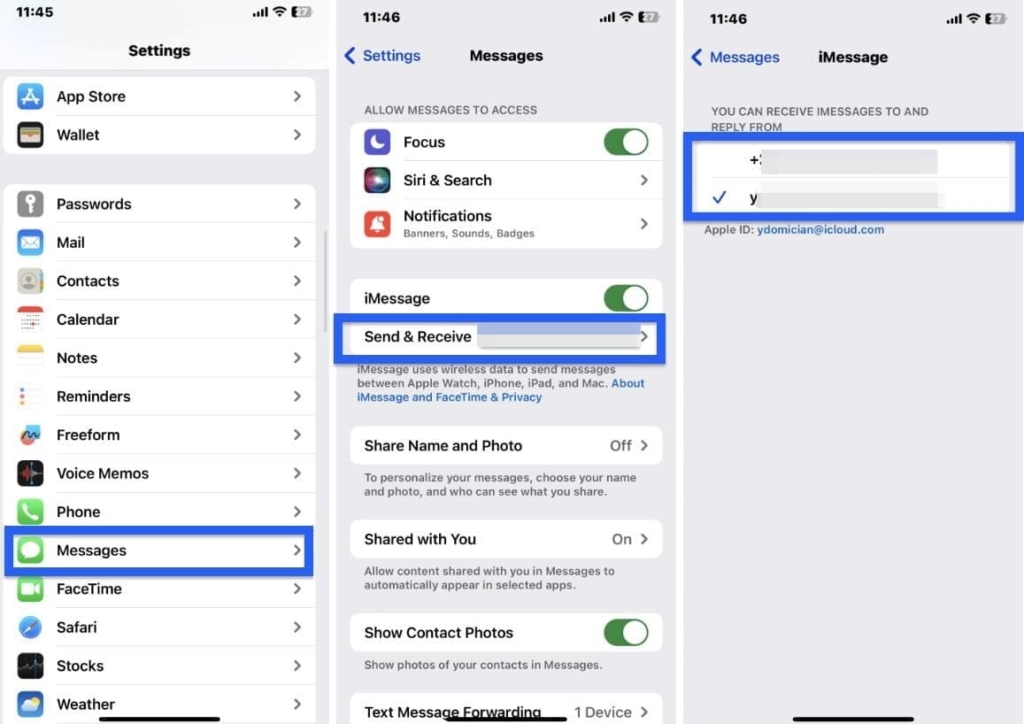
By following these steps, you can enable text message forwarding and receive copies of your children’s text messages on the recipient device, allowing you to monitor their conversations more closely.
Best Text Monitoring App for iPhone
We conducted a thorough review of text monitoring apps for iPhone, evaluating features, usability, monitoring accuracy, compatibility, and user satisfaction. After testing various options, we chose the best app based on its comprehensive monitoring capabilities, user-friendly interface, reliability, and positive feedback from users.
“Jailbreaking removes the restrictions imposed by Apple on the device’s operating system, granting access to system files and settings that are typically off-limits. This may enable tracking apps to tap into additional functionalities and collect more data.
However, it’s important to note that jailbreaking can also expose the device to security risks and void the warranty, so users should proceed with caution and consider the potential drawbacks before deciding to jailbreak their iPhones“

You can also check out other phone monitoring apps that offer iPhone parental controls for free:
* Please note that although these apps allow iPhone monitoring without jailbreak, with it, you can get more information.
uMobix
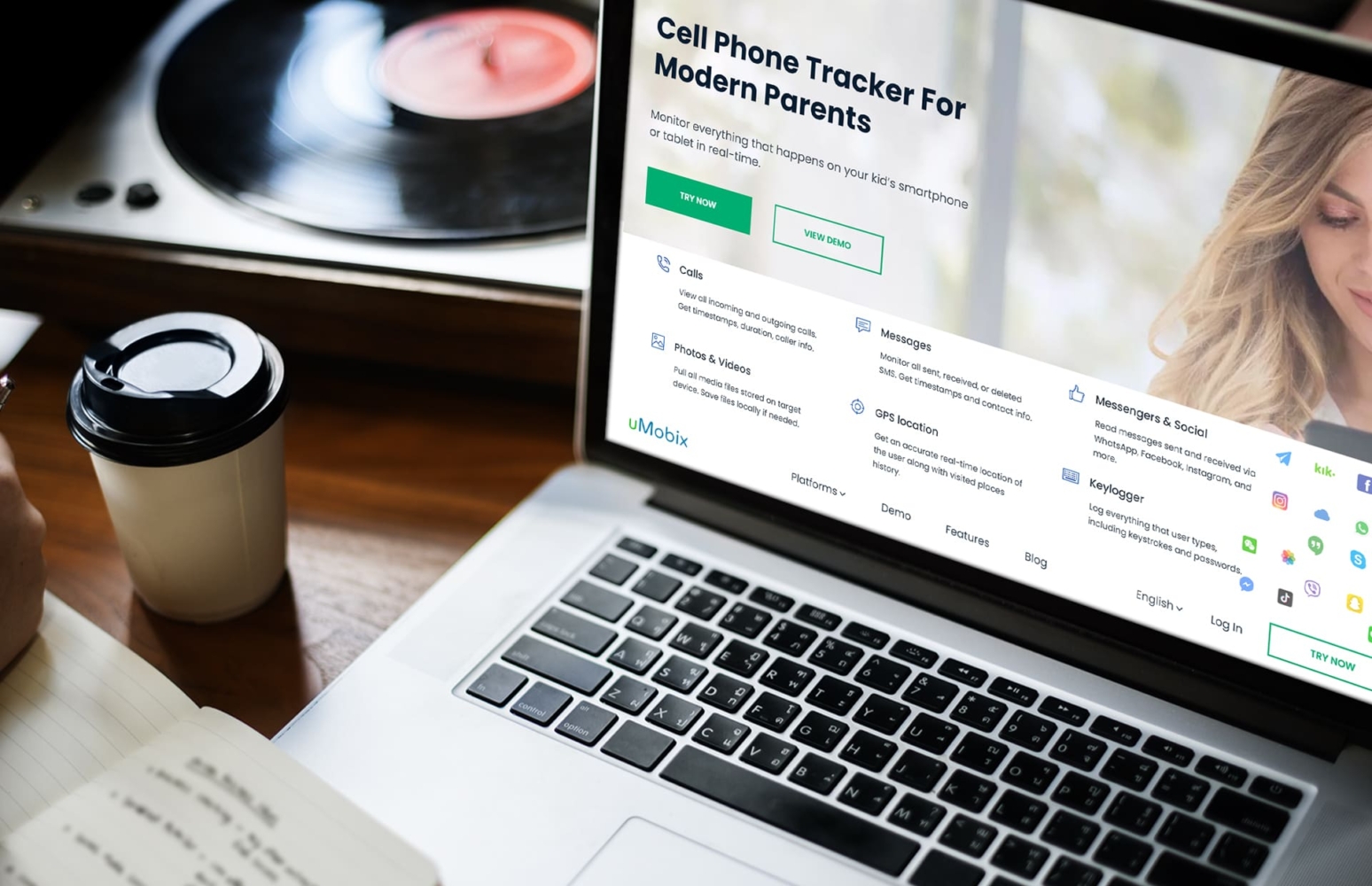
uMobix, a mobile monitoring software developed by Ersten Group Limited in the UK, offers parents a powerful tool to effectively monitor their children’s iPhones and track their mobile device activities.
The company was launched in 2019, and since then, uMobix has garnered positive reviews from its satisfied users. With a ranking of 3.5 stars on Trustpilot, uMobix is a trusted choice for parents seeking comprehensive monitoring solutions.
Price:
Starts at $11.66 per month.
User Experience:
When I used uMobix, I only required physical access to my child’s iPhone and her iCloud credentials. Once installed, uMobix operated discreetly in the background, eliminating the need for further physical interaction with the device.
From the dashboard, I could effectively monitor text messages, including both incoming and outgoing messages.
However, certain functionalities available on Android, such as blocking senders, were not supported on the iPhone version, and some sender names were not displayed. Additionally, only the default text messaging feature was accessible for monitoring on the iPhone, while other popular messengers like WhatsApp and Instagram were not functional. Nonetheless, the text monitoring feature still proved valuable in determining the messages sent and received to the target device.
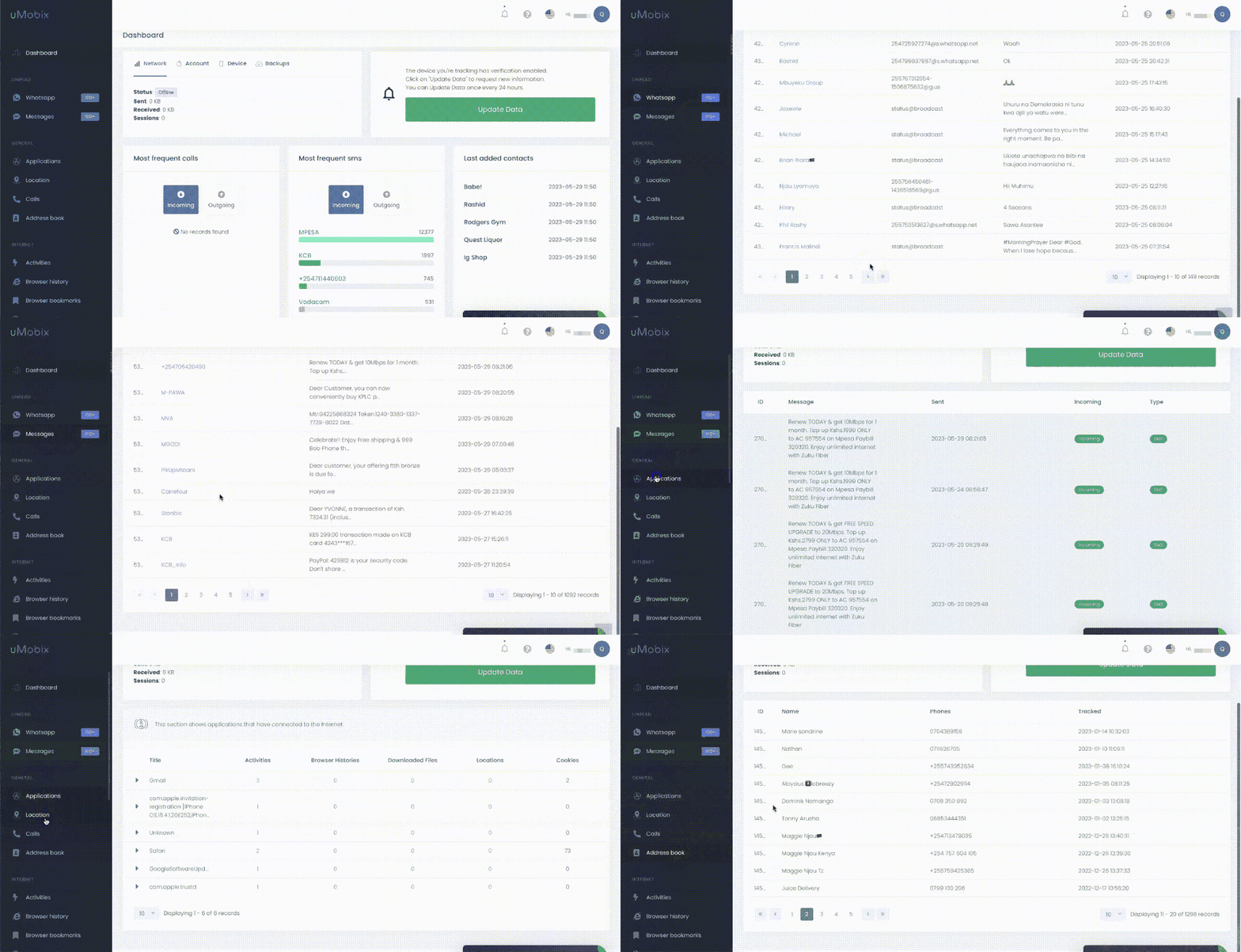
In addition, uMobix offers comprehensive web browsing tracking. It is also one of the best phone location trackers without permission. I used the geofencing feature to set virtual boundaries on a map and receive notifications when the device enters or exits those defined areas.
Here is the full uMobix review on the HeyLocate blog: How we tested this cell phone tracker.
| Quickness | Simplicity | Effectiveness | Safety |
|---|---|---|---|
| 5 | 4 | 4 | 4 |
Pros:
- accurate real-time tracking;
- does not require jailbreaking the device;
- offers comprehensive tracking features.
Cons:
- no free trial is available;
- when monitoring messages, some sender names may not be displayed;
- a subscription is required for all features.
Parentaler
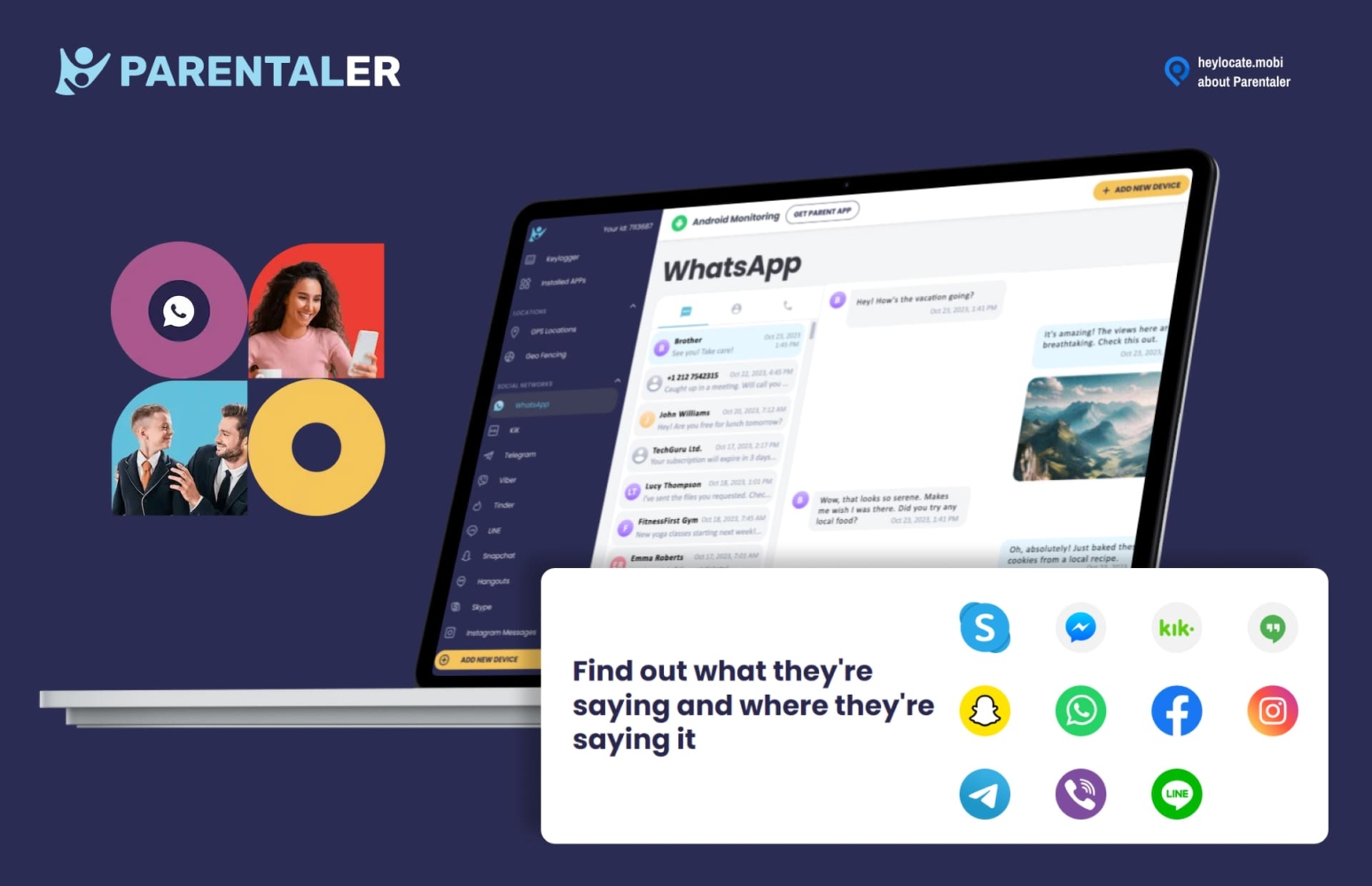
Parentaler is a new parental software solution designed to prioritize the safety of children by monitoring their online activities. The app sends customized alerts when concerning situations occur, ensuring proactive protection. With positive reviews from satisfied customers and reliable website testimonials, Parentaler is highly acclaimed.
Price:
Starts at $10.17 per month.
User Experience:
When I tried using Parentaler to monitor my kid’s messaging platforms, I initially needed physical access to their device and their iCloud credentials. With this information, I was able to install the app and set it up on their device. Then I could continue monitoring remotely.
The app worked silently in the background without sending any notifications or alerts to my kid’s phone. This meant that my child was unaware of the monitoring taking place, allowing me to observe all my kid’s text messages, both sent and received, with accurate time stamps. I could also monitor their activities on social apps like Instagram and WhatsApp. Thus, you can use it to see someone’s Facebook activities.
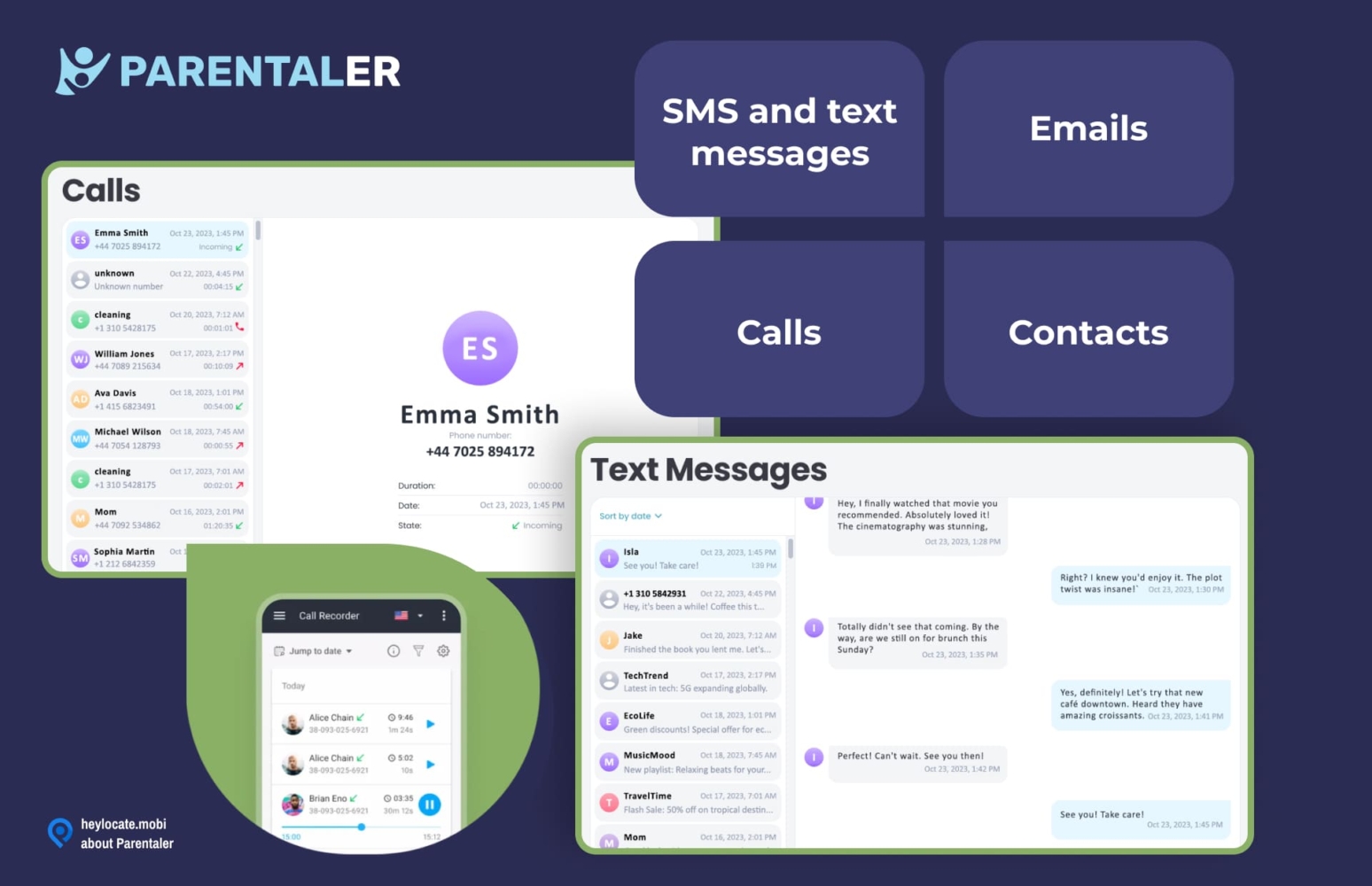
In addition, Parentaler offered web browsing tracking, enabling me to see the websites my child visited. The screen monitoring feature was another useful tool that allowed me to set a screen time limit for using digital devices.
| Quickness | Simplicity | Effectiveness | Safety |
|---|---|---|---|
| 5 | 4 | 4 | 4 |
Pros:
- comprehensive monitoring;
- discreet operation;
- around-the-clock support.
Cons:
- no demo or free trial available;
- limited features on iOS devices.
XNSPY
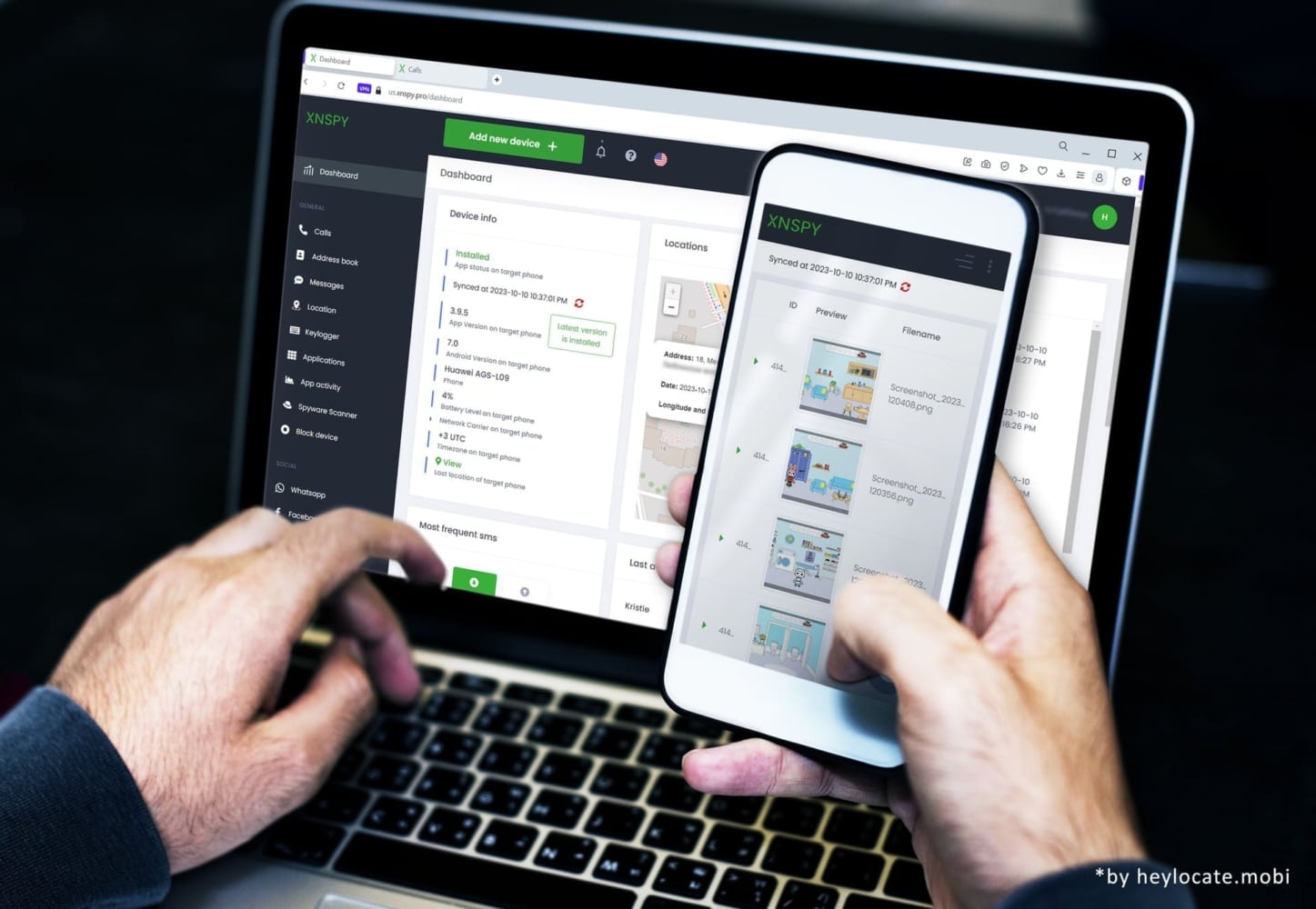
XNSPY is one of the best text monitoring app for iPhone. It is operated and owned by ERSTEN GROUP LTD, registered in the United Kingdom. The app has received a 2.9-star rating on Trustpilot and a 4.2-star rating on Sitejabber making it a trusted and reliable to monitor text messages on an iPhone.
Price:
Starts at $7.49/month.
User Experience:
Upon searching for ways on how can I monitor my child’s text messages on iPhone without them knowing, I discovered XNSPY. To my surprise, using XNSPY turned out to be quite simple. All I needed were my child’s Apple ID credentials and physical access to their mobile phone for the installation process.
Once the app was successfully installed, it operated discreetly in the background, respecting the user’s privacy and causing no disruptions. What impressed me the most was that XNSPY didn’t require the device to be jailbroken, making the overall experience much smoother.
While XNSPY supports various messaging apps like WhatsApp, Facebook Messenger, Viber, Line, and Skype, my experience showed effective monitoring only for WhatsApp and the default text messaging app. Although some contact names were occasionally missing, the feature still allowed me to stay informed of my kid’s messaging activities.
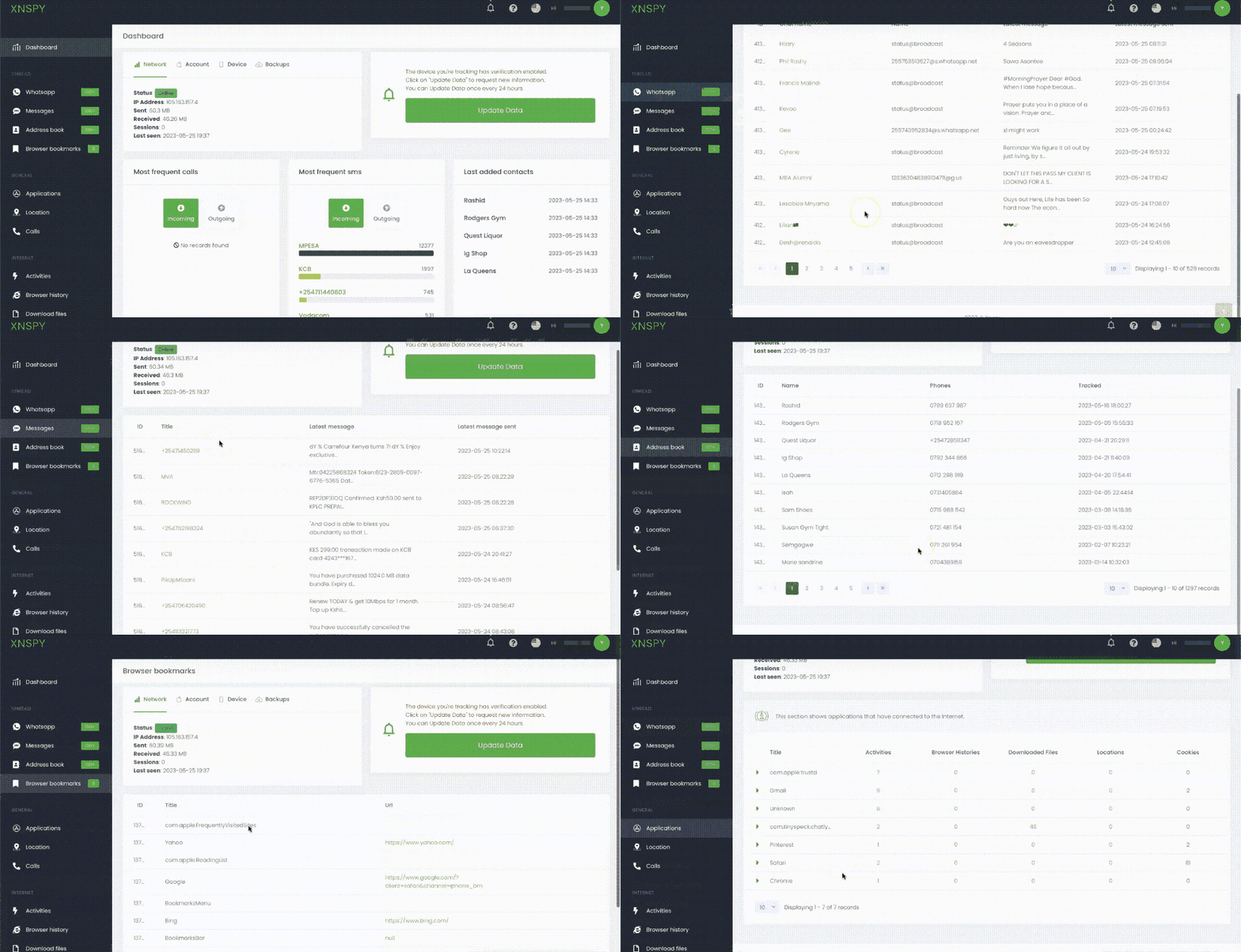
XNSPY also offers call monitoring, GPS tracking, and web filtering feature. These additional features enhanced my monitoring experience and provided valuable information about my child’s activities.
| Quickness | Simplicity | Effectiveness | Safety |
|---|---|---|---|
| 4 | 4 | 4 | 5 |
Pros:
- a variety of features;
- offers a live demo;
- no need to jailbreak an iPhone to track apps;
- works in a stealth mode;
- 24hrs customer support.
Cons:
- requires a monthly subscription;
- slow data syncing process;
- needs physical access to the target phone.
Famisafe
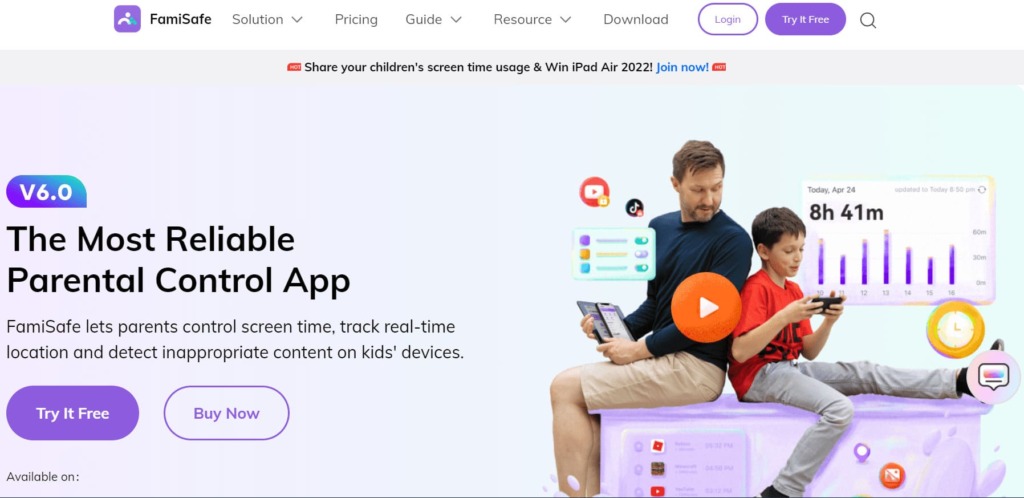
FamiSafe, a comprehensive parental control software, is dedicated to ensuring the online safety and well-being of children. Developed by Wondershare Technology Group Co., Ltd., FamiSafe has received glowing reviews from satisfied users on the App Store, earning an impressive rating of 4.2 stars.
Price:
Starts at $7.49/month.
User Experience:
In order to monitor my child’s iPhone using FamiSafe, I had to install the app on both my device and my child’s iPhone. There was no need to jailbreak the iOS devices. All I needed to complete the setup was my child’s iCloud credentials.
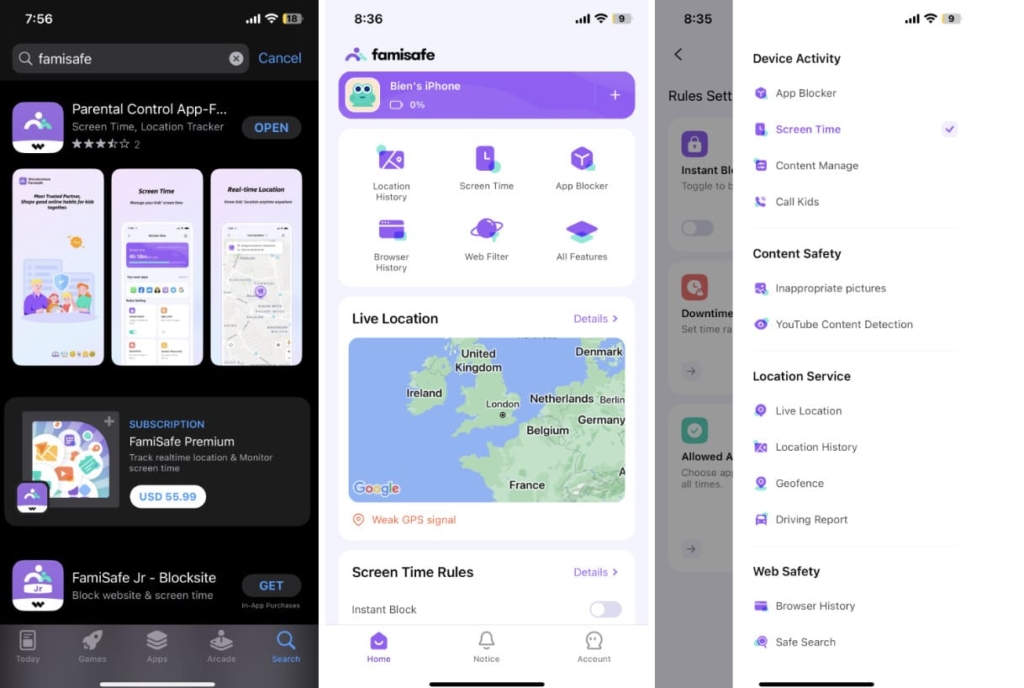
I was impressed by FamiSafe’s capability to monitor popular messengers like WhatsApp, Facebook Messenger, Instagram, Snapchat, and more.
FamiSafe prioritized privacy and operated discreetly. Although my child was aware of the app’s presence, it didn’t send any notifications or alerts to their device.
In addition, FamiSafe offered location tracking, web content filtering, screen time management, and app usage monitoring features.
| Quickness | Simplicity | Effectiveness | Safety |
|---|---|---|---|
| 4 | 4 | 3 | 4 |
Pros:
- offers a wide range of monitoring features;
- explicit content detection;
- driving safety feature is available.
Cons:
- subscription-based service;
- reliance on internet connection.
Best Apps to Monitor Texts on Android
The next apps work both for iPhone and Android but allow more comprehensive monitoring for Android.
mSpy
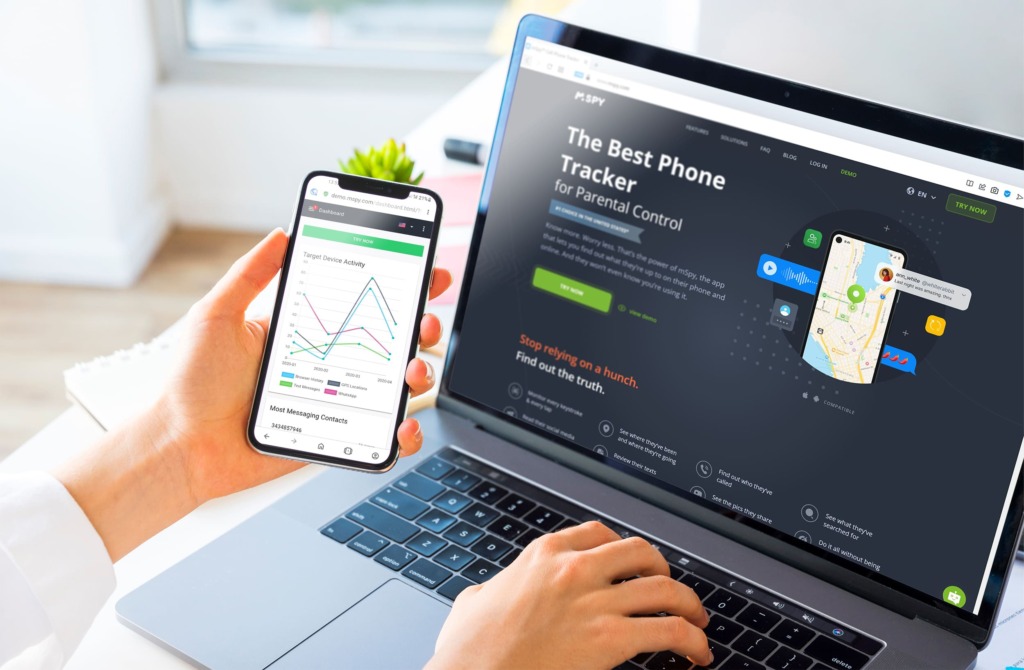
mSpy, a mobile monitoring software developed by Altercon Group s.r.o., emerged in 2010 with the primary goal of assisting parents and employers in efficient mobile phone monitoring and tracking. With mSpy, users gain the ability to monitor various aspects of the target device, such as calls, browsing history, and social media chats.
Price:
Starts at $11.66/mo.
User Experience:
To use mSpy to monitor my kid’s Android device, I first needed physical access to her device for installation. I then followed the simple installation process without the need for complicated procedures like phone rooting.
mSpy can monitor various popular messengers on Android devices, including WhatsApp, Facebook Messenger, Snapchat, Instagram, and more. This allowed me to keep track of conversations and activities within these messaging platforms.
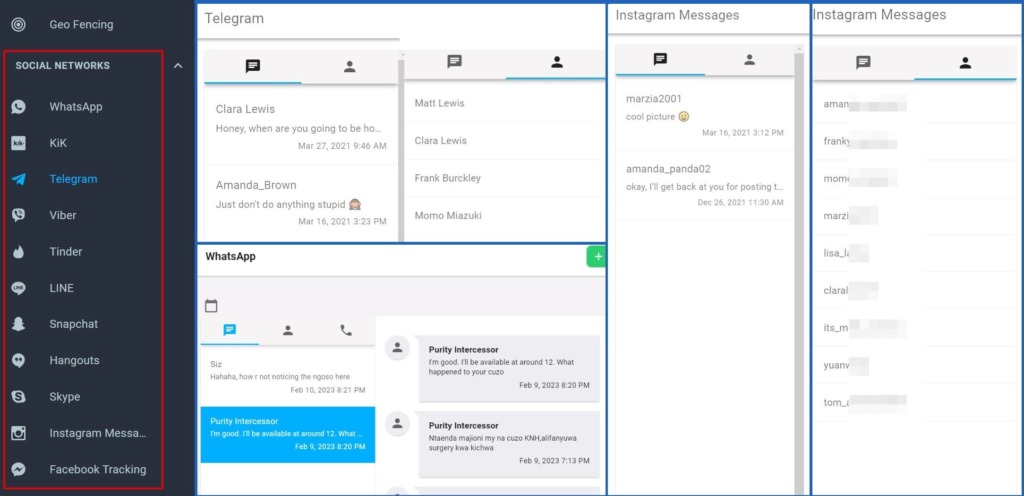
mSpy operates discreetly on the target device. It runs in the background without sending any notifications or alerts, ensuring that the user remains unaware of its presence.
Aside from messenger monitoring, mSpy offers GPS tracking, access to the target device’s browsing history, call logs, and installed applications, and even allows for remote control of certain device functions. These features enhance the monitoring experience and provide comprehensive insights into device usage.
Here is the full mSpy review on the HeyLocate blog.
| Quickness | Simplicity | Effectiveness | Safety |
|---|---|---|---|
| 4 | 4 | 4 | 5 |
Pros:
- offers a wide range of monitoring features;
- a demo version is available;
- discreet operation.
Cons:
- physical access required;
- offers multiple installation methods;
- subscription-based service.
mLite
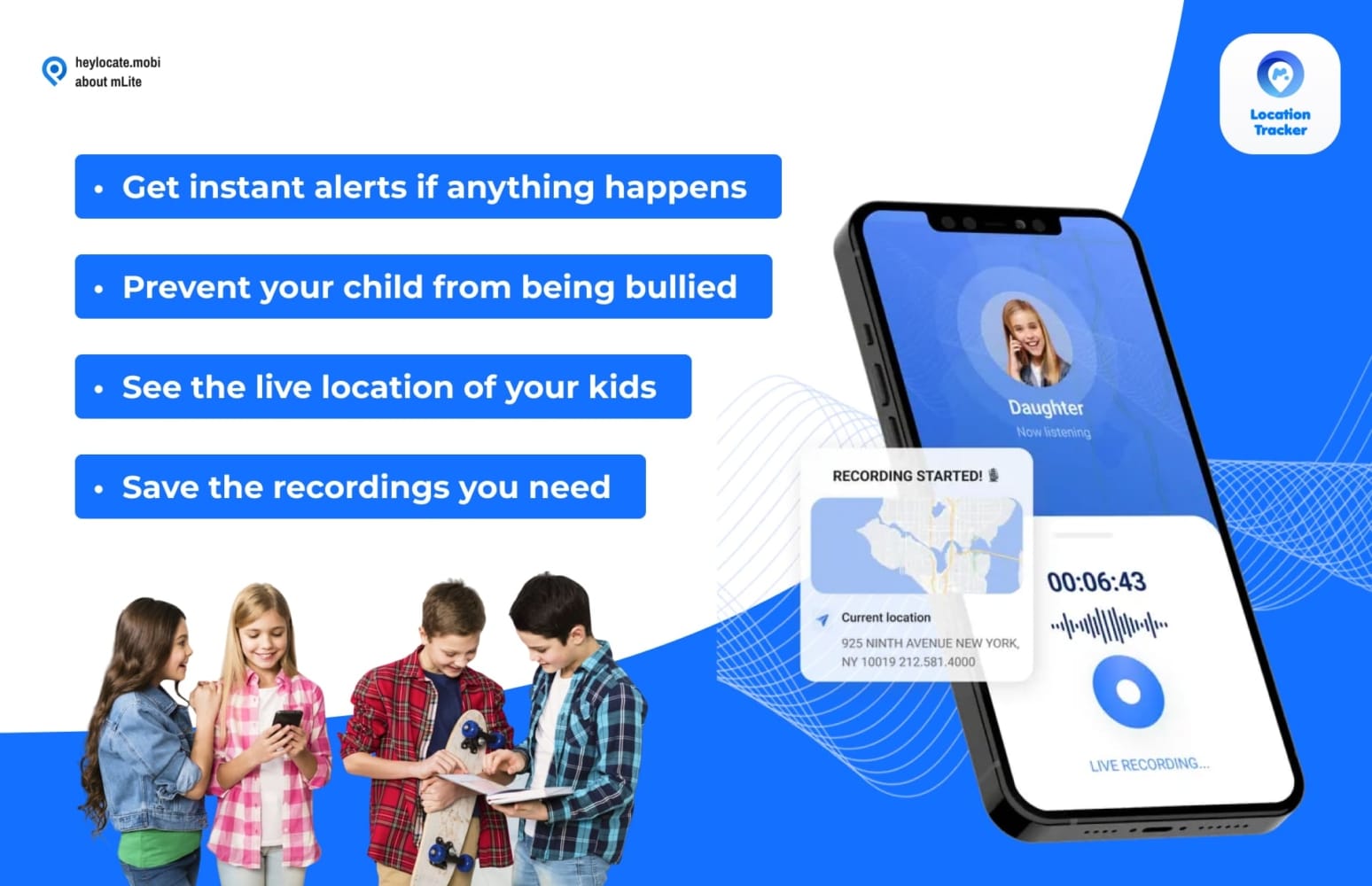
mLite is a safe parental control app from mSpy. It’s a limited version of mSpy, so it does not offer the full features you’d get on mSpy. Nevertheless, you can track text messages on your child’s Android phone using mLite.
Price:
$14.99/mo.
User Experience:
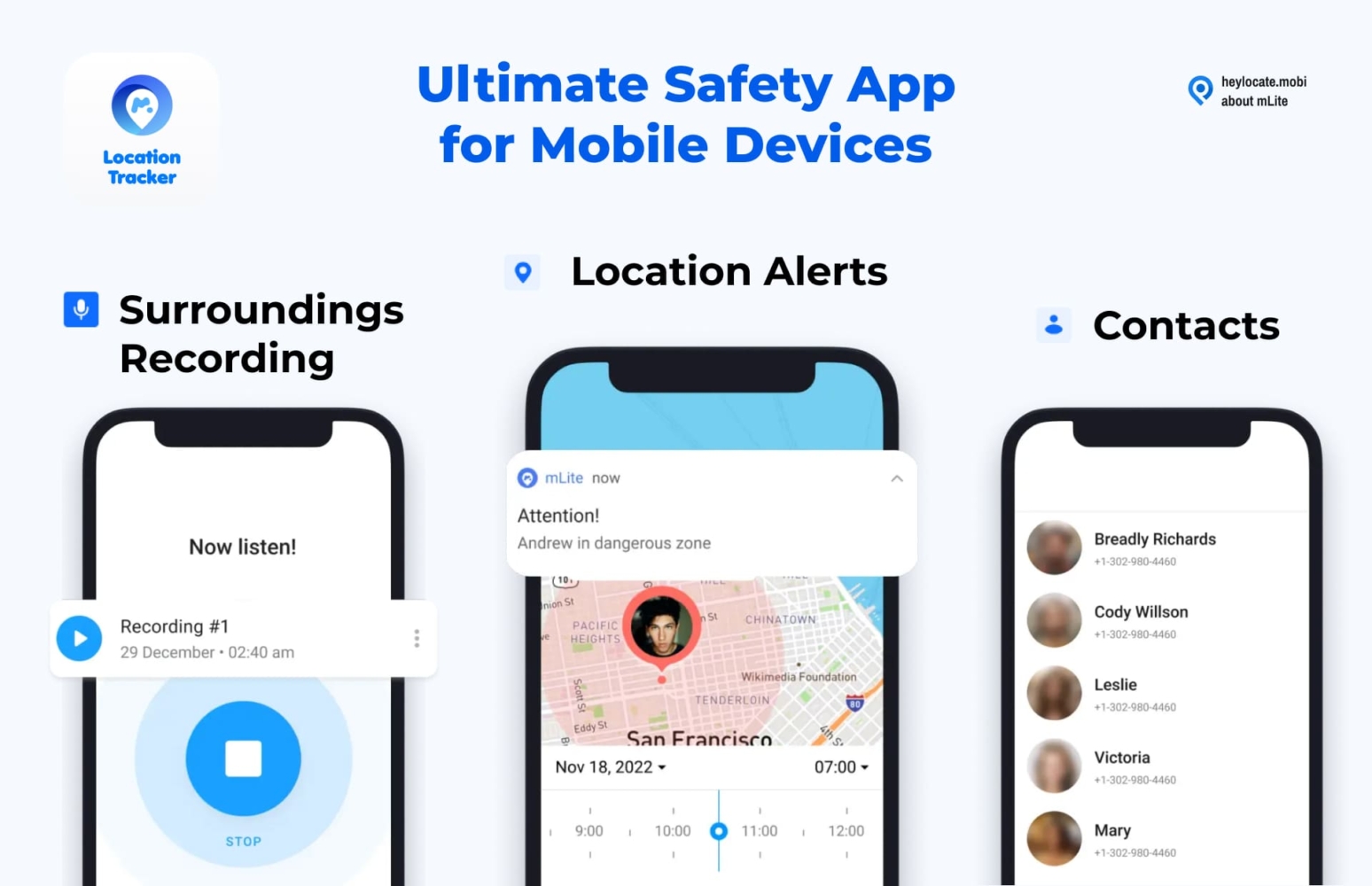
I needed to install mLite on my child’s Android phone. The installation and configuration were a breeze, and it immediately started to sync monitored features to my online dashboard. The text messages monitoring option allowed me to view messages from social media apps like Instagram, Snapchat, and Facebook. However, I could not view text messages from my child’s contacts.
| Quickness | Simplicity | Effectiveness | Safety |
|---|---|---|---|
| 4 | 4 | 4 | 4 |
Pros:
- cheap monthly fee;
- helps to see online dangers;
- panic button can alert you to a child’s location;
- it can record a child’s surroundings.
Cons:
- it does not monitor regular text messages;
- a child can disable or uninstall it.
Eyezy
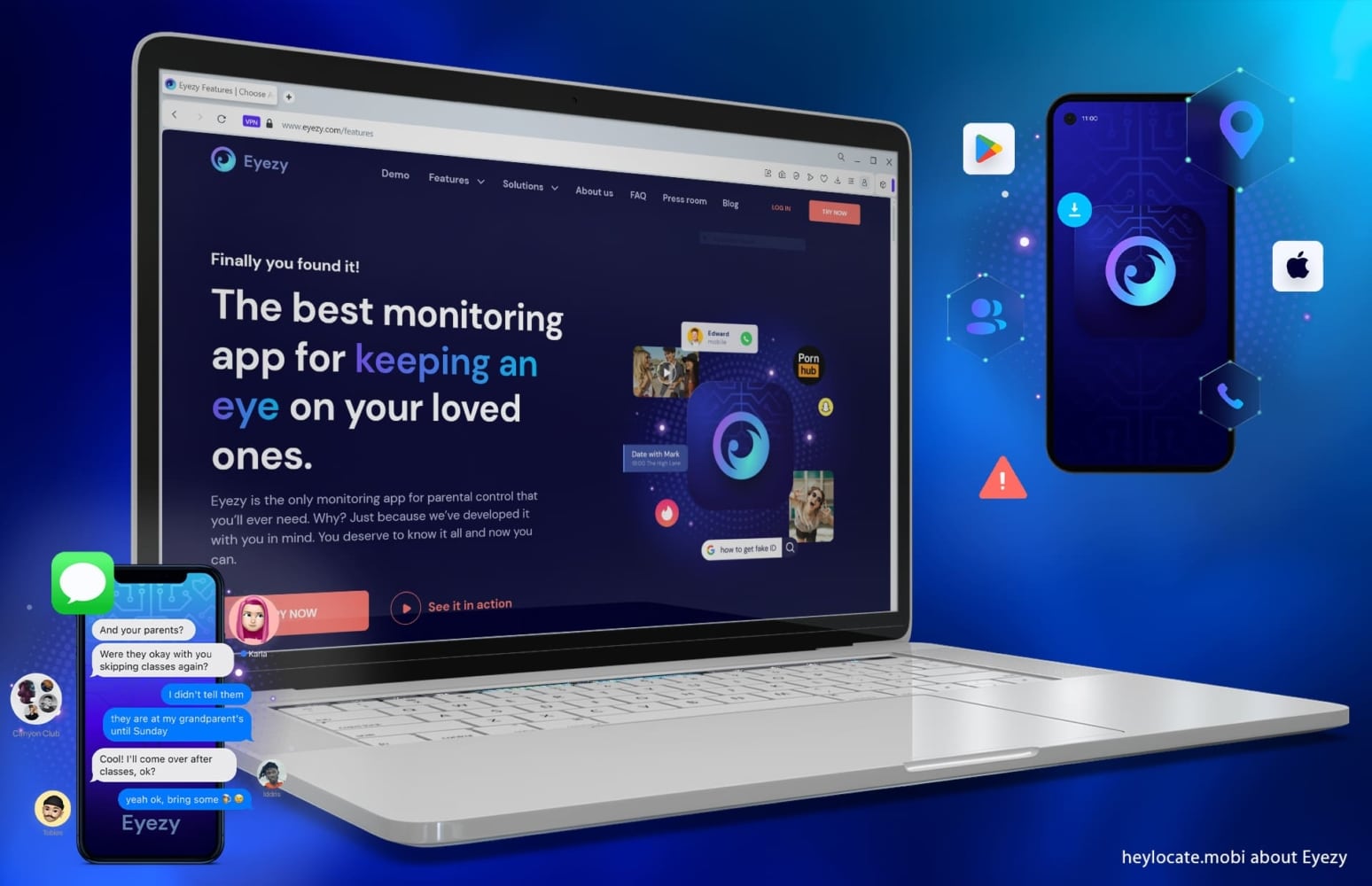
EyeZy, a well-known Android monitoring software, is highly regarded for its extensive range of monitoring features. Developed by Fortunex Limited, a registered company at Georgiou, the app has consistently maintained a positive review rating of 4.1 stars on Trustpilot. With its reliable reputation and robust features, EyeZy is a trusted choice for effective Android monitoring.
Price:
Starts at $9.99/mo.
User Experience:
I decided to use EyeZy to monitor my friend’s text messages on her Android device. To begin, I needed physical access to her device to install the app. The advantage was that I didn’t have to go through the phone rooting process to access most of the Android features. Once installed, EyeZy operated discreetly in the background without raising suspicions.
Using the EyeZy dashboard, I could monitor various popular messengers like the default messaging app, WhatsApp, Facebook Messenger, Instagram, and Snapchat. It allowed me to view both incoming and outgoing messages on these platforms, including timestamps of the sent and received messages, which was quite helpful.
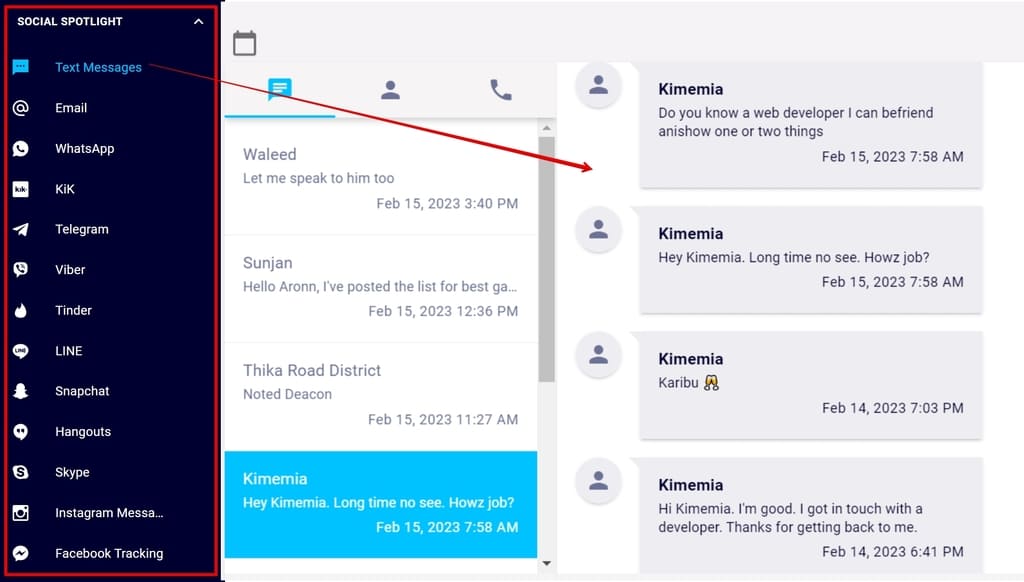
Besides messenger monitoring, the real-time app usage tracking provided insights into which social media apps were being used and for how long. The GPS tracking feature enabled real-time location tracking, while the web monitoring feature provided information on the last visited websites.
Here is the full Eyezy review on the HeyLocate blog: how Eyezy phone monitoring app works.
| Quickness | Simplicity | Effectiveness | Safety |
|---|---|---|---|
| 4 | 5 | 4 | 5 |
Pros:
- comprehensive monitoring;
- a demo version is available;
- 24/7 customer support.
Cons:
- requires a subscription;
- rooting might be needed for some advanced features;
- the cost increases for using EyeZy on multiple devices.
AirDroid Parental Control
AirDroid Parental Control is one of the popular parental control apps developed by SAND STUDIO CORPORATION LIMITED and launched in 2022. The app has received an average rating of 4.6 on Google Play Store.
Price:
Free plan and premium starting at $9.99/mo.
User Experience:
Using AirDroid Parental Control on Android, I needed to install the app on my child’s phone and my own device. No jailbreaking was required. The installation process was straightforward and easy to follow.
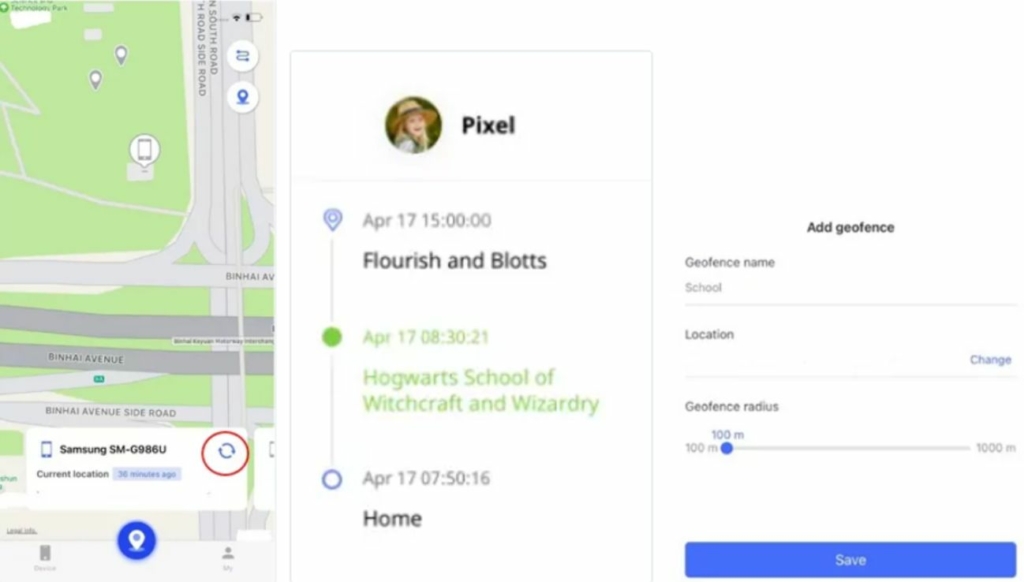
However, I found that some features of the app were misleading. In terms of text message monitoring, I could only see incoming text messages. For other messaging apps like Snapchat, I would only receive a notification that a message was received, which was disappointing.
Unless I constantly mirrored the screen, it was challenging to monitor messages as stated. Additionally, there was no record of the message context for review, which further limited the effectiveness of the monitoring feature.
While AirDroid Parental Control offered convenience in terms of installation and device management, the limitations in text message monitoring and the lack of message context recording made it less reliable for comprehensive monitoring of my child’s messaging activities.
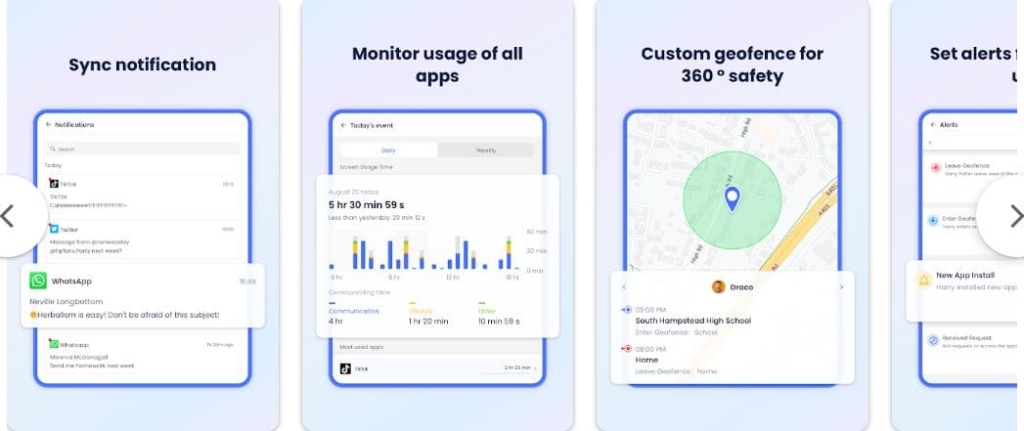
The app did provide other management features such as app usage control, screen time management, and website filtering, which were helpful in promoting healthy digital habits and ensuring a safe online environment for my child.
| Quickness | Simplicity | Effectiveness | Safety |
|---|---|---|---|
| 4 | 5 | 3 | 3 |
Pros:
- offers battery check to remind your child to charge their phone in time;
- offers a free plan;
- 24/7 customer support.
Cons:
- limited text message monitoring;
- inconsistent notification system;
- lack of advanced features;
- some features depend on screen mirroring.
Fill the Form Below To Track the Phone Number
- Number Tracking
- Phone Lookup
Conclusion
After conducting our research, we have found that uMobix is the top iPhone text monitoring app. It offers exceptional performance for text message monitoring for iPhone, fast data updates, and real-time notifications for suspicious content. Another reliable option is Parentaler, which provides comprehensive text message monitoring, including multimedia attachments. Additionally, XNSPY is a dependable choice that allows tracking of deleted messages.
For iPhone users, iCloud backup and text message forwarding serve as additional monitoring methods, while there is no such an option for Android users. However, it is important to consider factors such as compatibility, ease of use, customer support, and reputation when selecting apps to track text messages on iPhone or Android.
FAQ
You can see your child’s text messages by utilizing features like iCloud message sync on iOS devices or by using parental control apps such as uMobix, Parentaler, or XNSPY.
Yes, you can set up parental controls for text messages on an iPhone. Parents can use the built-in “Screen Time” feature to manage and restrict text messaging activities. This allows them to limit who their child can communicate with, monitor usage, and even block certain contacts or apps entirely.
To monitor your child’s text messages without them knowing on an iPhone, you can use discreet parental control apps like uMobix, or XNSPY, which operate in stealth mode and provide hidden monitoring capabilities.
You can monitor your child’s text messages on Android devices by utilizing parental control apps like Eyezy, or mSpy, specifically designed for Android platforms, which allow you to track and manage text messages.





 Monday-Sunday: 5:00am - 8:00pm (PT)
Leave a Comment