




 Affiliate Disclaimer
 To find a person’s social media, start with a Google search, try doing a reverse image search, search through certain social media or use reverse lookup services with the person’s name, phone number or e-mail (this is the most effective).
Are you searching for a long-lost friend or family member? Or are you suspicious that your child or spouse might be keeping secret social media accounts? Or maybe you’re a business professional seeking to uncover all possible contacts of a potential partner. Having a quick and efficient method to discover all the social media profiles associated with a person can be immensely valuable. At HeyLocate, we have explored various ways to find someone’s social media and are now ready to share the best strategies with you.

According to Statista, the average person possesses 8.5 social media accounts. Some users go to the extent of creating a false identity profile. Stopbullying.gov identifies the use of fake social media accounts as one of the methods cyberbullies use to gain the information they later use for manipulation and harassment.
Try to Find Someone’s Social Media Right Now
- People search
- Phone Lookup
And it’s not just cyberbullies who use social media to create flashy but fake accounts. There are countless other instances of people living double lives on social media accounts, and it’s only fair that you don’t fall for a well-curated social media account.
We understand the importance of a reliable and effective means to find and explore social media platforms. Stay with us as we delve into the most reliable and efficient methods to quickly discover someone’s social media accounts. Some of these services can help you perform a scam caller lookup to verify a caller’s identity through social media profiles.
Top Pick Based on Our Research
🥇 TruthFinder is the best for quickly and easily finding accurate information on a person’s social media profiles. The site is rated 4.7 stars by Consumer Affairs, indicating users are satisfied with its services.
🥈 Intelius is the most trustworthy backgrounder checker with the latest info on a person, including hidden social media accounts. The website boasts an A+ BBB rating and has been in business for 20+ years.
🥉 Spokeo is the best for a deep search, thanks to its extensive database. Its quick search by phone number means you’ll get fast results on a person’s social media accounts. BBB gave the site an A rating, verifying that it’s a legitimate business.
Table of Reverse Lookup Services to Find Social Media
Services Reviewed – 20+
Services Selected – 10
| Service | Method of Reverse Lookup | App for Android/iOS | Price | Trial | Rating |
|---|---|---|---|---|---|
| TruthFinder | Phone number Name | Yes Android 4.0+ iOS 14+ | $28.05 – basic membership $4.99 – reverse phone search | No Trial | 4.9 |
| Intelius | Phone number Name | Yes Android 4.7.5 iOS 14+ | $34.95/mo – reverse phone lookup + people search $21.13/mo – people search | 6-day – $0.95 trial | 4.8 |
| Spokeo | Username Phone number Name | Yes Android 4.0+ iOS 9+ | $19.95/mo $14.95/mo 3-month membership $69.95/mo – Professional | 7-day trial – $0.95 | 4.8 |
| Searqle | Username | No | $44.99/mo costs $28.33/mo paid quarterly | 3-day trial for $1 | 4.7 |
| BeenVerified | Username Phone number Name | Yes Android 4+ iOS 10+ | $26.89/mo – month plan $52.44 – 3-month plan | No trial | 4.7 |
| Instant Checkmate | Phone number Name | Yes Android 8.0+ iOS 14+ | $35.12/mo $28.09/mo – 3-month plan | 7-day trial for $5.99 | 4.7 |
| USSearch | Name Phone number | No | $19.95/mo $48.85 – 3-month plan | No trial | 4.6 |
| PeopleLooker | Name Phone number | Yes Android 4.4+ iOS 13+ | $22.86 $18.28/mo – 3 month plan | 7-day trial for $1 | 4.6 |
| PeopleSmart | Name Phone number | Yes Android 4.4+ iOS 11+ | Basic – $39/mo Professional – $69/mo Business – $99/mo | 7-day trial for $1 – Casual 7-day trial for $5 -Plus | 4.7 |
| NumberGuru | Phone number | Yes Android 4.4W+ iOS 13.0+ | $29.99/mo | 7-day trial for $1 – Casual 7-day trial for $5 -Plus | 4.7 |
We took some resources from the top reviews of the best, and almost all of them were awful. So trust only verified sources of information or blogs of specialized services related to telecommunications. For example, like our HeyLocate blog.
Ways to Find Someone on Social Networks for Free
No hurry to pay for anything, let’s try to find out something by ourselves.
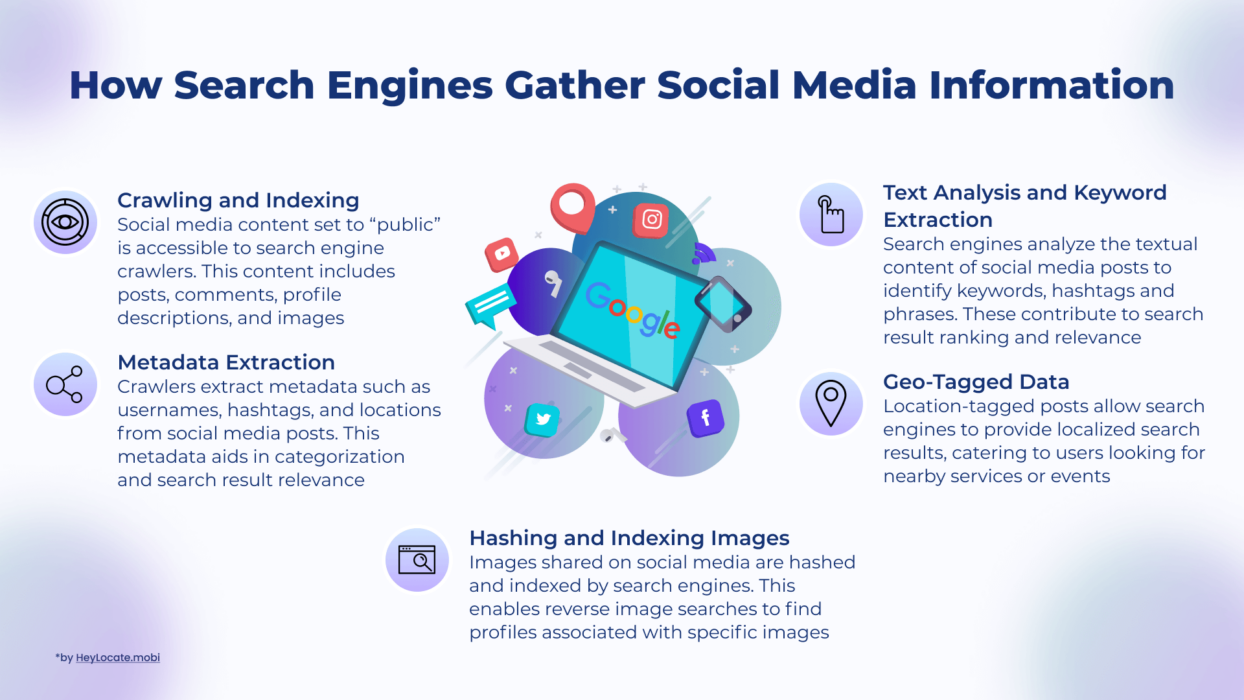
Start with Google Search and Google Images
Finding someone’s social media accounts through Google search can be tricky, but it’s the first step to find someone on all social networks free. This method works if you only have a name or phone number.
Remember that many people can have the same name, and phone numbers are not directly associated with social media accounts or publicly accessible databases. Enter the person’s name or phone number in quotation marks in the Google search bar.
This will narrow the search to the exact matches of that specific name or phone number. For example, search “Joe Presta” instead of Joe Presta. In addition, add more information about the person, such as their location, profession, company name, school, or other details that you know about the individual.
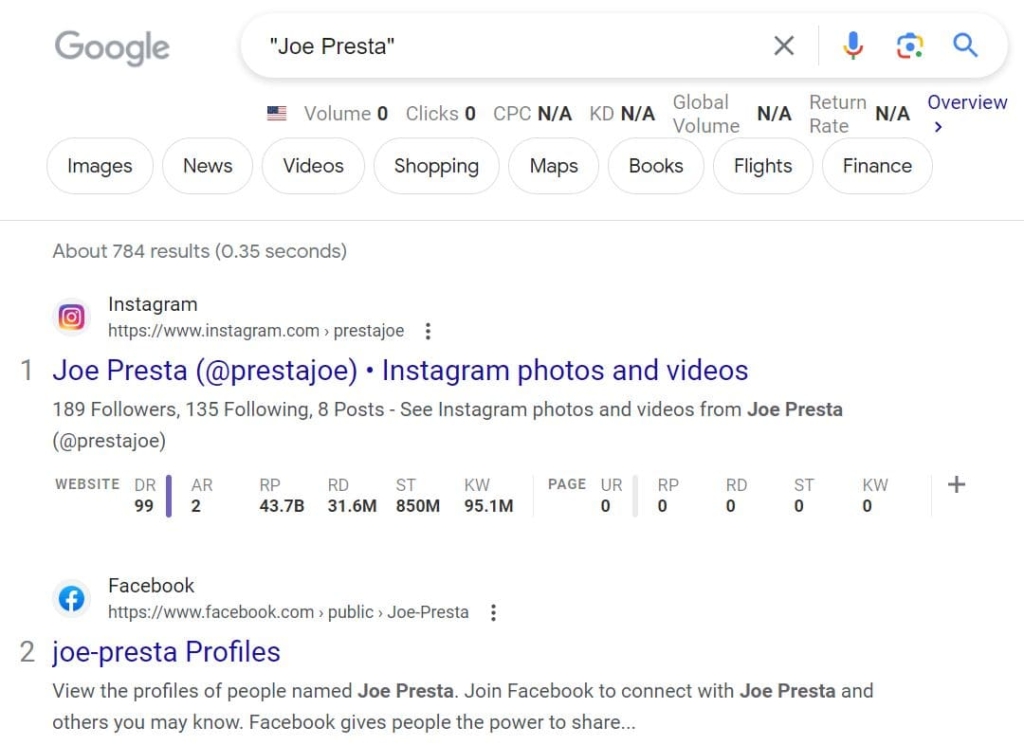
Adding specific information helps to filter the results even further.
If you have the person’s picture, you can do a reverse image search on Google.
Steps to doing a reverse image search:
- In the search window, select the camera icon. The “Search by image” page will load.
- You can immediately paste the URL of the image you want to look for into the search field if it is hosted online. Just copy the image URL from the website where it is hosted and enter it into the search bar.
- Upload a picture: Select the “Upload a file” option if the image you wish to search for is already saved on your device.
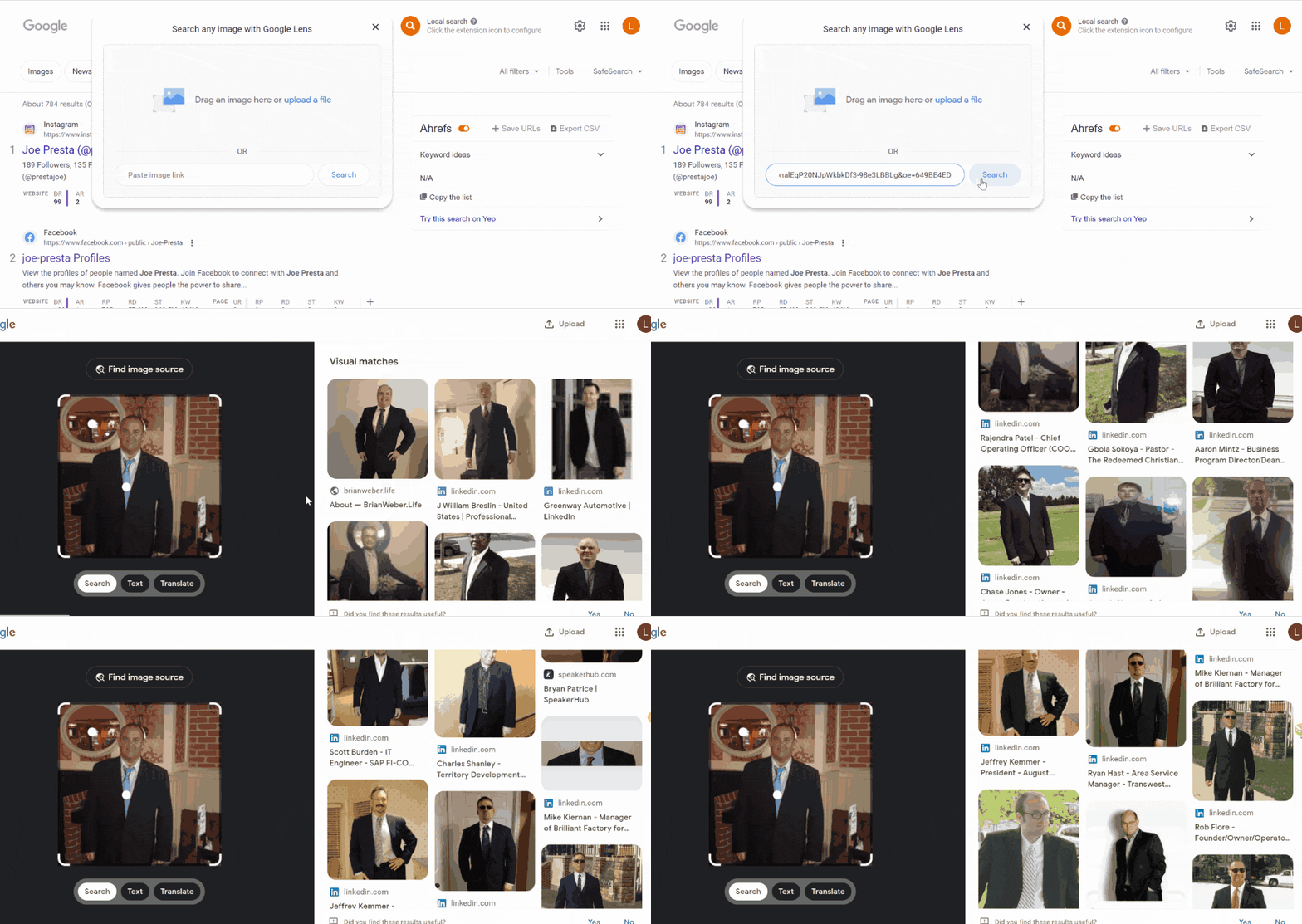
Google will process the image and provide the search results. The outcomes will comprise web pages with the image, visually similar images, and other relevant data.
Use Social Media Search
A social media search can yield better results than a simple Google search. Some social media platforms you can use include Facebook, Instagram, Twitter, LinkedIn, and TikTok. If you know the individual’s social media username, you can provide the details on the specific social media platform to see if it has an account with the username.
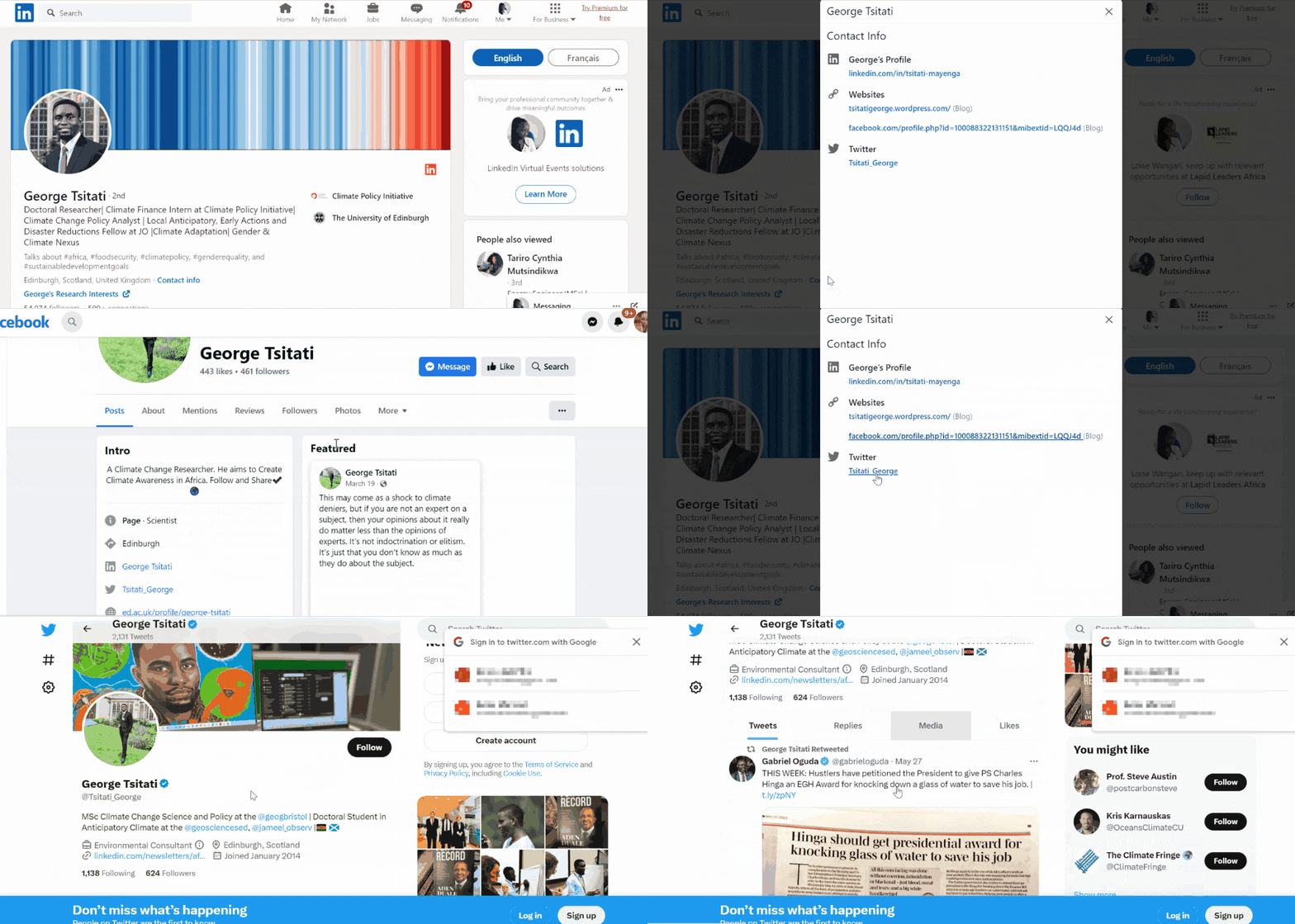
If you have mutual friends with the person you are looking for, you can explore them to see if you can find the individual’s social media profiles. Furthermore, you can start by checking their related social media profiles. For example, if you know a person’s LinkedIn, they may have listed their social media accounts like Instagram and Twitter. These accounts will give you more clues and lead you to discover their unknown social media accounts.
Reverse Lookup Services for Finding Someone’s Social Media
The problem with free search for someone’s social media is that a person can register their account not by their name, or their username is not the same as their real name. So, what to do then? Then one use reverse lookup services. Like these:
TruthFinder
TruthFinder People Search Engine was founded in 2015 in San Diego, California. The website has since grown to 340K+ followers on Facebook and 3.8K subscribers on its YouTube channel.
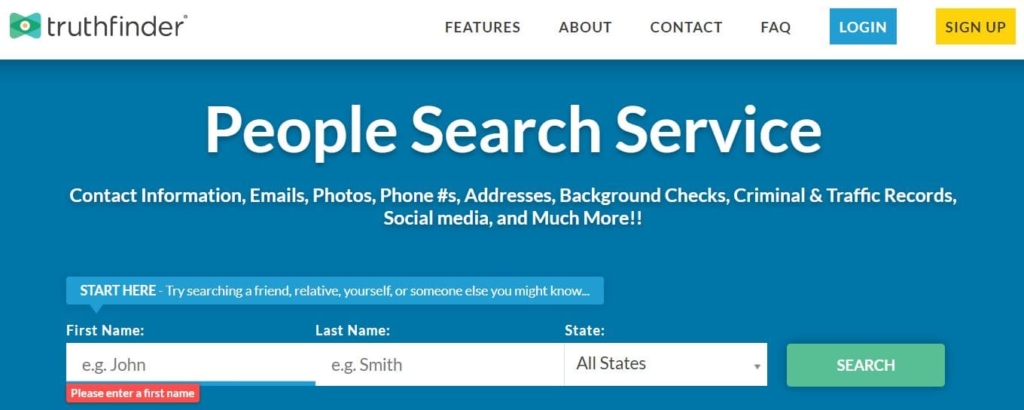
Method of Reverse Lookup:
- name;
- phone number;
- email.
Price:
- $28.05 – basic membership;
- $4.99 – reverse phone search.
User Experience:
TruthFinder can scan the most commonly known social media accounts like Facebook, LinkedIn, Instagram, and Twitter. I used it to browse for social media profiles, and it provided the available social media accounts of the person along with their usernames. It listed all known usernames, which I then used to refine my search on social media platforms.
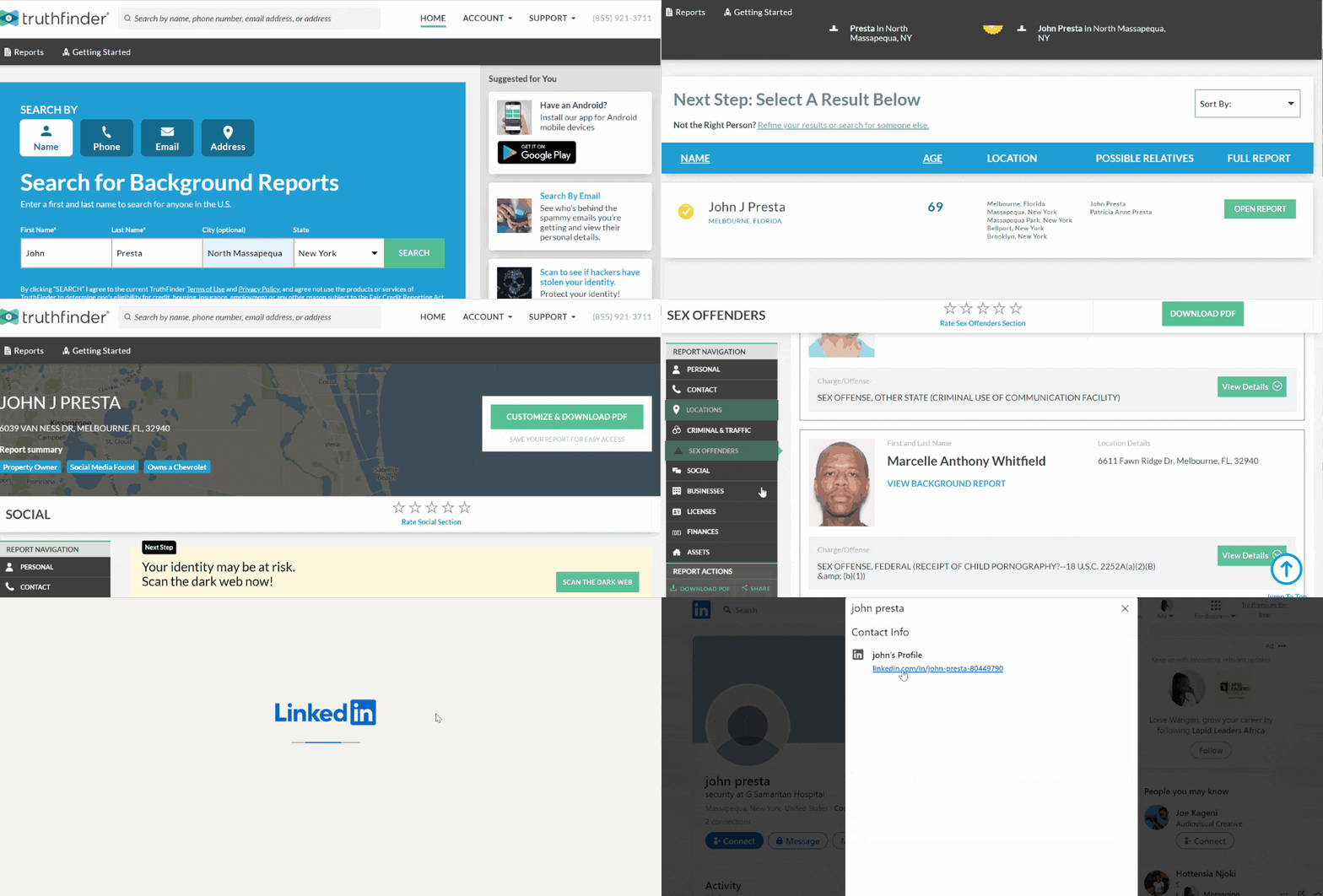
None of the information on TruthFinder is free. However, I had the option to see all associated social media accounts. A background check on Truthfinder could uncover aliases and phone numbers that could help further in refining the search. I found out the person had numerous LinkedIn accounts I was unaware of.
Read the full TruthFinder review on the HeyLocate blog:
| Quickness | Simplicity | Effectiveness | Safety |
|---|---|---|---|
| 4.9 | 4.9 | 4.8 | 5 |
Pros:
- shows all usernames of the person;
- searches are fast and accurate;
- includes other relevant data about a person.
Cons:
- requires an additional fee to download a PDF report.
Searqle
Searqle is a new reverse lookup company by Outlimic Inc. It has millions of people, phone, and address lookup records that allow you to find someone’s social media.
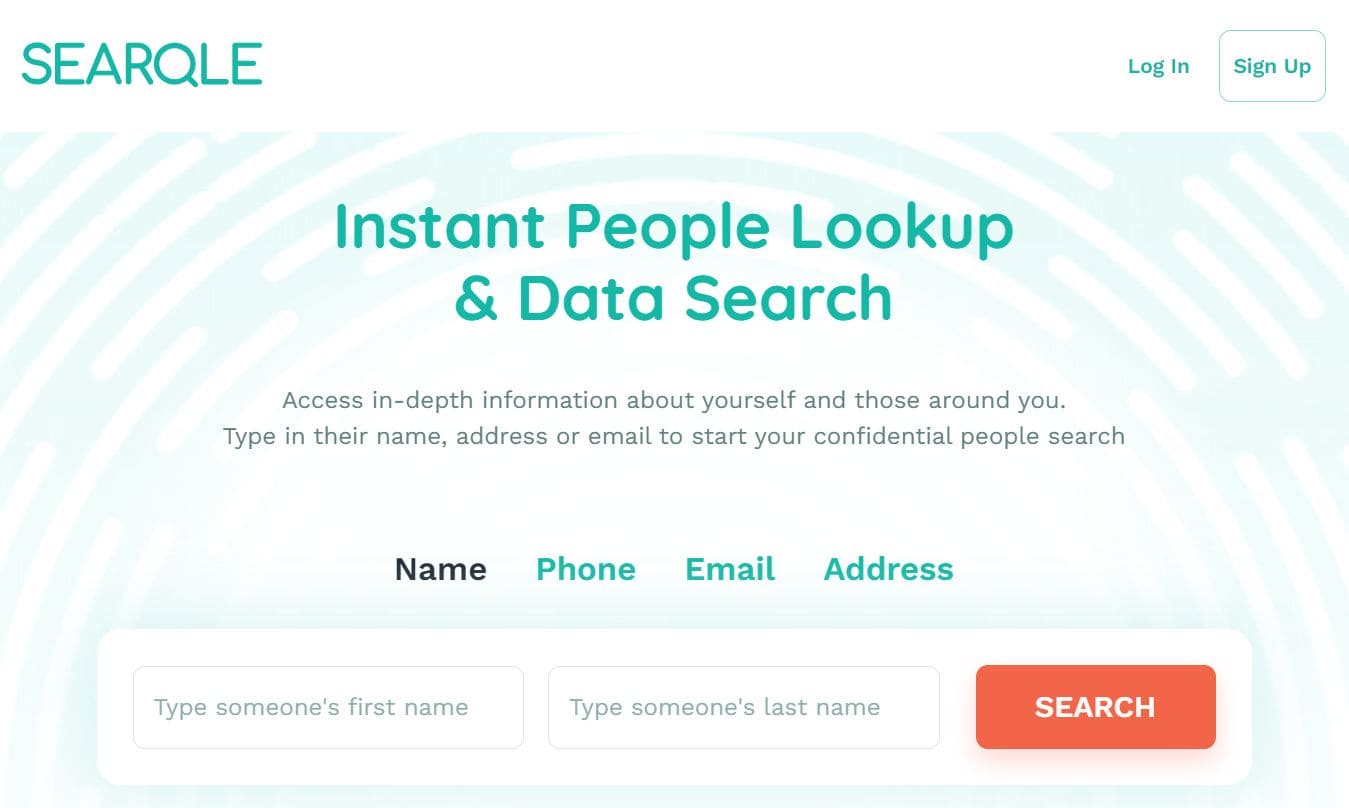
Method of Reverse Lookup:
- phone;
- username;
- email.
Price:
- $42.51/mo;
- $24.79/mo 3-month plan;
- $8.85/mo paid annually.
User Experience:
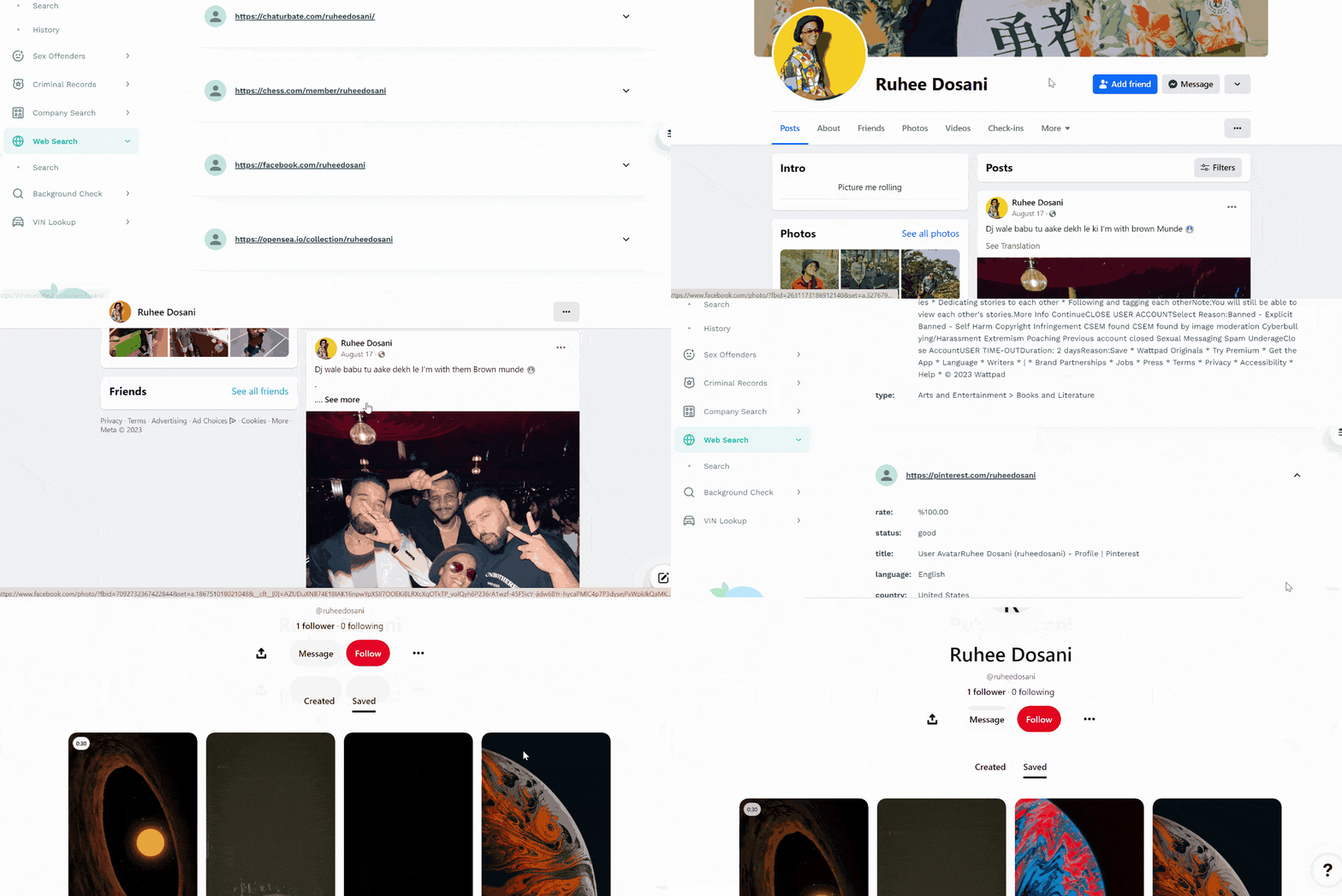
Searqle had numerous options to find someone’s social media. I chose the web search option, which allowed me to insert the target’s username. It showed me all the websites where that particular username had been used. Searqle included social media sites and links to those platforms.
After experimenting with Searqle, it was a reliable means of finding someone’s social media if you know their username.
| Quickness | Simplicity | Effectiveness | Safety |
|---|---|---|---|
| 4.7 | 4.7 | 4.8 | 4.8 |
Pros:
- gives valuable social information;
- links directly to found social media;
- offers a 3-day trial;
- multiple methods of social media search.
Cons:
- requires payment for every day use;
- strict refund policy.
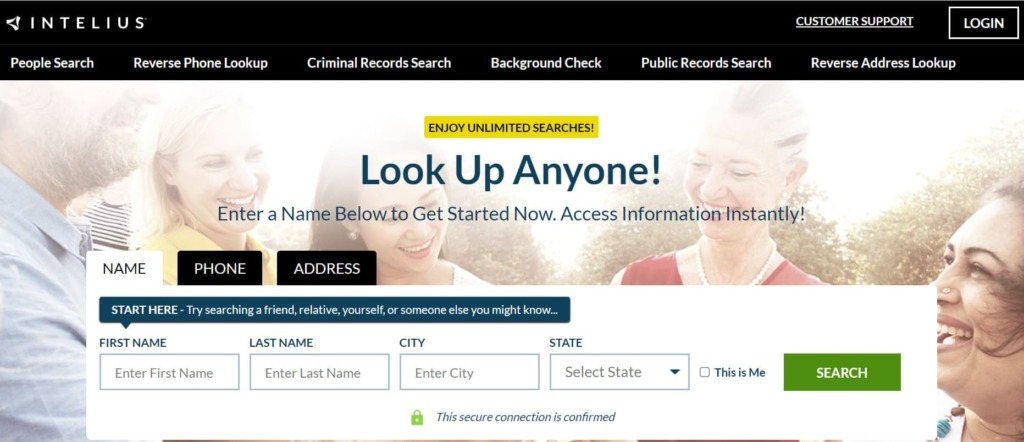
Intelius
Intelius has been in business since 2003. This company is headquartered in Seattle, Washington, and has 32K Facebook followers.
Method of Reverse Lookup:
- phone number;
- name;
- email.
Price:
- $0.95 6-day trial;
- $34.95/mo – reverse phone lookup + people search;
- $21.13/mo – people search.
User Experience:
I searched Intelius using its people search function, and it opened a detailed report including the person’s identity. The social profiles section listed the Facebook account of the individual. It also listed the associated usernames, which helped to discover other social accounts related to that person.
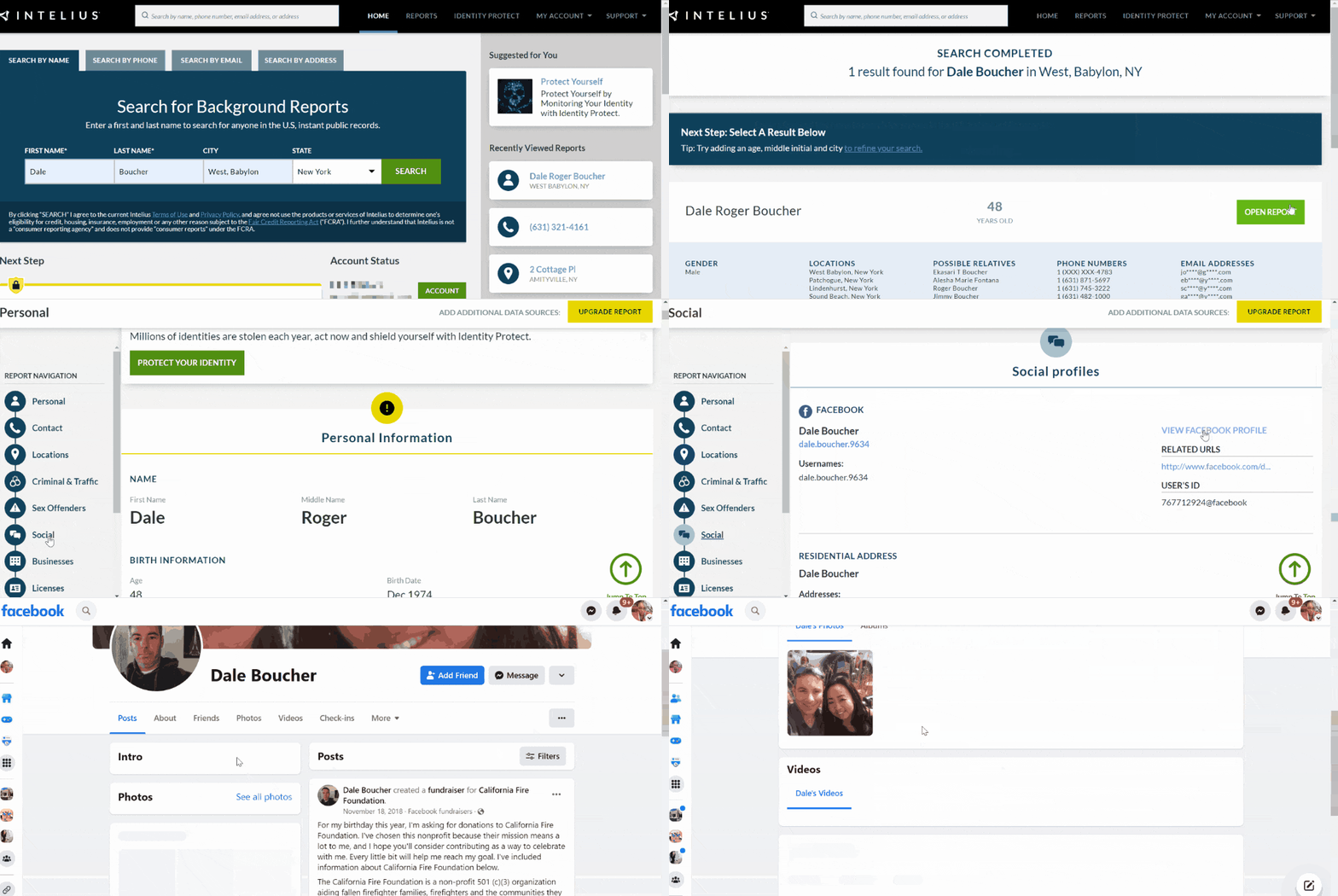
Apart from Facebook, Intelius can also find someone’s Twitter, TikTok, Pinterest, Instagram, and YouTube social media profiles. The information may include the username, follower list, sample posts, and images.
During my experimenting, Intelius shows some information for free, like the person’s name and location, if you search by someone’s phone number.
Intelius updates its database every 24 hours if there’s no social network information. Hence, I could check in to determine if any new accounts had been added. Intelius also offered to do a phone search and reverse email lookup to find social media accounts.
| Quickness | Simplicity | Effectiveness | Safety |
|---|---|---|---|
| 4.8 | 4.8 | 4.8 | 5 |
Pros:
- can verify one’s identity;
- discovers hidden social network profiles;
- lists all usernames of a person;
- updates data every 24 hours.
Cons:
- it has a long customer funnel before payment;
- no free trial.
Spokeo
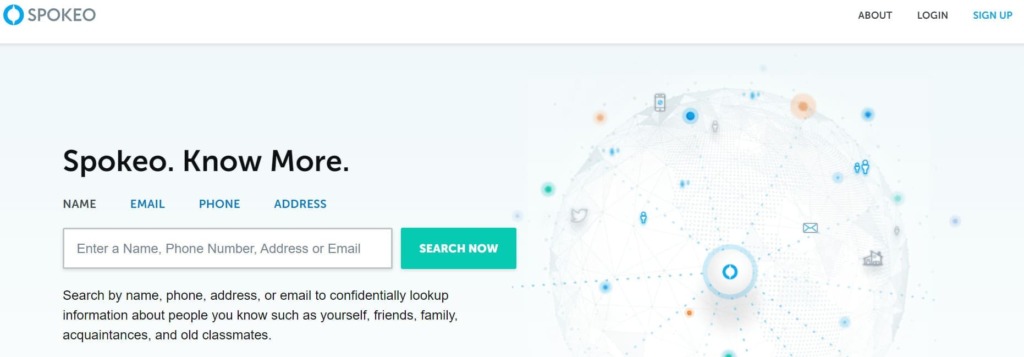
Spokeo was founded in 2006 in Mountain View, California. Our research showed that the company has an outstanding A rating on BBB and 3.3 stars on Consumer Affairs from 826 reviews. Spokeo has 71,000 followers on Facebook and 3.5k subscribers on Youtube.
Method of Reverse Lookup:
- username;
- phone;
- name;
- email.
Price:
- $19.95/mo;
- $14.95/mo 3-month membership;
- $69.95/mo – Professional.
User Experience:
Intelius scanned 120 social media sites using different search tools, including name, username, email, or the person’s phone number. The website could find hidden profiles since it listed all available social media information.
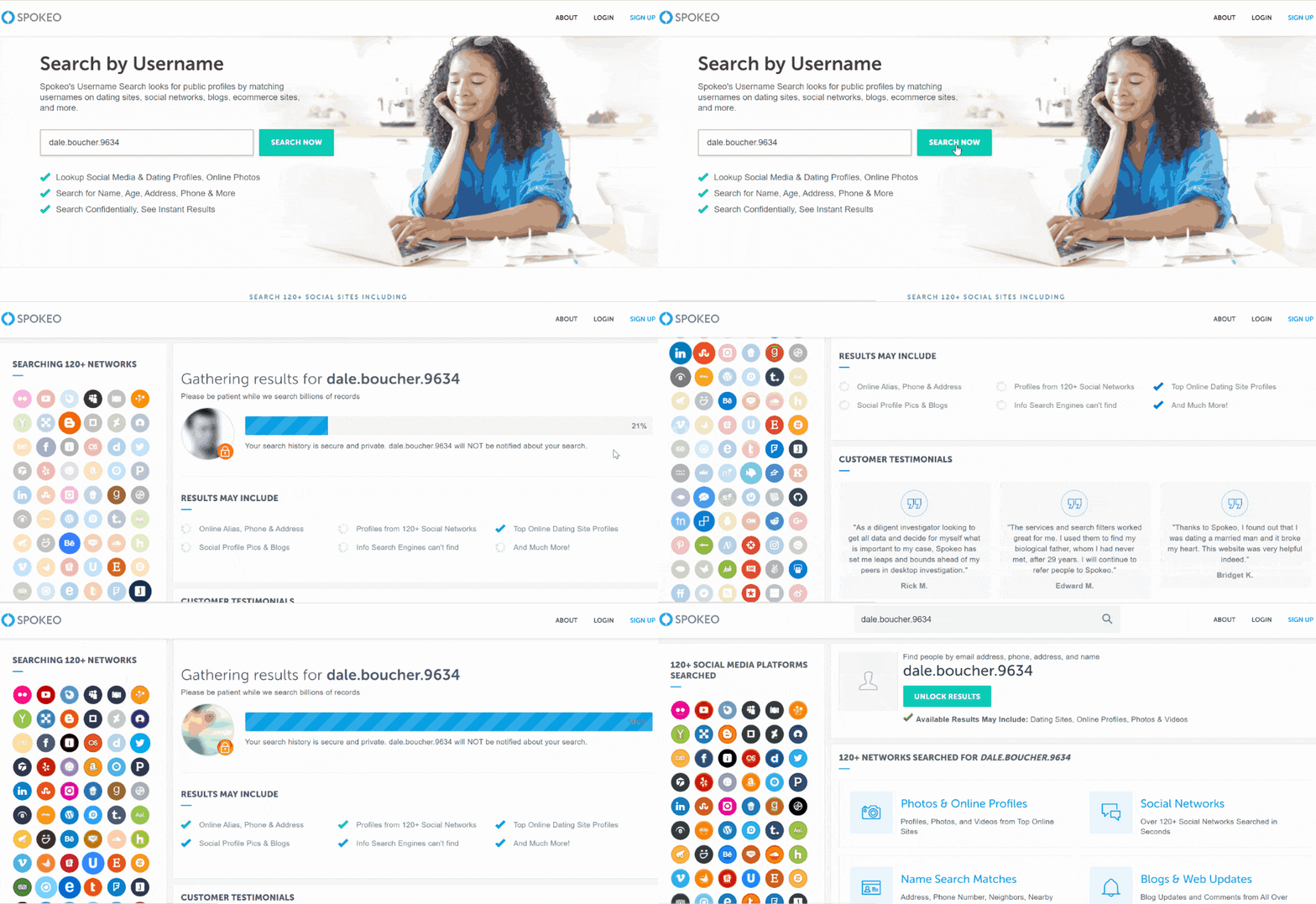
Spokeo did not provide any free information. However, I had access to a free account that gave me full access to the website. To this end, Spokeo found information across different social networks. During my test, it gave me the person’s usernames, and the search was only a few seconds long.
Spokeo offered to monitor a profile and provided me with the option to receive notifications when it found new social media activity.
| Quickness | Simplicity | Effectiveness | Safety |
|---|---|---|---|
| 4.7 | 4.8 | 4.8 | 4.9 |
Pros:
- collects data from 50+ sources;
- notifies the user when social media accounts are added;
- can access online profiles from over 100+ popular sites;
- accesses 12B+ records to verify someone’s identity.
Cons:
- emails searches may take longer to turn up results;
- opting out of Spokeo is a long process.
BeenVerified
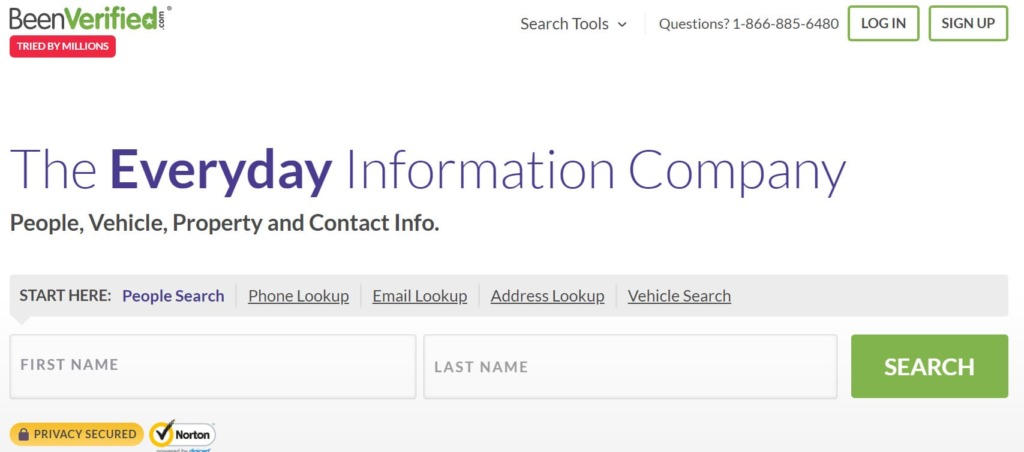
BeenVerified was founded in 2007 to help people discover public data, including that on social networks. The company has an impressive following of 52,000 on Facebook, and 3,000 people have subscribed to its Youtube channel.
Method of Reverse Lookup:
- username;
- phone;
- name;
- email.
Price:
- $26.89/mo – month plan;
- $52.44 – 3-month plan.
User Experience:
BeenVerified could search dozens of social media networks by performing a username search. It could also lookup a person by phone number, name, and reverse email lookup.
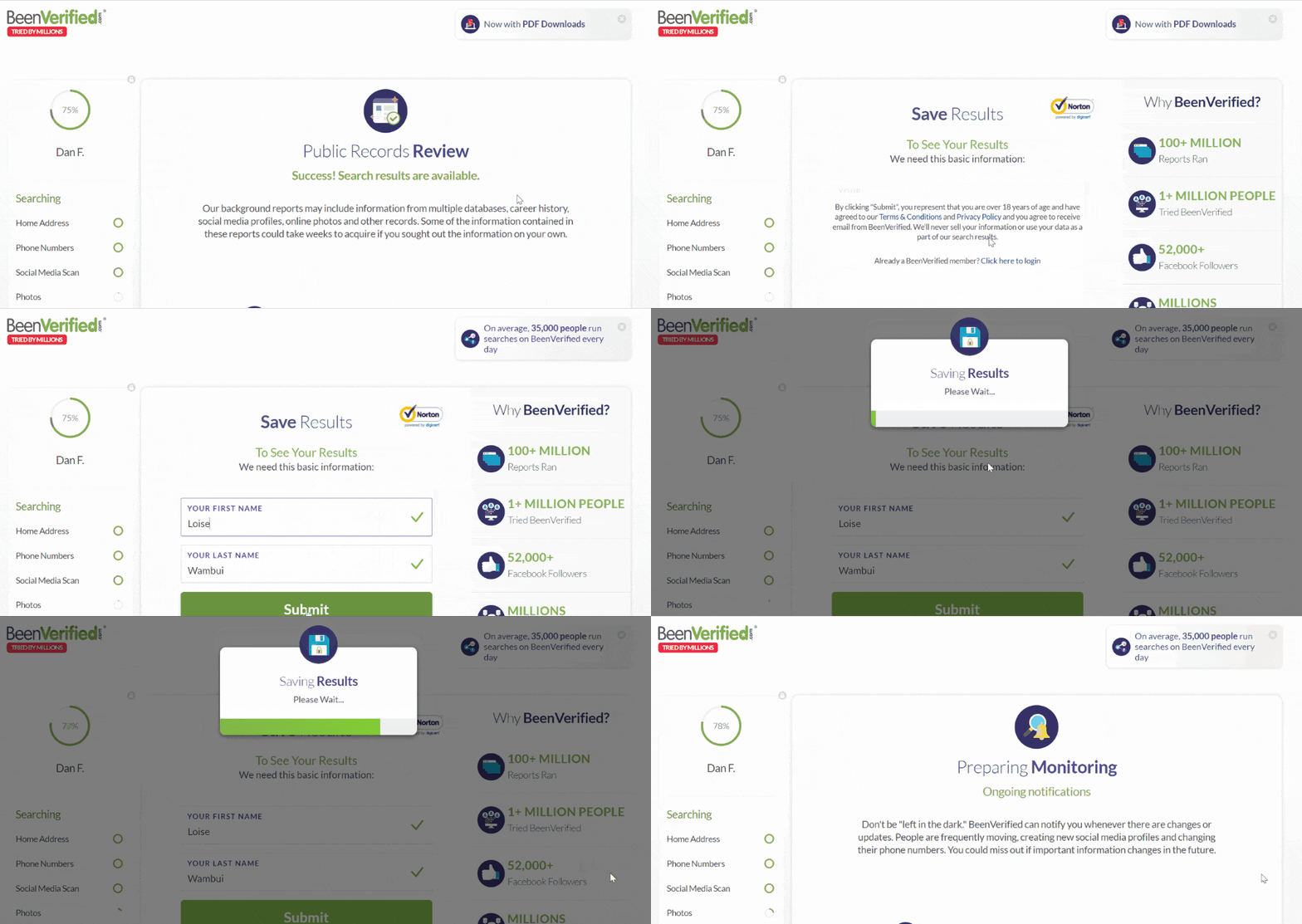
BeenVerified could find hidden accounts since it turned up other social media accounts and contact information, including email addresses, dating profiles, and profile pictures.
The only information available for free on BeenVerified is the person’s full name and location. If I only found one social media account and would love to get updates, BeenVerified has a Monitoring Feature that I could activate for up to 10 searches that I’d run. The platform notified me by email whenever it updated its public records.
| Quickness | Simplicity | Effectiveness | Safety |
|---|---|---|---|
| 4.7 | 4.7 | 4.7 | 4.8 |
Pros:
- finds all social media accounts;
- can search using a person’s email address;
- lots of features not available on regular search engines;
- can notify users when it updates specific profiles.
Cons:
- no option to buy a single report;
- some searches take longer than others.
Instant Checkmate
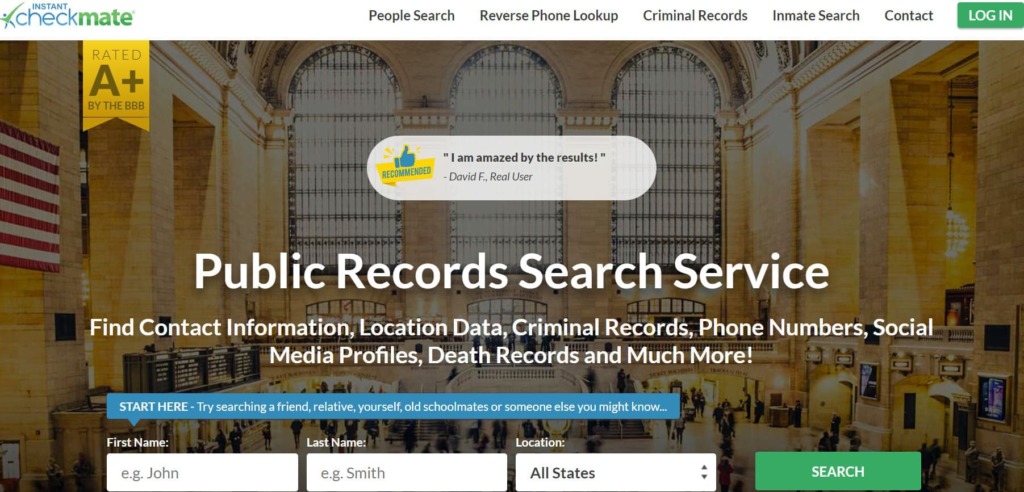
Instant Checkmate was originally designed to help verify dating profiles on any social media platform. This people search engine was founded in 2010. It has an A+ BBB rating and 4.1 stars on Consumer Affairs. Furthermore, the service has 224,000 Facebook followers and 4.6K subscribers on Youtube.
Method of Reverse Lookup:
- name;
- phone.
Price:
- $35.12/mo;
- $28.09/mo – 3-month plan.
User Experience:
Instant Checkmate scans numerous social medial platforms. In the search bar, I entered various information about the target, like their name, username, nickname, age, and city. InstantCheckmate found all the social media accounts of the individual.
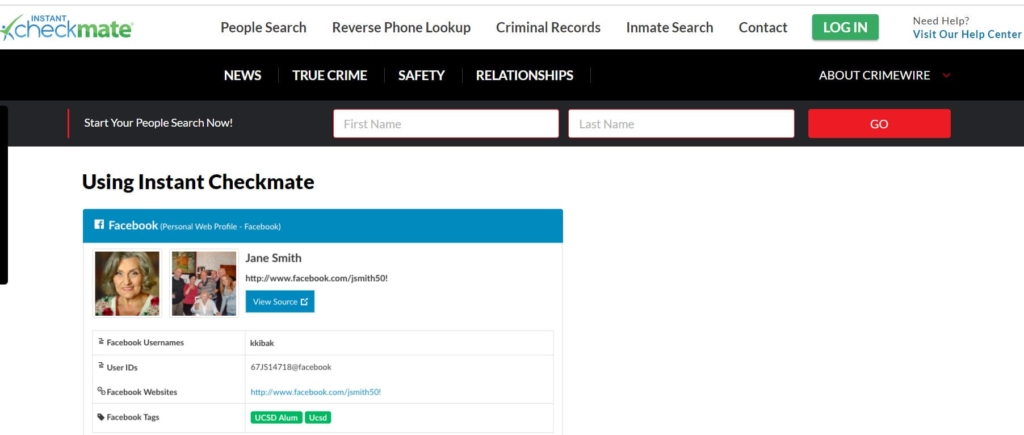
I could click on a link that led me to a social media site. Unlike other people search engines, Instant Checkmate showed Facebook usernames, user IDs, and Facebook tags. It made narrowing down the search results easier if there were multiple search results.
During my testing, the only free information available on Instant Checkmate was the individual’s location and phone carrier. The search was also long when conducting a free search. Again, the site updates information every 24 hours allowing you to see updated profiles.
| Quickness | Simplicity | Effectiveness | Safety |
|---|---|---|---|
| 4.6 | 4.7 | 4.7 | 4.8 |
Pros:
- pulls information from multiple sources;
- includes user IDs and usernames;
- can provide detailed background report;
- unlimited searches on one subscription plan.
Cons:
- free searches take long to load;
- long customer funnel before reaching results.
USSearch
USSearch provides people with data from public records. It was founded in 1994 and has since provided users with valuable information. We didn’t find many website reviews, but we verified its legitimacy since it has a valid SSL certificate.

Method of Reverse Lookup:
- phone;
- name.
Price:
- $19.95/mo;
- $48.85 – 3 month plan.
User Experience:
USSearch could find someone using their name or phone number on social media. The site scanned Facebook, Instagram, and other popular sites. USSearch found the person’s social media profiles, including hidden accounts.
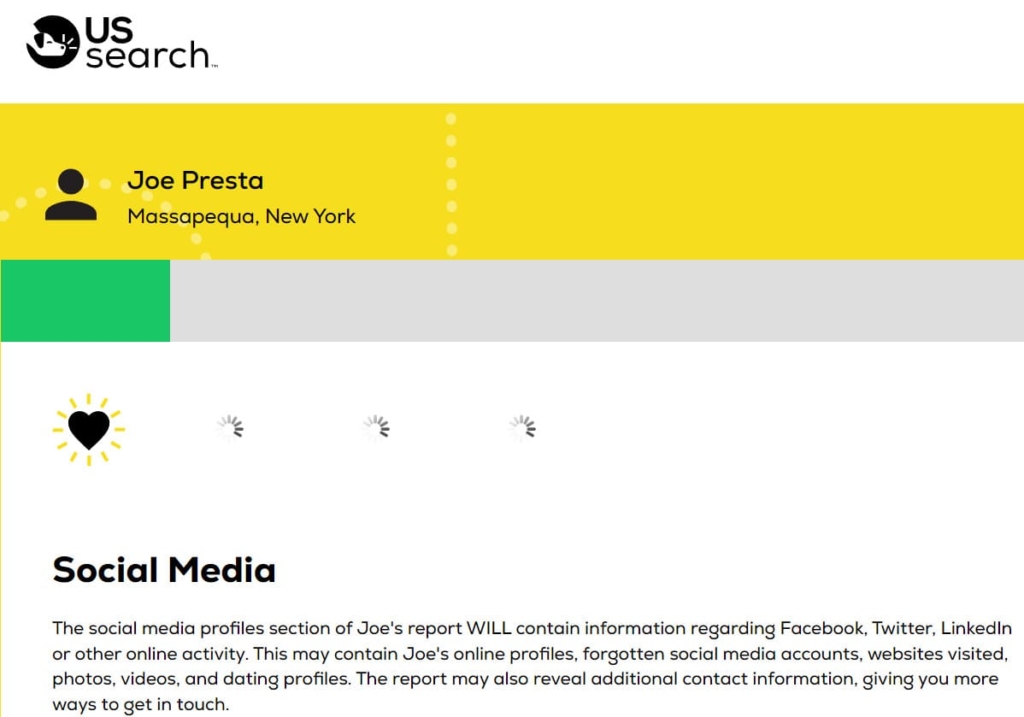
While I tested the service, it also suggested associated accounts, meaning I could find someone’s social media, even those that did not come up on a manual search on Google.
USSearch provided some information for free. These included the name, age, location, and possible relatives. Unfortunately, the site does not automatically update, and it had no option to notify me when it updated information on specific profiles.
| Quickness | Simplicity | Effectiveness | Safety |
|---|---|---|---|
| 4.6 | 4.6 | 4.7 | 4.8 |
Pros:
- 20+ years in business;
- well-organized social media report;
- verifies someone’s identity;
- unlimited monthly searches with no hidden fees.
Cons:
- only available in the US;
- infrequent updates mean data may be out of date.
PeopleLooker
PeopleLooker was founded in 2012 in New York. The business has 29K followers on Facebook. PeopleLooker aggregates data from public records, social media sources, and federal data.
Method of Reverse Lookup:
- phone;
- name;
- email.
Price:
- $22.86;
- $18.28/mo – 3-month plan.
User Experience:
PeopleLooker scanned 50+ social media platforms, including Instagram, Twitter, LinkedIn, Pinterest, Facebook, etc. The results included photos, videos, usernames, and social media IDs. Thus, I could use the information to find more social media accounts.
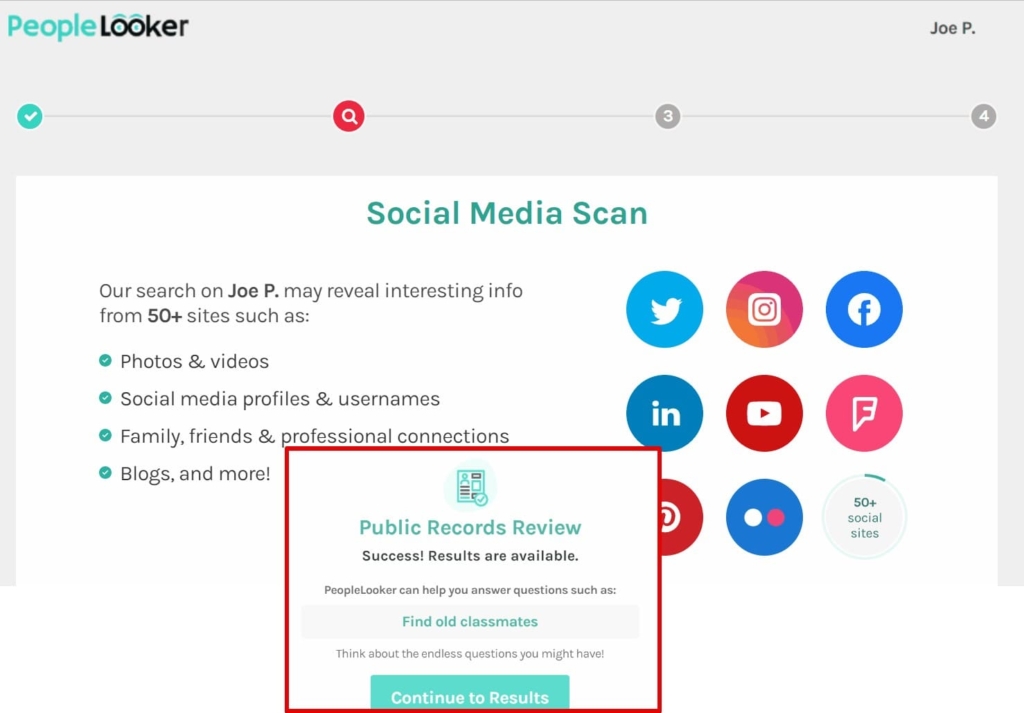
Unfortunately, PeopleLooker did not provide any information for free. Nonetheless, it notified me when a searched person updates their data. It offered even more ways to find out hidden social network profiles.
| Quickness | Simplicity | Effectiveness | Safety |
|---|---|---|---|
| 4.7 | 4.8 | 4.7 | 4.8 |
Pros:
- unlimited monthly searches;
- three lookup search tools;
- can find someone’s blog post;
- live customer service seven days a week.
Cons:
- takes long to perform free searches;
- no free trial.
PeopleSmart
PeopleSmart is one of the best platforms to find someone’s social media information. It caters to professionals who want to find new potential customers, learn more prospects, or understand customers. The service currently has 37k followers on Facebook.
Method of Reverse Lookup:
- phone;
- name;
- email.
Price:
- basic – $39/mo;
- professional – $69/mo;
- business – $99/mo.
User Experience:
PeopleSmart searched social media sites like LinkedIn, Twitter, Youtube, Facebook, and Instagram. It offered valuable information about a person’s name, profession, job title, company, location, and seniority.
About social media, the platform provided access to official social media accounts. It did not find hidden profiles or suggest associated accounts.
PeopleSmart avails all its information for a fee. I could monitor a profile and get updates once the person adds new information.
| Quickness | Simplicity | Effectiveness | Safety |
|---|---|---|---|
| 4.6 | 4.6 | 4.7 | 4.8 |
Pros:
- accesses millions of professional accounts;
- uses reputable sources to aggregate information;
- has the option to save searched data;
- can work as a Chrome extension.
Cons:
- limited searches per subscription;
- does not have background reports.
NumberGuru
NumberGuru is one of the most popular reverse phone number search engines. The website launched in 2010 and reached 1M visits in April 2023. NumberGuru has 5K followers on Facebook and a 100% Trust score on scamadviser.com.
Method of Reverse Lookup:
Phone.
Price:
$29.99/mo.
User Experience:
NumberGuru searches Facebook, Youtube, Snapchat, LinkedIn, Twitter, Pinterest, and dozens of commonly used social media sites. It discovered online photos, comments, friends, and associates of that particular phone number.
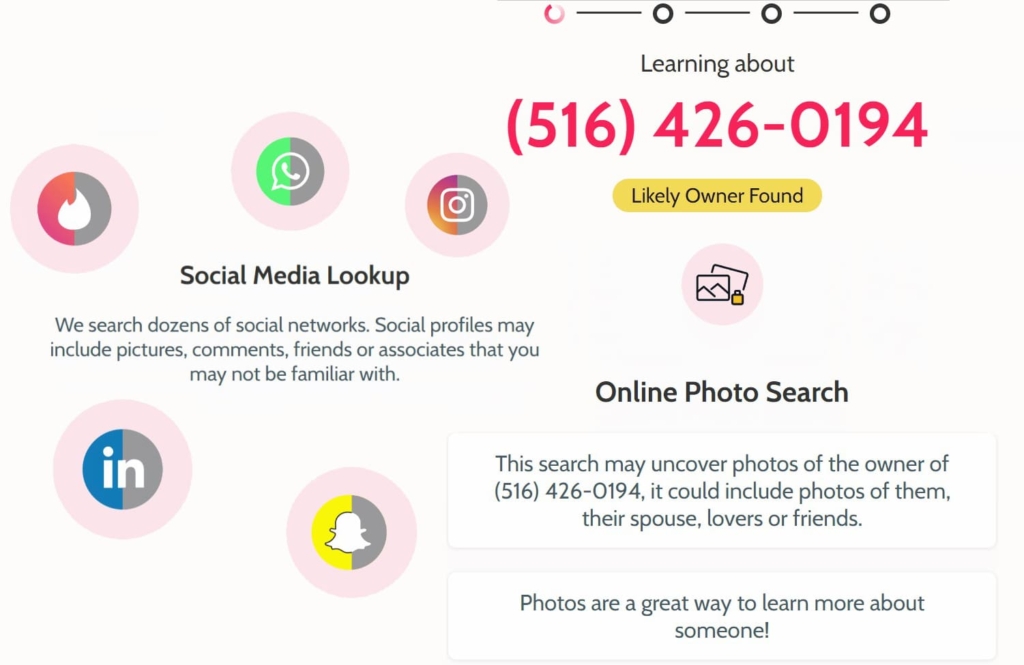
I paid $1 for a 7-day trial, since none of the information was free. I chose the notify me option, which could give me updates whenever a profile I had searched added information. Overall, after my test, I found NumberGuru reliable for finding someone’s social media, especially if you only have their number and not the person’s name.
| Quickness | Simplicity | Effectiveness | Safety |
|---|---|---|---|
| 4.8 | 4.7 | 4.7 | 4.8 |
Pros:
- searches phone number owner in seconds;
- efficient reverse phone number lookup service;
- provides other contact information;
- showcases photos and online comments.
Cons:
- only phone number search available;
- unsubscribing requires calling customer care.
Conclusion
By now, you know how to uncover someone’s social media accounts. Whether you are searching for old friends or investigating fake online social accounts, this article has covered the top options for accurate results.
If you’re looking for an efficient way to discover someone’s social media presence, we recommend starting with TruthFinder. This tool provides in-depth background checks, including social media profiles. Intelius offers extensive search capabilities, including uncovering hidden social media accounts. Finally, Spokeo is a trusted platform providing detailed insights into a person’s digital footprint.
Frequently Asked Questions (FAQs)
A paid reverse phone number lookup like TruthFinder or Intelius can help you find someone’s social media. Such a tool will uncover detailed information about a person, including their social media accounts.
You can do reverse image searches on Google, leading to similar images posted online. Hopefully, the image results will lead to social media accounts belonging to the picture’s owner.
Some search engines like Spokeo allow you to search their database using someone’s username.
If you have the person’s phone number or name, a reverse search will likely turn up their email and social media details. Use Truthfinder, Intelius, or Spokeo for the most accurate information.




 Monday-Sunday: 5:00am - 8:00pm (PT)
Leave a Comment