




 Affiliate Disclaimer
 A Reverse Email Lookup Service is an online tool that allows users to search for information about a person using their email address. It can provide details such as name, contact information, social media profiles, and other publicly available data associated with the email address.
Have you ever received an email from an unknown sender and wondered who they are? Or have you ever been suspicious of an email’s content and wanted to verify the sender’s identity before responding? There are free reverse email address lookup services to use for you to stay informed and safe.

Unfortunately, email scams are a significant threat to individuals and businesses alike. The FBI’s Internet Crime Complaint Center received a record-breaking 791,790 complaints of suspected internet crime in 2020.
Phishing is the most common email scam, where the email seems to be from a reputable organization or individual. The intention is to obtain sensitive information such as login credentials or financial data. The Anti-Phishing Working Group (APWG) detects 100 unique phishing attacks daily.
This is where reverse email lookup services prove helpful. HeyLocate.mobi has made our own research of the best free reverse email lookup services available.
Top Pick Based on Our Research
Here are our top-3 reverse email lookup services, that you can try right now:
It is the most accurate tool for reverse email lookup. With access to over 150 million records, you can expect to find up-to-date and exact details of the person behind an email.
This reverse email lookup tool allows you to search for the owner of an email with $1 trial. It shows the owner’s name, location, social media accounts and online photos.
🥉 Spokeo
Spokeo allows reverse email search for free. It collects data from social media accounts and public records for accurate results.
Table of the Best Free Reverse Email Lookup Tools
Services Reviewed: 30+
Services Selected: 10
| Service | What Info You Can Get | Additional Lookups | Price | Rating |
|---|---|---|---|---|
| Spy Dialer | Email owner’s name | Name Address | Free | 4.8 |
| That’sThem | Name Current residence Home facts Past addresses Phone number Linked email addresses | Name Address IP Vehicle | Free | 4.9 |
| Social Catfish | Name Location | Name Address Phone Username Image | Free $6.48 3 days $28.94/mo | 4.6 |
| Hunter.io | Email validity | Domain | Free $49/mo Starter $149/mo Growth $499/mo Business | 4.7 |
| TruthFinder | Full name Current location Past addresses Criminal records | Name Address Phone number | $1.99 | 4.8 |
| Spokeo | Full name Current location Past addresses Criminal records | Name Address Phone number | $0.95 | 4.9 |
| Searqle | Owner’s name ZIP City Address | Phone Username Name Address | 3-day trial at $1 $44.99/mo costs $28.33/mo paid quarterly | 4.8 |
| BeenVerified | Full name Current location Social media accounts Online photos | Name Address Phone number Vehicle number | $1 trial $22.86/mo $14.86/mo paid quarterly | 4.7 |
| PeopleLooker | Name Address Close relatives Social media details Criminal records Associated emails Bankruptcies | Name Address Phone number Business to business Username Property search Unclaimed money | $1 trial $22.86/mo $18.28/mo paid quarterly | 4.8 |
| PeopleSmart | Name Linked emails Social media accounts Job & education history | Phone Username People | $1 for 7-day trial $4.95 per report $2.95 Basic $29.95 $59.95/mo Unlimited | 4.8 |
We took some resources from the top reviews of the best, and almost all of them were awful. So trust only verified sources of information or blogs of specialized services related to telecommunications. For example, like our HeyLocate blog.
What Is Reverse Email Lookup?
A reverse email lookup is searching for information using an email address. You can discover details about an individual or organization. A reverse email lookup can also lead to a background search. Some information you may uncover includes the owner’s full name, current address, phone number, photos & videos, and all social media profiles.
Try Reverse Email Lookup Now
- Lookup
- People search
How to Do Free Email Search
The first place you will want to start is on Google or Bing. To do a Gmail reverse email search, type in the email address on the search bar. The search will yield any results associated with that email, such as on a web page, message boards, or directory.
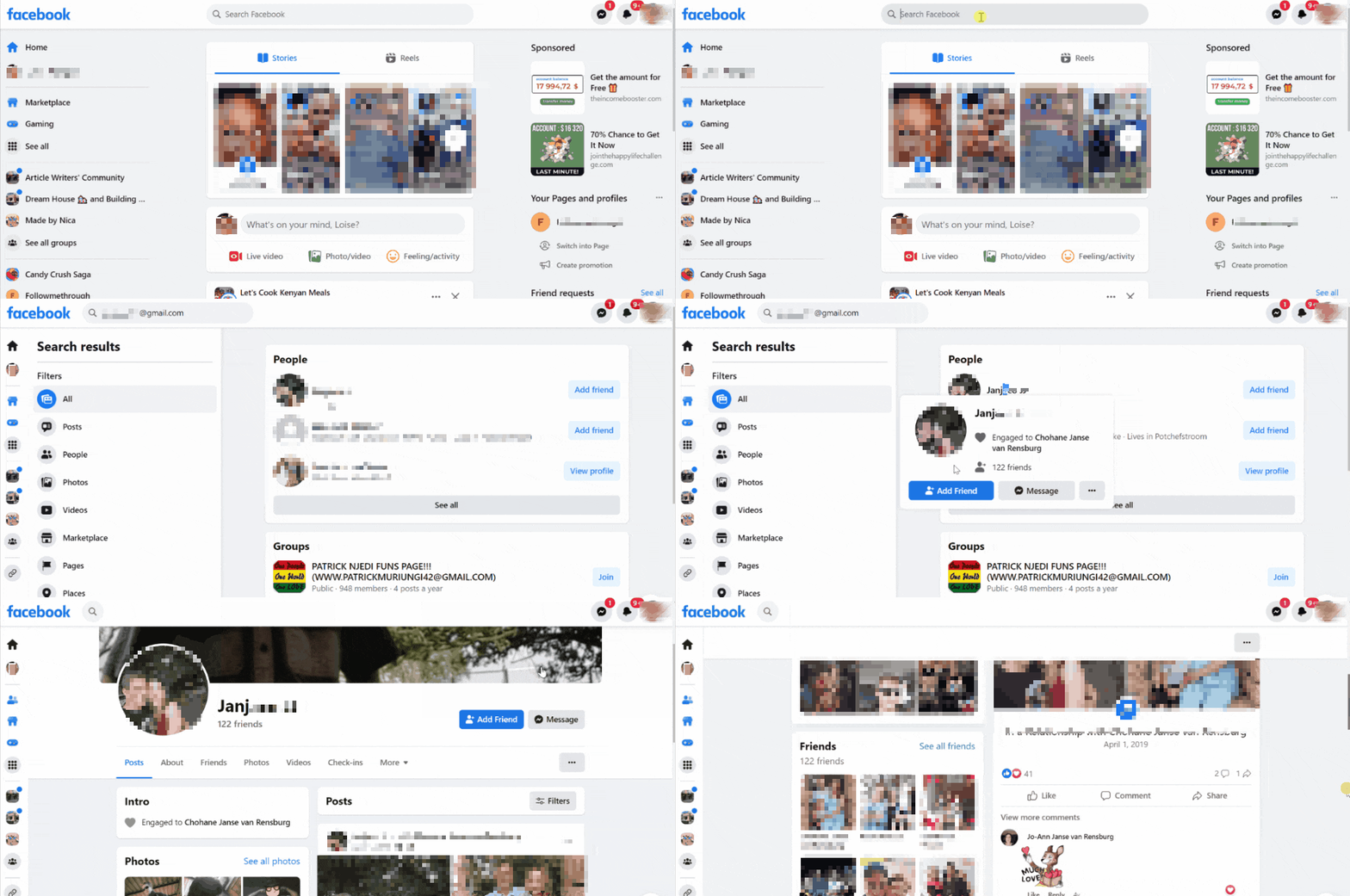
If there are no hits on Google, proceed to social media accounts. Enter the email address in the search bar and hit enter. You will find the social media account registered with that email. If you search on Facebook, Instagram, Twitter, LinkedIn, Snapchat, etc., and don’t get results, you can contact the Internet Service Provider (ISP) associated with the email address.
You will need to trace the IP address by doing an email header analysis. Go to the email in question. Alongside that email, you will find the originating IP, which you can then use to trace where the email came from. Hence, you may be able to determine whether the email is a scam.
If none of these methods seem to turn up credible results, it’s best to do reverse email lookups online.
Free Email Lookup Services
Among the top guides that I found while researching are US phone reverse lookup services such as pipl.com and Cocofinder. The first is paid, and the second is just an affiliate of Spokeo, which we’ll review further. But during my testing, I’ve reviewed some really free email lookup tools. Let’s see what they can suggest for us for free.
Spy Dialer
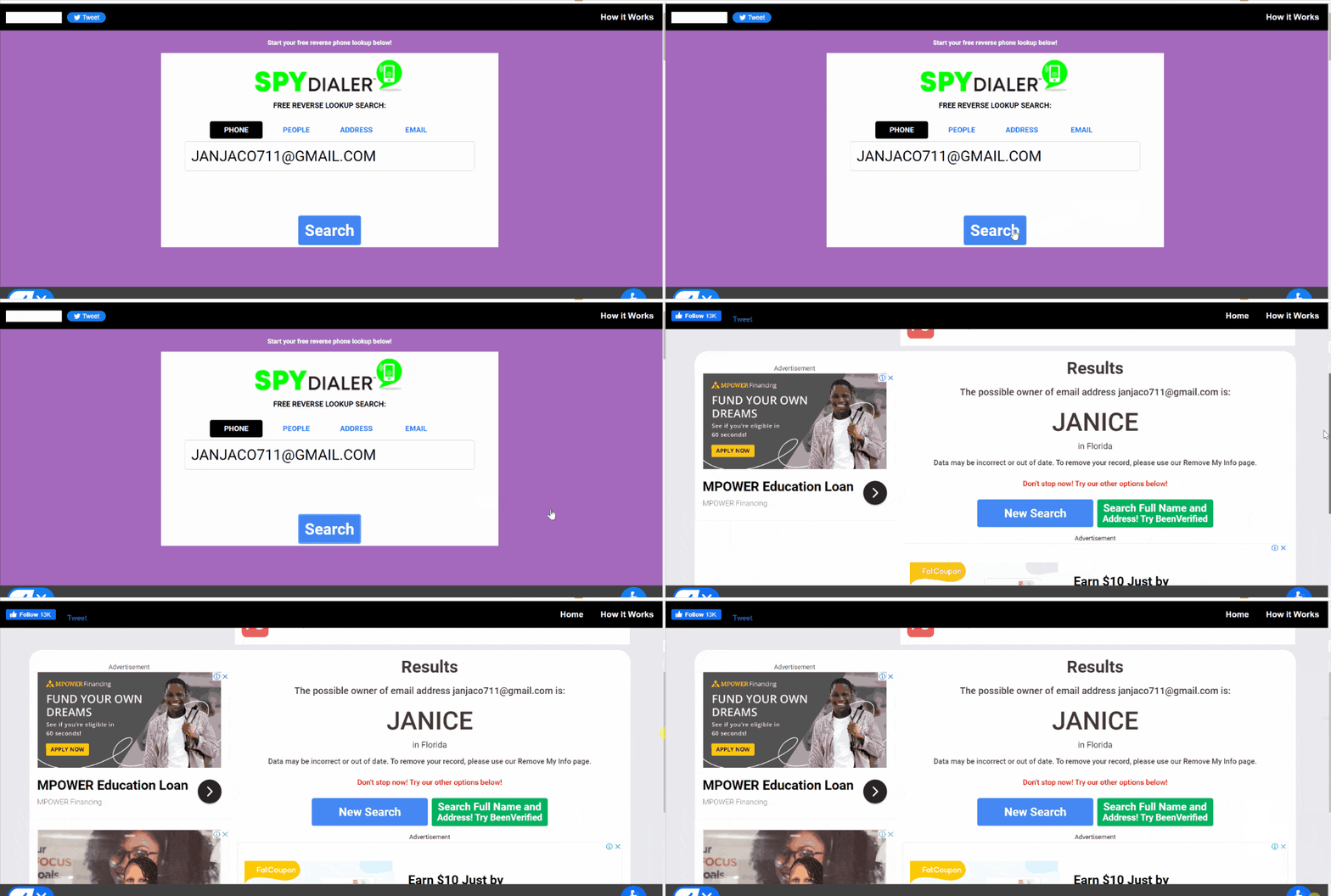
Spy Dialer is a reverse search engine that has collected information from billions of records. Besides looking up who called you from that phone number, it can also discover someone’s details using their email address.
User Experience:
Searching a person’s details on Spy Dialer was only a few seconds long. It revealed the most likely owner of the email address and their location. However, the engine indicated its results might be inaccurate or outdated.
To see the full name and address, Spy Dialer indicated I should head to its affiliate, BeenVerified. Since BeenVerified is a paid site, my search for the owner of an email with Spy Dialer was pretty brief.
I liked that it was anonymous, and the person would not be notified. The drawback with Spy Dialer is that I could not verify the email search results.
| Quickness | Simplicity | Effectiveness | Safety |
|---|---|---|---|
| 4.9 | 5 | 4.5 | 4.8 |
Pros:
- gave the name of the email address;
- option for searching for the full name of the owner;
- showed the general location.
Cons:
- did not show the owner’s full name;
- lots of ads on the search results page.
That’sThem
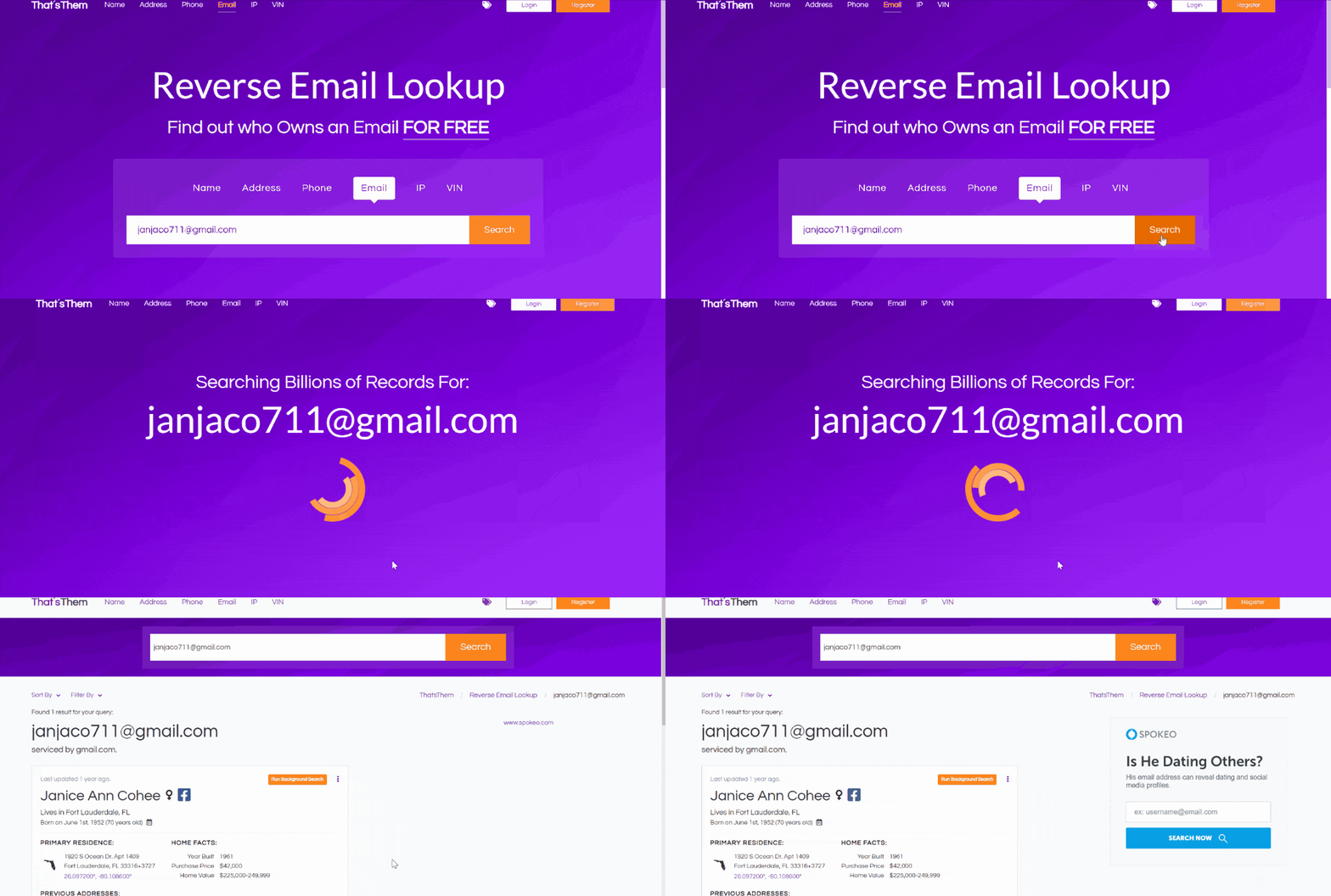
That’sThem is a free people lookup tool. It has six search options: name, address, email, phone number, IP, and vehicle search. The site launched in 2014 and offers users free information.
User Experience:
While experimenting with this service, I found That’sThem comprehensive for a free reverse email lookup tool. Its search yielded detailed information covering the sender’s name, age, date of birth, current residence, previous addresses, and home facts.
During my test, That’sThem showed the owner’s linked email addresses and phone numbers. Searches on this site are entirely anonymous and private. If I needed more information by doing a background search, the site led me to its affiliate website, Spokeo.
Overall, as my test has shown, the That’sThem produces lots of personal information for a free lookup tool.
| Quickness | Simplicity | Effectiveness | Safety |
|---|---|---|---|
| 4.9 | 5 | 4.8 | 4.8 |
Pros:
- has a database of 50 billion records;
- can find people associated with an email address;
- shows any associated email addresses;
- produces only one result for email address validity.
Cons:
- does not have an opt-out option for data on the site.
Social Catfish
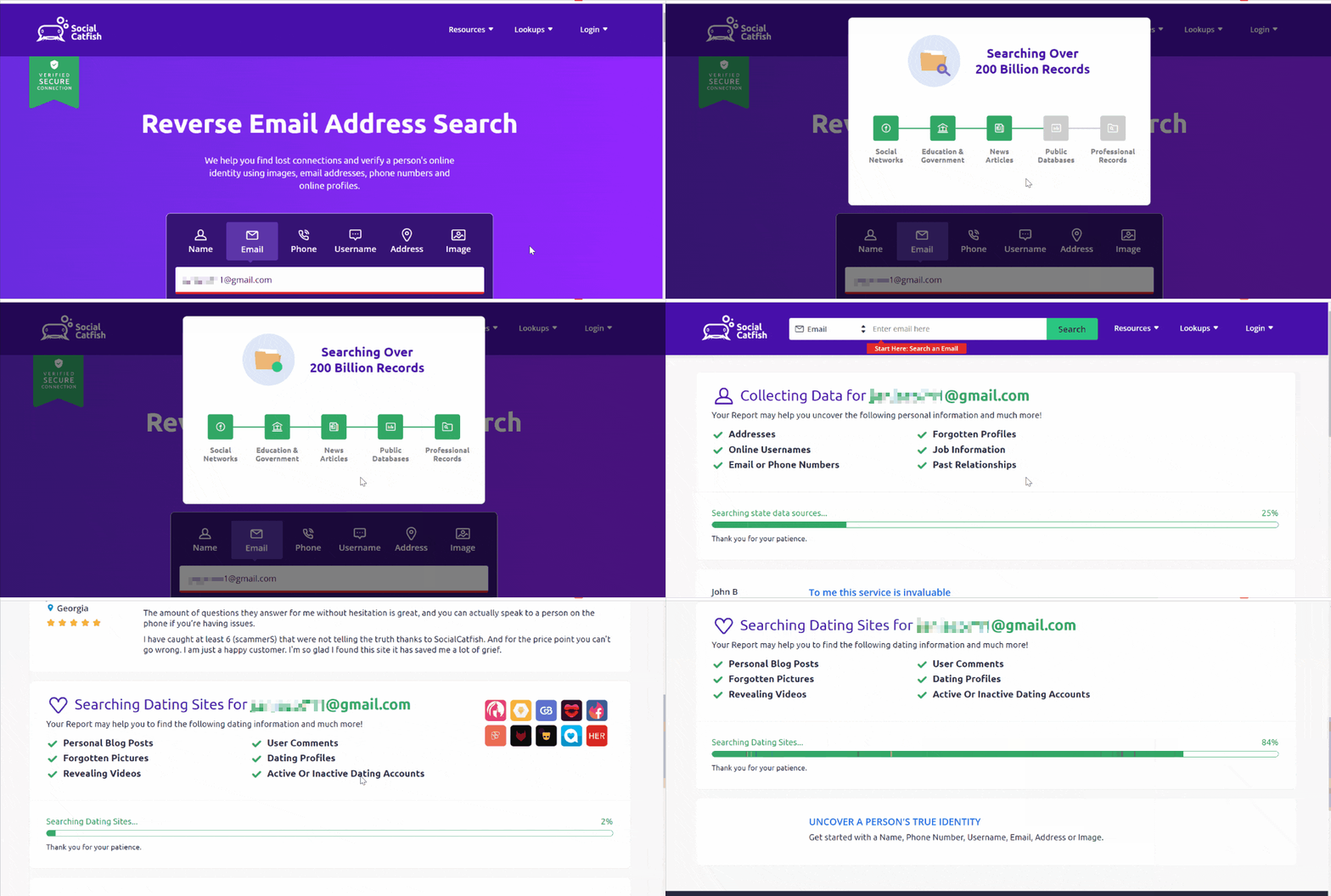
Social Catfish checks identities and is a favorite among people wanting to connect with friends and potential online dates.
User Experience:
Social Catfish took about five minutes to arrive at the results page. It revealed only the sender’s name and location. I needed to pay a fee of $5.75 to unlock unlimited searches for three days, and then pay $27.48 per month.
Moreover, the results stayed on the page for only five minutes before the page refreshed, and I needed to conduct a new reverse email search.
So, in comparison with other tools I tried, it’s not the best recommended option.
| Quickness | Simplicity | Effectiveness | Safety |
|---|---|---|---|
| 4.5 | 4.6 | 4.5 | 4.8 |
Pros:
- shows the full name of the email’s sender;
- can confirm one’s identity;
- pulls information from social media and government data;
- has more than one method of looking up people.
Cons:
- free results last only a few minutes;
- requires payment for a detailed report.
Hunter.io
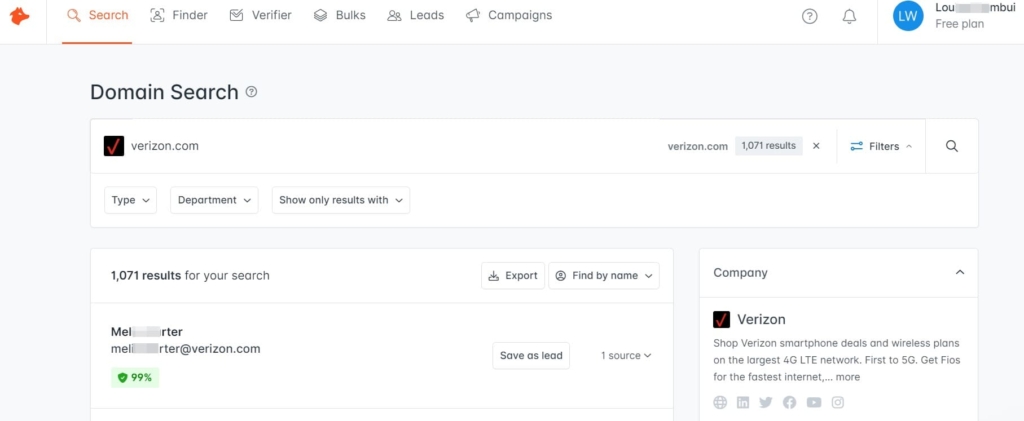
Hunter.io is designed to provide email address quality evaluation. If you are unsure whether an email is legitimate, you can use it to check if an email address is valid.
User Experience:
I used Hunter.io to verify an email. But first, I needed to create an account and go through SMS verification to secure my account. This service did not charge for verifying an email. The service verified that it was not a malicious address.
Hunter also has a domain checker. I could enter a domain, and the service showed whether it existed. If there was a hit on a domain, it could provide emails associated with that domain. It was a good start for knowing whether the domain was of a legitimate website.
So, after testing this service, I can say that it is recommended for such special checking, but not to know the owner themselves.
| Quickness | Simplicity | Effectiveness | Safety |
|---|---|---|---|
| 4.7 | 4.6 | 4.5 | 5 |
Pros:
- lots of different search features;
- can verify the validity of 95% of email addresses;
- can find emails from companies.
Cons:
- does not show a sender or company details.
Almost Free Reverse Email Lookup Services
A paid reverse email lookup software will suffice when doing detailed searches on an email. These are the top options I found in this category.
TruthFinder
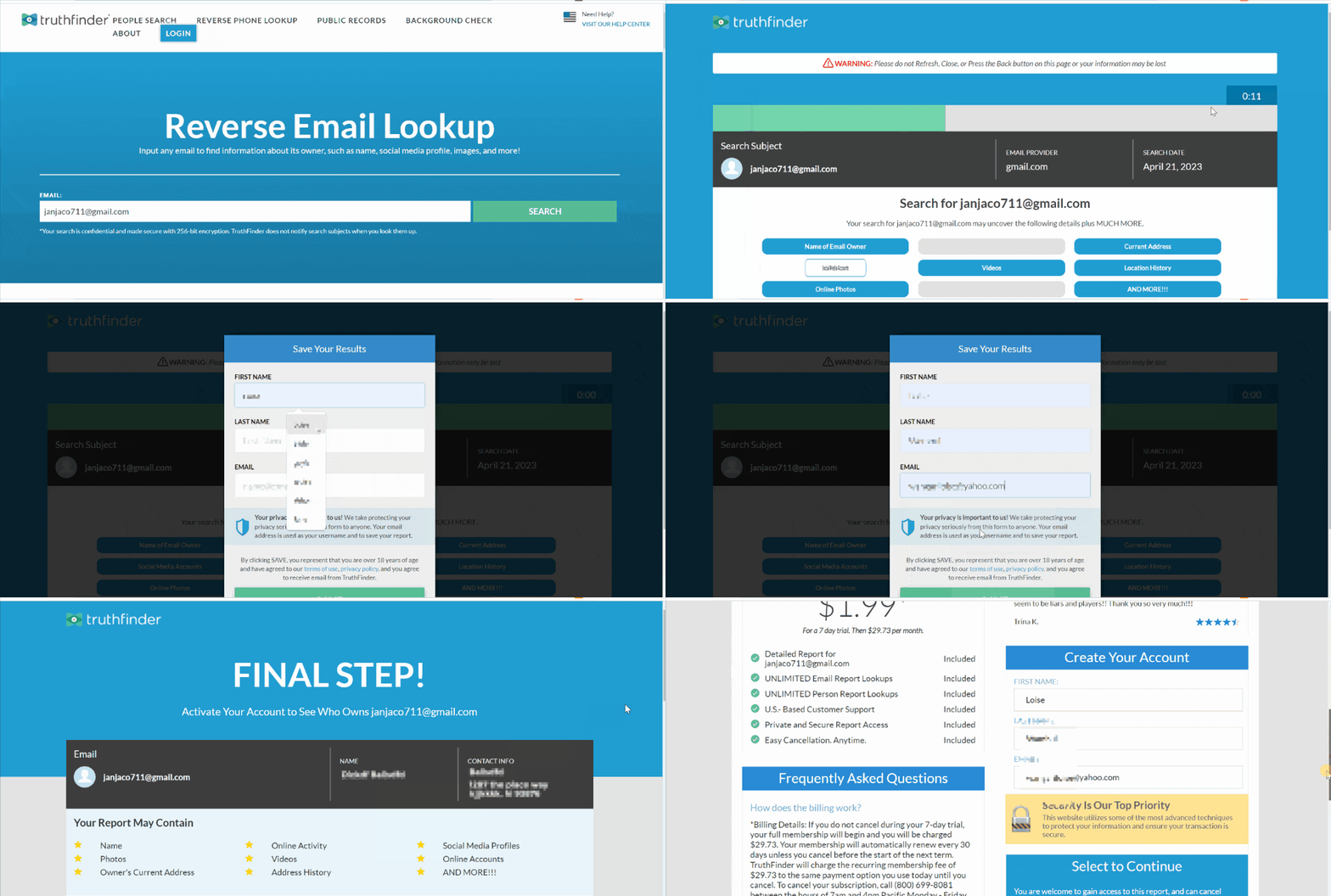
TruthFinder can search public records for information using a reverse cell phone number lookup and reverse email or address searches. According to my findings, its report is also considered accurate since it has an extensive database of millions of records.
Price:
$1.99.
User Experience:
A simple reverse email search on TruthFinder showed detailed information about the owner of the particular email address I was searching for. This search engine yielded results with the owner’s name, sender’s address, and past locations.
None of the information is free, but a simple email lookup costs only $1.99. After payment, the search engine revealed many details I didn’t find anywhere else. During my experimenting with TruthFinder, it even showed criminal records, evictions, businesses, and other personal information.
| Quickness | Simplicity | Effectiveness | Safety |
|---|---|---|---|
| 4.8 | 4.8 | 4.8 | 4.8 |
Pros:
- detailed report;
- affordable for a single email search;
- lots of searchable features;
- can scan the dark web.
Cons:
- lacks a trial period;
- you need to cancel to avoid monthly charges.
Spokeo
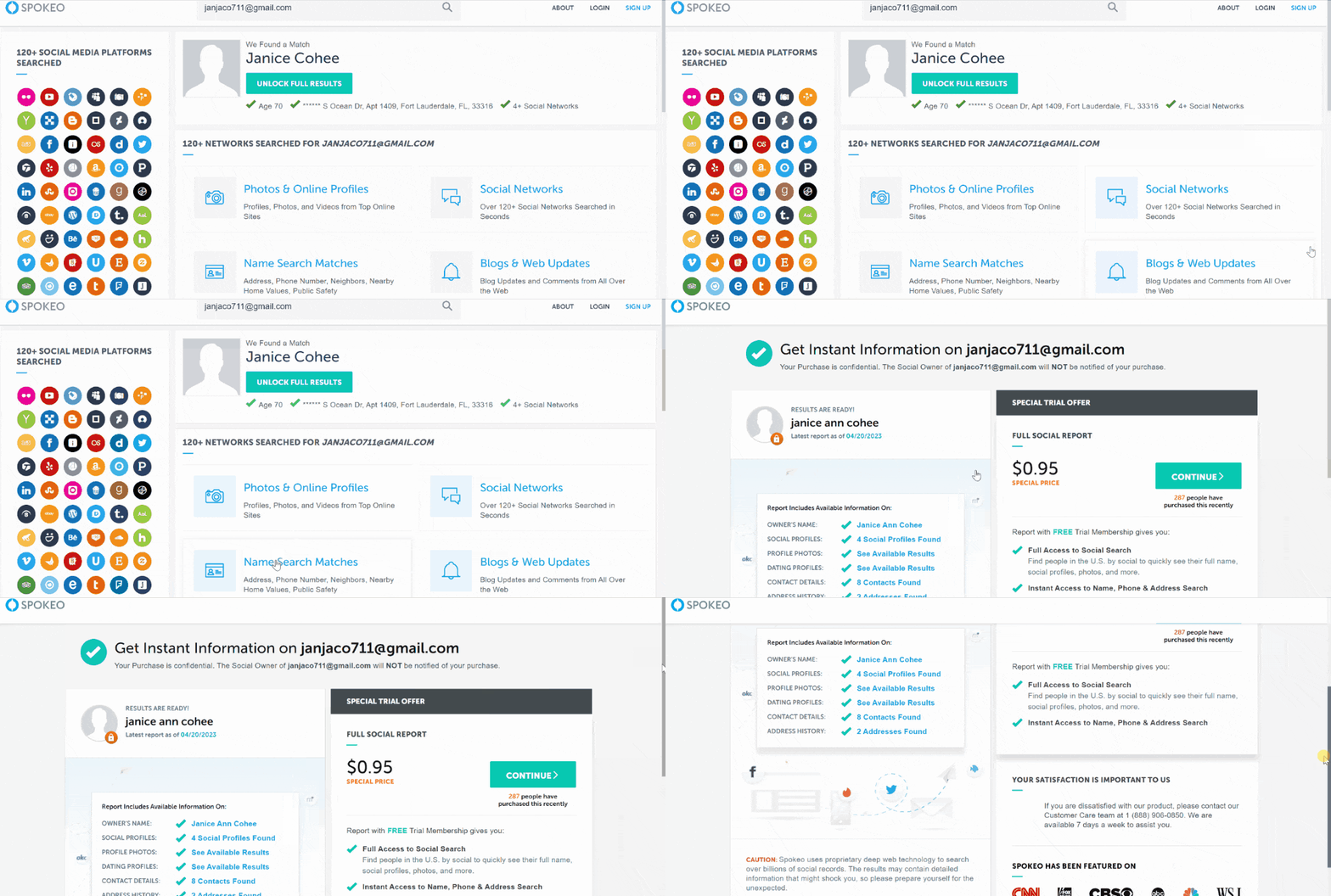
Spokeo is a web-based platform that allows users to search for information from public records. It can search for a user’s details using their name, address, phone number, and email address.
Price:
$0.95.
User Experience:
Spokeo was straightforward to use. Free reverse email lookup showed the owner’s full name, age, current physical address, and available social networks information.
Spokeo has the option to validate webmail addresses for $0.95. Hence, I only needed to pay a one-time fee if I needed to know if the person’s email was accurate.
Spokeo also had additional options for accessing the person’s social media profiles and photos. Since the search is anonymous, I found it helpful when you’re dealing with unknown emails.
| Quickness | Simplicity | Effectiveness | Safety |
|---|---|---|---|
| 4.8 | 4.9 | 4.8 | 5 |
Pros:
- scours various sources for comprehensive information;
- straightforward reverse email lookup service;
- provides email address validity;
- includes additional information about the person;
- offers an opt-out service if you want to remove your data.
Cons:
- requires creating an account to access detailed searches;
- covers only users in the US.
Searqle
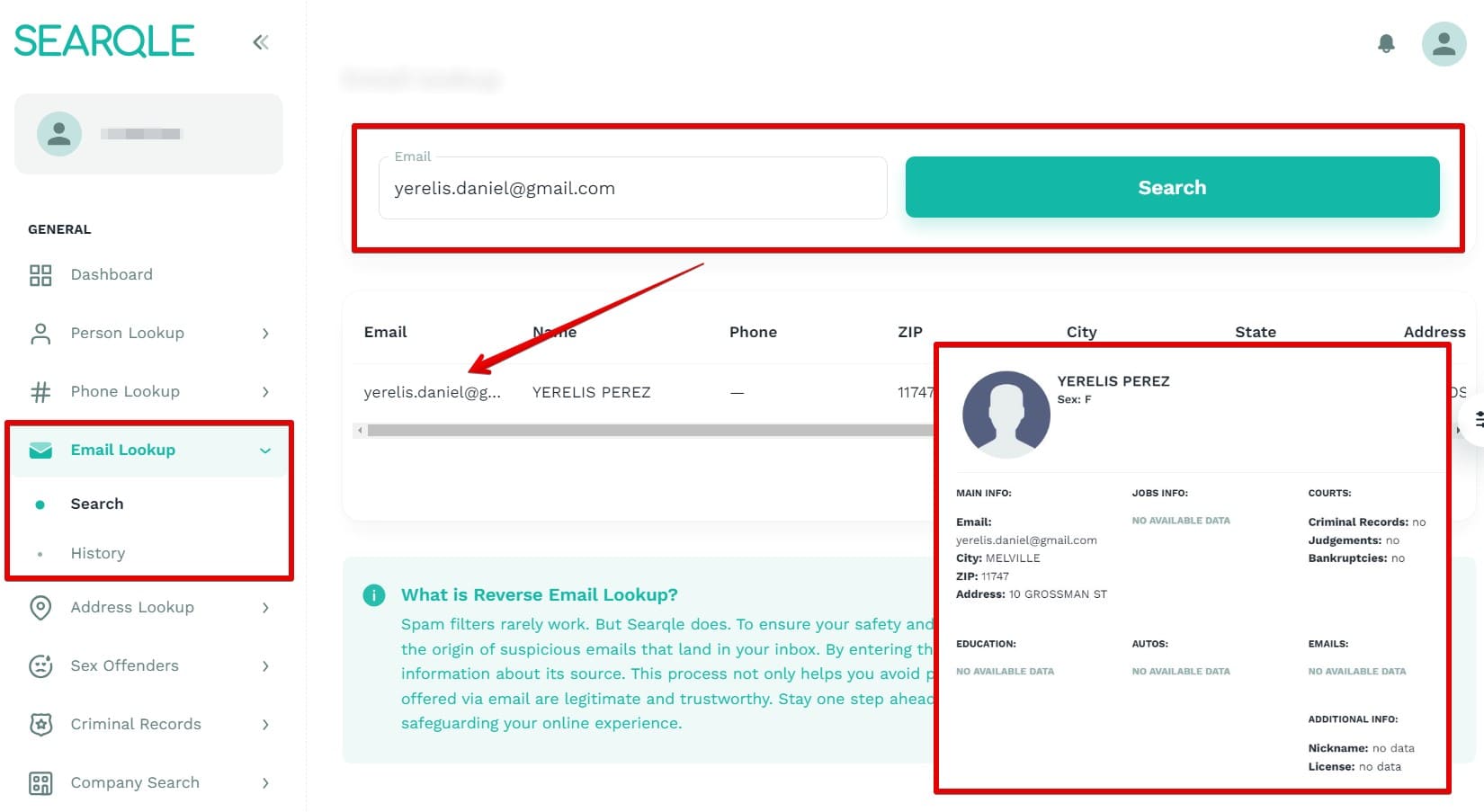
Searqle finds out more about a specific person using their name, phone number, address, or email. The site has 276 million email records. It can search email address information for anyone even those outside the US.
Price:
- 3-day trial $1;
- $44.99/mo;
- $28.33/mo paid quarterly.
User Experience:
Searqle reverse email lookup gave me results with the owner’s name, ZIP code, city, and address. It served as a platform for getting basic results with an email address since it did not provide information such as criminal history, employment details, and other data that other sites give.
| Quickness | Simplicity | Effectiveness | Safety |
|---|---|---|---|
| 4.8 | 4.8 | 4.7 | 5 |
Pros:
- accurate and updated information;
- results even for outside the US persons;
- three-day trial for $1;
- legit website with 200M+ email records.
Cons:
- only four results type with email lookup;
- lacks job info in the search results.
BeenVerified
BeenVerified offers several services, including background reports and reverse phone lookup. The company is based in New York and allows users to access information from different sources on one portal.
Price:
$1 trial.
User Experience:
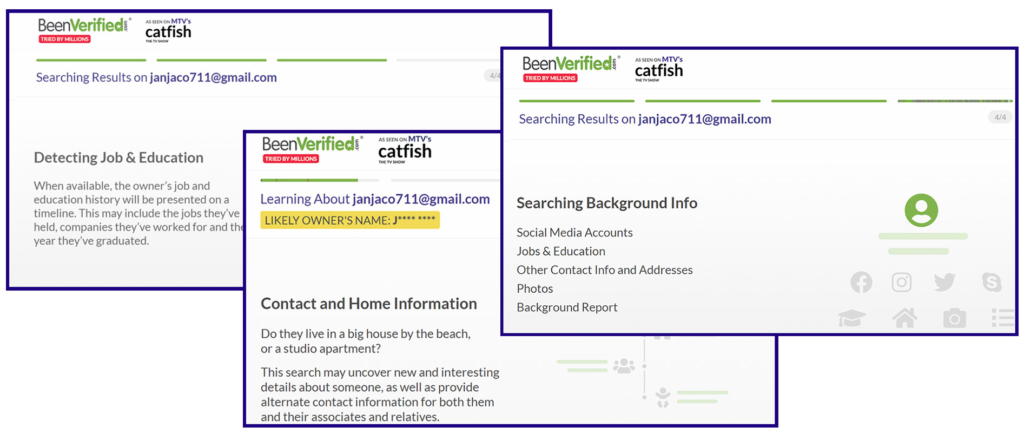
BeenVerified is another almost free reverse email lookup tool. It arranges its search results by name, age, and general location. A reverse email search on BeenVerified showed associated social media profiles and criminal records. I could also see the available photos of the person.
With BeenVerified, none of the information is free. However, a $1 trial opens up details in criminal records, background reports, etc. During my testing, BeenVerified also showed linked emails, linked numbers, and spam scores of the numbers.
Reverse email lookups on BeenVerified are private, and the site will not alert the email address’s owner. Besides, the search is fast, only that there’s no tool to validate the email.
| Quickness | Simplicity | Effectiveness | Safety |
|---|---|---|---|
| 4.6 | 4.7 | 4.7 | 4.8 |
Pros:
- relatively affordable for background checks using email addresses;
- has access to billions of data points;
- it can get information about court records;
- avails all online photos.
Cons:
- some information may be inaccurate;
- no means to verify email.
PeopleLooker
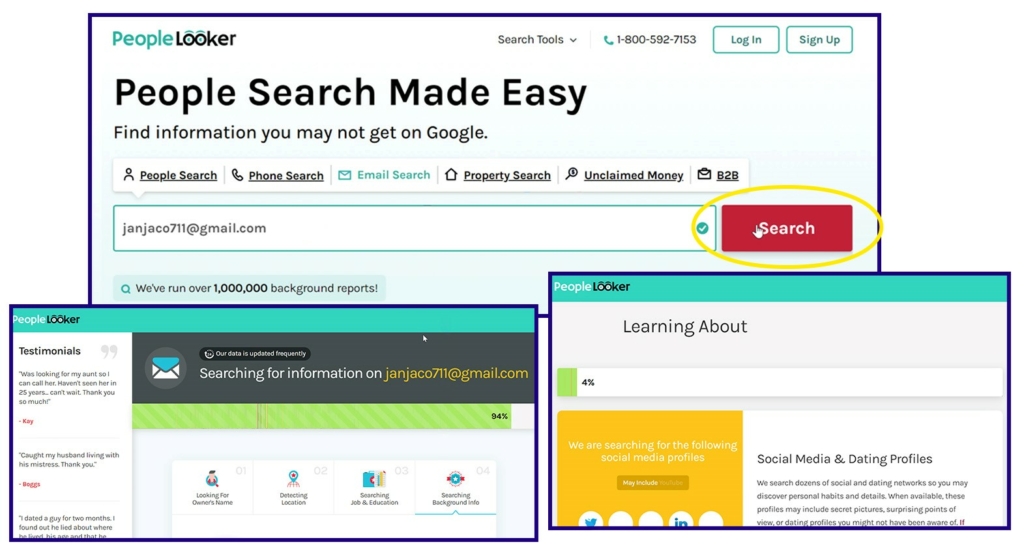
PeopleLooker has done over a million background searches since it started. Based on my experience with it, the service can do different types of searches, including property searches. Thus, it’s unique from other reverse email lookup tools.
Price:
- $1 trial;
- $22.86/mo;
- $18.28/mo paid quarterly.
User Experience:
Reverse lookup email search on PeopleLooker helped determine who an email belonged to.
The free investigation only showed the person’s initials and their general location. Upon paying $1 for a 7-day trial, PeopleLooker opened results that included the person’s phone number, address, close relatives, other associated emails, criminal records, and bankruptcies.
There’s no method of verifying the email’s validity. Nonetheless, I could further search using social media sites to see if the information matched the results. Moreover, the lookups are anonymous, allowing users to gain information without alerting the person.
| Quickness | Simplicity | Effectiveness | Safety |
|---|---|---|---|
| 4.6 | 4.8 | 4.8 | 4.8 |
Pros:
- uses secure SSL certificates;
- allows opting out of any data;
- analyzes bulks of data in seconds;
- results of a search are not made public.
Cons:
- does not search the dark web;
- no real-time help is available.
PeopleSmart
PeopleSmart does fact-check. This California-based company works by sourcing, filtering, and analyzing data. As my research has revealed, PeopleSmart has been in business for 12 years and claims to help people reconnect with old friends and expand their business networks.
Price:
- $1 for 7-day trial;
- $4.95 per report;
- $2.95 basic;
- $29.95 pro;
- $ 59.95/mo unlimited.
User Experience:
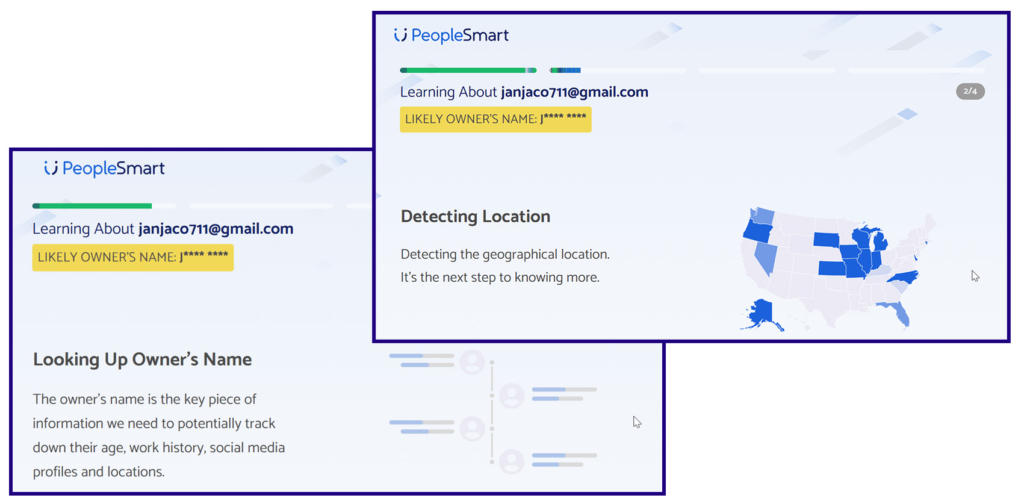
PeopleSmart’s email search service provided the name of the email’s owner. It matched the person to their social media accounts and photos. Other information from the reverse email lookup feature was linked emails, current location, job & education, and phone numbers.
PeopleSamrt offered a 7-day trial for $1. A basic monthly subscription costs $2.95 to find out the full name, emails, and social media handles. If you want to find out the person’s work history, and criminal records, you will pay $29.95 per month.
Searches on PeopleSmart are entirely private and anonymous. However, you will need an email validator tool to verify the correctness of the information from the email lookup.
| Quickness | Simplicity | Effectiveness | Safety |
|---|---|---|---|
| 4.7 | 4.8 | 4.8 | 5 |
Pros:
- no phishing or malware from the website;
- has access to millions of professional contacts via email addresses;
- ranks information by data confidence;
- can give users updates regarding the information they search.
Cons:
- can return multiple records, making it hard to sift;
- has a few discrepancies.
Email Lookup by the Domain Name
Email lookup by the domain name searches for information about an email address by examining the domain name. If the email address uses a business domain name, it will be the information after the @ symbol.
You can use the domain name and go to Namecheap, Whois, and Mxtoolbox to get information about the domain owner, such as the company name, address, and contact details.
Namecheap works if your company already has an account with the platform. Whois checks if the domain name is already taken. If it’s taken, you can head over to the website and check out the about us page to learn more about the owner of the domain name and the emails associated with it.
Lastly, mxtoolbox.com can look up the company associated with an email address. It shows the hostname and IP address. It also allows checking to see if the email has been blacklisted.
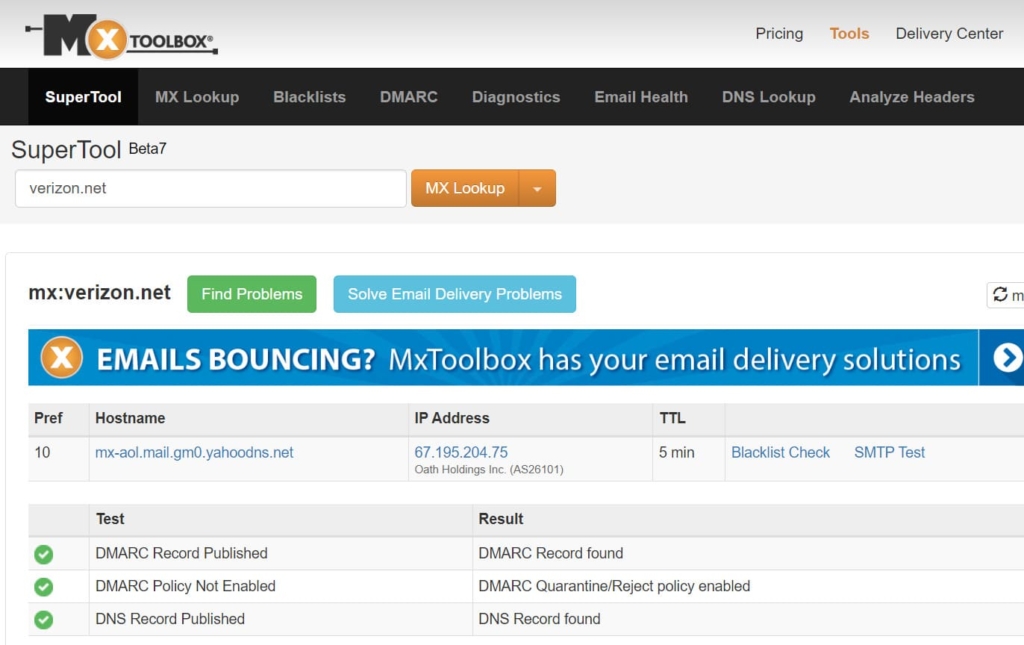
One drawback of using the domain name to look up an email’s information is that you’ll find very few details. Every so often, all you get is whether the company exists or not.
Use Email Clients to Know the Sender
Using an email client is simple since most email clients like Gmail, Apple Mail, and Outlook have a preview panel. It allows you to see the sender’s name before opening the email.
When you see the email’s name, and it’s someone familiar, you will open the mail. But if it’s an unknown email, you can copy the email address and examine it without opening the mail.
Other email clients like MailBird have an inbuilt reverse email lookup feature. Thus, you can look up an email’s sender before opening the mail.
However, using email clients doesn’t guarantee accurate results, since you can open an email only for malware to download to your device upon clicking on the email. Hence, it’s best to analyze the email address further using reverse email address lookup tools before opening a suspicious email.
Scam or Fake Reverse Email Lookup Services
While researching free reverse email lookup tools, I found a couple that did not work. You should know them too to not waste your time.
Spytox
Spytox claims that it can find people and personal information from numbers. It also claims it receives 3 million searches a month.
I tried the reverse email address search tool, but it circled back to its homepage. The engine did this several times, leading me to believe I would not get the desired results.
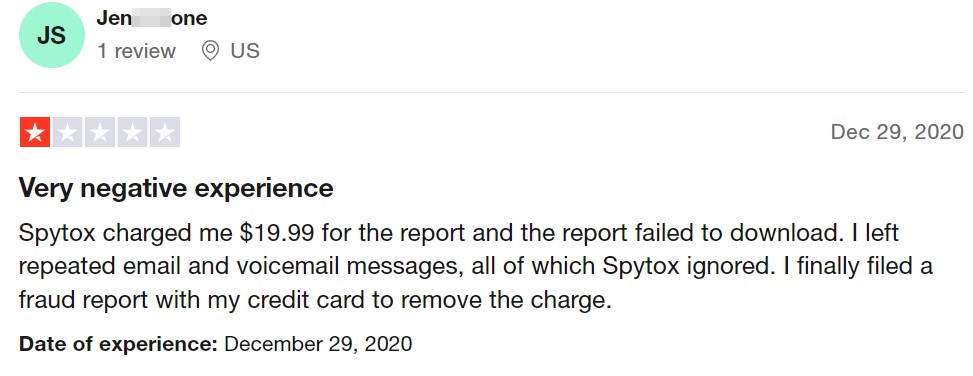
Spytox users have given it 2.3 stars on Trustpilot. Some say they were charged, but the report did not download, while others indicate they cannot contact the company.
You Get Signal
You Get Signal has different lookup features, and email is one of them. The reverse email lookup tool indicated that it would identify the owner of a specific email address. After I provided it with the email to search, You Get Signal led me to Spokeo.
You Get Signal is not fraudulent, according to MyWot and Scamadviser. Users also find that the information they get from it checks out. The site does not put up any ads, which means it loads fast and reveals results quickly. Still, it gets its credit from leading users to Spokeo.

Email Sherlock
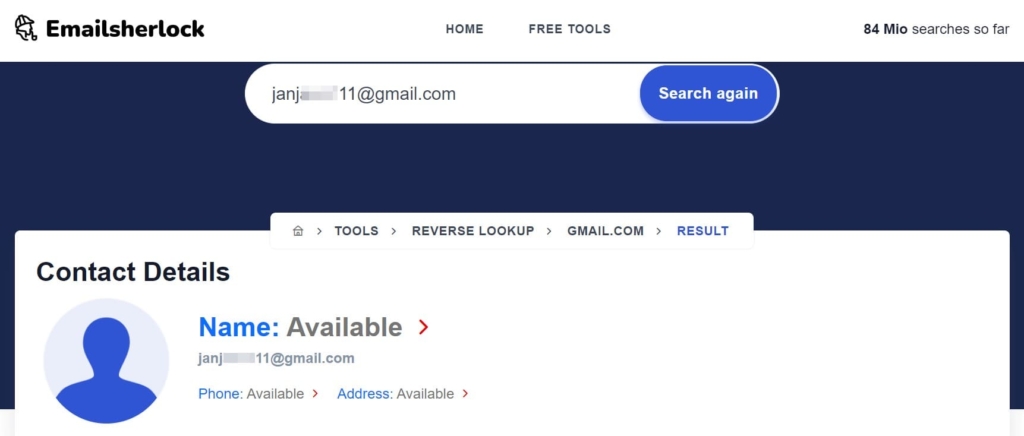
Email Sherlock has a clean interface, and I didn’t need to choose search by email. However, after searching for the email, it indicated the sender’s details were available only for it to redirect to Spokeo.
Email Sherlock has few visitors, and Scamadviser gives it an average trust score. Hence, although it ranks among email lookup tools, it does not offer users much value.
Spokeo and BeenVerified Affiliates
All these sites will lead to Spokeo or BeenVerified to reveal the search results:
- cocofinder
- easysearchpeople
- findpeoplefirst
- findpeopleeasy
- peoplesearchfaster
- truepersonfinder
- realpeoplefinder
- easypeoplesearch
- bestpeoplefinder
- greatpeoplesearch
- peoplefindfast
Bonus: Try HeyLocate Search Engine
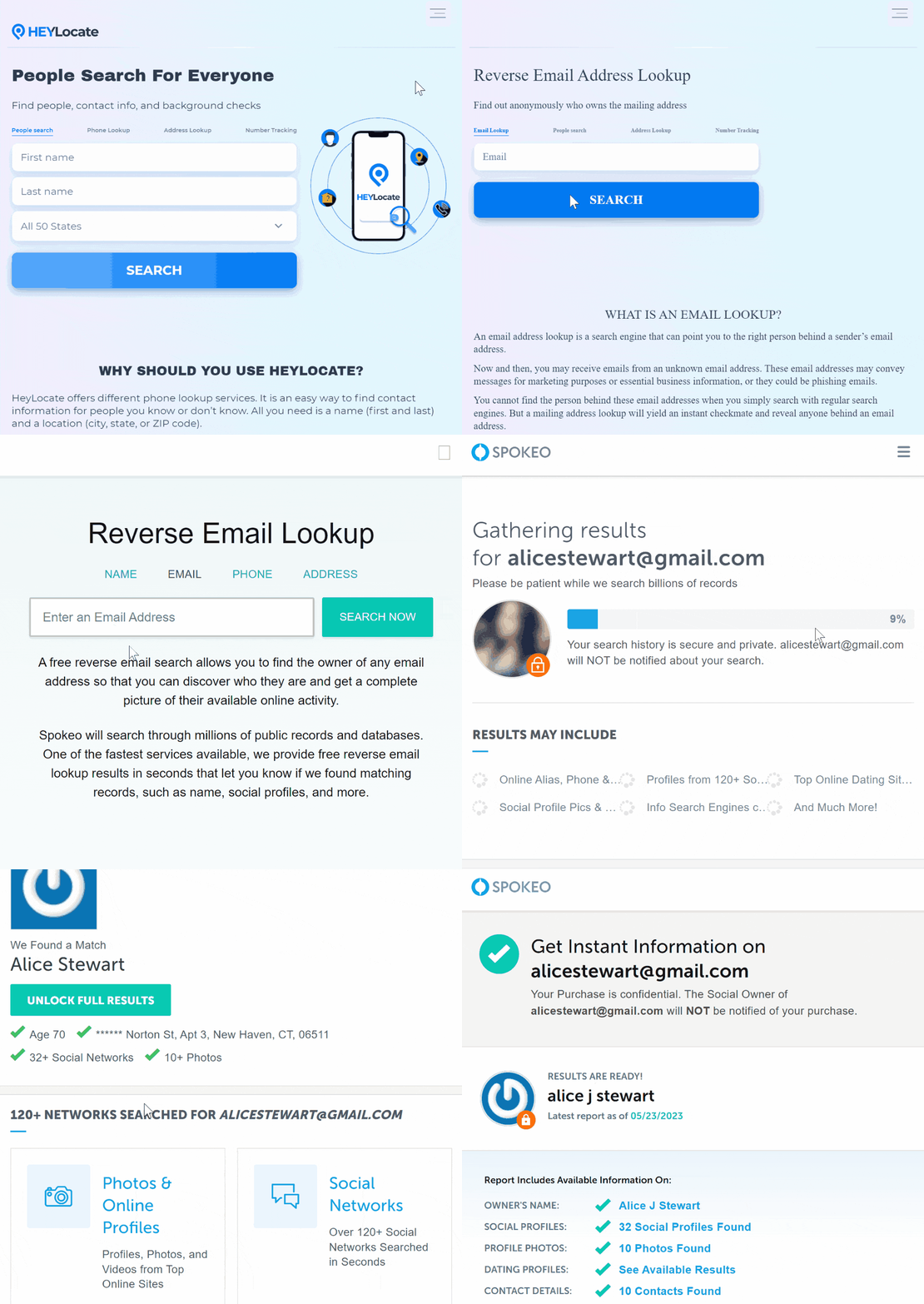
The HeyLocate search engine helps to find reverse email lookup tools to check who owns an email. When you enter an email, the system will find the appropriate service to fulfill your inquiry.
Conclusion
You can now avoid phishing email scams using one of the best reverse email lookup methods outlined here. While easy to use, free tools don’t have much reverse email lookup information. I recommend the paid tools since they are almost free for a single email search.
Truthfinder is first on my list since it’s quick and reveals lots of details for a search with just an email address. Spokeo is also great; it shows the name free, and you can do a background search. A free reverse email lookup tool that offers more than the name is That’sThem. You can check it out if you don’t want to background search the sender.
Frequently Asked Questions (FAQs)
Sites that offer a free reverse email lookup are SpyDialer, That’sThem, and Social Catfish. However, they don’t have email address quality evaluation, so details may not always be accurate.
Social media lookup can help you do a free email search. Spokeo is the best reverse email lookup free since you’ll see the sender’s name without paying a dime. It also offers the chance to know more at a small fee.
Reverse email search uses public records; thus it’s legit.
Enter the email in quotes in the search bar to do a free reverse email search on Google.
Reverse email lookup works to find information about an email’s sender, company, or organization. Paid tools are often excellent when looking for accurate and up-to-date information using an email address.
Anonymous email providers include ProtonMail, Tutanota, and Malifence.
You can only trace the source of the email by analyzing the email’s header’s details and getting its IP address.





 Monday-Sunday: 5:00am - 8:00pm (PT)
Leave a Comment