




 Affiliate Disclaimer
 A reverse email lookup service is an online tool or service that allows users to search for information about an individual based on their email address. It provides details such as the person’s name, contact information, social media profiles, and other publicly available data associated with that email address.
Considering that email is used for registrations across various websites, conducting a reverse email lookup can provide valuable insights into an individual. Thus, anyone can use your email address to know about you. The good news is you too can know about them.
Our HeyLocate team looked into the best reverse email lookup services available. Our top options offer comprehensive reports and detailed information about an email owner.
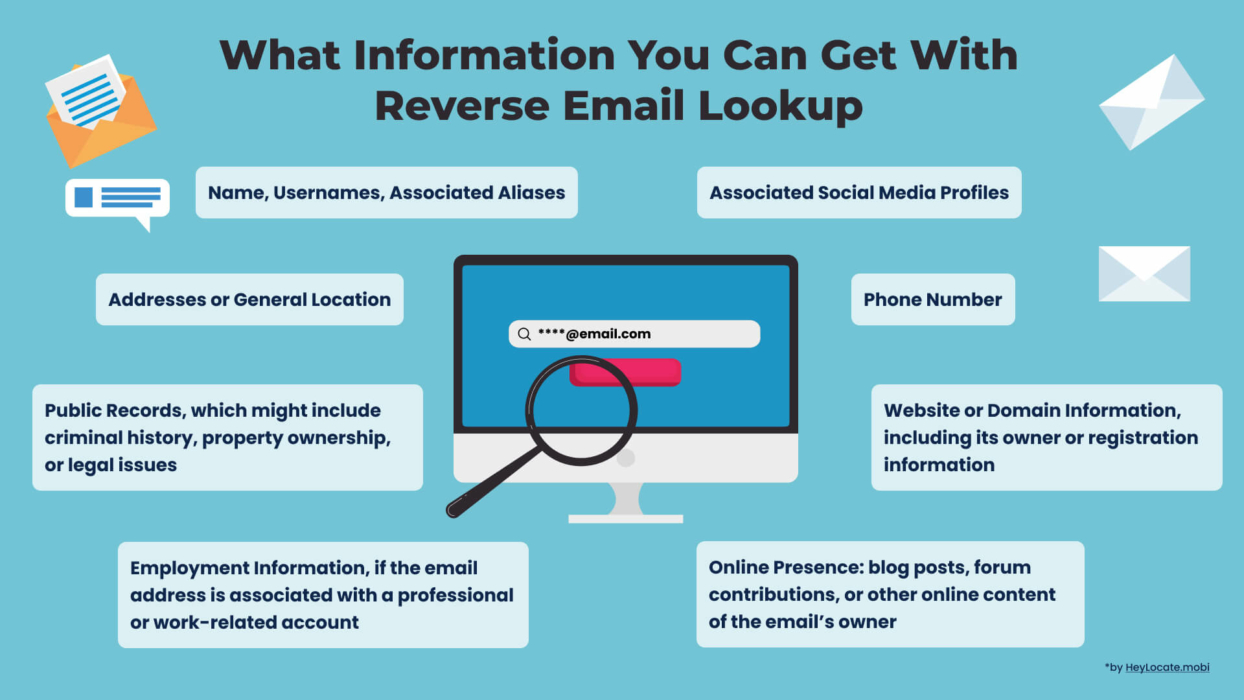
Why is it an important tool? It’s not only about curiosity.
It’s essential to have a reliable tool to verify the authenticity of an email address, owing to the prevalence of email scams and online dangers. By leveraging reverse email lookup services, you can uncover potentially fraudulent or malicious activities.
Try Reverse Email Lookup Right Now
- Lookup
According to recent statistics, email scams continue to pose significant threats in the digital landscape. In 2022 alone, there were over 300,000 reported cases of email scams, resulting in financial losses exceeding $2.7 billion in the USA alone.
These scams range from phishing and identity theft to advance fee fraud and malware distribution. Such alarming figures emphasize the need for effective methods, like reverse email lookup, to combat these threats and safeguard your information.
Top Pick Based on Our Research
If this review is too long to read to the end, and you want to do a reverse email lookup right now, these are our top recommendations.
TruthFinder is the most accurate at finding details about an email owner. The service uncovers information from billions of records.
🥈 Spokeo
Spokeo is the most affordable reverse email lookup tool. It provides access to all its features using a fairly-priced monthly subscription plan.
🥉 Intelius
Intelius is the best for extremely detailed reports. It gives you valuable insight into the person you are looking for.
Table of the Best Reverse Email Lookup Tools
Services Reviewed – 25
Services Selected – 11
| Service | What Info You Can Get | Additional Lookups | Price | Rating |
|---|---|---|---|---|
| TruthFinder | Name Age Family members Location history Background report | Name Phone Username | $1.99 – 7-day trial $29.73/mo | 4.9 |
| Spokeo | Name Family members Associates Criminal records Property records | Name Phone Address | $0.95 – 7-day trial $29.95/mo | 4.9 |
| Intelius | Name Location Family members Social profiles Phone numbers | Name Phone Address | $21.13/mo | 4.8 |
| BeenVerified | Name Aliases Locations IP address Phone numbers Usernames | Name Phone Username Address VIN IP Plate | $26.89/mo – 1 Month $17.48/mo – 3 Months | 4.8 |
| PeopleLooker | Name Aliases Locations | Name Phone | $22.86 – 1 month $18.28/mo – 3-month plan | 4.8 |
| PeopleSmart | Social media profiles Professional & personal emails Company employees | Name Phone Username | $39 Casual $69 Plus | 4.8 |
| Searqle | Name Location Court records Job history Criminal records Background info | Name Phone Address Username VIN | 3 days trial for $1 $44.99/mo costs $28.33/mo paid quarterly | 4.7 |
| PeopleFinders | Name, Family members, Associates, Criminal records, Property records | Name Phone Address | $24.99/mo 29.99/mo – Premium | 4.7 |
| Social Catfish | Name, Location, Family members, Social profiles, Phone numbers | Name Phone Username Address Image | $6.87 – 3-day trial $28.97/mo | 4.6 |
| InfoTracer | Name, Aliases, Locations, IP address, Phone numbers, Usernames | Name Phone Username Address VIN IP Plate | $1.95 – 7-day trial $29.95/mo | 4.5 |
| RecordsFinder | Name, Aliases, Locations, IP address | Name Phone User ID | $2.95 – 7-day trial $24.95/mo | 4.5 |
We took some resources from the top reviews of the best, and almost all of them were awful. So trust only verified sources of information or blogs of specialized services related to telecommunications. For example, like our HeyLocate blog.
Paid VS Free Reverse Email Lookup
We have already reviewed the best free reverse email lookup tools in one of our previous articles. As you may have seen, those services only offer basic information like the owner’s name and location. However, you are less likely to find detailed data about a person.
Here’s a quick comparison between paid and free reverse email lookup tools. After finding out who owns an email address, you’ll find that the paid options (and “paid” means just several dollars) are worth getting when you want to do background checks.
| Information | Free Services | Paid Services |
|---|---|---|
| Person’s Name | + | + |
| Person’s contacts | + | + |
| Age | + | + |
| Relatives | + | + |
| Aliases | + | + |
| Criminal background | – | + |
| Employment History | – | + |
| Social Media | – | + |
| Criminal Records | – | + |
| Property Data | – | + |
| Sex Offenders List | – | + |
| Finances | – | + |
| Assets | – | + |
| Business Associates | – | + |
Review of Reverse Email Lookup Services
We conducted a review of reverse email lookup services by evaluating their accuracy, speed, database coverage, user interface, and pricing. We tested multiple services, analyzed the quality of results, and considered user feedback to provide comprehensive insights for users seeking reliable email lookup solutions.
Pay attention, that many of these services have free or close to free trials. Use this opportunity.
TruthFinder
TruthFinder has an A+ rating on BBB and boasts a database of billions of records from public records, the deep web, and social media accounts.
Price:
- $1.99 – 7-day trial;
- $29.73/mo.
User Experience:
A TruthFinder background check is legit since it follows the Fair Credit Reporting Act guidelines. I did like that TruthFinder did not notify the person I was searching for.
The report by TruthFinder is legit since it follows the Fair Credit Reporting Act guidelines. I did like that TruthFinder did not notify the person I was searching for.
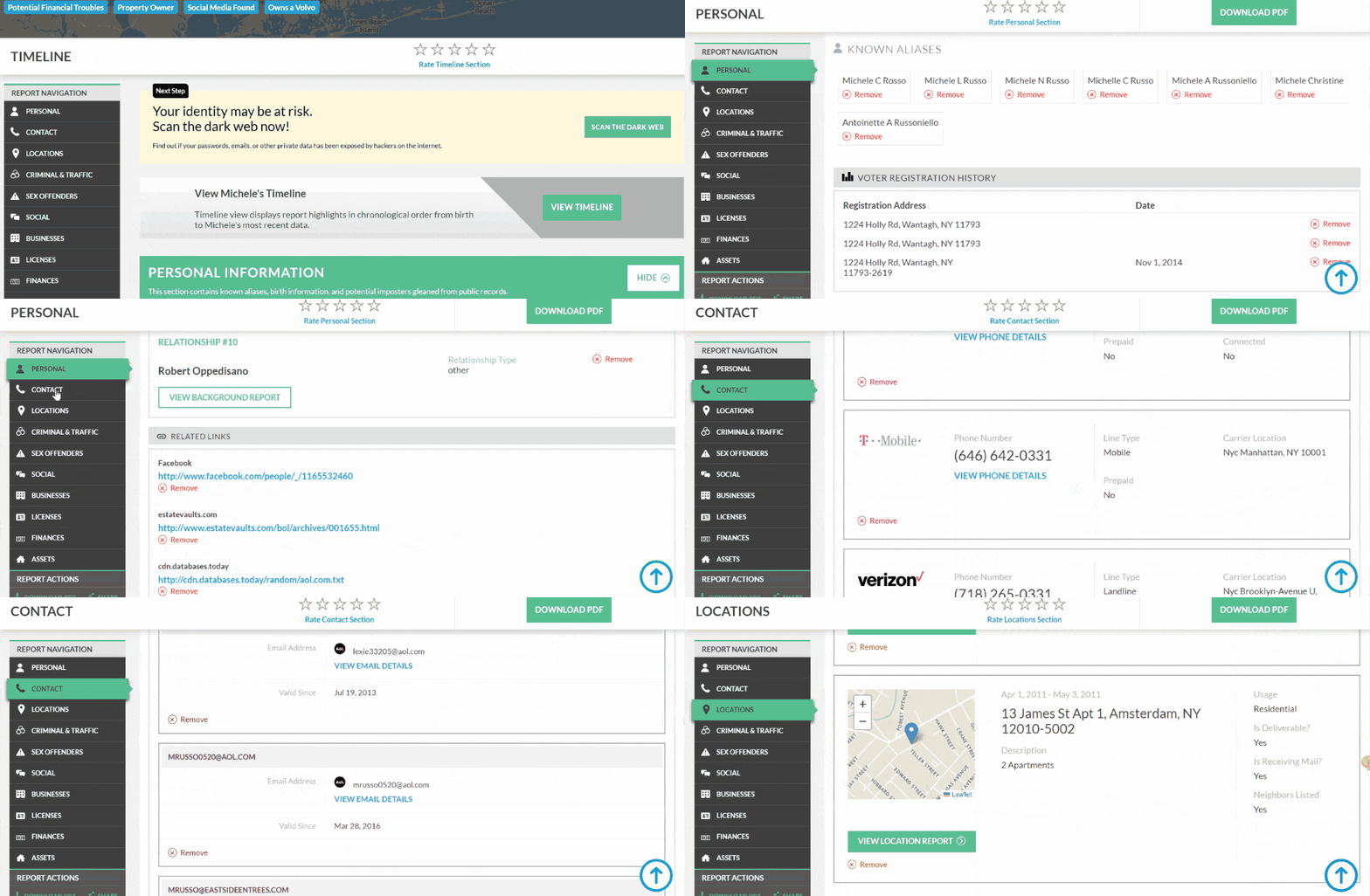
The TruthFinder is the best email lookup tool, but it’s not free. It would have been great if TruthFinder allowed paying for a single report. This is because apart from the option to pay for a 7-day trial, TruthFinder requires paying for a monthly subscription for access.
| Quickness | Simplicity | Effectiveness | Safety |
|---|---|---|---|
| 4.9 | 5 | 4.9 | 4.8 |
Pros:
- offers complete anonymity;
- shows social media profiles;
- does not record search history;
- advanced search filters.
Cons:
- no option to pay for one report;
- the subscription fee for reverse email address lookup is a bit expensive.
Searqle
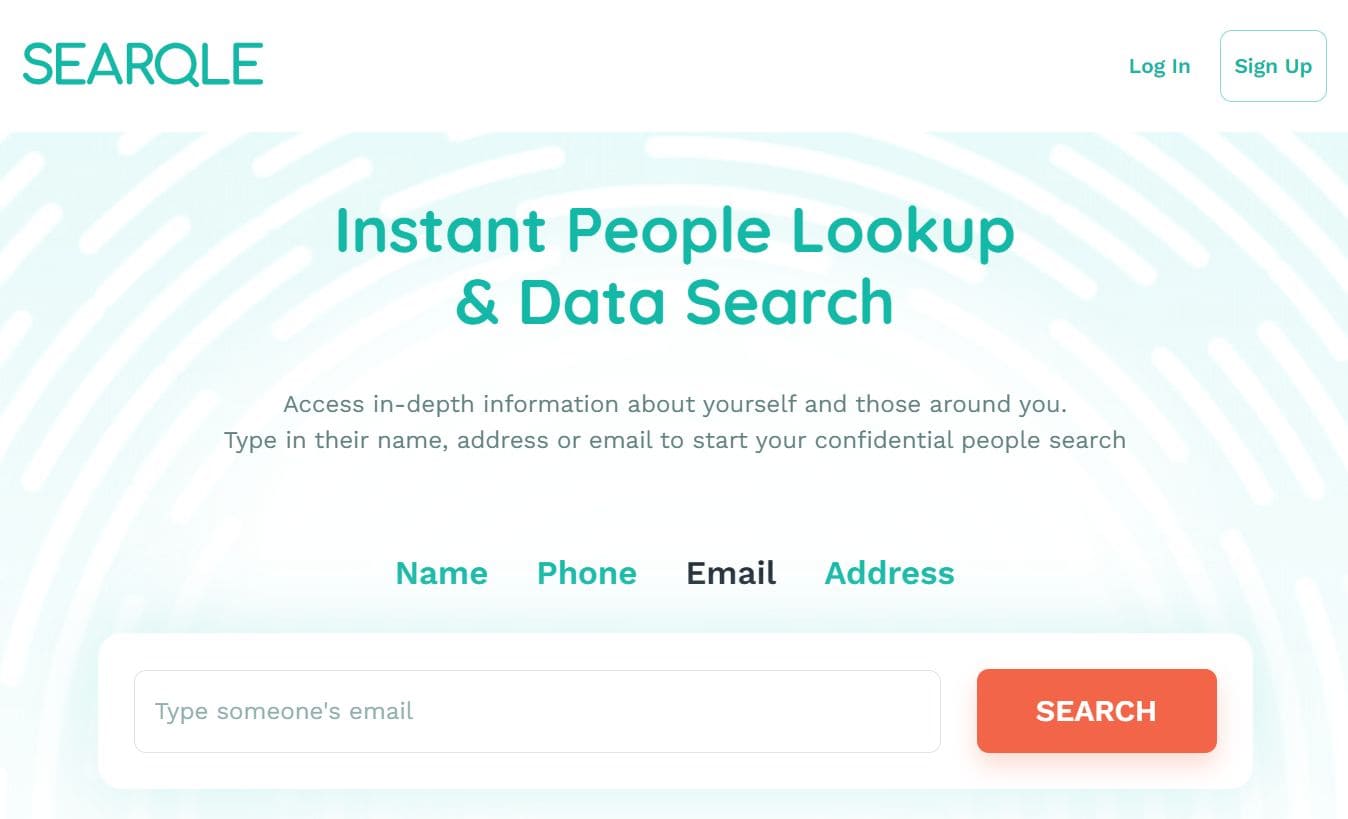
Searqle is a data search service with numerous search options and millions of data records. As a new platform, it currently does not have a wide online presence. However, it has a high Trust Score on Scam Adviser.
Price:
- 3 days trial for $1;
- $44.99/mo;
- $28.33/mo paid quarterly.
User Experience:
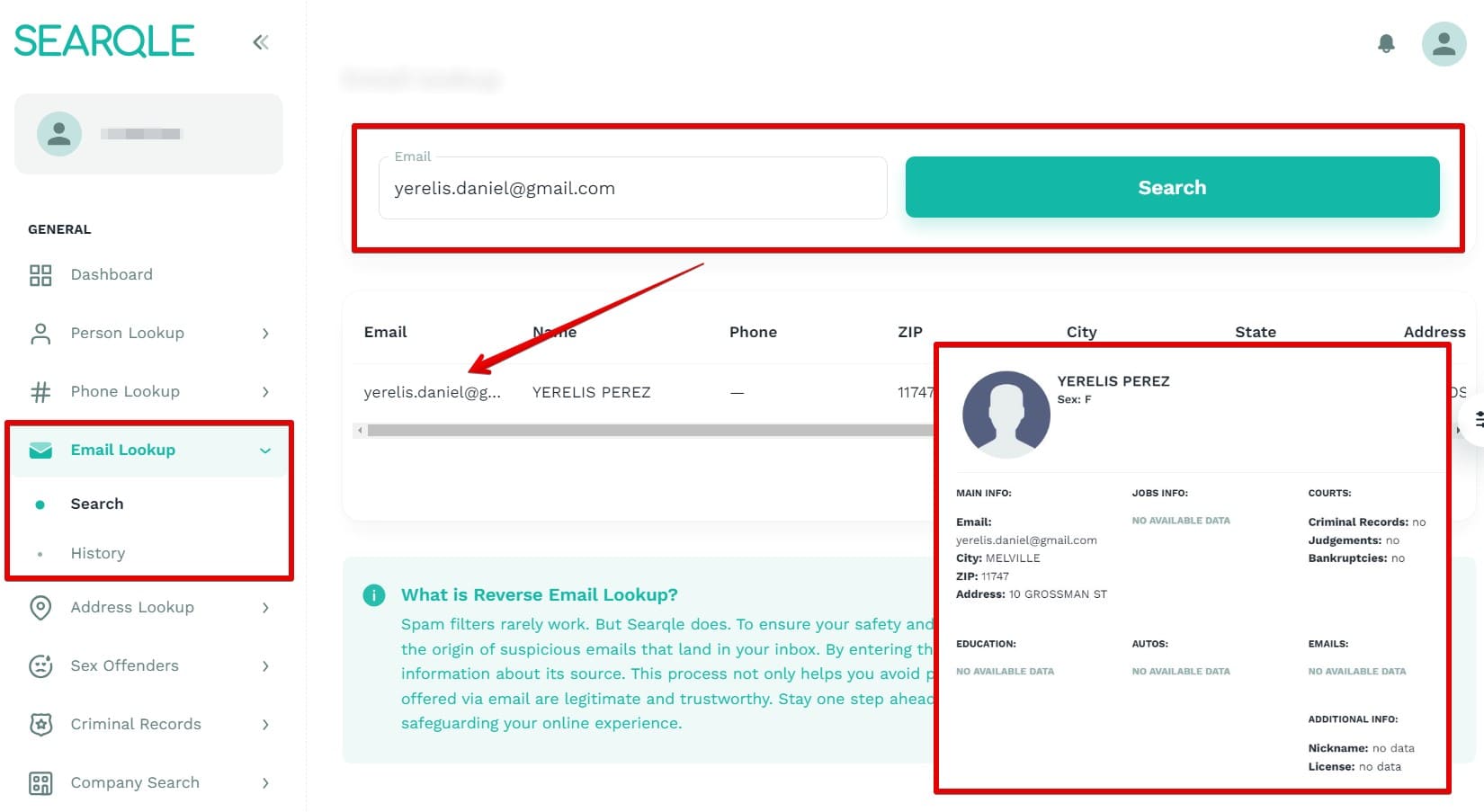
When I entered the target email address, Searqle gave me results with the owner’s name, address, city, and ZIP code. It allowed me to look up any email address, not just of people based in the USA. Hence, I could use it to find a person’s social media with just the email address.
| Quickness | Simplicity | Effectiveness | Safety |
|---|---|---|---|
| 4.7 | 4.7 | 4.7 | 4.8 |
Pros:
- fast search process;
- accurate results;
- up-to-date information;
- offers a cheap trial.
Cons:
- most results don’t include job history;
- lacks a criminal records search option.
Spokeo
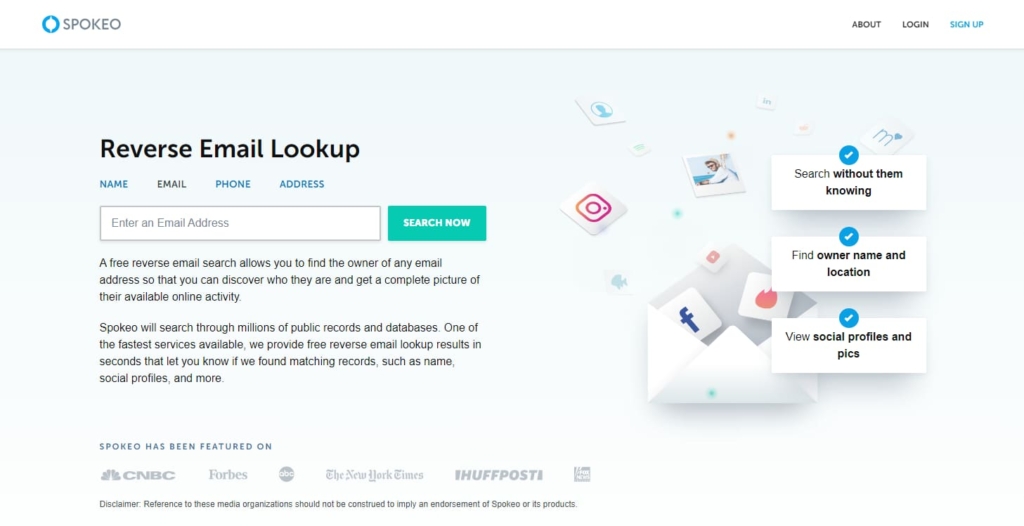
Spokeo is a legitimate website that allows users to perform a reverse email search, background checks, etc. It has an A rating on BBB, and Consumer Affairs has given it a 3.1-star rating.
Price:
- $0.95 – 7-day trial;
- $29.95/mo.
User Experience:
Spokeo has access to 12 billion records, allowing it to create a personal profile of the email I entered. It produced the person’s name, age, and location for free. I could also do a detailed search that uncovered the person’s social media profiles, full contact details, sender’s address, and family background.
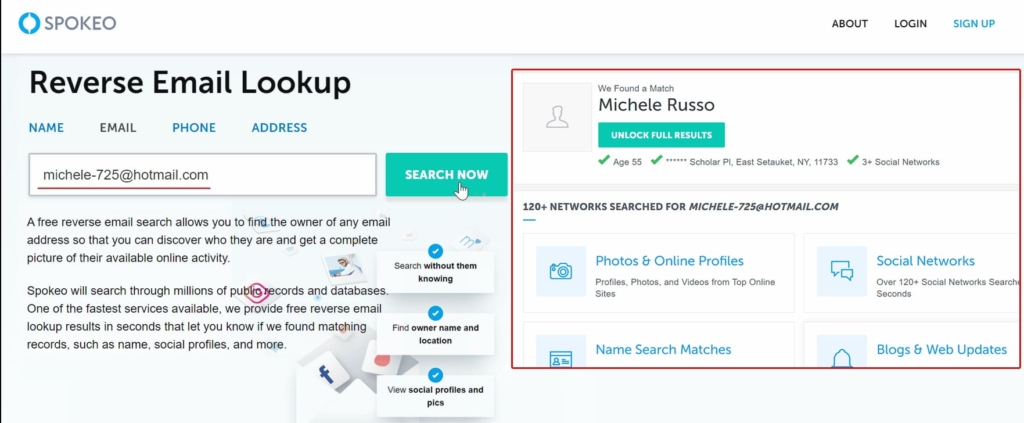
A full report requires a monthly subscription fee of $29.95. Spokeo also offered a 7-day trial that costs $0.95. Since the website requires payment, the site first verifies that the email is valid before producing results. The only drawback is it lacks the option to buy one report.
| Quickness | Simplicity | Effectiveness | Safety |
|---|---|---|---|
| 4.9 | 4.8 | 4.9 | 4.8 |
Pros:
- searches are fast and accurate;
- compiles social media data, court records, etc;
- shows a comprehensive list of all available information;
- customer support is available seven days a week.
Cons:
- additional fees for a full background report;
- only available for US email addresses.
Intelius
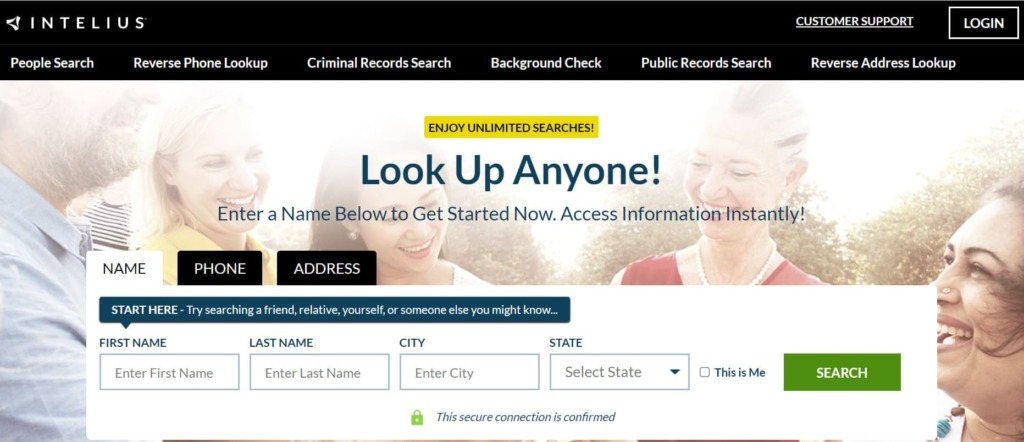
Intelius is a reputable background check service that offers various search methods, including reverse email lookup software. The site’s reviewers have given it 3.5 stars on Sitejabber, and it has 32.000 followers on Facebook.
Price:
$21.13/mo.
User Experience:
Intelius provides five different information categories with the email address search tool. You can’t see this feature on the home page, but it opens in the user’s personal account.
During my Intelius review, the email lookup showed the personal details, contact info, locations, social, and background report. Intelius offered the email owner’s name, aliases, and employment history in the personal section.
I could find all phone numbers associated with that email address in the contact section. This allowed me to do a reverse cell phone lookup to verify the person’s identity. Intelius also listed other email addresses. The location history showed all previous addresses of the individual. I looked into the social profiles and found info about usernames, blogs, and websites belonging to the email’s owner.
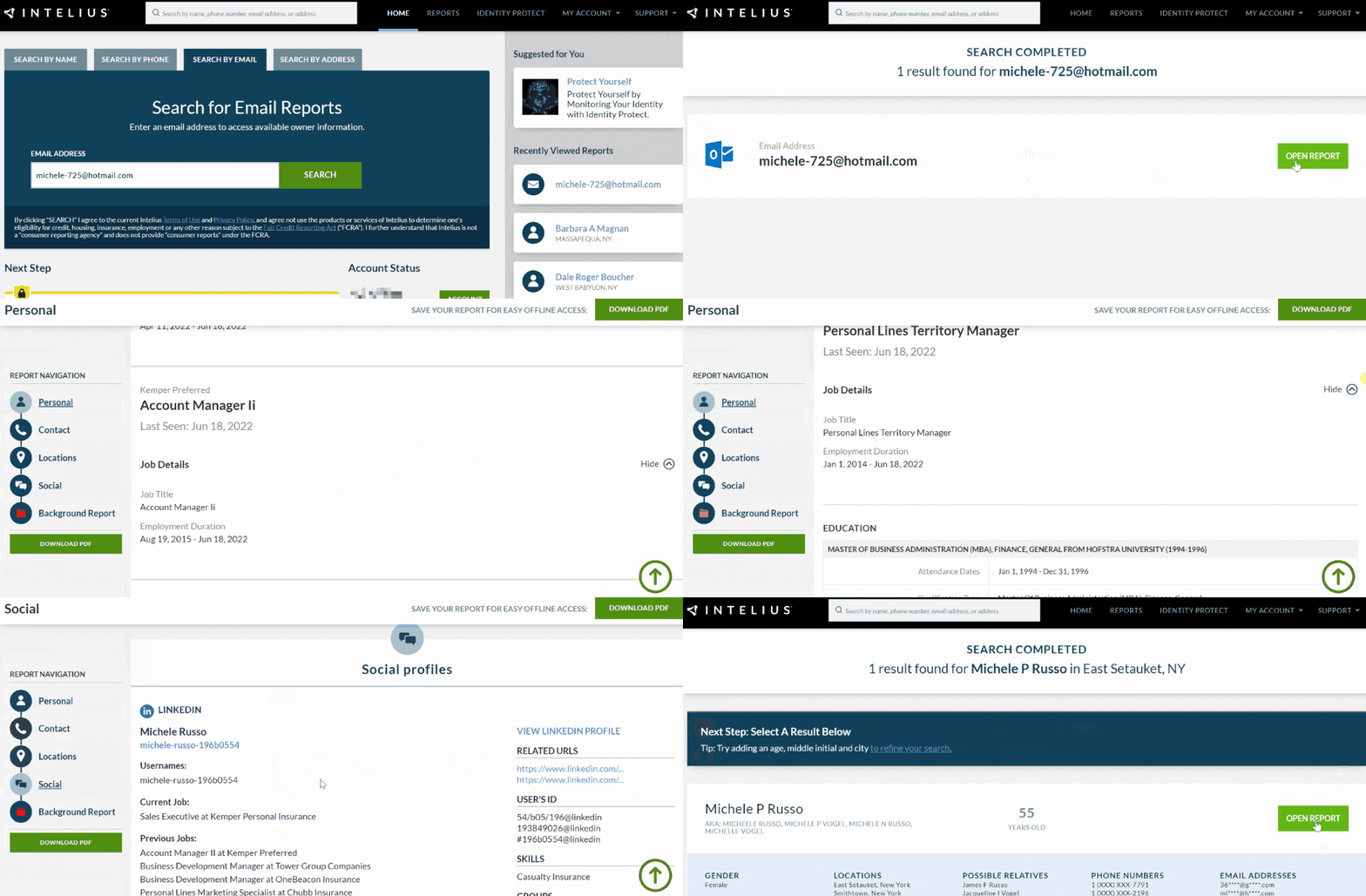
According to my experience with it, Intelius is one of the most comprehensive reverse email lookup tools. As such, it does not offer free results. It performs an email address validity and indicates whether an email is authentic.
Intelius’ reverse email lookup service requires a monthly subscription that starts at $21.13. You can perform unlimited reverse email lookups, and it will not notify those you are investigating.
| Quickness | Simplicity | Effectiveness | Safety |
|---|---|---|---|
| 4.9 | 4.9 | 4.9 | 5 |
Pros:
- 11+ comprehensive reports;
- includes background checks;
- shows address sources from other search engines;
- offers a cheap 7-day trial at only $0.95.
Cons:
- no free reports;
- lacks the option to pay for reverse email only.
BeenVerified
BeenVerified has been giving users access to public data since 2007. Most of the reviews on the website are positive, indicating that its clients are happy with the service.
Price:
- $26.89/mo – 1 Month;
- $17.48/mo – 3 Months.
User Experience:
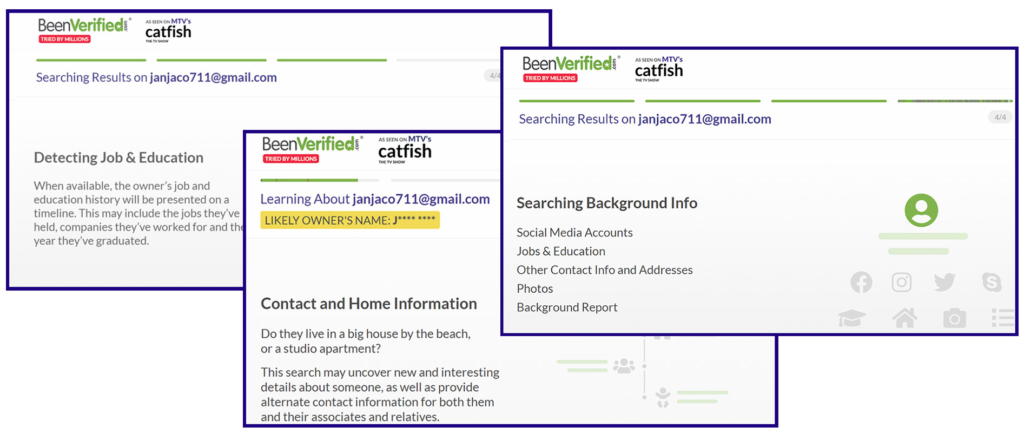
BeenVerified is one of the best email research tools I have encountered. I could verify whether an email was legit or fraudulent with just an email address. The site ran a search for a few seconds, giving me the likely person’s name and location for free.
To get a detailed report on BeenVerified, I needed to pay a $1 or $5 trial fee. After this, I accessed more information regarding my reverse email lookup. Besides the person’s name, I also got their phone number, physical address, and social media accounts.
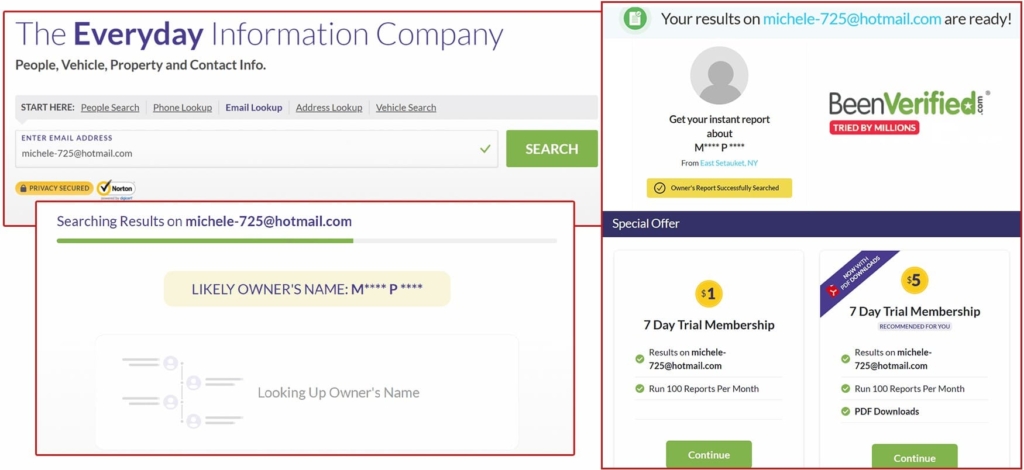
Since BeenVerfiried runs paid searches, it did an email address quality evaluation. It verified the email was valid based on the results. Moreover, I could also perform a reverse phone lookup to see if the information tallies. The whole search process is private, and BeenVerified did not notify the owner of the email address.
Like other paid email lookup tools, BeenVerified does not have the option of paying for one report. Nonetheless, with the affordable 3-month plan, you can benefit from it if you need to use email lookup tools frequently.
| Quickness | Simplicity | Effectiveness | Safety |
|---|---|---|---|
| 4.8 | 4.7 | 4.8 | 4.8 |
Pros:
- verifies emails to avoid phishing email scams;
- legal and legitimate website;
- detailed paid report;
- searches public and private databases.
Cons:
- it has a paywall before revealing results;
- the cancellation process is a bit long.
PeopleLooker
PeopleLooker has a 72% trust score on Scamadviser and has a valid SSL certificate. It has a 3.0 star-rating on Trustpilot.
Price:
- $22.86 – 1 month;
- $18.28/mo 3-month plan.
User Experience:
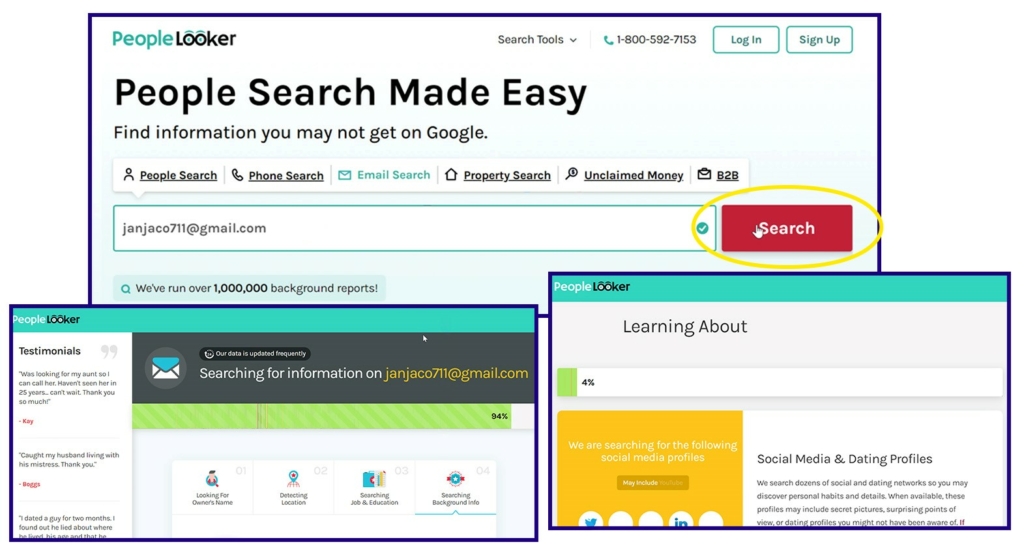
PeopleLooker simplifies the process of finding someone’s information using their email address. I used the site’s reverse email lookup feature, and it turned up results that included the owner’s name, associates, social media lookup, criminal records, location, and property records.
Unfortunately, PeopleLooker did not provide any information for free. I used the 7-day trial that cost $1 to find the information I wanted. I liked that the search was anonymous, and since the site’s information was accurate, I could verify the email results were correct. Furthermore, I used the results for a phone lookup that matched the report.
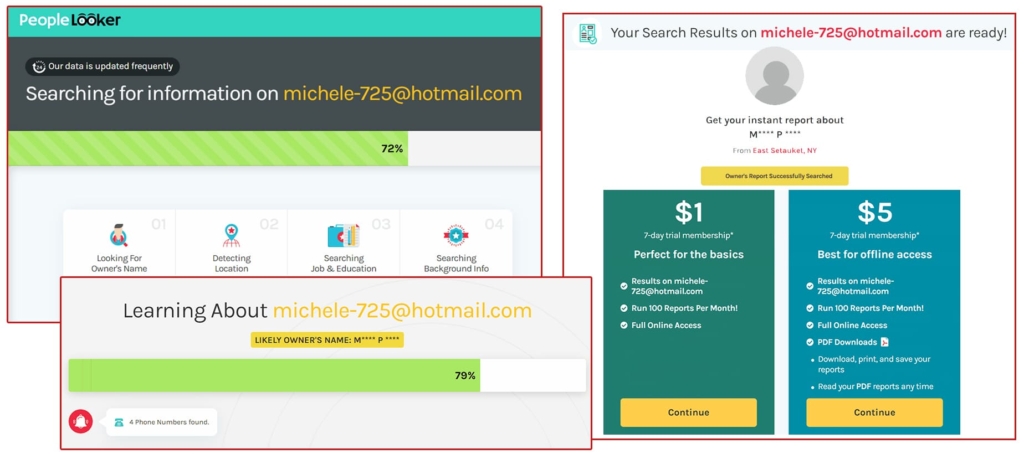
As my test showed, PeopleLooker is a reliable service that can help you access public records and avoid data breaches and phishing scams.
| Quickness | Simplicity | Effectiveness | Safety |
|---|---|---|---|
| 4.7 | 4.8 | 4.9 | 4.8 |
Pros:
- gathers data from state, federal, and local government databases;
- includes basic personal details and background reports;
- may reveal one’s criminal history;
- offers live customer service.
Cons:
- does not explore the dark web;
- additional fees may apply for some detailed searches.
PeopleSmart
Peoplesmart gives access to its contact database, allowing users to know about coworkers and companies. It can perform employee screening and is FCRA-compliant. PeopleSmart has a 3.7-star rating on Consumer Affairs, showing that most users are satisfied with the service.
Price:
- $39/mo Casual;
- $69 Plus.
User Experience:
PeopleSmart falls in the professional reverse email lookup tools category. Thus, I found information about a person’s employment history, company, and social media data. It’s useful for finding information about potential business partners.
Some reverse email lookup information from PeopleSmart includes their name, education, social media, professional & personal email addresses, company location, employees, and job positions.
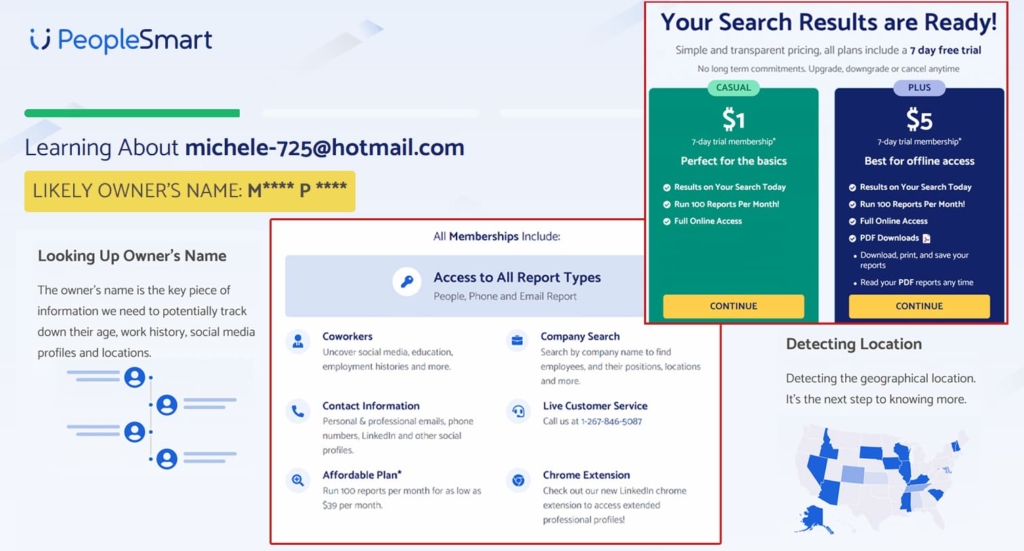
With PeopleSmart, I didn’t worry about verifying the email address, since this search engine validates an email before producing the result.
No information is free, and I could not pay for a single report. A 7-day trial costs $1, while a monthly subscription requires $39 to access 100 reports on the casual plan. The Plus plan is charged $69 per month.
| Quickness | Simplicity | Effectiveness | Safety |
|---|---|---|---|
| 4.8 | 4.7 | 4.8 | 4.8 |
Pros:
- text;
- friendly customer service;
- offers background checks and employee screening;
- emphasizes data privacy;
- can help find targeted business leads.
Cons:
- reports you have searched for expire after 30 days;
- price is not the most affordable among reverse email lookup tools.
PeopleFinders
PeopleFinders is a legit background service with a 4.6 stars rating on Consumer Affairs and 4.7 stars on Trustpilot. The site is quite popular on Facebook, with over 7,000 followers.
Price:
- $24.99/mo;
- $29.99/mo – Premium.
User Experience:
During my testing, reverse email lookup on PeopleFinders yielded results within seconds. The report was quite detailed since it had the email owner’s name, addresses & phone numbers, family members, associates, assets, properties, and social media records.
PeopleFinders also had the option to check criminal records, evictions & foreclosures, and sex offenders check. I found this tool adequate for searching using a person’s email address. It’s much better than a person lookup by phone number for free since I could access the owner’s social media account using the site’s URLs from the PeopleFinders website.
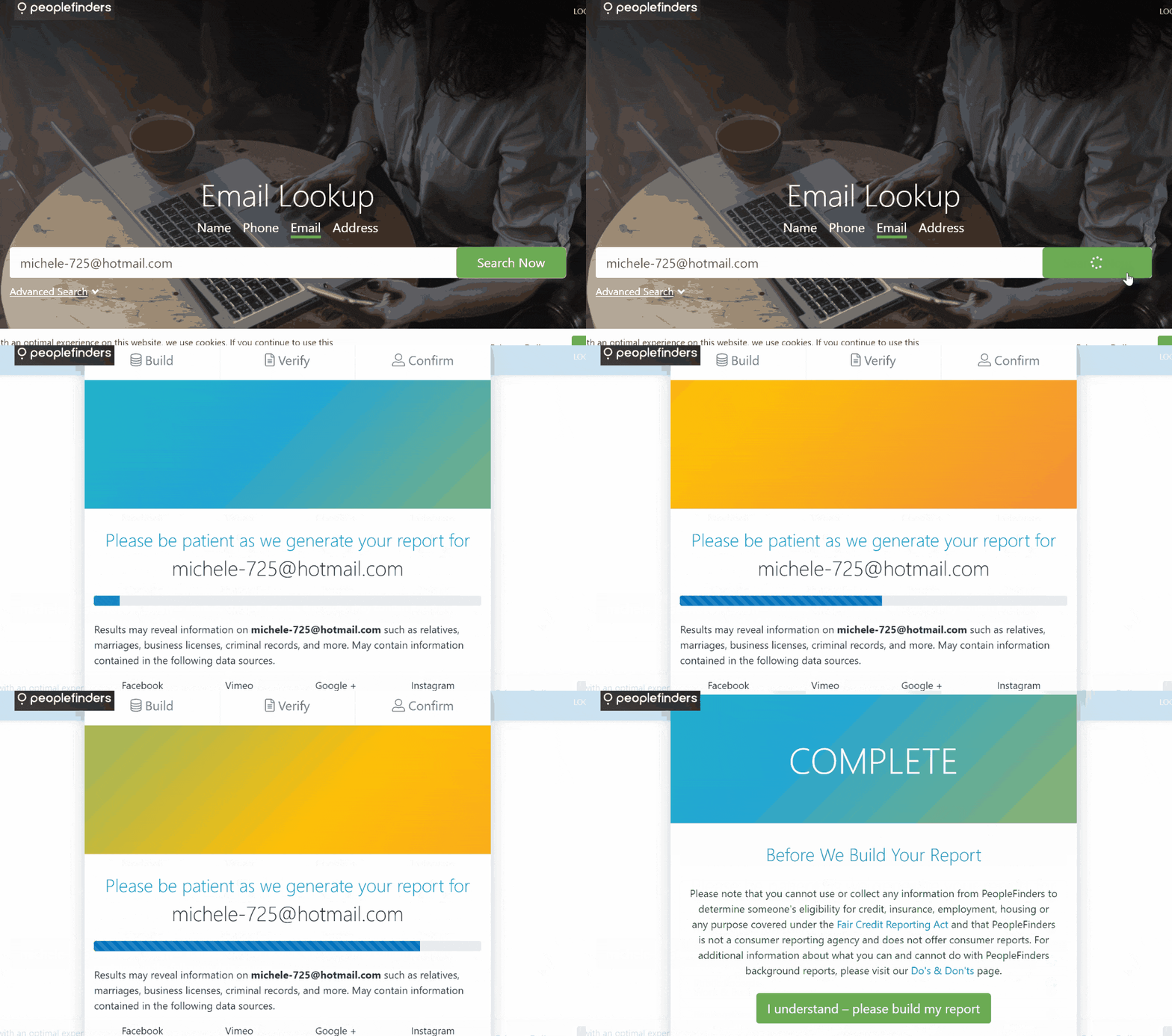
All searches on PeopleFinders are private. The site requires a monthly subscription to access any information from its databases. Still, I could verify the email address using the contact number provided on the site.
| Quickness | Simplicity | Effectiveness | Safety |
|---|---|---|---|
| 4.8 | 4.6 | 4.7 | 5 |
Pros:
- reliable and safe email lookup tool;
- can do a social media search;
- reveals other email addresses;
- useful for identifying the owner of an unknown email address.
Cons:
- does not include employment history;
- additional fees to download the report.
Social Catfish
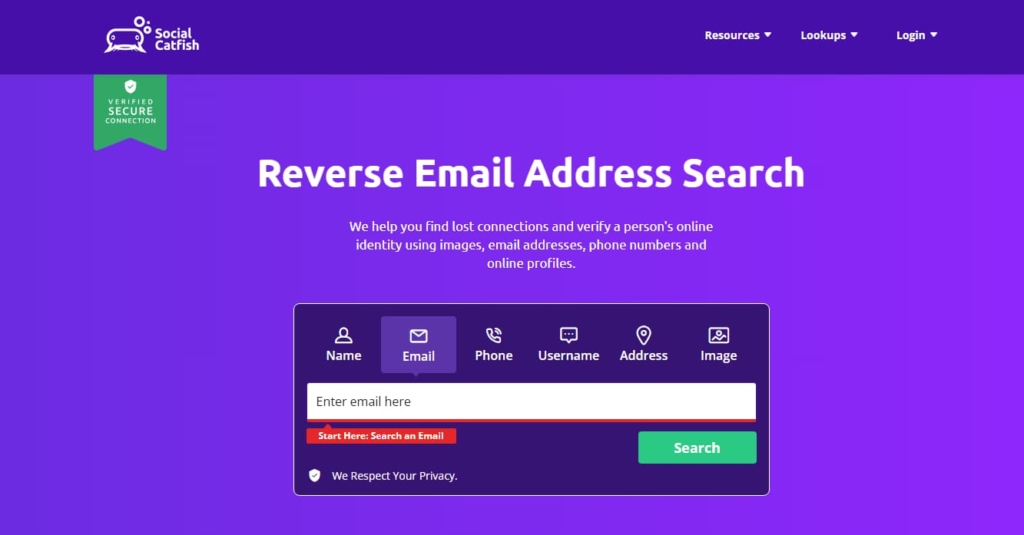
Social Catfish is an online dating investigative service. It allows you to verify a person’s identity using their name, email, phone number, and address. This site has 76,000 Facebook followers and a 4.2-star rating on Trustpilot.
Price:
$28.97/mo.
User Experience:
Social Catfish allowed me to find accurate data with just an email address. I found the individual’s social media accounts, phone numbers, possible relatives, addresses, and names. There was also a detailed location history.
I liked that Social Catfish could also pull the email’s IP address. As such, I used the information to check its validity using an email checker. I could also perform an email header analysis to detect a malicious address.
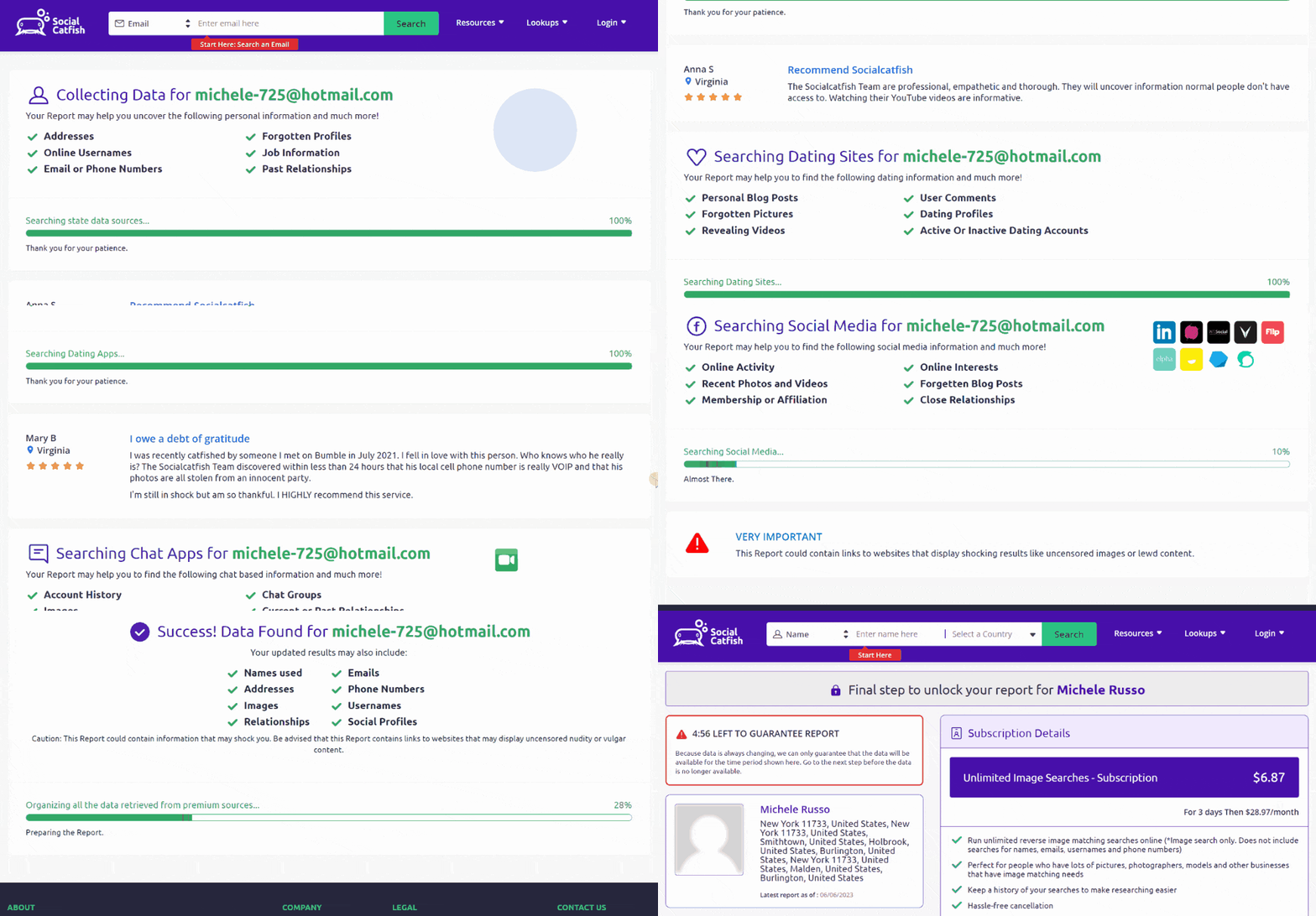
Social Catfish offers reverse email search free for basic information such as the name and locations. For a detailed report, the site requires paying a monthly subscription fee of $28.97. It would have been great if I could pay for a single report.
| Quickness | Simplicity | Effectiveness | Safety |
|---|---|---|---|
| 4.7 | 4.6 | 4.7 | 4.7 |
Pros:
- found out the owner’s social networks;
- shows if the email is associated with a scammer;
- can find photos of the email owner;
- reports are quick and accurate.
Cons:
- free searches are available for only five minutes;
- requires payment to access full information.
InfoTracer
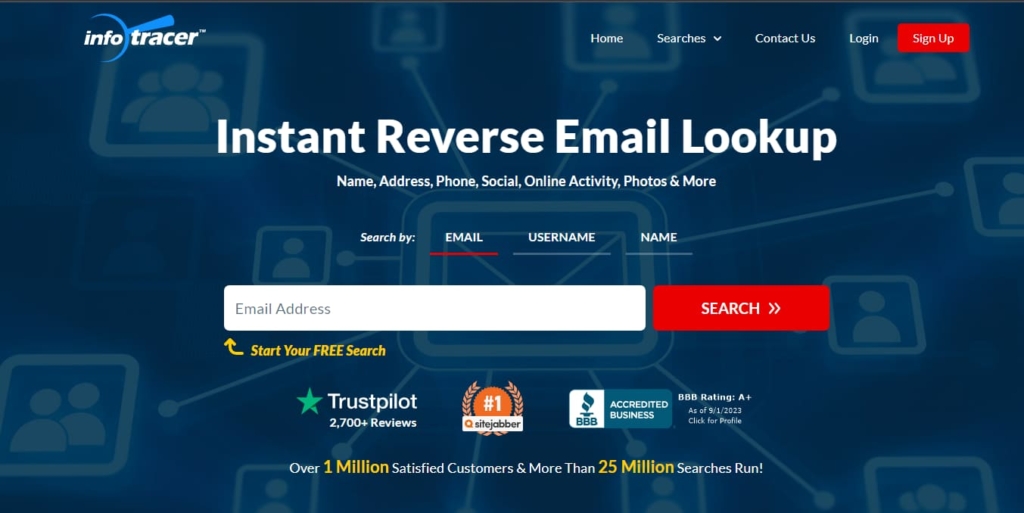
InfoTracer is a popular tool that you can use to find someone’s information. The site has seen over 21,000 reviews on Sitejabber with a 3.8-star rating. InfoTracer has 4.4 stars on Trustpilot and 2.4K Facebook followers.
Price:
- $1.95 – 7-day trial;
- $29.95/mo.
User Experience:
InfoTracer had a simple reverse email search method. It produced results that showed detailed information about the email’s owner. The search tracked the owner’s name, aliases, email provider, IP address, locations, user IDs, and phone numbers.
InfoTracer provided a means to verify the email address using its IP address. However, a full report required enrolling to be an InfoTracer member for $29.95/mo. It had a trial option for $1.95. I chose the trial, which opened up contact details, social media data such as photos & videos, court records, professional records, and assets.
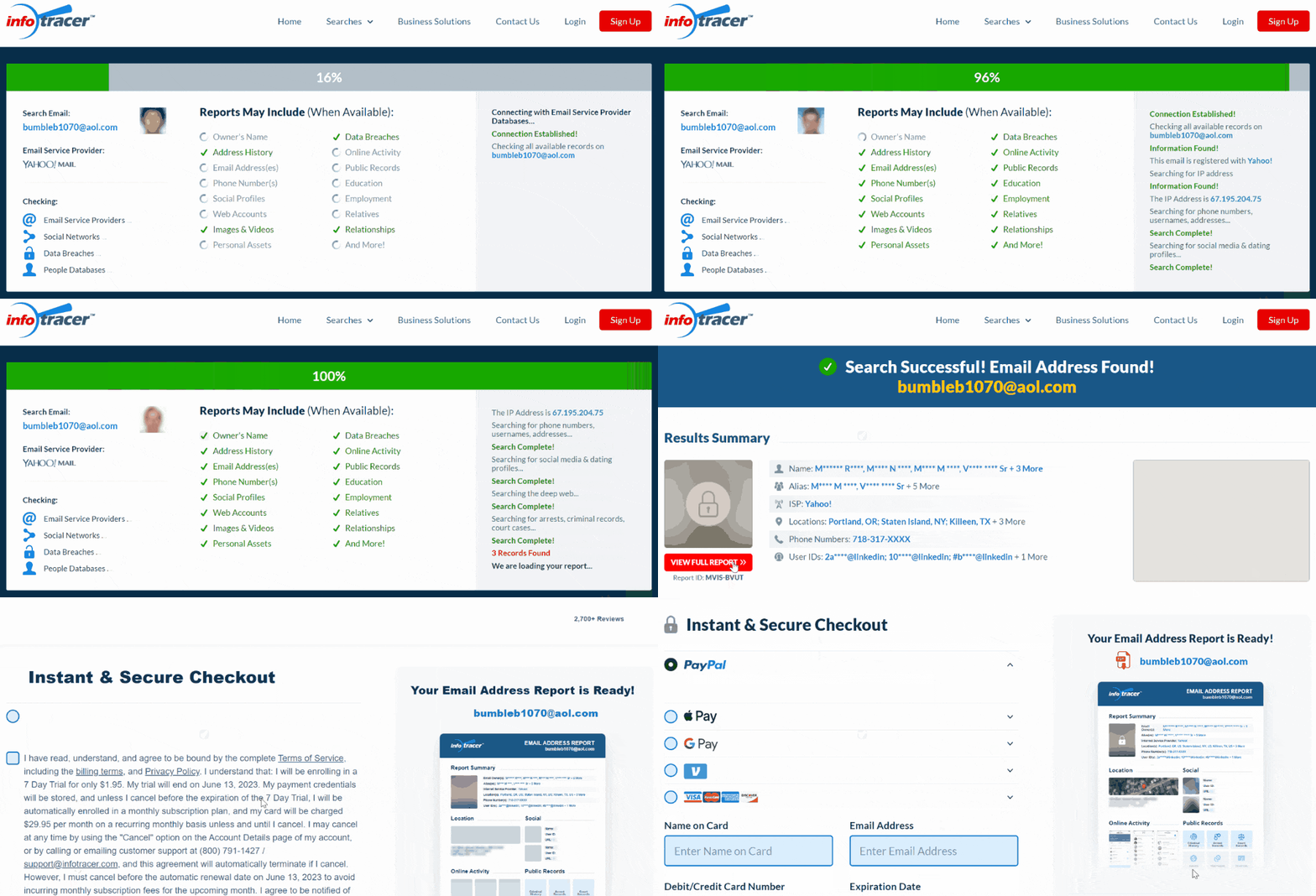
Searches on InfoTracer are anonymous. However, you cannot pay for a single report.
| Quickness | Simplicity | Effectiveness | Safety |
|---|---|---|---|
| 4.6 | 4.5 | 4.5 | 4.7 |
Pros:
- encrypts data to secure it during transmission;
- gets info from public sources;
- shows IP address to help in email validation;
- can do a face recognition search.
Cons:
- no limited free reverse email lookup;
- does not guarantee to have more information before payment.
RecordsFinder
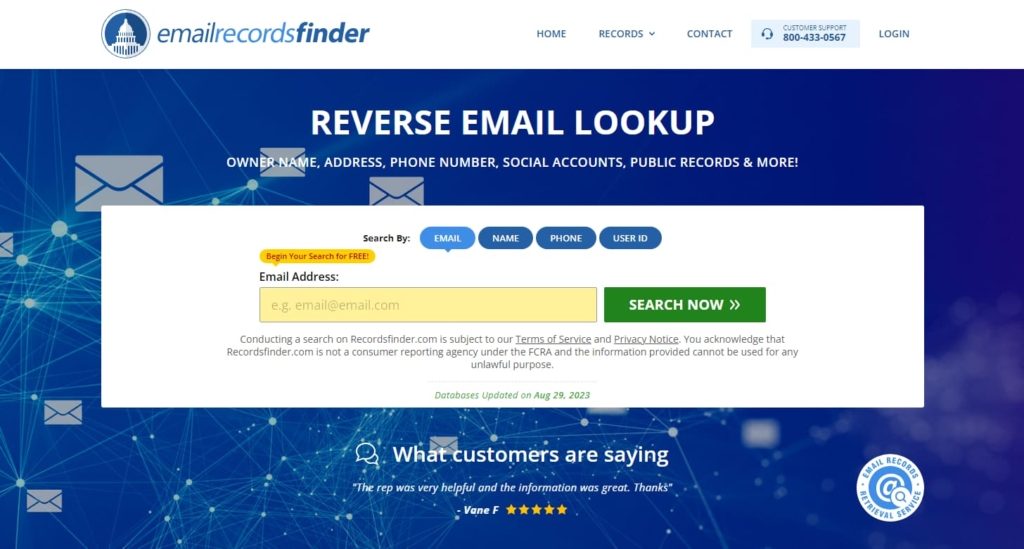
RecordsFinder searches over 2 billion records before providing comprehensive results. It has stellar online reviews, with users on Trustpilot giving it 4.2 stars and those on Sitejabber rating it at 3.96 stars. This people search engine has 1.1K Facebook followers.
Price:
- $2.95 – 7-day trial;
- $24.95/mo.
User Experience:
RecordsFinder offers background check services. It was great to find information using a person’s email address. This search engine yielded results that included the name of the email sender, email IP address, aliases, up-to-date address, associated phone numbers, and other addresses.
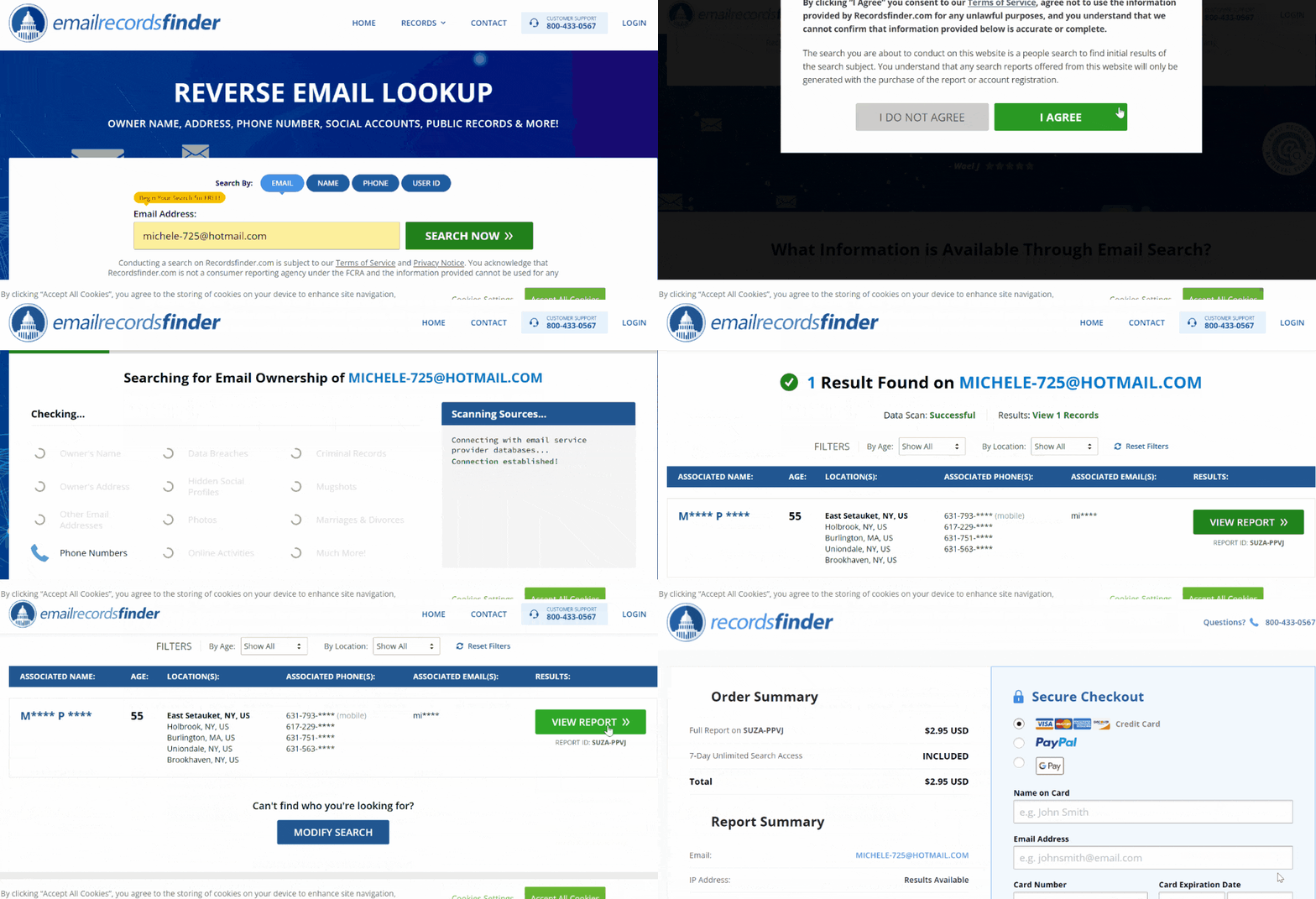
I could verify if the email was valid using the provided IP address. I liked that RecordsFinder provides the name, age, and location for free. Searches are also anonymous. Nonetheless, I could not pay per report. Premium information requires a monthly subscription that costs $24.95.
| Quickness | Simplicity | Effectiveness | Safety |
|---|---|---|---|
| 4.5 | 4.5 | 4.5 | 4.6 |
Pros:
- can verify one’s identity;
- shows some information for free;
- searches both public and private databases;
- offers various results to meet different needs.
Cons:
- charges renewals automatically without reminder;
- may not find background data even with a premium account.
Scam or Affiliate Reverse Email Lookup Services
We tried and don’t recommend the next services:
- YouGetSignal
YouGetSignal has a reverse email search option. However, it leads to Spokeo. - EmailSherlock
EmailSherlock is also a Spokeo affiliate. - SearchPeopleFree
Searches on Searchpeoplefree lead to either Spokeo or BeenVerified. - RealPeopleSearch
This is another affiliate of Spokeo, BeenVerified, and Intelius. - FindPeopleFast
FindPeopleFast is an affiliate of TruthFinder, Intelius, Spokeo, and BeenVerified.
Conclusion
Our reviewed reverse email lookup tools are the only ones you need to search using an email address thoroughly. You can rest assured that you’ll find accurate and up-to-date data.
When you don’t want to use more than one platform to verify an email address and know its owner, try TruthFinder. This reverse email lookup service will give you precise results.
Spokeo is another top recommendation owing to its affordability. Finally, when you want a truly comprehensive owner’s report, Intelius is the most useful service. This search tool can uncover every bit of information available associated with a specific email address.
Frequently Asked Questions (FAQs)
A reverse email search is the easiest way to determine who an email belongs to. You can start with TruthFinder since it finds the most accurate information available.
Yes, Spokeo yields results using its reverse email search service.
Google has a search option that can help you reverse lookup an email associated with your contacts. Go to contacts.google.com to access contacts saved on your Gmail account.
A free reverse email lookup tool that offers more than the name of the owner is That’sThem. For more information, better to use TruthFinder or Intelius with a small pay.





 Monday-Sunday: 5:00am - 8:00pm (PT)
Leave a Comment