




 Affiliate Disclaimer
 To find someone on Facebook by phone number, there are 3 best ways: to do Facebook phone number search, to try syncing phone contacts with Facebook and to find someone’s account via a reverse lookup tool.

In fact, it’s rather difficult to find someone on Facebook due to the sheer large number of Facebook users. Besides, you will encounter hundreds of results if you’re searching for someone with a common name. Luckily, Facebook now has a new phone number search feature that allows you to search for a specific phone number and see if that number is associated with a Facebook account.
We’ll look at the three best ways to find someone on Facebook by phone number. If you’d rather not use different types of search, you can find someone with one click through a reverse lookup service. Just go straight to this part of the article.
How to Do Facebook Phone Number Search
The Facebook phone number search feature is opt-in. This means a user must allow their phone number to be searchable. If someone’s phone number is searchable, you can easily find them using the Facebook app or website search bar.
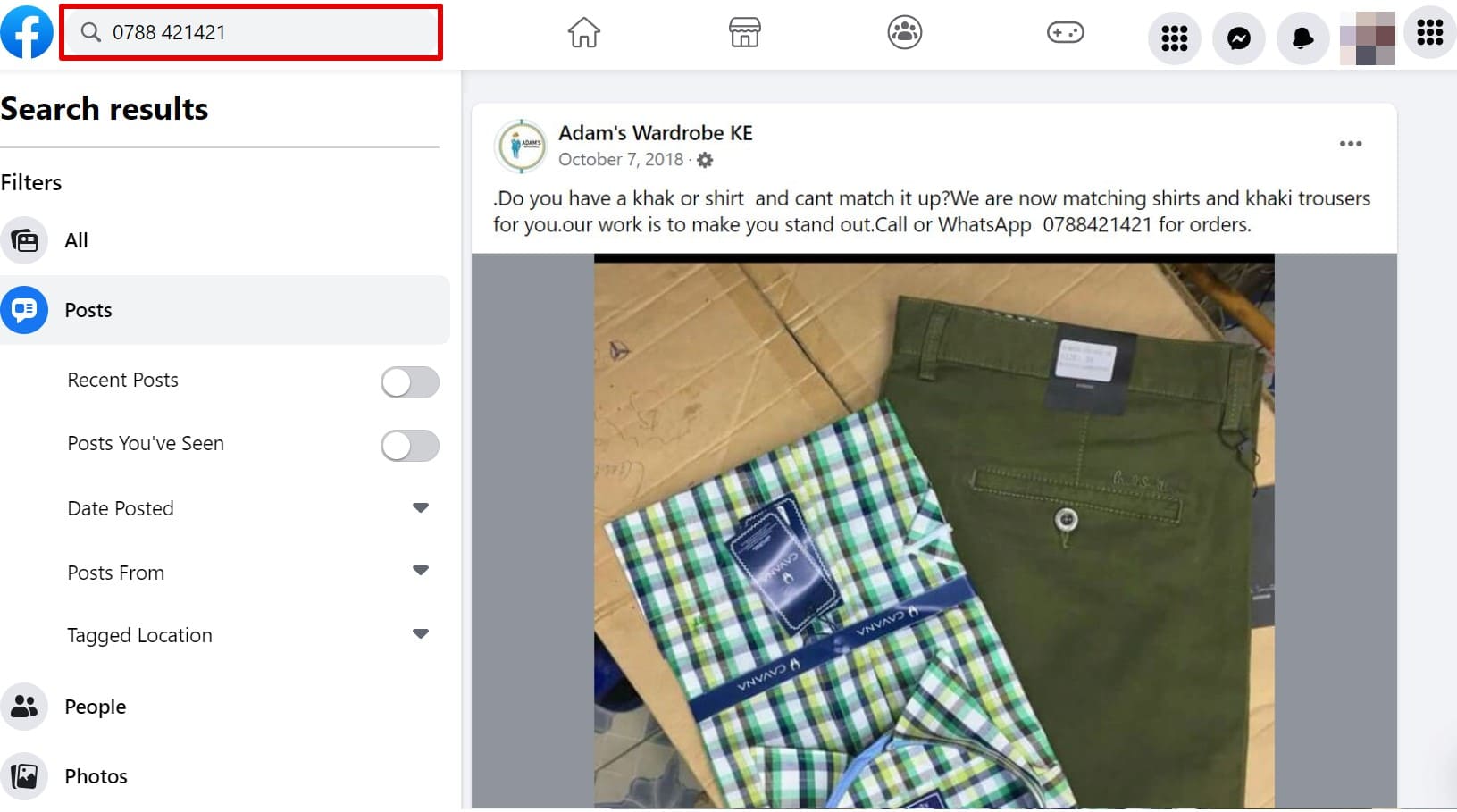
Here’s how to search Facebook by phone number:
- Open the Facebook app or facebook.com and log in.
- Click on the search bar in the top-right corner if you’re on the FB website and the search icon if you use the Facebook app.
- Add the phone number of the Facebook account you want to find and hit enter.

- If the phone number is associated with a Facebook account, it will appear on top.
Sync Phone Contacts with Facebook
Facebook has an option where you can add all your phone contacts to your friends list. You can see their Facebook account on the list once you bring a person’s phone number to your friends list.
However, if the person you want to find has not used their real name or photos, you might not identify their FB account since Facebook only shows the list of people in your contacts with Facebook accounts.
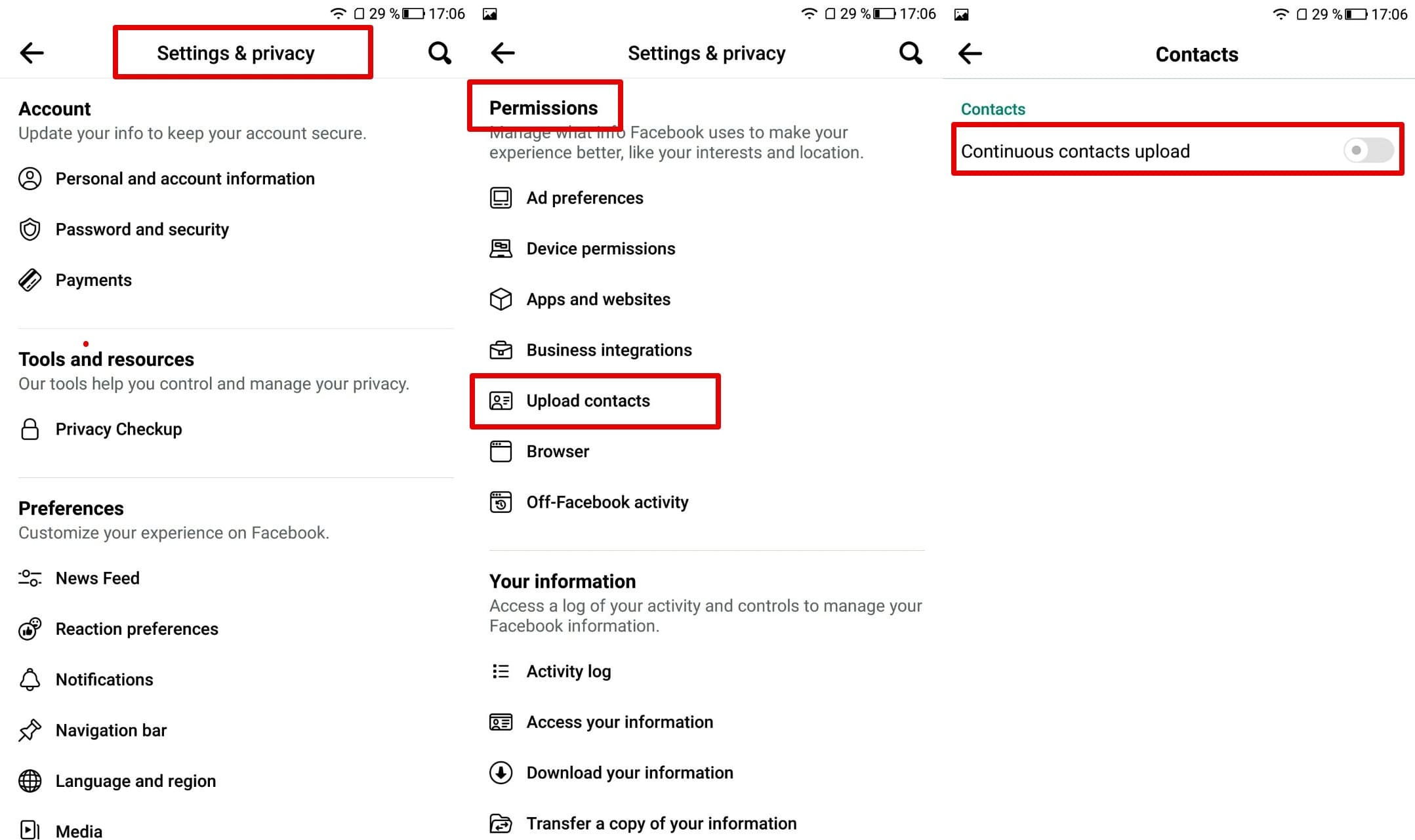
Here’s how to sync phone contacts with Facebook:
- Open Settings and Privacy of your Facebook account and then click on Settings.
- Scroll down to Permissions and tap Upload Contacts.
- On the Upload Contacts function, tap on the slider and click Continue.

- You can then send an individual a friend request once you’ve synced your contacts.
Find Facebook Account By Phone Number Via Reverse Lookup
The third and perhaps the most convenient way of doing a Facebook number search is through reverse phone lookup. These are the best tools for finding out if someone is on Facebook and other social media accounts.
TruthFinder
TruthFinder can match a phone number to a person’s Facebook account by searching public records. In addition, TruthFinder provides accurate information such as background checks, police records, social media information, contact information, and much more. TruthFinder currently has 341K followers on Facebook.

User Experience:
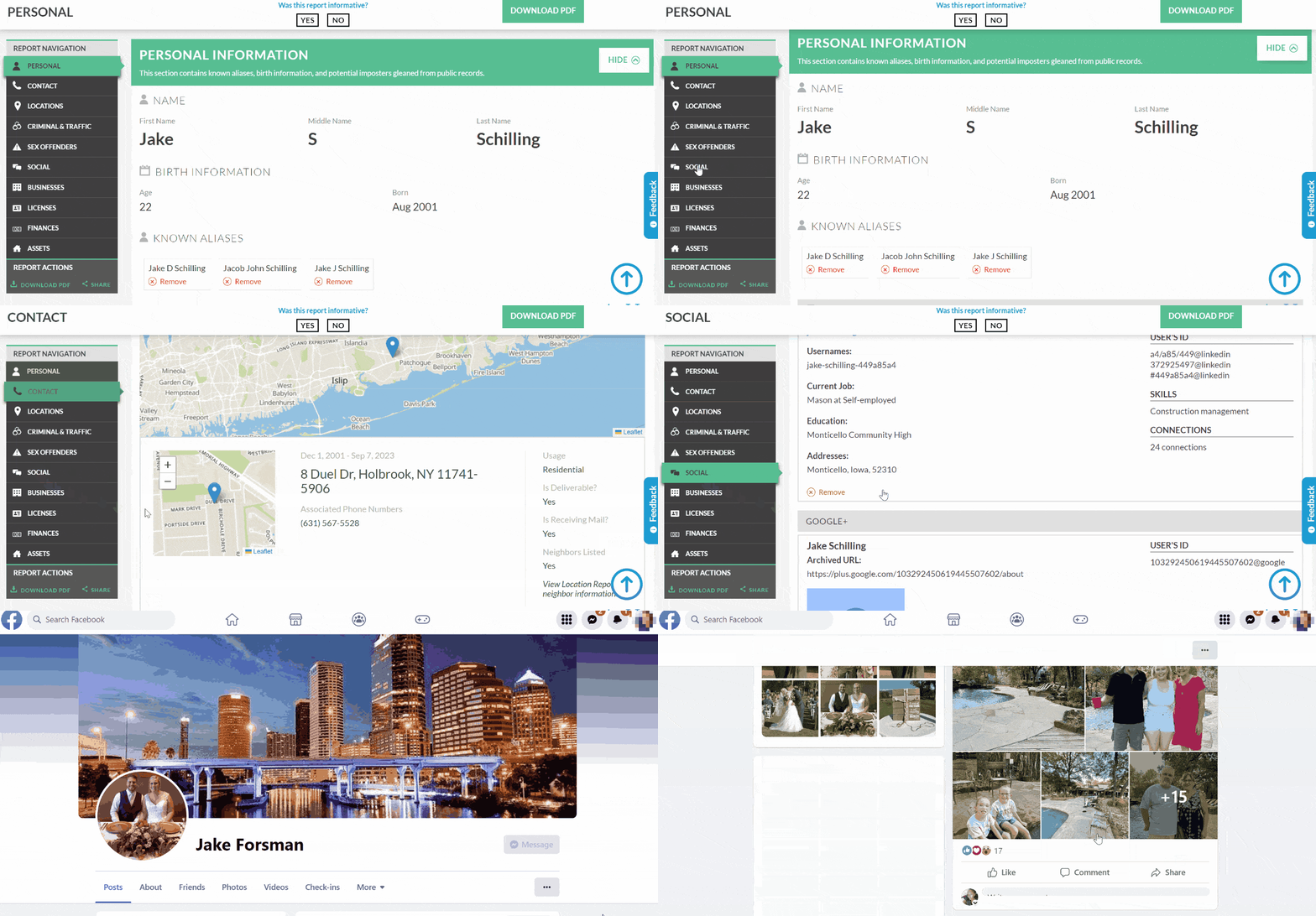
I used the reverse phone lookup tool on TruthFinder, and the service found public records associated with the phone number. I opened the phone number report and chose the Social section. This section listed all the social media accounts of that person. I went directly to their Facebook account straight from the TruthFinder website.
Benefits:
TruthFinder search results included more than just the social report. It also included the person’s data, contact information, criminal & traffic records, businesses, licenses, and assets. I liked that it’s anonymous, and I could use it for more than a Facebook people search tool.
Based on my experience, Truthfinder is one of the most reliable reverse number lookup tools. If you’re looking for someone, not just on Facebook, you can be sure to find them with the help of TruthFinder.
Intelius
Intelius functions as a reverse phone book for 10-digit numbers. Its search result includes impressive details about the phone number’s history and the connected identity. Intelius People Search has an A+ rating on Better Business Bureau, and reviewers on Sitejabber reveal it’s a legitimate background check service.

User Experience:
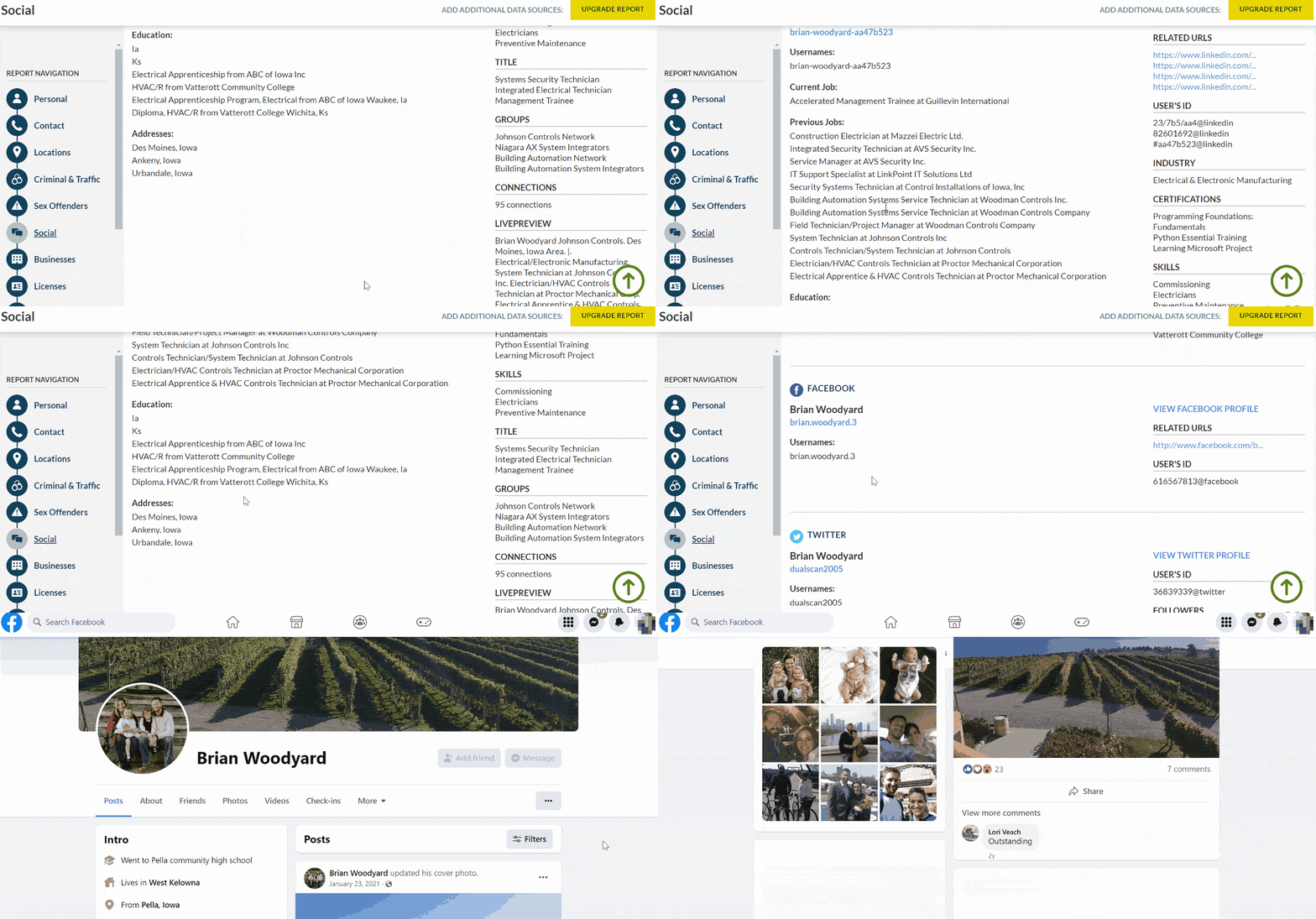
Intelius proved to be a time saver. I only used the reverse phone number lookup tool and chose the background report option. The social media report gave me usernames and links to the person’s social media accounts. All I did was click on the Facebook link, and I was redirected to the target’s Facebook page.
Benefits:
I found Intelius to be an accurate method of searching someone’s Facebook account using their phone number. It was fast and provided other means of searches, such as reverse email and address lookups. If all you have is someone’s name, you can use the name lookup tool to find detailed information about an individual.
PeopleLooker
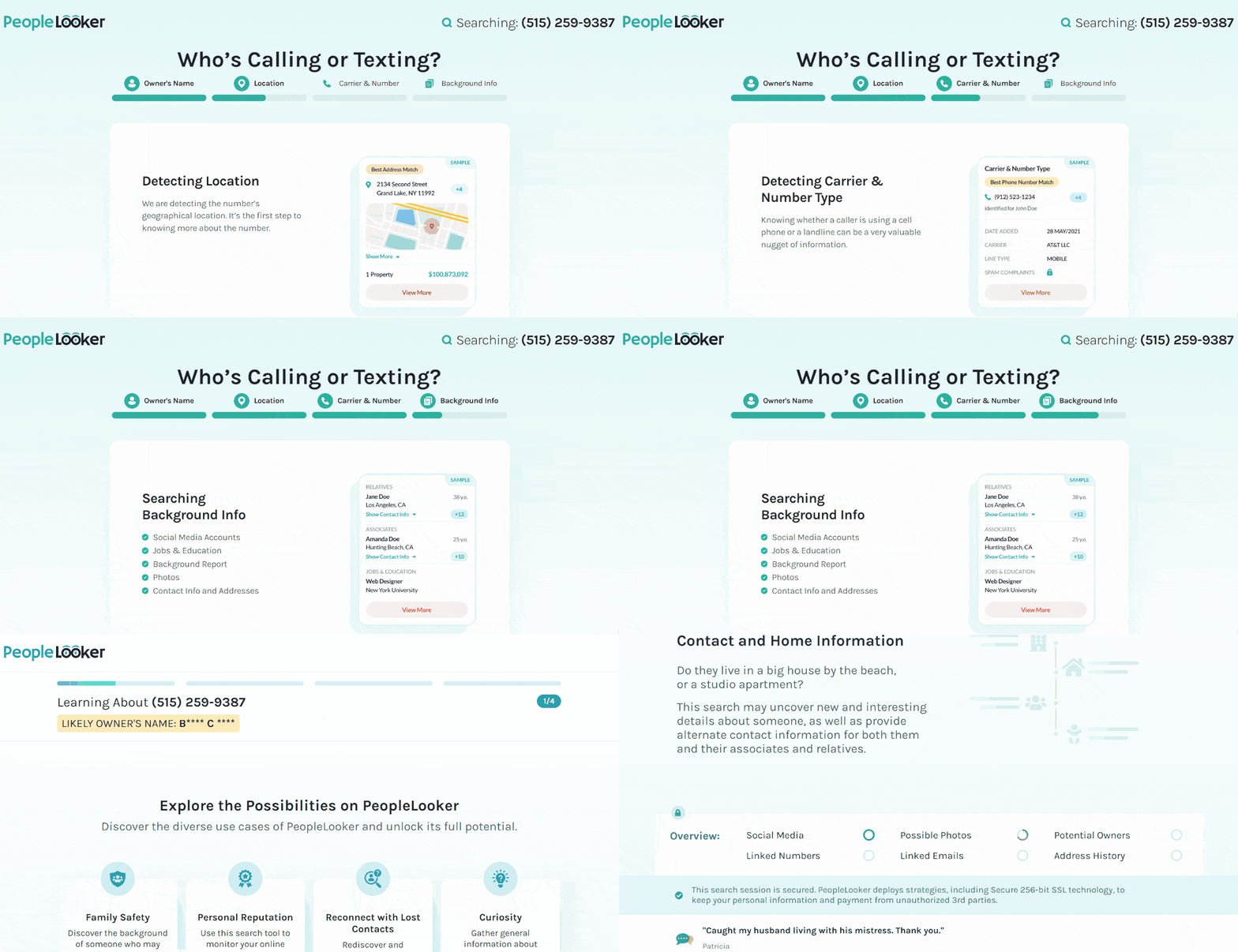
PeopleLooker can access billions of state, federal, and local government records. It also accesses social networking sites Instagram, Facebook, and X. PeopleLooker can give you relevant results about a person using their name, phone number, or address. Its Facebook search can show all Facebook accounts of a person, so you never have to use the Facebook search bar.

User Experience:
PeopleLooker allowed me to search 10-digit phone numbers on its phone search tool. It revealed essential details, including social media details like usernames. PeopleLooker listed all the social media accounts related to the person. It provided me with links to the relevant websites and showed me who the phone number belongs to.
Benefits:
PeopleLooker provides information about relatives, court documents, addresses, criminal history, email addresses, information about properties, and other vital details that can reveal a person’s identity. After experimenting with PeopleLooker, I found it helpful to find a long-lost friend and avoid robocalls, scams, and catfishers on Facebook.
Use the Find Friends Feature
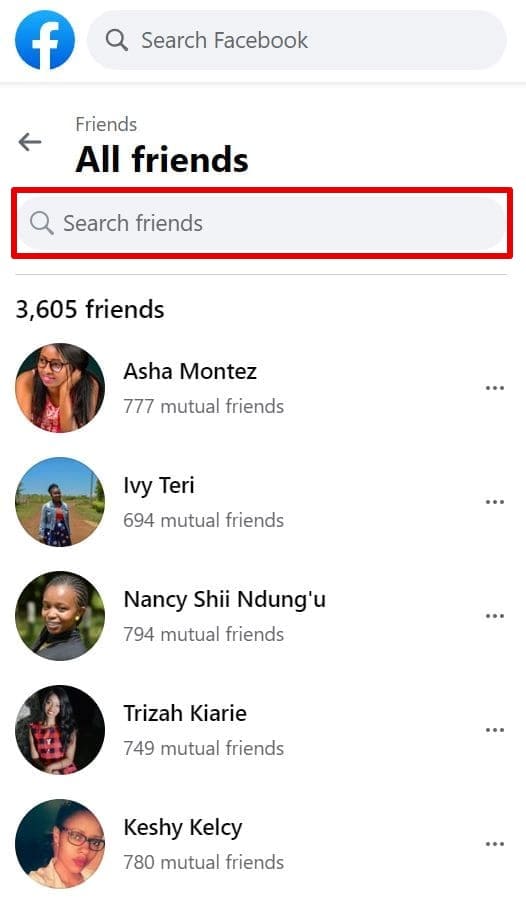
The Find Friends feature exists to help you find people on Facebook. Once you give it the phone number, it will scour through your potential friends’ list and see if it can match the number to a person. Click on Find Friends and enter the number in the Search for Friends section. After you hit enter, you’ll get results with the Facebook account belonging to that mobile number.
Conclusion
As you can see, searching Facebook with a phone number can be challenging. Using the Facebook search bar is the most obvious method, but it’s a long shot. Syncing contacts is a hit or miss, leaving you with reverse number lookup tools.
TruthFinder, Intelius and PeopleLooker are the most reliable methods of finding someone’s Facebook account with a phone number. Learn more about how to find someone on social media in this post.
Frequently Asked Questions (FAQs)
To find friends on social media by phone number, sync your contacts on social media networks and see if their accounts get listed. If not, you may require the help of third-party apps like reverse lookup services TruthFinder and Intelius.
To find someone on Facebook without knowing their name, do a quick search on the Facebook search bar with their phone number. You could also opt for reverse lookup tools like TruthFinder or Intelius, as they can help you know someone’s social media accounts with email or username.
Use the Upload Contacts feature on Facebook to find your phone contacts on Facebook.





 Monday-Sunday: 5:00am - 8:00pm (PT)
Leave a Comment