



 Affiliate Disclaimer
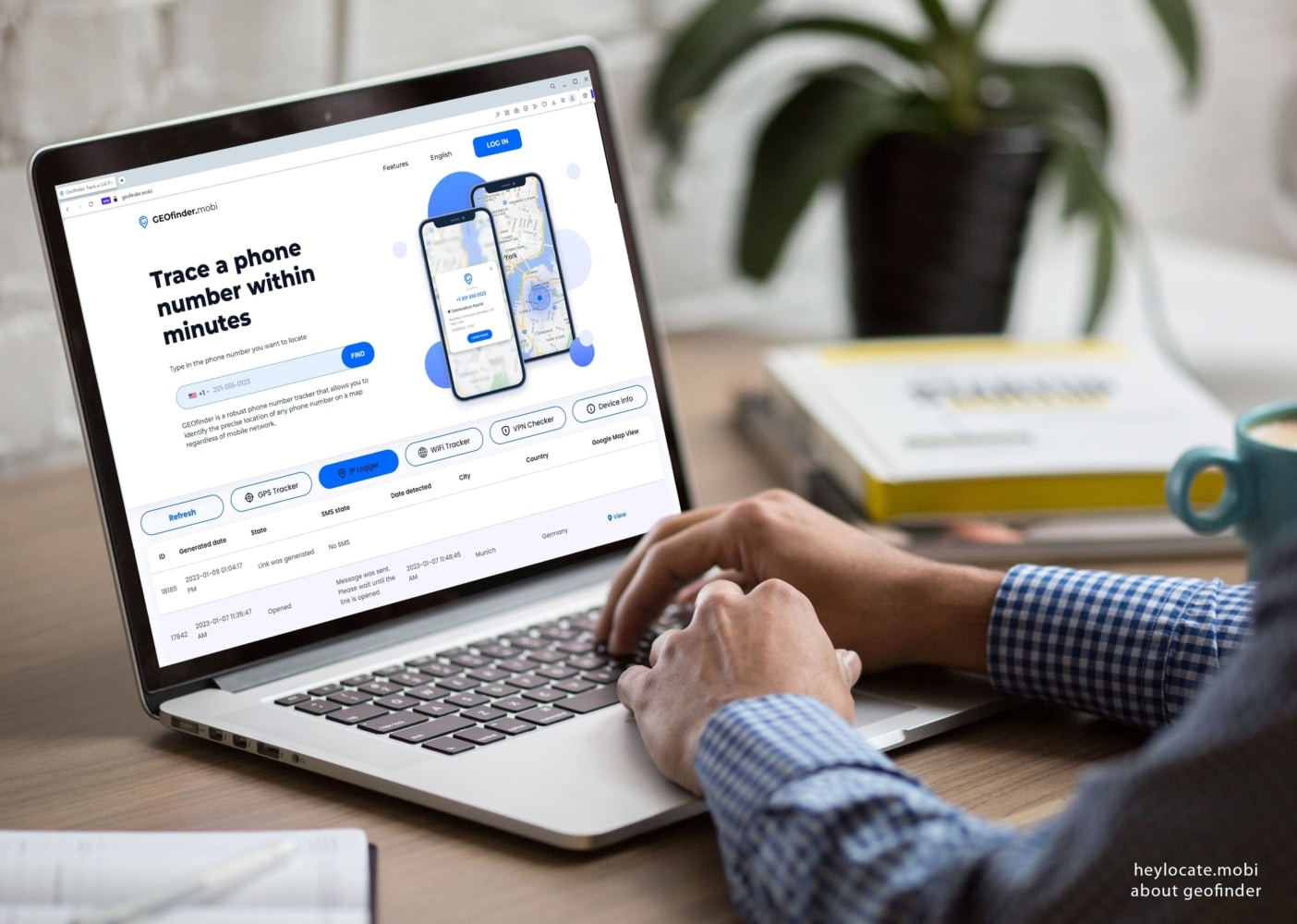
 GEOfinder.mobi is an online tracker by phone number, SMS, IP, Wi-Fi, with additional IP logger, VPN checker and cell phone carrier lookup.
Usually, phone number trackers suppose you to install their software on the target phone to track. But this ruins the whole idea of tracking someone without them knowing, or when you need their location immediately. That’s what sets GEOfinder.mobi apart, as it works through text messages without installing any software (but also has apps) and can be anonymous.
However, GEOfinder was not made for unlawful purposes, such as illegally following individuals, but for better motives of safeguarding your friends, family, workers, and others. One should use this service according to their local jurisdiction and comply with GEOfinder’s Terms and all applicable laws and regulations.
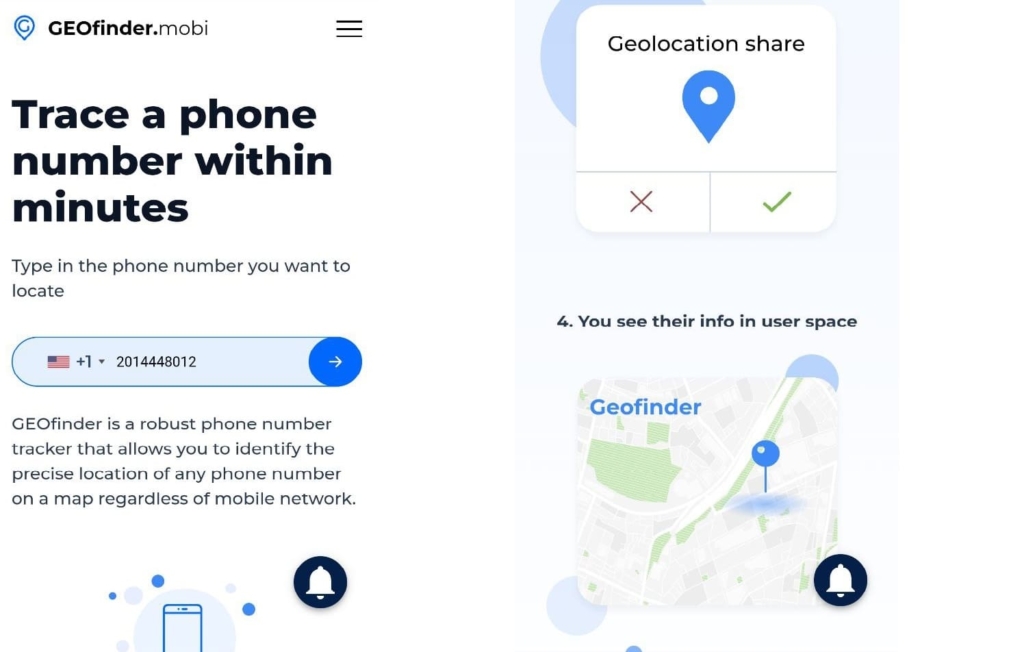
What is GEOfinder phone number tracker
GEOfinder is a geolocation system from uMobix, a well-known parental control service. uMobix itself needs installing, but provides more different features for monitoring your child.
GEOfinder is a quick alternative for tracking a cell phone number. The service tracks a mobile phone’s GPS location and shows it on a map. It works with phones from all cellular providers.
GEOfinder requires no additional software to be installed. All you need is an SMS delivered to the target device, followed by the receiver clicking on the link linked to it. This program can identify an exact location and alert you when the place is accessible. It is an excellent solution when access to an iOS or Android device is challenging.
Is GEOfinder.mobi a scam or legit?
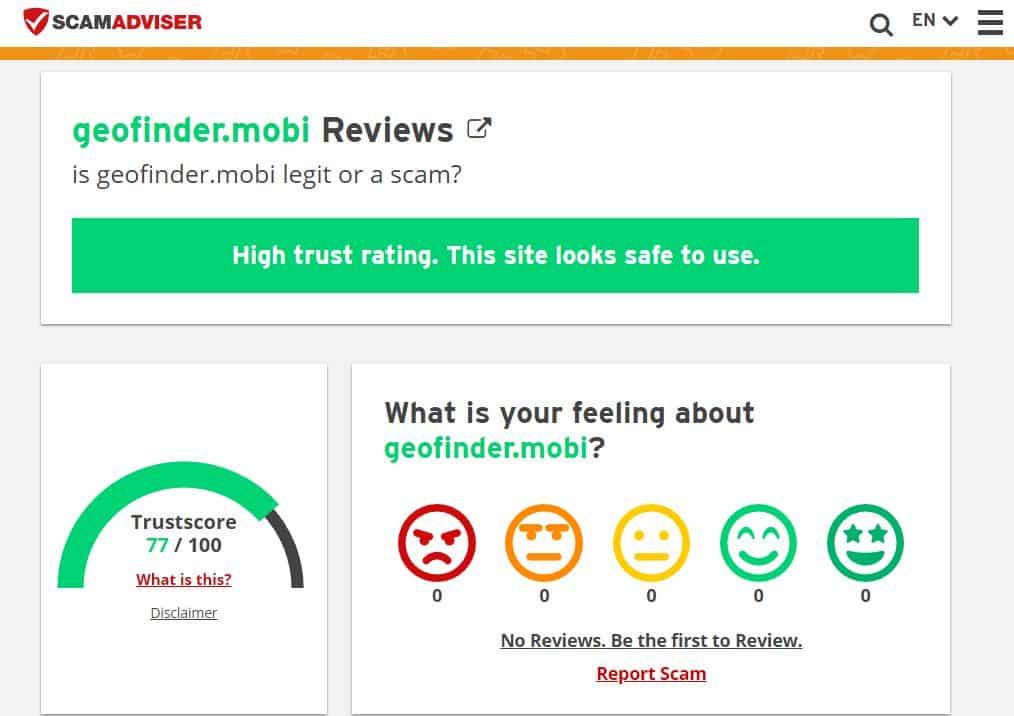
GEOFinder is secure and legitimate, the service is operated and owned by ERSTEN GROUP LTD, registered in the United Kingdom. The developer’s team is known for different tracking tools, what’s worth mentioning is the aforementioned tried and tested uMobix.
Based on the automatic analysis of many data sources, several rating sites offer GEOFinder a high favorable score: 77/100 on scamadviser.com, similarweb, etc.
All services undoubtedly get some negative feedback, but the plus is that you may give it a trial run before employing it. The thing is that GEOfinder allows sending one SMS per 3 hours, so some clients may be dissatisfied after trying it numerous times within this period and concluding that it does not function.
How does GEOfinder.mobi work?
GEOfinder utilizes mobile phone triangulation to determine a phone’s GPS location. Mobile phone triangulation calculates the distance of a device from at least three cell phone towers using signal strength measurements. These measures are used to calculate pretty precise GPS coordinates that are then shown on a map, much like Google Maps.
Geofinder can track iPhone location by phone number and is compatible with all mobile phone brands.

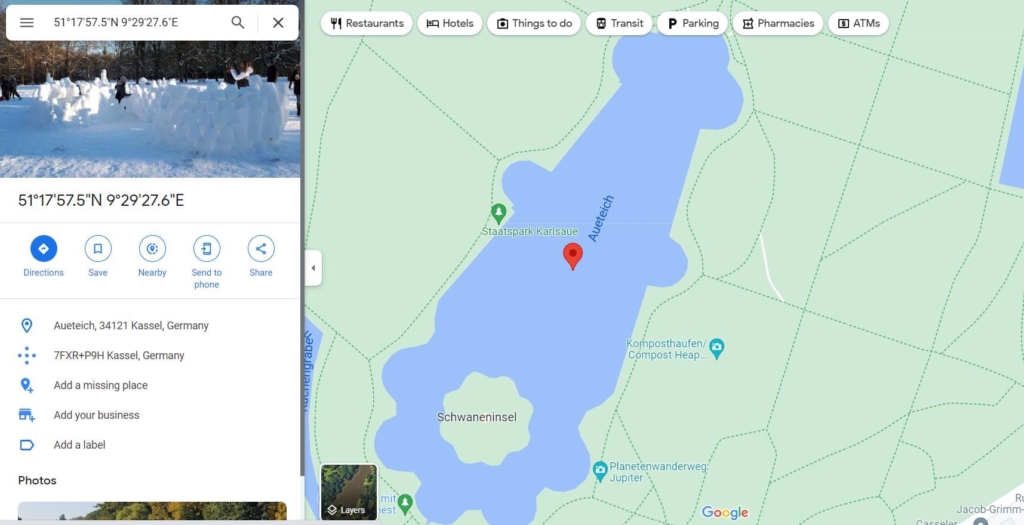
These coordinates are accurate to within 20ft, depending on the number of towers accessible at the measurement time.
How to Use GEOfinder for Location Tracking – Scores 10/10
First time users follow the following steps:
- Enter the number in the search bar.
- Choose subscription.
- Log in.
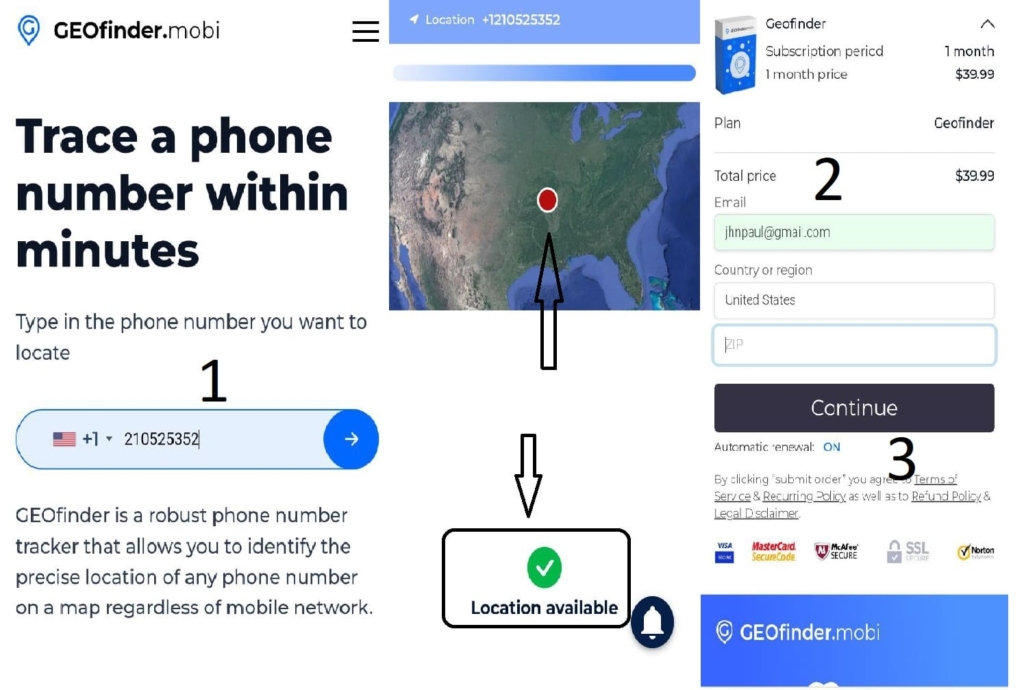
After entering the GEOfinder login successfully, follow the steps below:
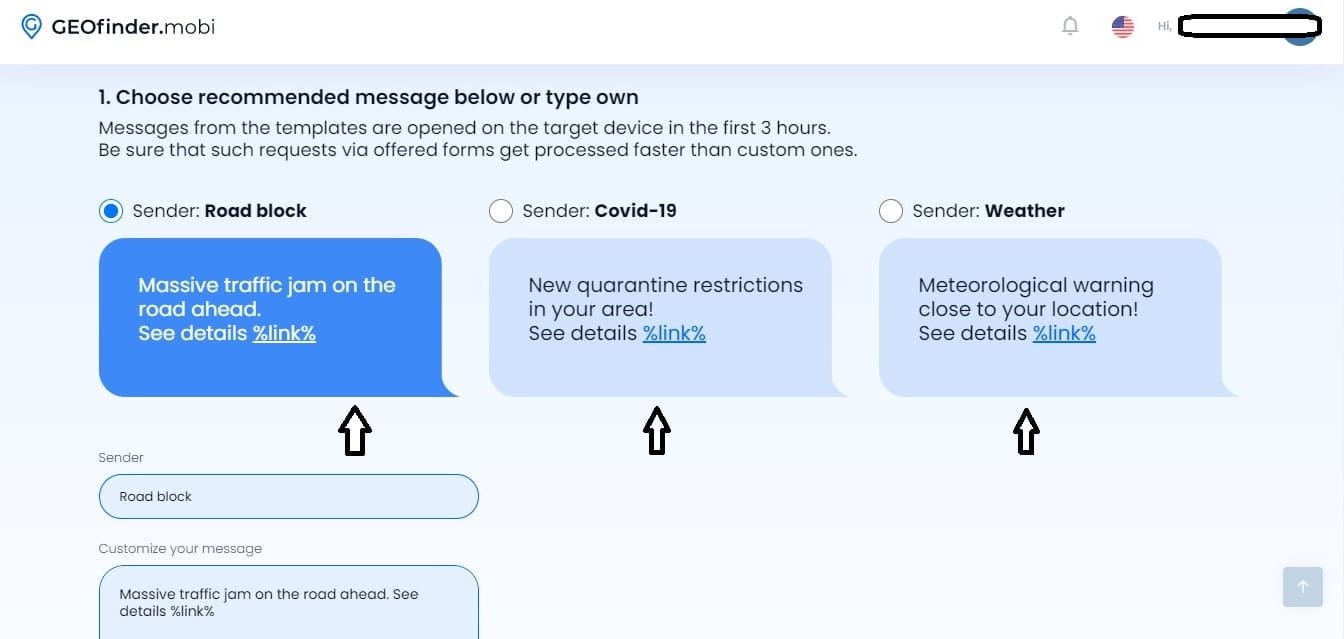
- Select a suggested message from the list provided by GEOfinder or write your own.
Within the first three hours, messages from the templates are accessed on the target device. Ensure that such requests using provided forms are handled more quickly than custom ones.
Your text message should be catchy enough to prompt the target user to click on it. So that the user will not be suspicious of granting you location permission.
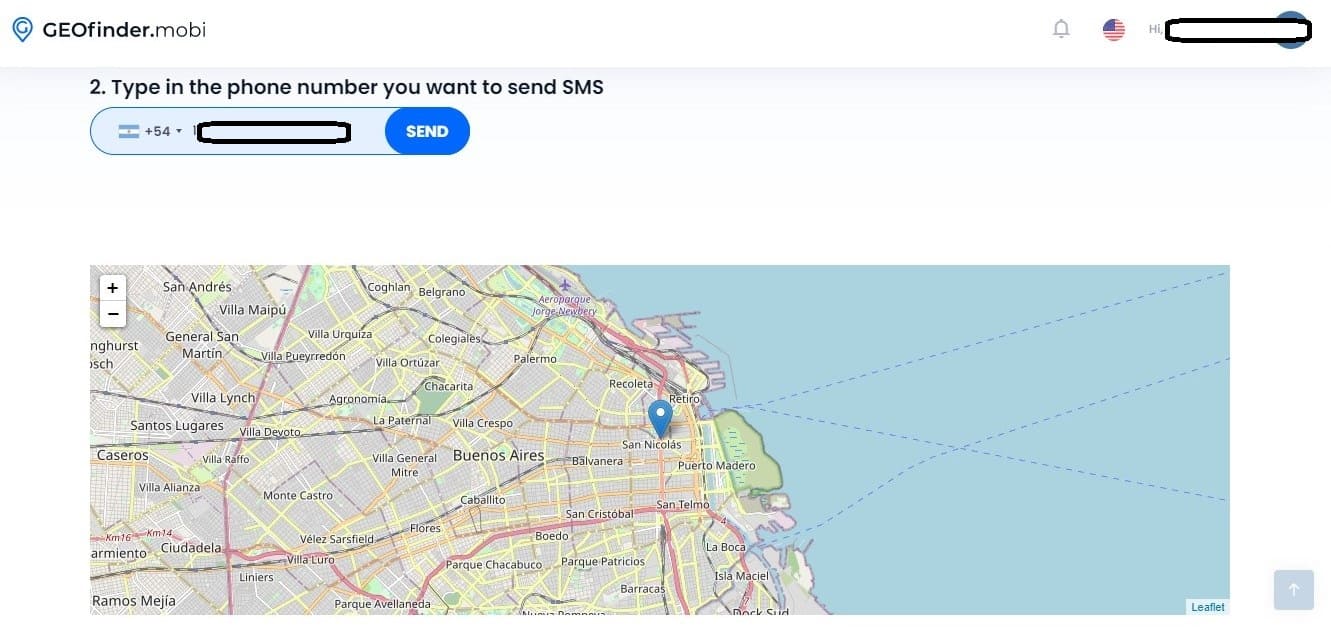
- Enter just the cell phone number to which you wish to send the SMS.

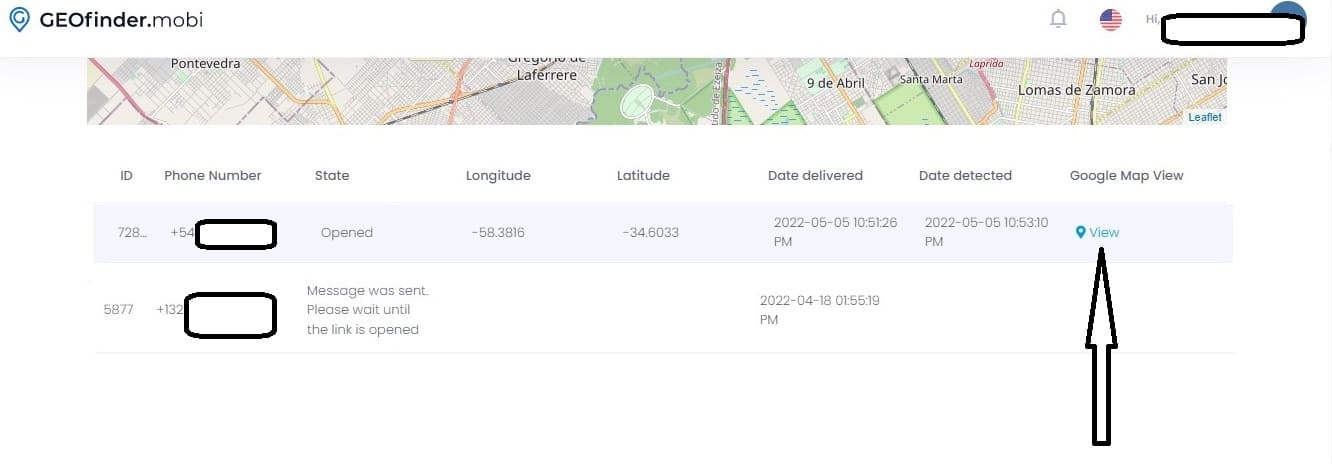
- Scroll down to see the table of results.

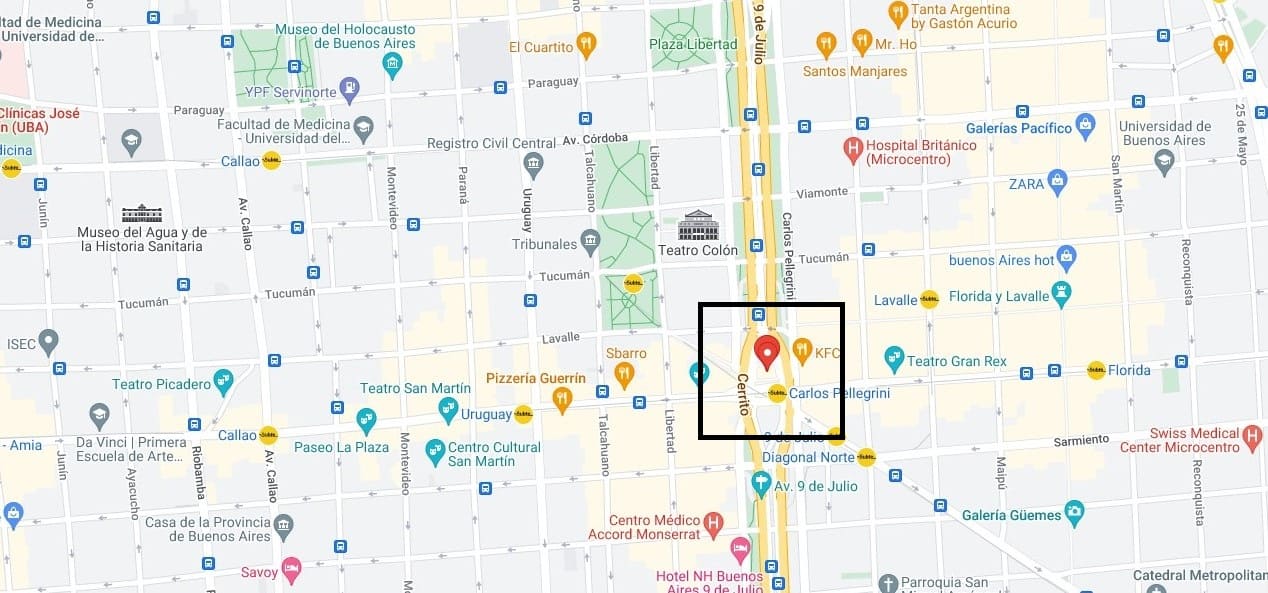
- Click on “View” to view the exact location of the target device.

Compatibility & Languages – Scores 9/10
The GEOfinder tracking service supports several languages, including English, Spanish, French, Portuguese, Italian, Chinese, and many more. It can monitor any mobile phone, including Android and iOS devices, by using its phone number.
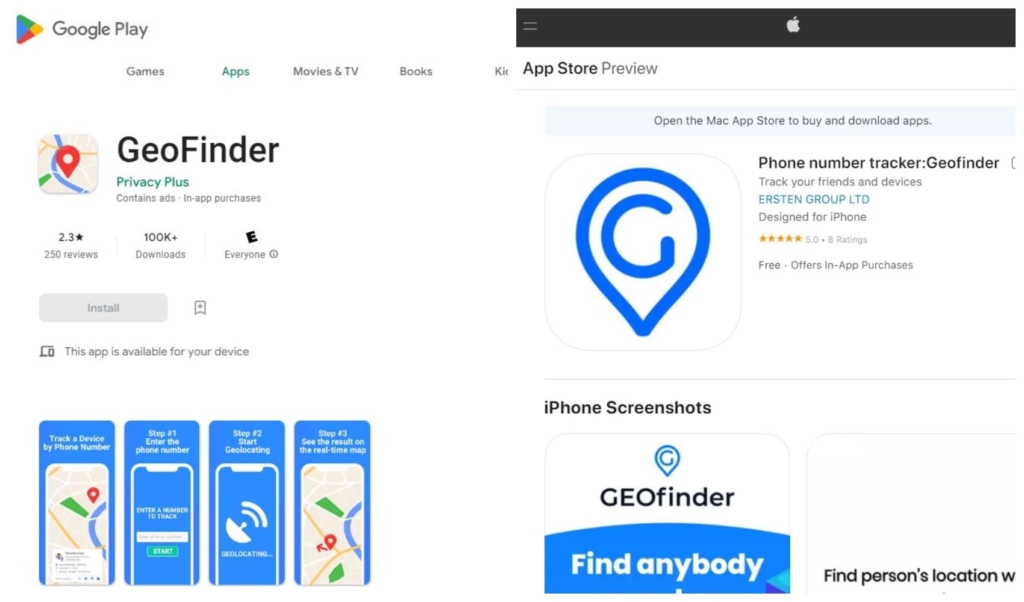
GEOfinder now has new applications that work on all devices. They are easily accessible through the Google Play Store and the App Store. GEOfinder.mobi app works the same as the website: it sends a text message to the target person’s mobile, urging them to click on a link.
GEOfinder Price
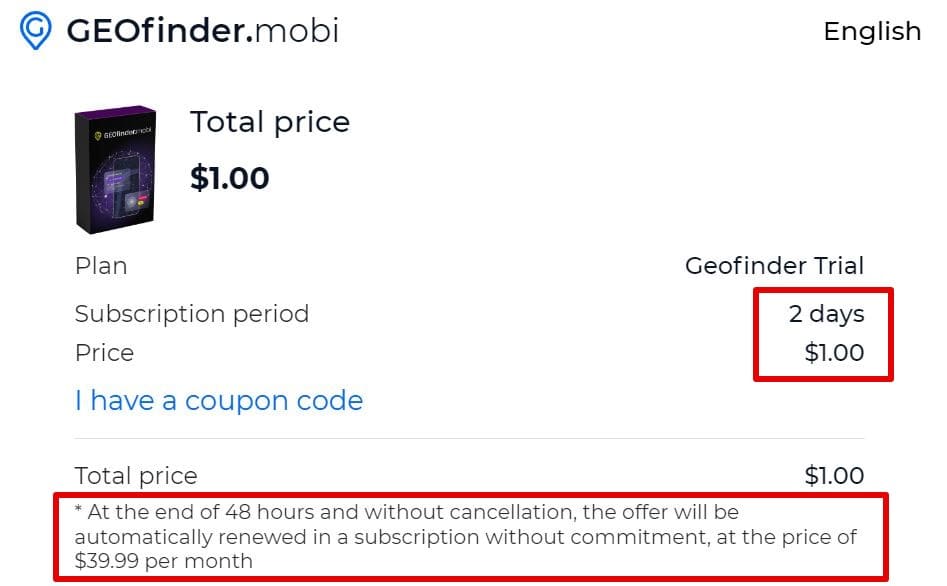
Almost all mobile phone monitoring apps accept a variety of payment ways. GEOfinder, on the other hand, offers a set charge that applies to all platforms and devices – $39.99 monthly.
GEOfinder can provide you with a geofinder.mobi coupon code and a free trial edition – to try it, visit the following link: geofinder.mobi/trial.html. After the trial period, the payment for GEOfinder is made every month. You may, however, turn off the auto-charge feature.
GEOfinder accepts a variety of payment options, including Visa and MasterCard. Surprisingly, you may pay using cryptocurrencies such as Bitcoin, Ethereum, and others. You may also pay using SOFORT, a popular online banking payment option in Europe, with considerable use in Germany, Austria, Switzerland, and Belgium.
Additional features of GEOfinder
Aside from monitoring location using GEOFinder, you can also have access to other tools that may be handy for keeping track of target devices. They are as follows:
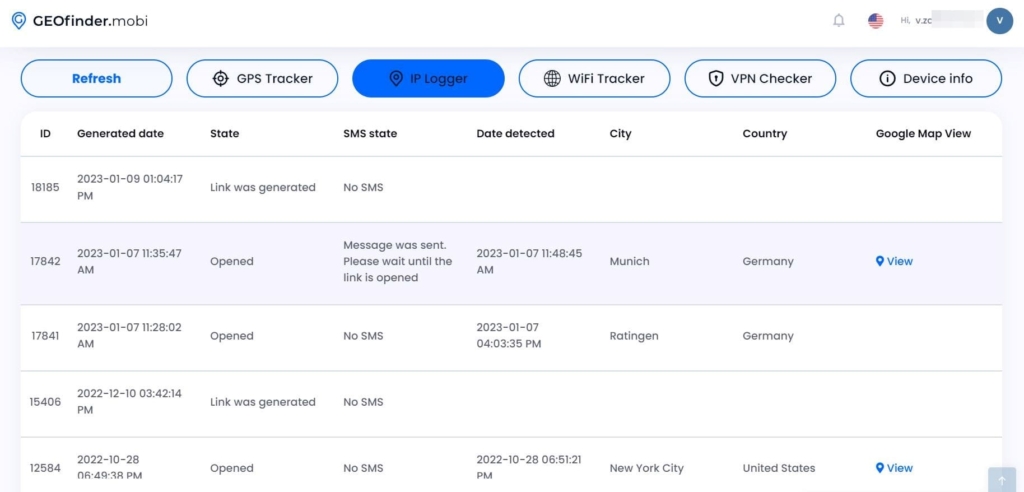
GeoFinder IP Logging – Scores 10/10
GEOfinder allows you to verify the IP address of a device using simply the phone number. If you need to capture the IP address of the targeted user, go to the program website and enter it into the proper area. GEOfinder will analyze your data quickly and provide all relevant information to your dashboard. There is no requirement for physical access to the person’s device. Now is the time to get the IP tracker link!
Just a few steps are necessary to do this, and you are ready to go:
- Select the text SMS you will send to determine the IP address of the target devices.
- The gadget owner then obtains it and follows it.
- The device’s owner, whether consciously or inadvertently, reveals their IP address.
- The data is delivered to User Space.
GEOfinder will provide a simple report including all relevant data based on the IP address. This information is available in your app’s account.
Wi-Fi Tracker – Scores 9/10
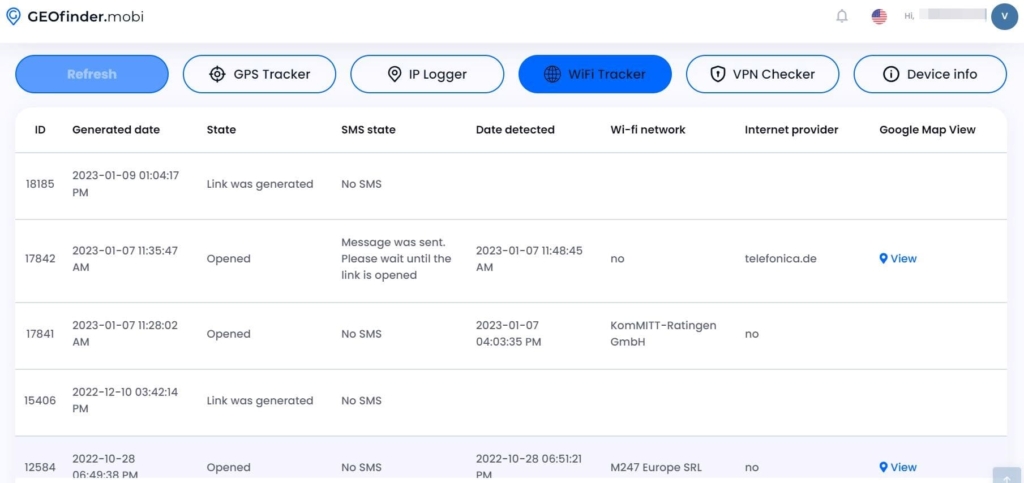
GEOfinder now provides a new way to learn about Internet connections, known as a Wi-Fi tracker. Finding out the actual details will be beneficial.
The Internet and online time are inextricably linked in today’s environment. You may get important information about the user’s connection and network name when the target person’s device is connected to Wi-Fi. It will not take long.
Follow the steps below to test this functionality:
- Select one of the SMS options.
- The individual receives it and clicks on the link.
- The device’s owner distributes their Wi-Fi data.
- Obtain all the information in the user space.
It should be noted that this location tracking feature is compatible with all phone models and networks. Surprisingly, if you track the targeted person’s Wi-Fi traffic using GEOfinder, their device will not get any information.
VPN Checker – Scores 9/10
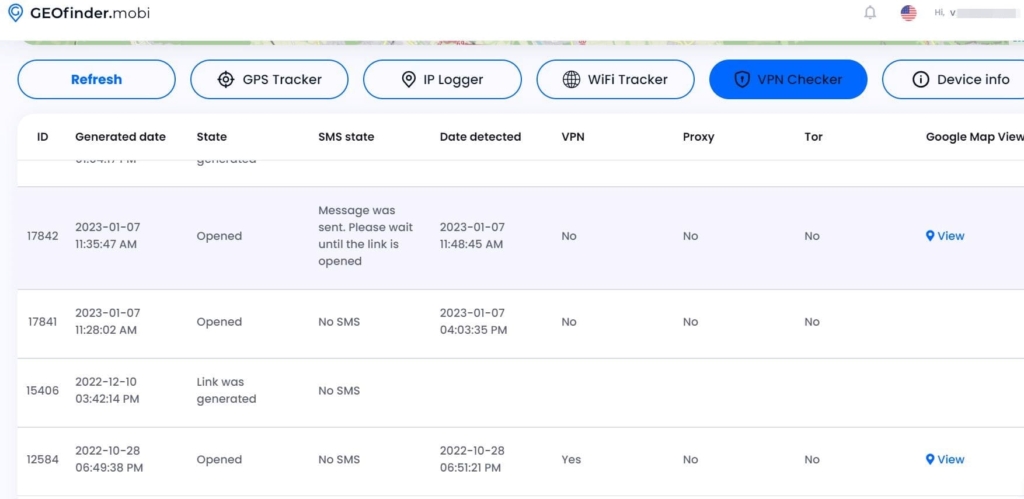
This smart software is designed to provide the greatest monitoring results. You may track some’s phone concealed Wi-Fi network simply by entering their phone number. This GEOfinder tool will be useful if you opt to monitor your children’s internet behavior while they are alone with their devices.
If you are the company owner, a VPN tester will also reveal the true scenario about the workers’ working day. GEOfinder may be used for this purpose, and it will impose more stringent work requirements. Keep an eye out for the targeted person’s secret Internet connection by following the steps below:
- This is accomplished by the user selecting the SMS to be sent.
- The prepared link is sent to the intended recipient.
- The device owner divulges their VPN credentials.
- The app’s user discovers their information in the user space.
Following the preceding stage, the program will generate a handy table containing all relevant information about the covert Wi-Fi network. This information is available in the personal app’s profile.
Cell Phone Carrier Lookup – Scores 10/10
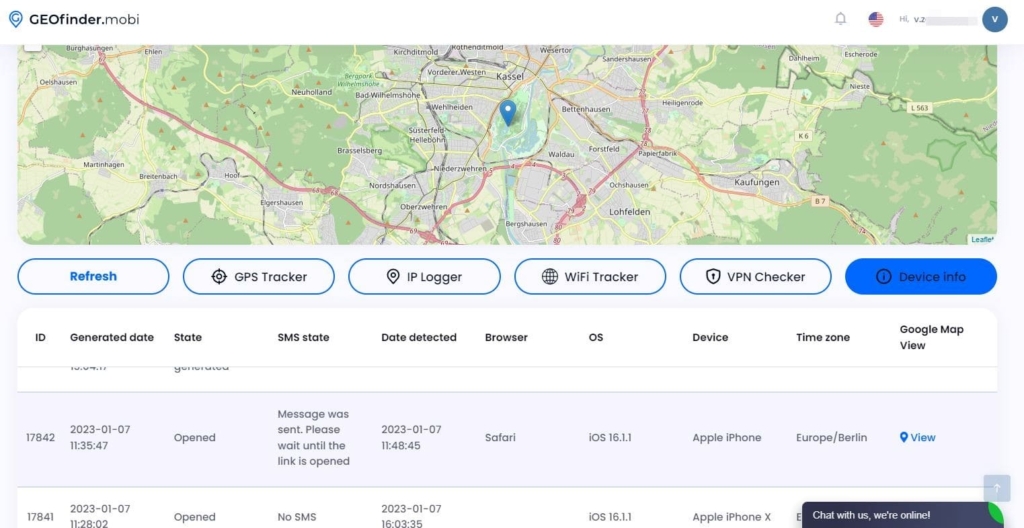
GEOfinder is also a free carrier lookup service. Cell phones are being utilized for all forms of communication, not only calls and messaging. The devices must employ carrier mobile phone services for this purpose. People can remove and change their SIM cards when out and about. It may be done, for example, to receive or make a call from another number.
You may use the phone-free carrier search to find out which carrier SIM is currently installed on your loved one’s smartphone.
Follow the procedures below to do this:
- You should choose the SMS text.
- The device owner receives it along with a link.
- The targeted individual divulges their carrier information.
- You may view their information in the user space.
Following the processes outlined above, GEOfinder will generate and validate a handy report comprising all relevant data based on the person’s carrier. This information is available in your app’s account.
GEOfinder.mobi reviews
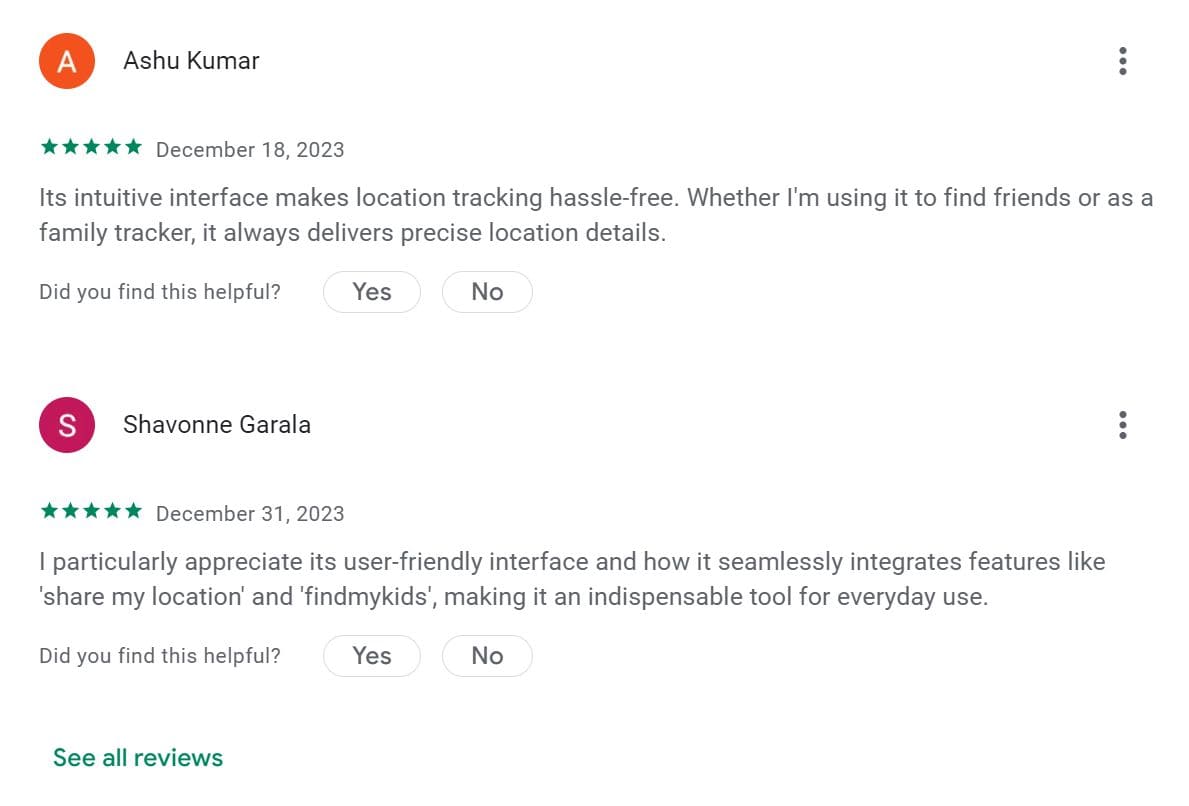
User reviews are one of the most essential factors in determining whether an application is worth your money, here are a few instances of what consumers say about GEOfinder.mobi.
GEOfinder: Pro & Cons
So, let’s sum it up.
Pros:
- compatibility with all major smartphone platforms and manufacturers;
- it works anonymously and remotely without physical access to the target device;
- it provides accurate location tracking;
- multiple languages;
- additional features like Wi-Fi tracker, carrier lookup, etc.
Cons:
- a price structure that only allows access to one offered function;
- you may only send one message per three hours;
- you get the person’s location only when they click on the link in the text.
Alternatives of GEOfinder
There are some online services that work similar to GEOfinder.
Scannero.io
Scannero.io is a mobile phone number tracker that enables remote tracking and geolocation services without the need to download and install extra software. There is no requirement for a phone connection since the mobile phone number suffices.
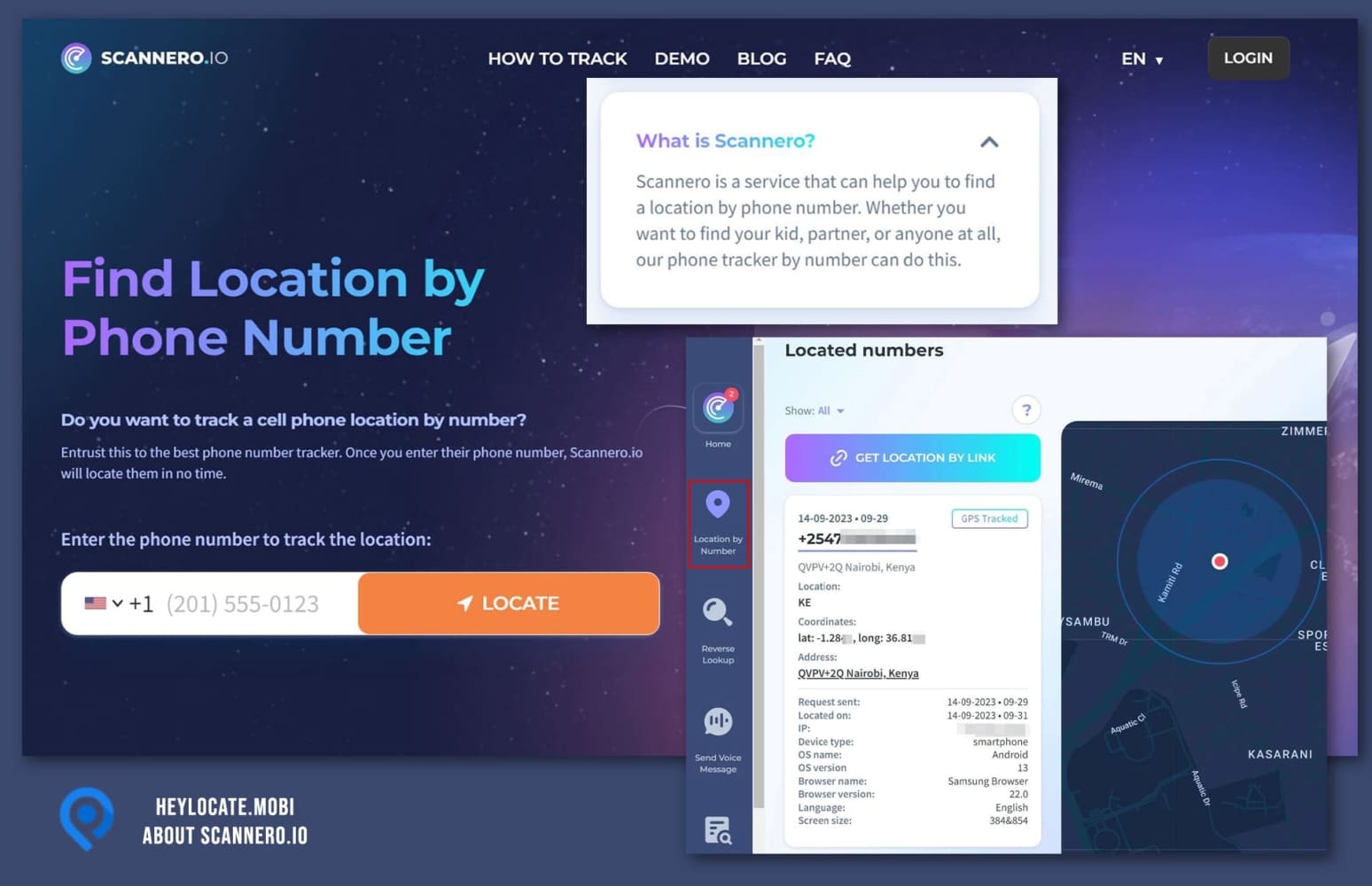
Also, there is no setup required. If you supply Scannero with a phone number, it will utilize it like GEOfinder and send SMS with location request. When a person clicks a link sent to their phone, you get their precise location.
Detectico
You may detect the person’s current GPS location using Detectico tracker. To get started, you don’t need to download or install the tracking app; just fill the form online and follow the instructions.
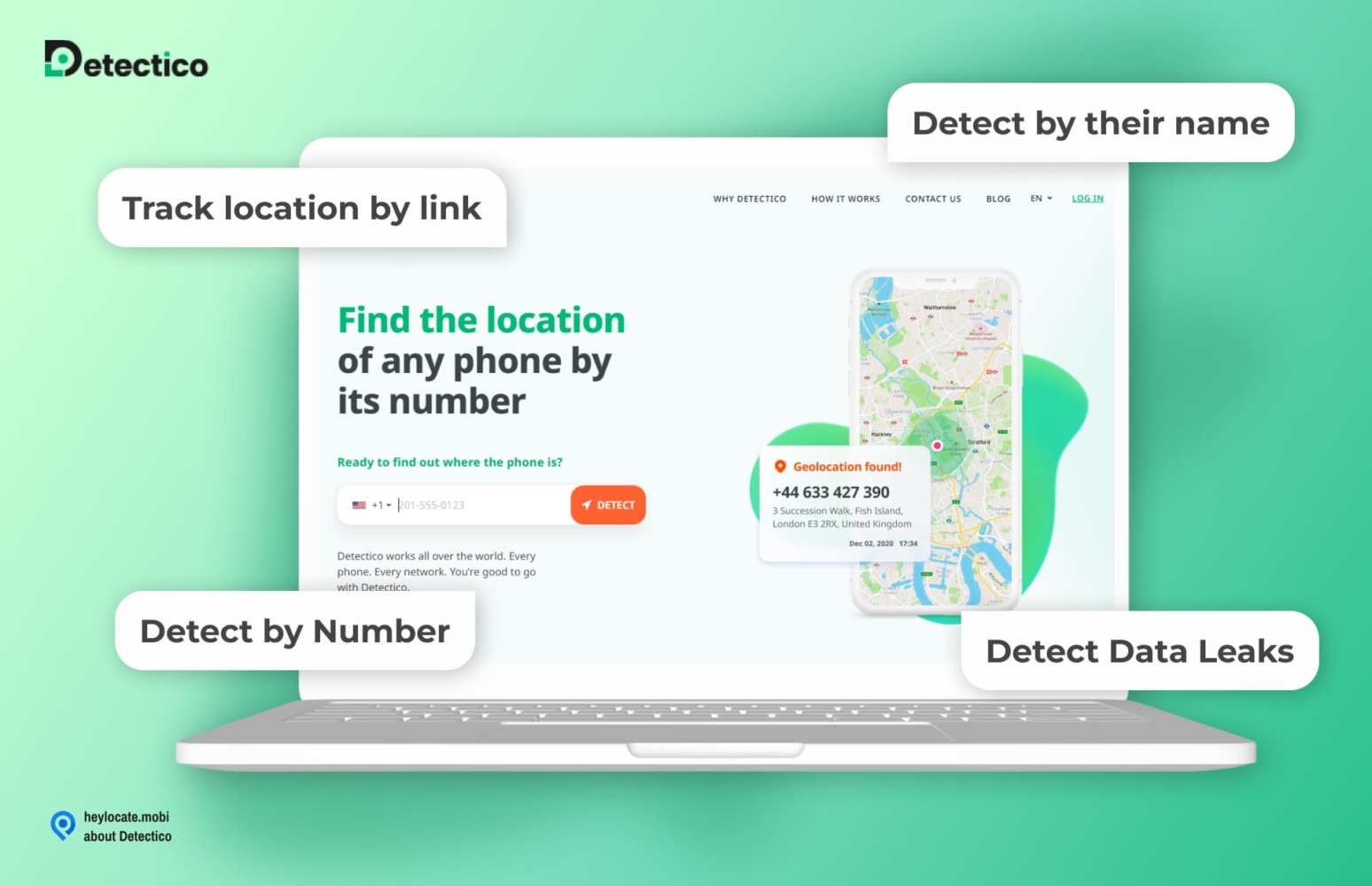
Whatever the target person’s current location is, when they click the link, Detectico will quickly send you that information. The software works with all operating systems and phone models.
The comparison of GEOfinder’s alternatives
Let’s compare GEOfinder, Detectico and Scannero in a visual table.
| Service | Detectico | Scannero | GEOfinder |
|---|---|---|---|
| Tracking by Number | 10/10 GPS coordinates Address | 10/10 GPS coordinates Address | 10/10 GPS coordinates Address City Street |
| Tracking by Link | 10/10 IP address Location accuracy | 9/10 General location | n/a |
| Reverse Phone Lookup | 9/10 Owner’s name Carrier Address Spam score | 9/10 Name Carrier Address Spam score | n/a |
| Data Leak Checker | 8/10 Breaches Source Search date | 8/10 Breaches Source Search date | n/a |
| Voice Message Sender | 10/10 Automatic robocall | 10/10 Automatic robocall | n/a |
| Text Message Sender | n/a | 10/10 Automatic message to the target’s phone number | n/a |
| Trial | 1-day -$0.89 | 1-day -$1 | 48 hours -$1 |
| Pricing | $49.80/mo | $49.80/mo | $39.99/mo |
NB: n/a indicates the service does not have that particular feature.
Provide the Phone Number to Locate It Swiftly
- Number Tracking
- Phone Lookup
Conclusion
Compared to other phone number trackers, GEOfinder is a quick and simple alternative without installing software. It operates through text messaging while remaining anonymous.
If you want to use it regularly, you can install GEOfinder apps for Android or iPhones. Otherwise, the service works online for everyone, and you can reach any, even an old phone, through SMS. Send, wait for the click and receive the location – it is as simple as it sounds.
FAQ
GEOfinder.mobi is compatible with both iOS and Android smartphones online and has similar applications on Play Store and App Store. With its compatibility with almost all devices, GEOfinder does not need any previous technical knowledge on your part.
The simplest way is to type in phone number and find location free of charge with free tracking apps or via paid services. You may find such on HeyLocate.mobi.
You can track someone without them knowing using online services that send SMS to the target phone anonymously. You may go to GeoFinder.mobi or Scannero.io website, enter the number, adjust the SMS and wait for their current location to appear.
You cannot track someone on Google Maps without them knowing, but you can do that with trackers that use maps to show someone’s location anonymously. Try Detectico.com or mSpy.
Free tracking services rarely show you the precise location, but you can try free trials of paid services like GEOfinder. For more tracking features, try Umobix or Mspy.
First, remember that free trackers are not always accurate and may disappoint you throughout the tracking process. However, the good news is that you can affordably monitor your phone using GEOFinder free trial without installing apps. You need only the target phone number.
Several phone trackers operate flawlessly. Geofinder by uMobix is an excellent example, as are Localize.mobi, Locationtracker.mobi, and many more.




 Monday-Sunday: 5:00am - 8:00pm (PT)
Leave a Comment