



 Affiliate Disclaimer
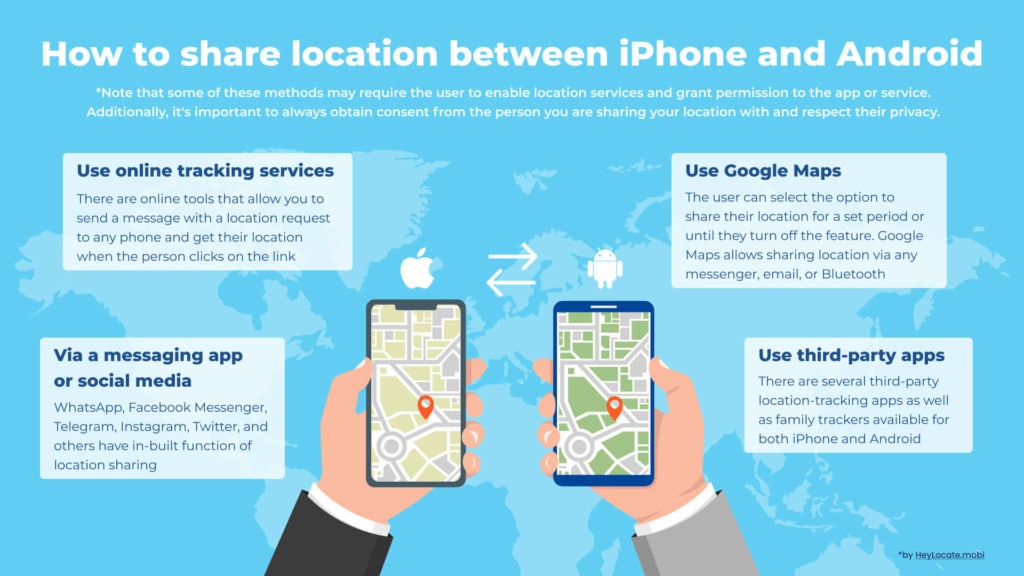
 To share location data between Android and iPhone, use tools that run on different operating systems, from Google Maps to specialized apps.
The truth is, when you and the other person have phones with different operating systems, you can’t use the in-built tools for location sharing like Find My on iOS. But that doesn’t mean there is no way to share location between you. There are free and proven paid tools with this function, and we will review them in this article.
“With the right tracking app and settings, knowledge of where you are could give your loved ones peace of mind or even help in an emergency case. For that, an extra tip is waiting for you at the end of the article.”
Content Marketing Department
Top Pick Based on Our Research
You can read the whole review further, but if it is too long to read, here are our top 3 services for location sharing between iPhone and Android:
It is a web-based localized location search engine that allows users to find and track any phone by phone number. It also lets you share the location by sending a text with a link that the other person can click.
🥈 uMobix
uMobix is a parental control system that allows parents to monitor their child’s smartphone usage in real-time. It can also share locations between Android and phones through the location feature on the website dashboard.
It is a web-based mobile tracking platform that lets you track your friends and family easily. Users can also share locations between Android and iPhone by sending a text with a photo and link that needs to be clicked to share their location.
Google Maps Location Sharing
What you need to share location: Google Maps app installed.
Steps to share your location on Google Maps:
- Open the Google Maps app on your phone.
- Tap the blue dot that represents your current location.
- Tap “Share location.”
- Select how long you want to share your location. You can choose to stop sharing at any time.
- Decide how you want to share your location. You can share it with specific people by entering their email addresses or selecting any other mode of sharing like SMS, WhatsApp, Facebook Messenger, or any other app installed on your phone.
- Tap “Share”.
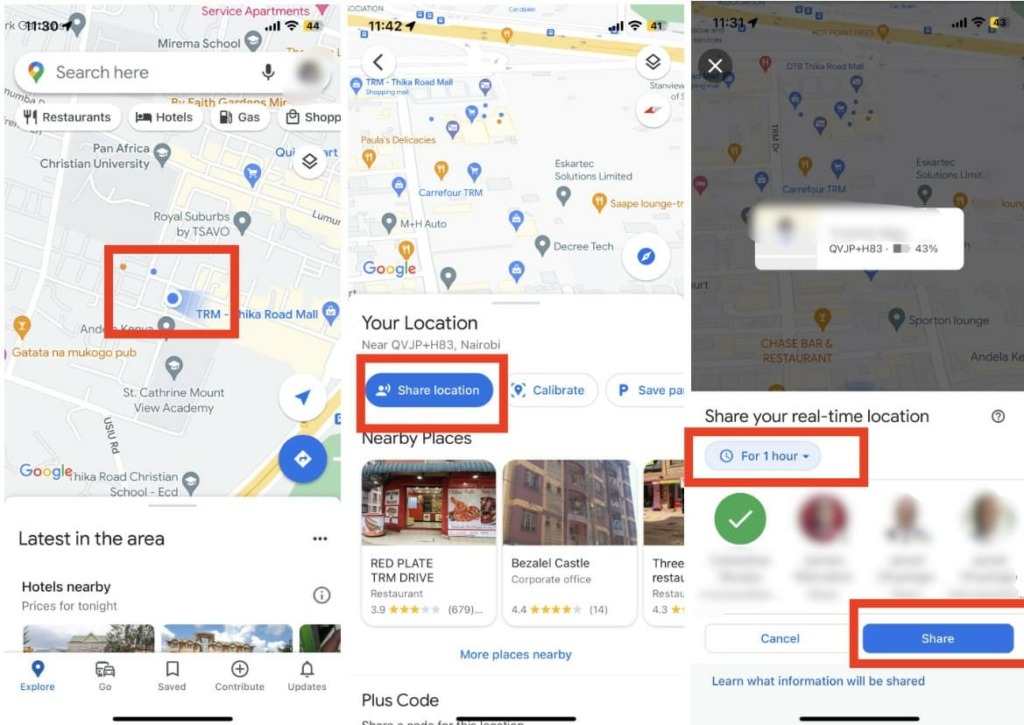
Your location will be shared with the people you have chosen for the duration you specified. To stop sharing your location, simply go back to the location-sharing menu and tap “Stop sharing”.
Note: If you want to share your location with someone who doesn’t have a Google account or uses Apple Maps instead of Google Maps, you can follow these steps to generate a link that you can send to them: First, open the app contacts and look for the “More” icon.
Then, click on the “Copy to clipboard” option and press the bar next to your profile picture. This will generate a link that you can copy from your screen. You can then paste this link anywhere and send it to the person via email, message, or any other application.
Use Social Media Messengers
Many social media messaging apps allow you to share your location with your friends and family. This feature can be useful if you want to meet with someone or if you want someone to know where you are.
Some common social media messaging apps that offer this feature are Facebook Messenger, WhatsApp, and Telegram. They all allow you to share your location by either adding a pin to a map manually or by using your phone’s GPS to detect your location.
So if you are also wondering, how can iPhone share location with Android or can Android share location with iPhone, these social media messengers are also a great option to use.
However, these apps also have a few differences that you may encounter when sharing your location through social media messaging apps. Some of these differences include:
- method of sharing: by sending a specific location from a map or by sharing your live location for a set amount of time;
- map view within the app can vary from one app to another;
- privacy settings: various apps may offer different options for controlling who can see your location and for how long.
To share your location on WhatsApp, you will need to have the app installed on your phone and follow these steps:
- Open WhatsApp and start a conversation with the person or group you want to share your location with.
- Tap on the addition (+) sign at the bottom of the chat. This will open a menu of options.
- Tap on the “Location” option.
- You will be given a choice to either “Send your current location” or “Select a location on a map”. If you choose to send your current location, WhatsApp will use your phone’s GPS to determine your location. If you choose to select a location on a map, you can pan and zoom to choose a specific location.
- Once you have selected your location, tap on the “Send” button.
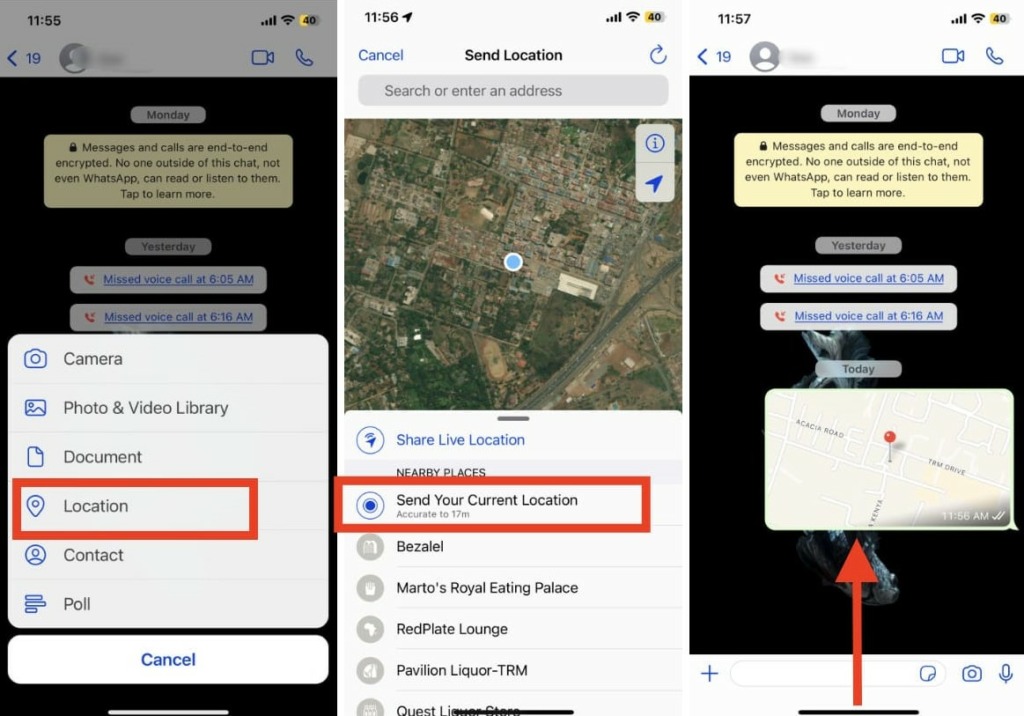
Your location will be shared through a map view within the app, and the person or people you are messaging will be able to see your location.
Note: Keep in mind that you will need to have your phone’s location services turned on in order to share your location on WhatsApp.
Best app to share location between iPhone and Android
These services use SMS to track Android from iPhone and vice versa:
Scannero.io
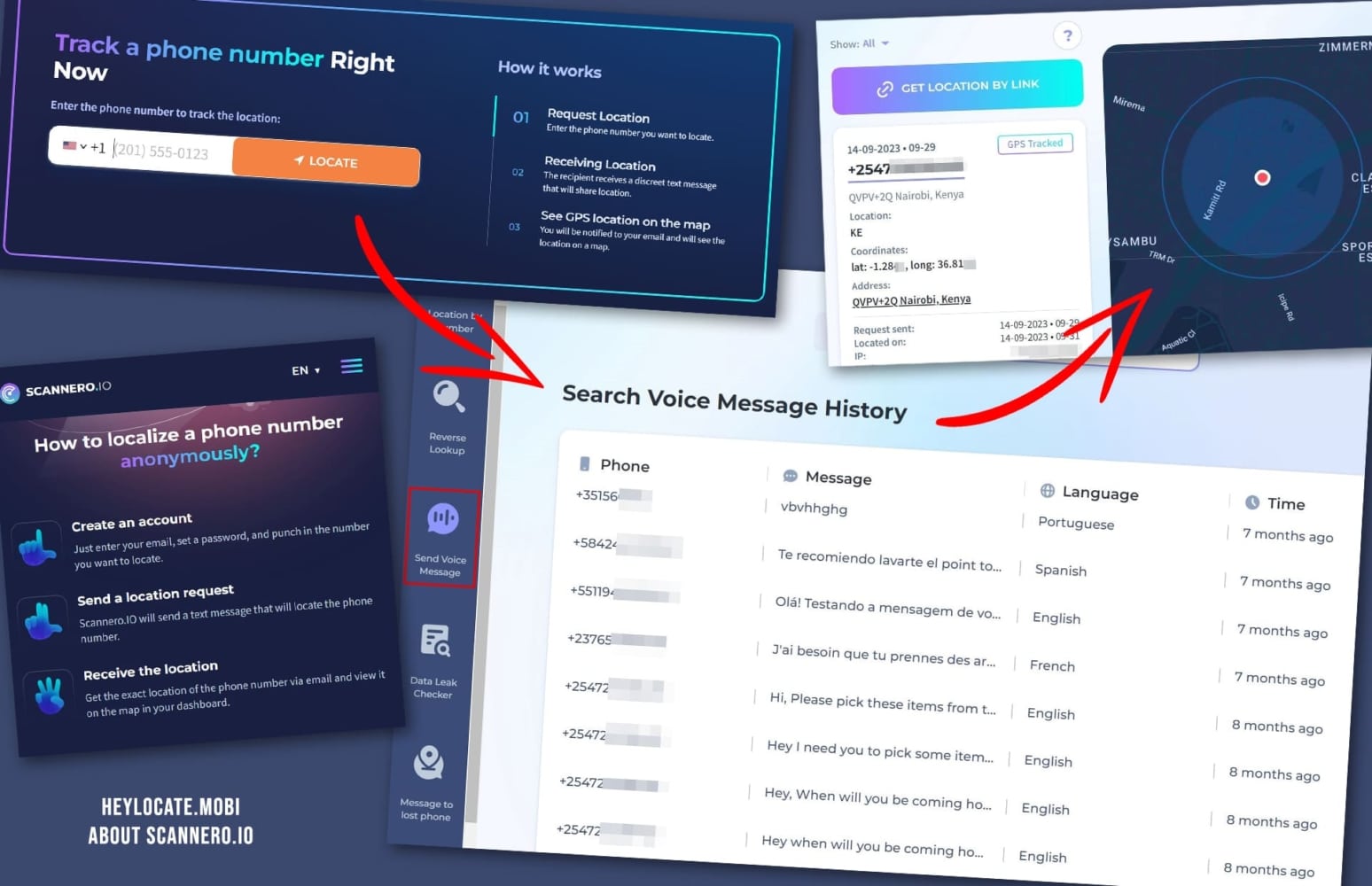
Scannero.io is a website-based location-sharing service that allows users to find and track any phone by phone number. It also lets you share the location with your friends and family by sending a text message with a link that the other person can click to share their location.
What you need to share location:
A phone number with which the person will receive a link to share the location.
User Experience:
Scannero.io is a unique online service that allows users to instantly and securely locate and share their location from between iPhone and Android from anywhere around the world.
All I had to do was just enter the device’s cell phone number of my friend who uses an Android phone. Scannero.io sent an anonymous text message containing a link to the target device, which allowed me to track it down with pinpoint accuracy.
Once clicked on the tracking link, Scannero delivered a real-time report with the exact latitude and longitude coordinates of that device’s current location, as well as a corresponding map with easy-to-read information.
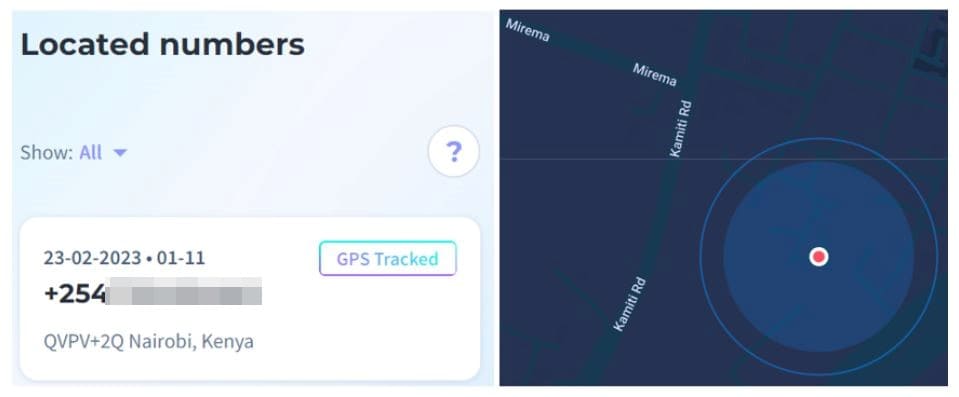
Nonetheless, access to this highly efficient service requires a subscription, as they don’t provide any free trial or demo version. Besides, the result depends on the person clicks the link in SMS. If they don’t, you won’t get their location. You can read the full Scannero.io review on HeyLocate’s blog.
| Quickness | Simplicity | Effectiveness | Safety |
|---|---|---|---|
| 4 | 5 | 4 | 5 |
Pros:
- can be used by anyone anywhere in the world;
- no need to install any apps or software on the device;
- unlimited location sharing between iPhone and Android.
Cons:
- requires a subscription for access to service;
- no free trial.
Detectico
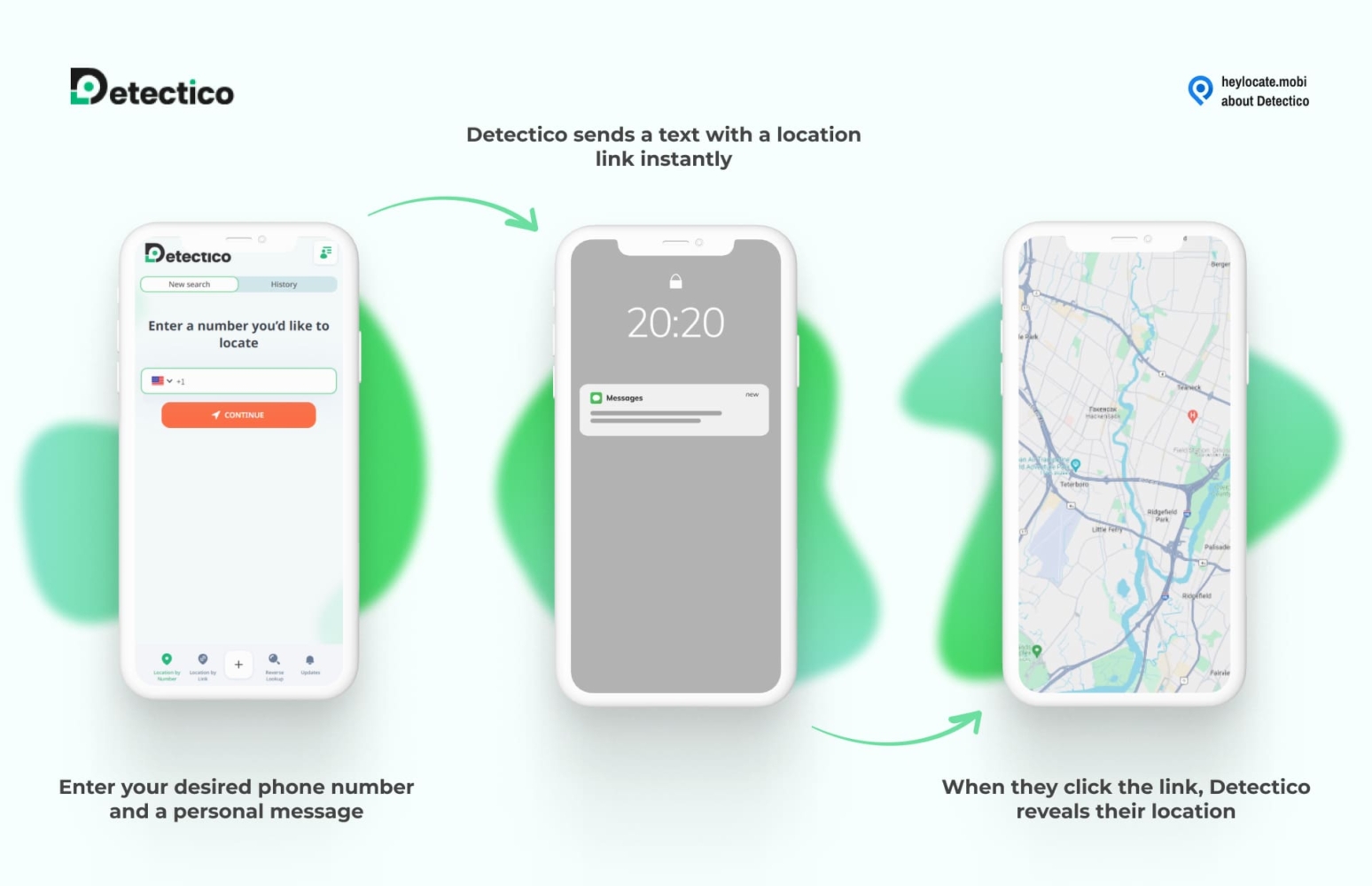
Detectico can track any phone number globally. It allows you to share location between iPhone and Android by sending text messages with location tracking codes to any phone.
What You Need to Share Location:
A phone number of the target phone.
User Experience:
Detectico allowed me to send an anonymous text message to any phone number. It supported both Android and iOS devices, and it required an internet connection.
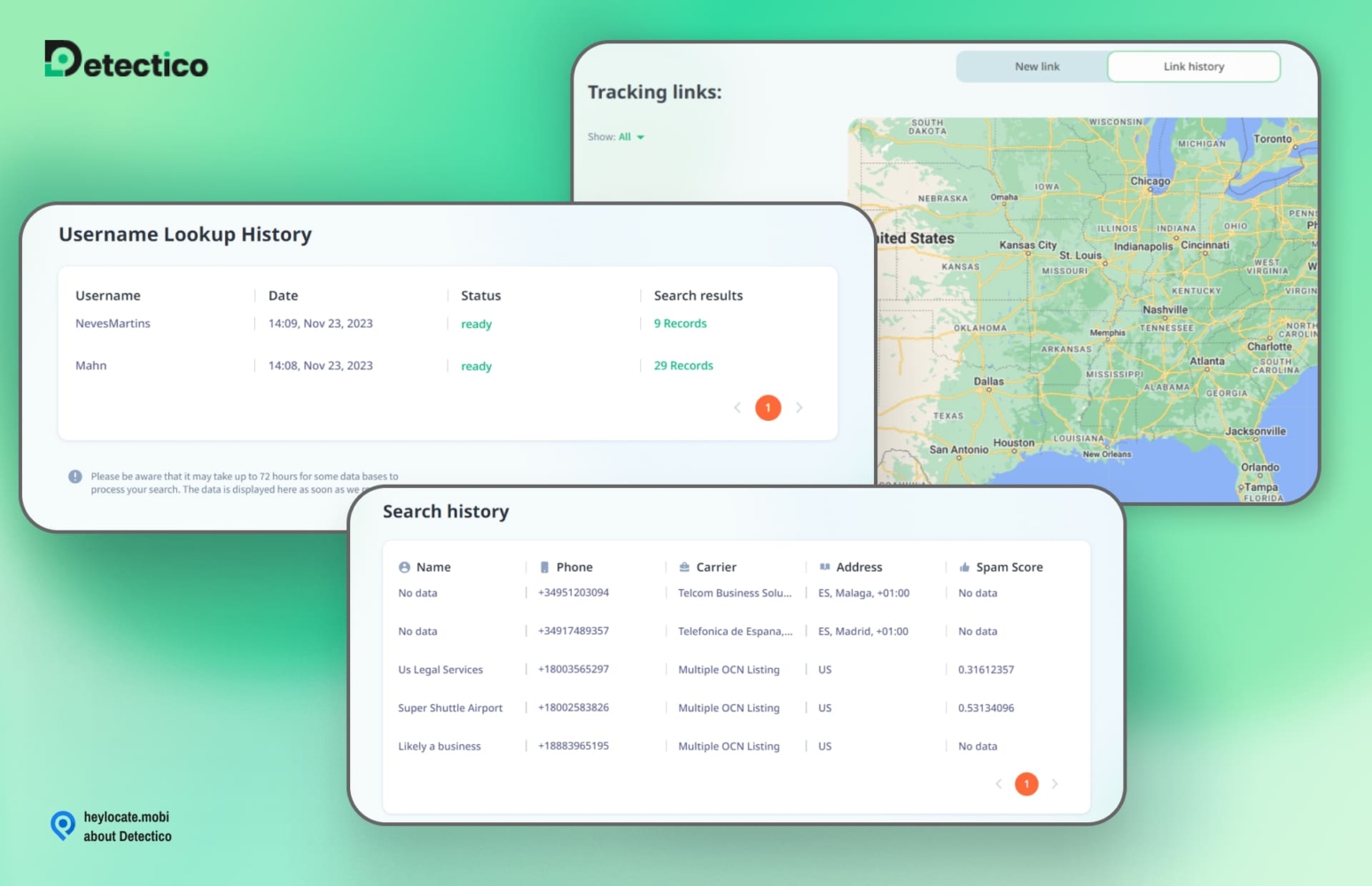
The recipient also needed to interact with the text message to allow the service to detect the phone’s location. Detectico then showed me the phone’s location on the platform’s dashboard.
| Quickness | Simplicity | Effectiveness | Safety |
|---|---|---|---|
| 4 | 4 | 4 | 4 |
Pros:
- supports phones, including old ones;
- compatible with all networks;
- no need to install the application.
Cons:
- the trial lasts only for one day.
Locationtracker.mobi
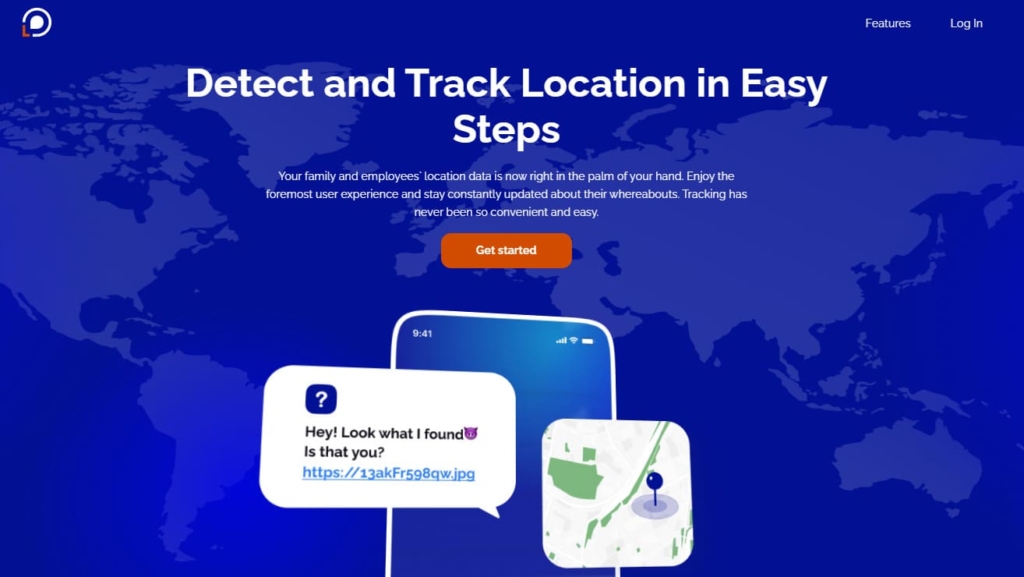
Locationtracker.mobi is a convenient online service that allows users to quickly and easily share their location between an Android and an iPhone through a photo-text link.
What you need to share location:
A photo to share and a phone number with which the person will receive a link to share the location.
User Experience:
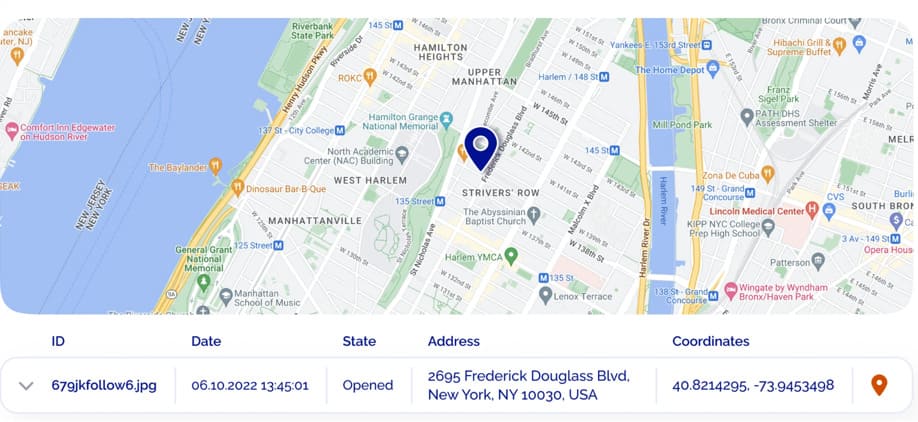
Locationtracker.mobi is a unique online service that provides a quick way to share your location with family and friends. All I had to do was register for an account and then upload a photo from my iPhone gallery. Then Locationtracker immediately generated a customized tracking link which I sent to my desired contact’s phone number, who is an Android user.
Upon receiving the link, my contact had to click on it, and the service activated location tracking, which allowed me to view the exact location of my contact. The tool does not offer a free trial or demo version.
| Quickness | Simplicity | Effectiveness | Safety |
|---|---|---|---|
| 4 | 5 | 5 | 5 |
Pros:
- no need to install any apps or software on the device;
- unlimited location sharing;
- anonymous and safe.
Cons:
- can take time for the message to be delivered;
- no free trial or demo version is available.
GEOfinder.mobi
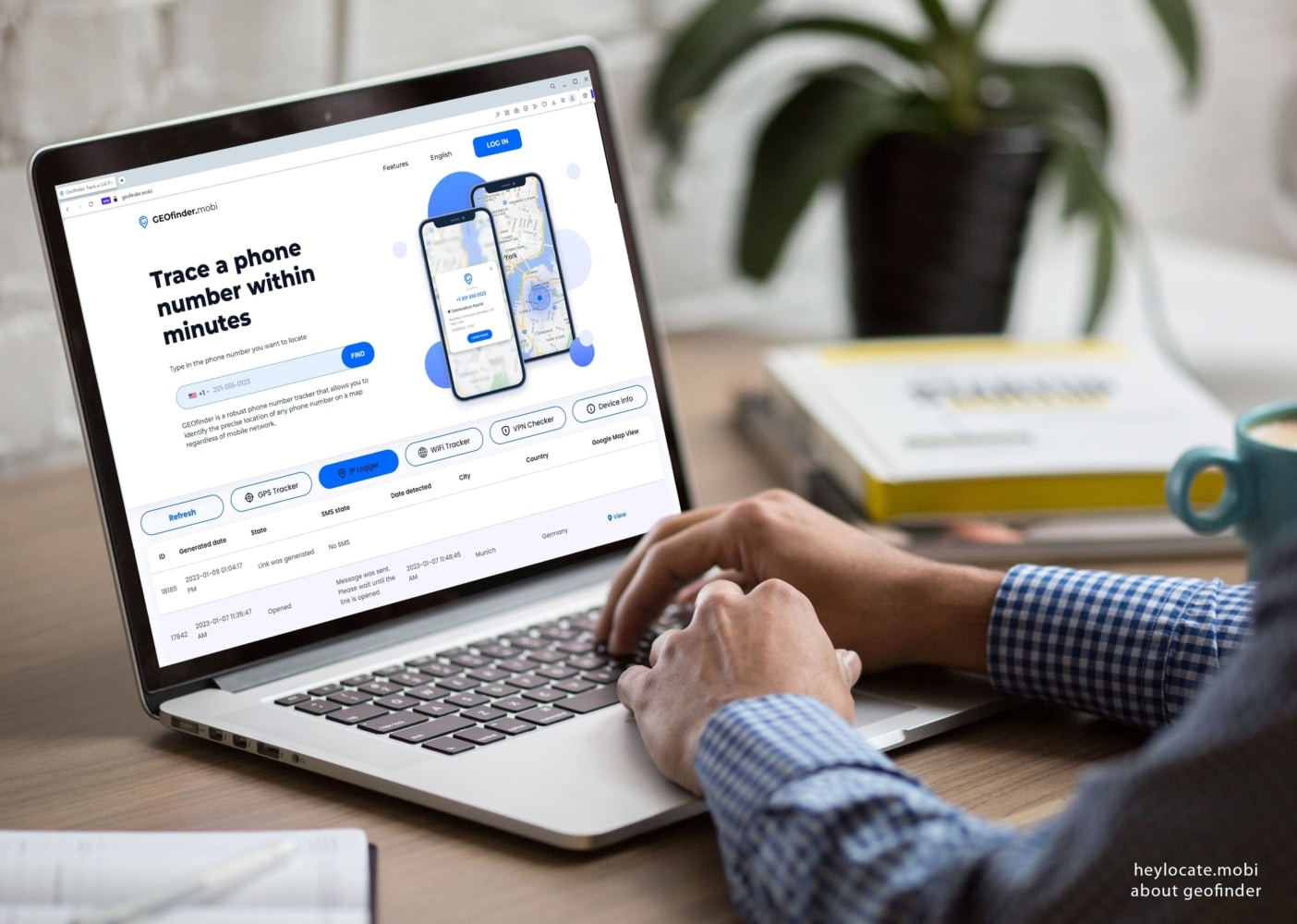
GEOFinder.mobi is a cutting-edge location-sharing and tracking web service. It can track someone by their phone number enabling you to share your current location between iPhone and Android through a text link.
What you need to share location:
Someone requires your phone number to know your location on Geofinder. You will receive a text message allowing Geofinder to share your location.
User Experience:
GEOfinder is truly a one-of-a-kind online service that enables users to quickly, easily, and securely locate and share their position with friends and family members. I first created an account from the GEOFinder.mobi web and needed to choose a payment plan according to my needs. But then I found a cheap GEOfinder trial.
Thereafter, I just had to enter the device’s cell phone number, and GEOfinder sent a text message containing a link to my friend who uses an Android phone, which allowed me to track it down with pinpoint accuracy.
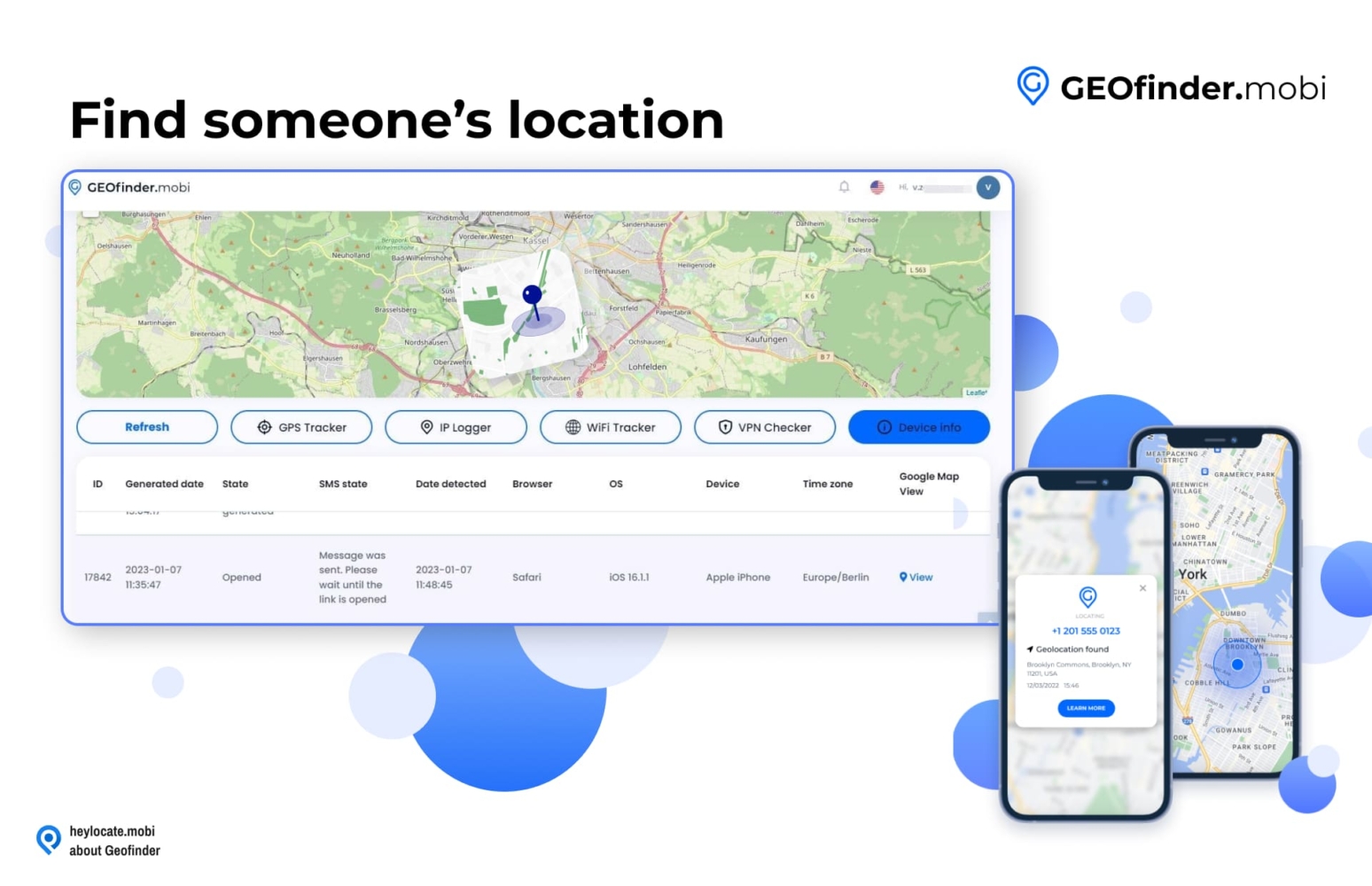
As soon as she opened the tracking link, GEOfinder provided me with a real-time report featuring exactly the latitude and longitude coordinates of the device’s current location, as well as a corresponding map with clear-to-read information. You can read the full GEOfinder.mobi review on HeyLocate’s blog.
| Quickness | Simplicity | Effectiveness | Safety |
|---|---|---|---|
| 5 | 5 | 4 | 4 |
Pros:
- unlimited location sharing;
- text customization;
- highly accurate and secure;
- has multiple languages;
- anonymous and safe.
Cons:
- requires a subscription for access to the service;
- it takes time to locate.
How to Share Location Indefinitely on iPhone to Android
Next apps work as parental control, but you can use them for everyone. These services allow you to track each other always, regardless of OS your phones work on. You shouldn’t send your location each time; only install the app and be aware of locations of each other 24/7.
Phonsee
Phonsee application helps to share location between Android and iPhone. You can install it on either phone type and check the phone’s location anytime. Phonsee can ping the phone’s location, set geofence zones, and send geofence alerts.
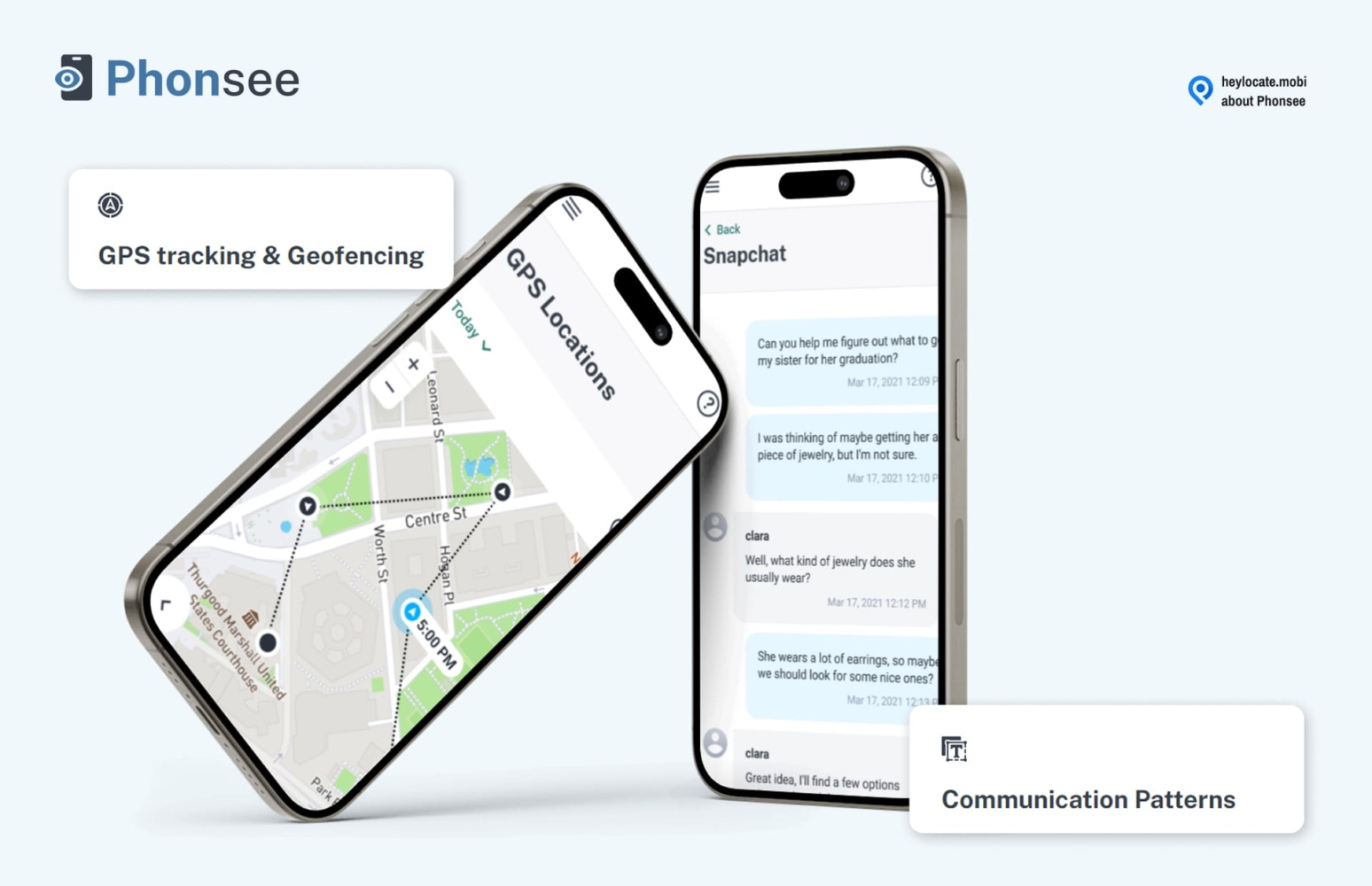
What You Need to Share Location:
- installing on Android phone;
- iCloud credentials for iPhone.
User Experience:
I used Phonsee without installing it on a target iPhone. This method was easy because 2-factor authentication was not activated on the particular iPhone. After a few minutes, the app started syncing the phone’s location data to an online dashboard.
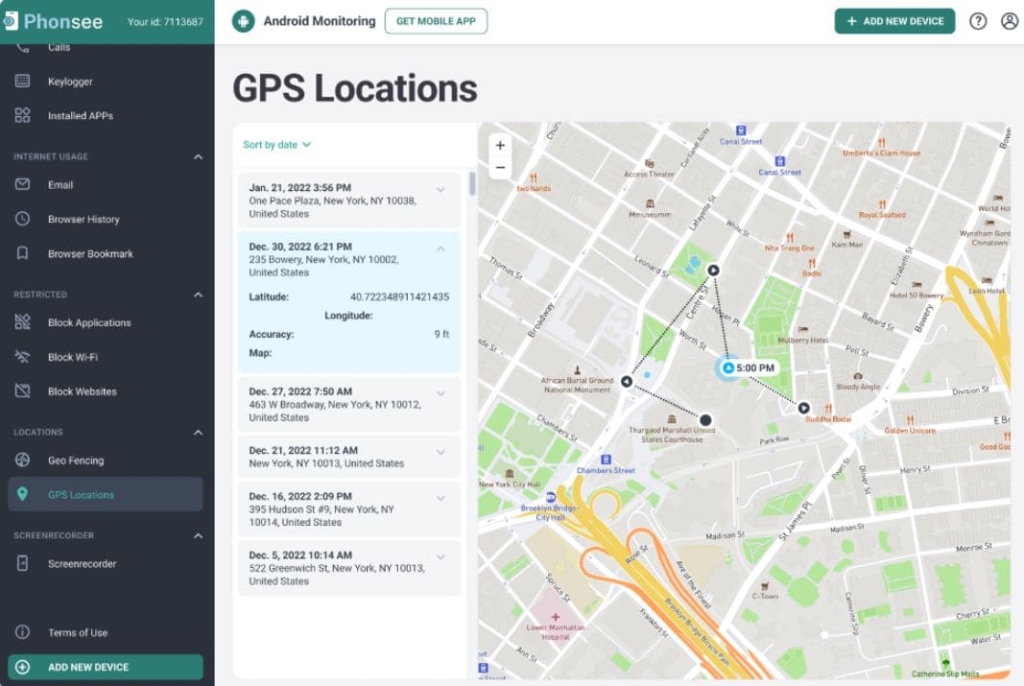
I found Phonsee accurate because it helped me view the phone’s real-time location and even see when the phone had left the virtual fence I had created.
| Quickness | Simplicity | Effectiveness | Safety |
|---|---|---|---|
| 4 | 4 | 4 | 5 |
Pros:
- accurate GPS location tracking;
- live alerts are helpful for tracking a child;
- does not need installation on an iPhone;
- provides a detailed report of the features on the monitored phone.
Cons:
- not a cheap option for location monitoring only;
- can be disabled if the target uninstalls it on Android.
mSpy
mSpy is arguably the best phone tracker app for parental control. It allows you to set rules for your children, as well as allows you to share locations between Android and iPhone through its GPS tracking feature.
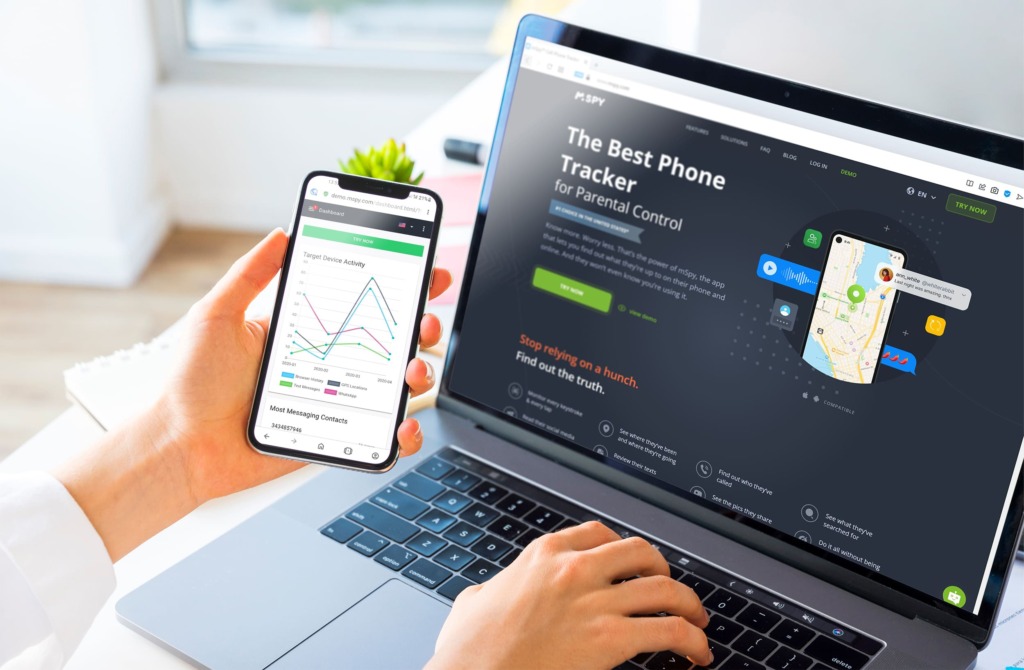
What you need to share location:
mSpy requires you to install the app on your target device before you can track /share its location.
User Experience:
mSpy is an all-in-one tracking solution, offering both an online service and a mobile app for Android devices. I had to sign up and create a mSpy account before I could start tracking with mSpy on my iPhone.
After receiving the installation instructions via email, I was required to download and install the mSpy app on my Android phone, then linked the app to my mSpy account. After linking the account and my app, mSpy synced all the data to my dashboard.
The dashboard had various tracking features. The mSpy’s GPS location feature was especially handy for pinpointing the real-time location and full location history of the target device.
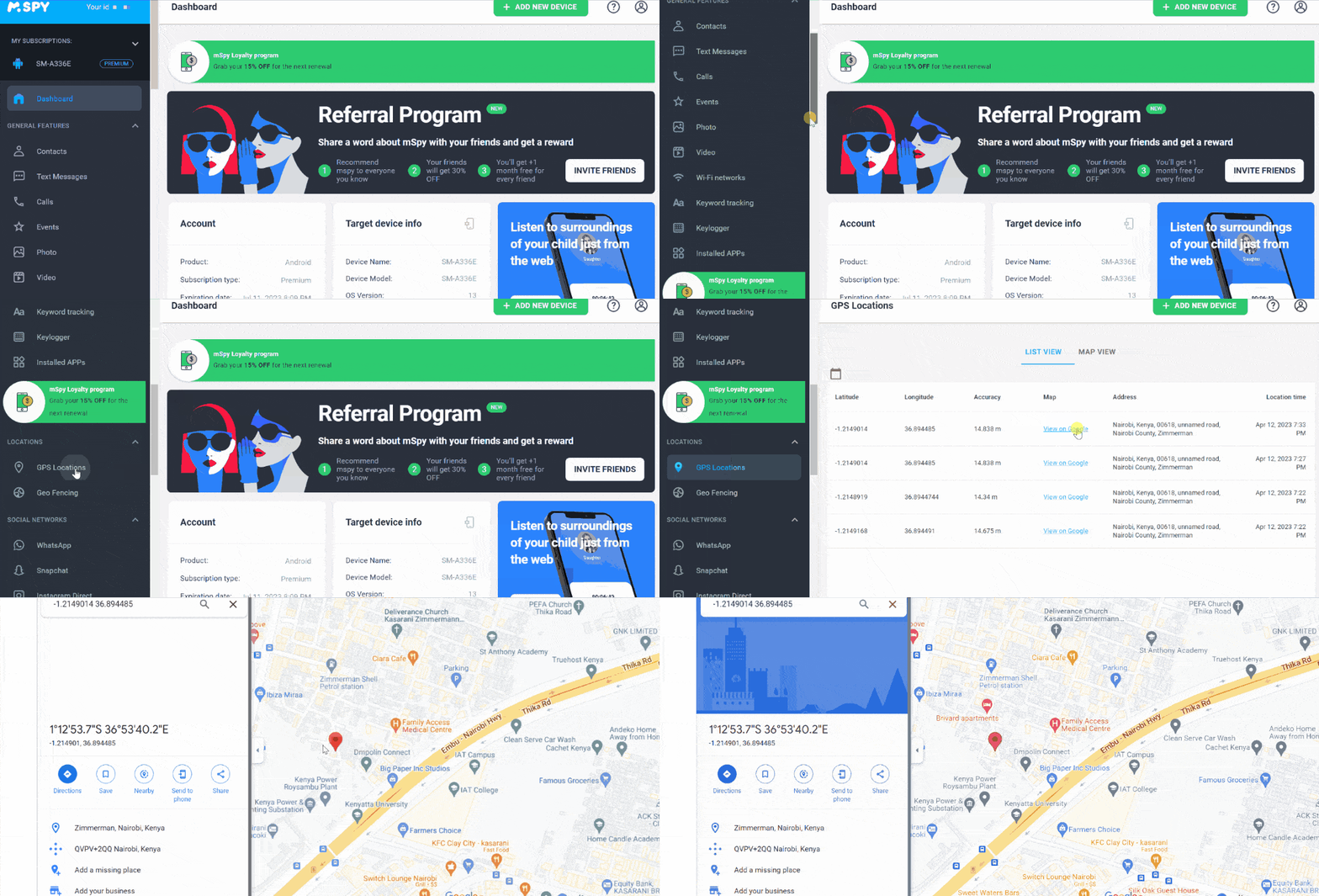
I could receive location updates of the Android phone within my web dashboard. mSpy also has a live demo mode that provided me with a great overview of how it works in action before I made the purchase. At first sight it looked a little difficult, but after 5–10 minutes I started to navigate through the mSpy dashboard easily.
| Quickness | Simplicity | Effectiveness | Safety |
|---|---|---|---|
| 5 | 5 | 4 | 4 |
Pros:
- 24/7 customer support;
- powerful and reliable features;
- easy installation process;
- compatible with both iPhone and Android devices.
Cons:
- monthly subscription fee;
- not all features are available for iOS devices.
XNSPY
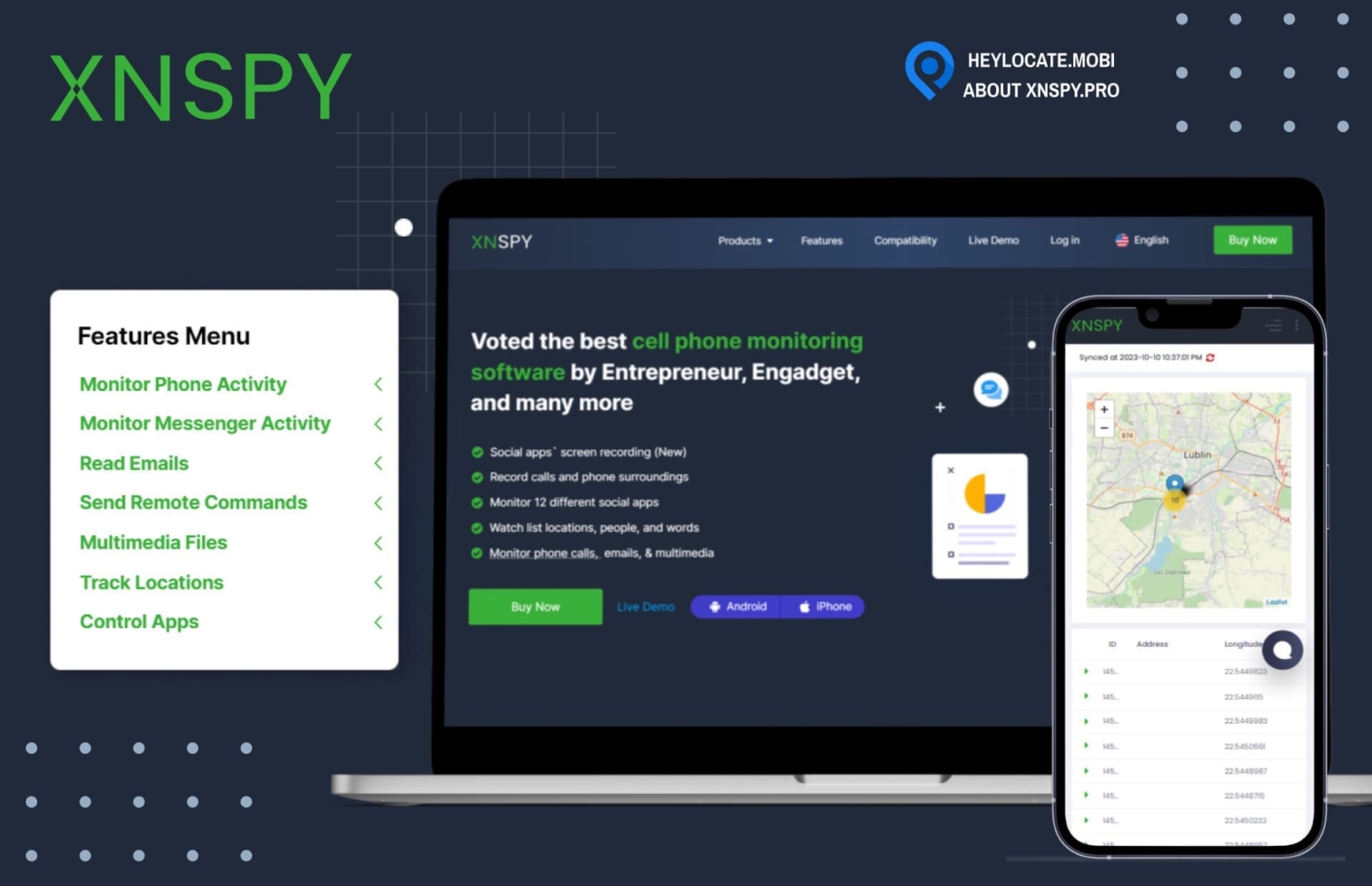
XNSPY is another parental control and location-sharing mobile app that allows users to share their location between iPhone and Android through a location feature on their website dashboard.
What you need to share location:
XNSPY requires you to install the app or have iCloud credentials to track /share the device’s location.
User Experience:
XNSPY is an impressive monitoring app that offers users a straightforward location-sharing experience. Since I was aiming to track and share location with my friend who uses an Android phone, I had to download the app and install it to my friend’s Android phone then link it to my XNSPY account.
From the XNSPY dashboard, I was able to access a range of features, including the location feature, that proved to be very useful in sharing and tracking the device’s location. The location feature worked impressively well in my case, allowing me to view my friend’s exact coordinates as well as a corresponding map with clear-to-read information.
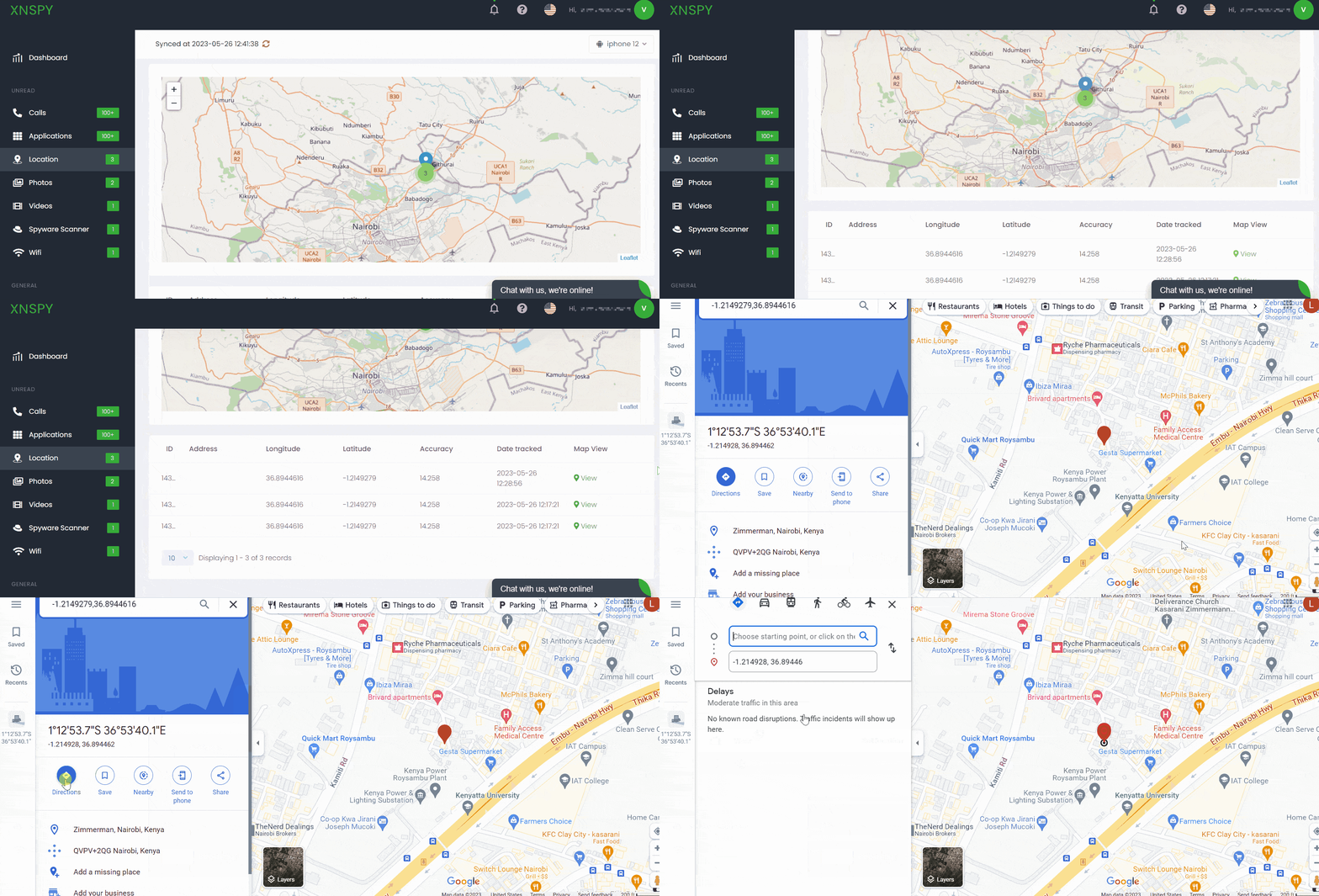
XNSPY also offers a useful live demo that allows users to check out its features before investing their money. Overall, XNSPY proved to be easy to use and highly efficient for monitoring phones and location sharing.
| Quickness | Simplicity | Effectiveness | Safety |
|---|---|---|---|
| 5 | 5 | 4 | 4 |
Pros:
- accurate location tracking;
- real-time updates;
- compatible with both iPhone and Android devices;
- multiple features that help to monitor the target device.
Cons:
- expensive subscription fees.
EyeZy
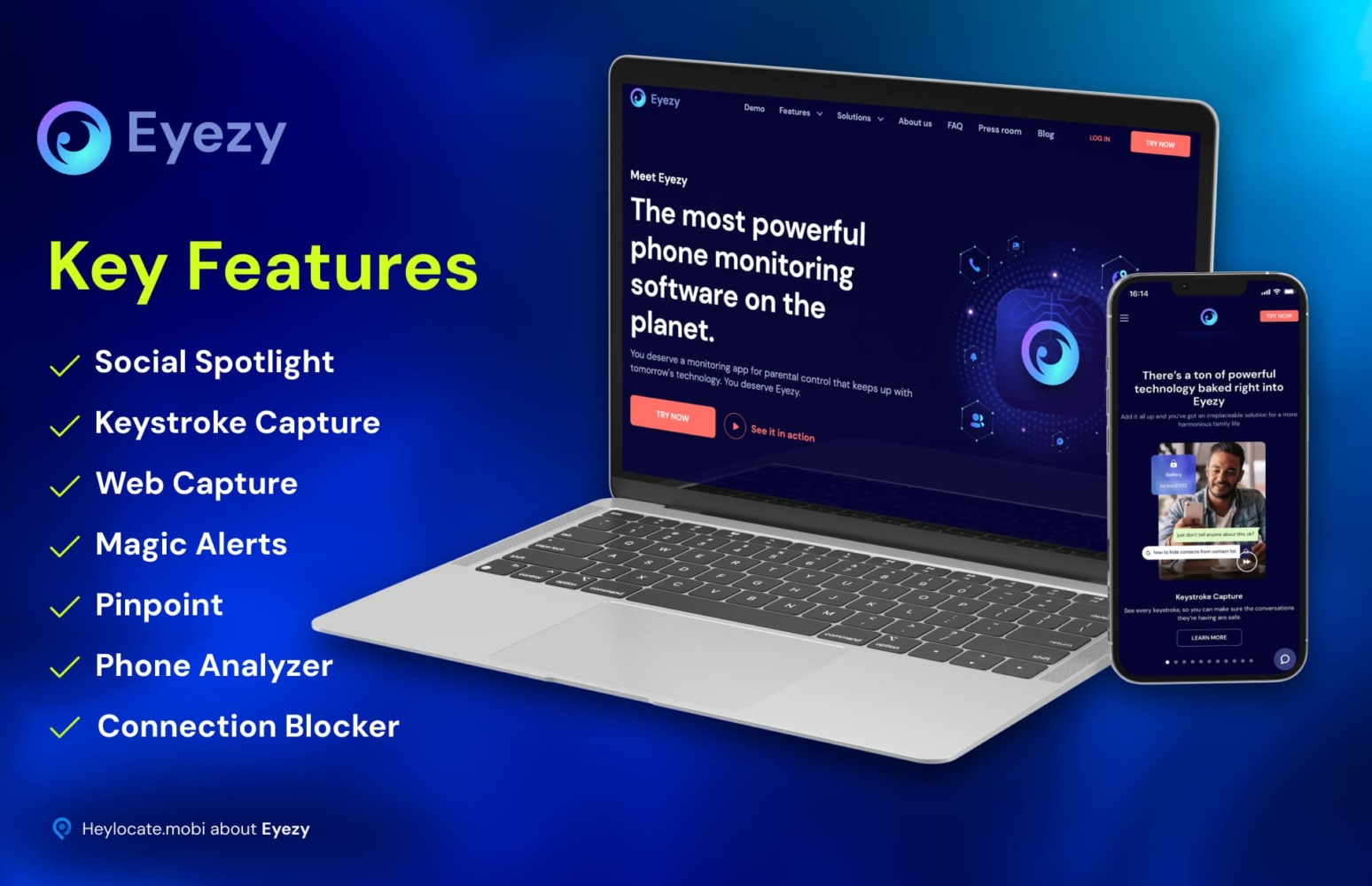
EyeZy, is a famous parental control app that allows you to monitor your child’s phone usage. It also provides a location-sharing service, between an iPhone and Android, through the location feature after installing the app.
What you need to share location:
EyeZy requires you to install the app on both devices or have iCloud credentials for iPhone phones to share locations.
User Experience:
EyeZy is an innovative monitoring and tracking app that offers reliable mobile device management (MDM) from a remote location. The setup process of EyeZy was relatively simple and intuitive.
After I chose the payment plan, I got the installation instruction through email. Since I was to share the locations with an Android phone, I had to install the app and link it to my EyeZy account.
Amazingly, through EyeZy dashboard, it allowed location sharing through the location feature that offered me an accurate real-time location of the Android device, as well as a map with detailed information.
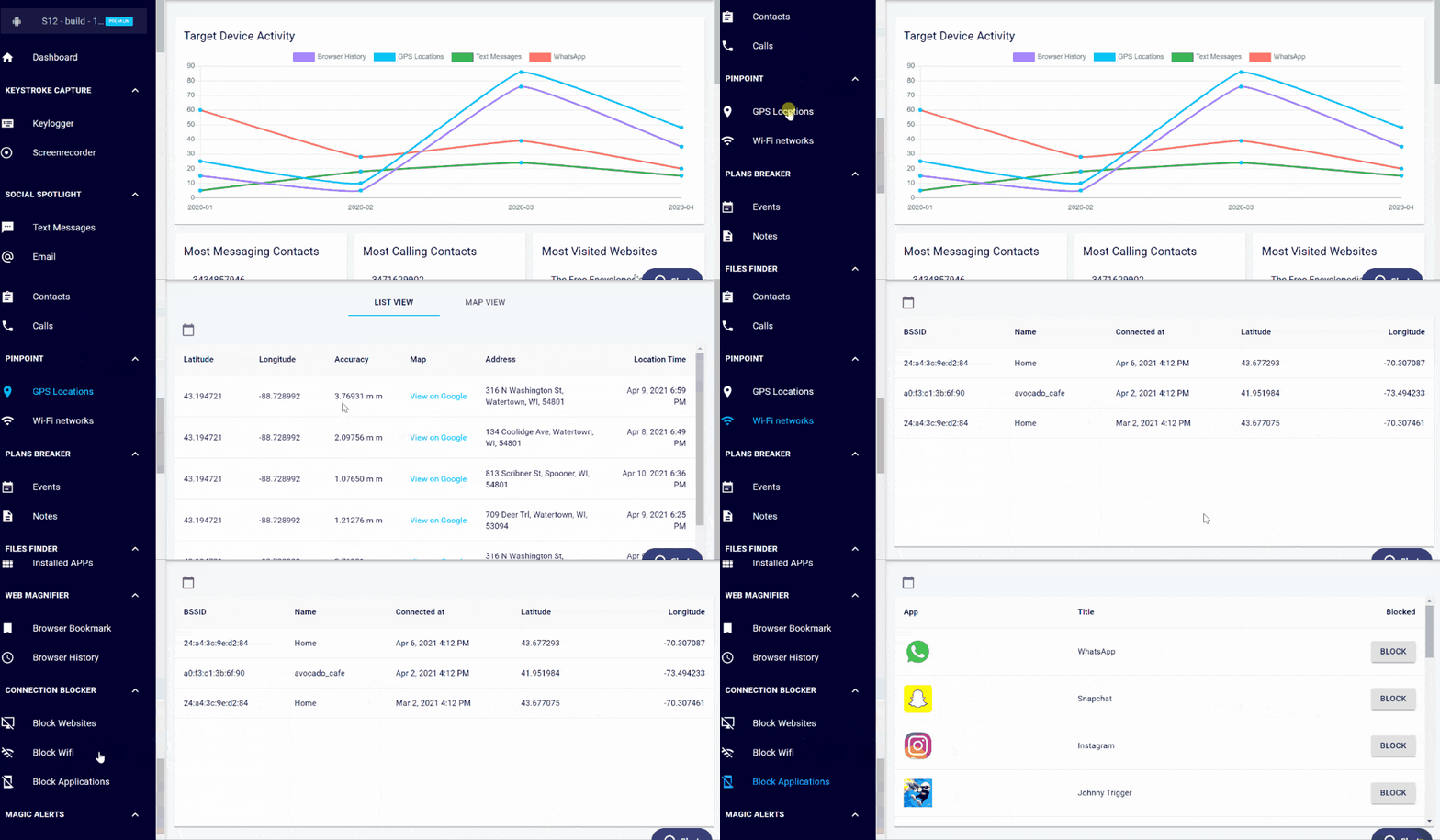
The demo feature allowed me to explore EyeZy’s monitoring capabilities before I made the purchase, helping me make an informed decision.
| Quickness | Simplicity | Effectiveness | Safety |
|---|---|---|---|
| 4 | 5 | 4 | 5 |
Pros:
- accurate real-time location updates;
- demo mode for trial;
- other features to control the target device.
Cons:
- confirmation code required for activation;
- expensive subscription fees.
OverWatch
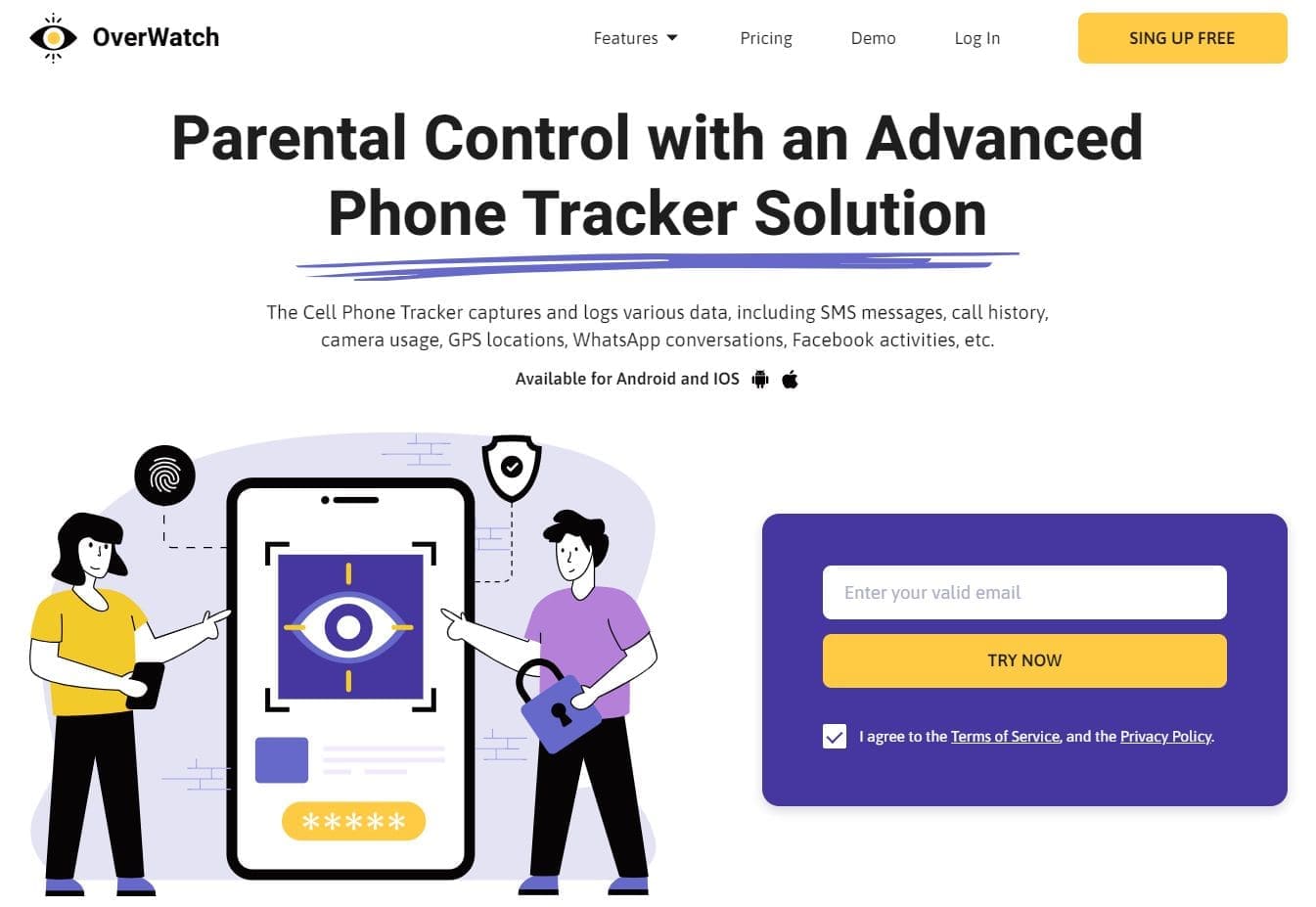
OverWatch is the ideal parenting tool in the digital age that also allows you to share location between Android and iPhone, through a location feature, on their website dashboard.
What you need to share location:
OverWatch requires iCloud credentials of the target iPhone device or app installation on an Android device to share their location.
User Experience:
Using OverWatch was a seamless experience for me. It is an online service available in the form of a tracking app for Android and iOS devices. After choosing a subscription plan and target device, which was my Android phone, I was instructed to install the app from my online account. I then linked it to my OverWatch account and got access to several tracking features.
The highlight for me was the location feature that enabled me to monitor the live location of the Android device along with its past locations, becoming extremely helpful when it comes to location sharing and tracking services.
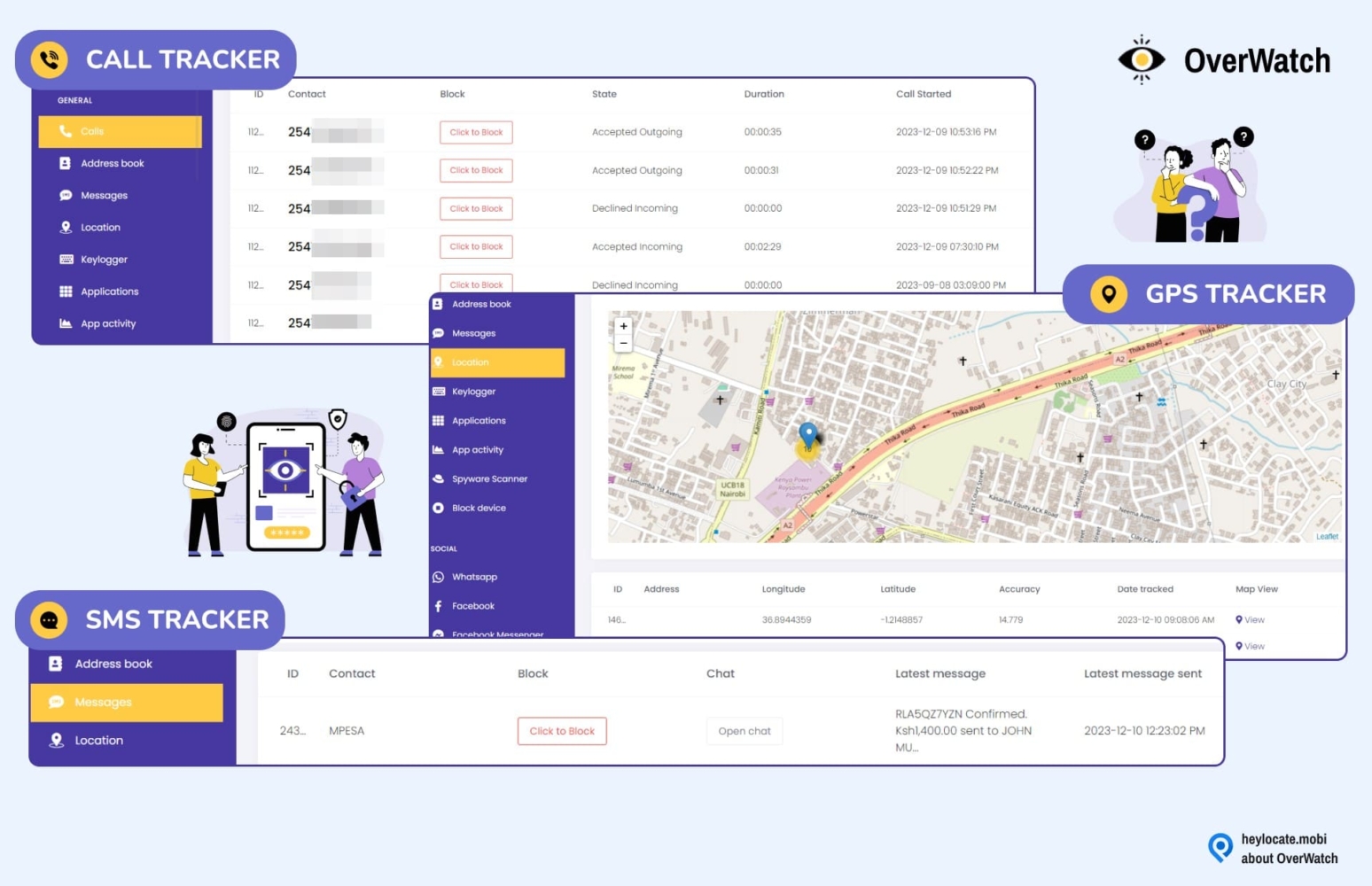
Additionally, OverWatch offers a useful live demo that allows users to check out its features before investing their money.
| Quickness | Simplicity | Effectiveness | Safety |
|---|---|---|---|
| 5 | 5 | 4 | 4 |
Pros:
- comprehensive tracking features;
- real-time location updates;
- no physical access to iPhone is required.
Cons:
- tracks only a single device in one subscription plan.
uMobix
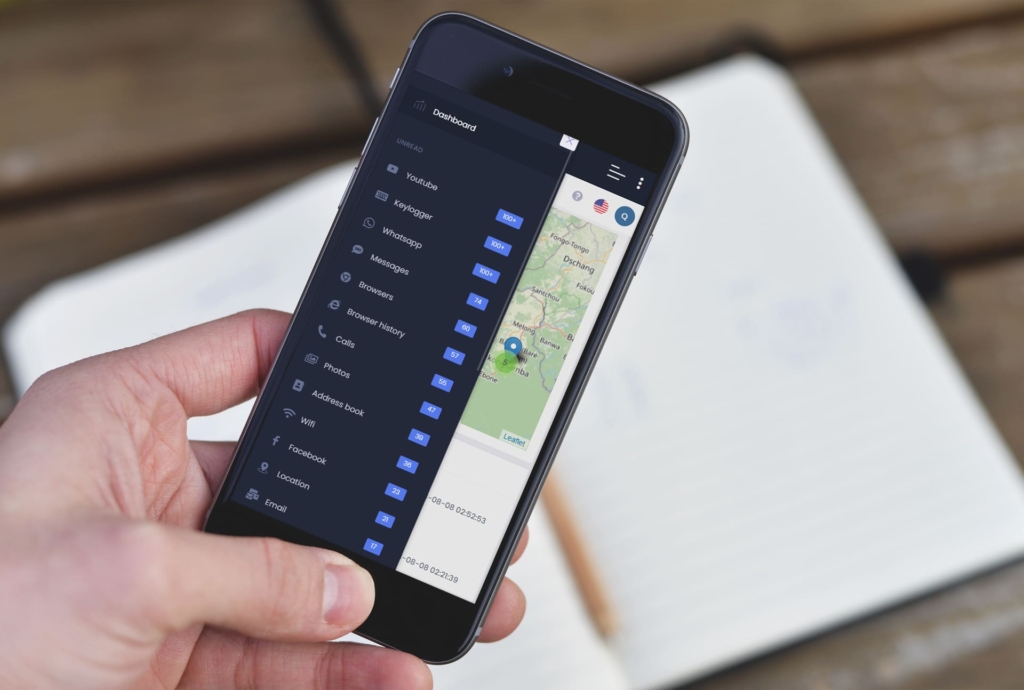
uMobix is a revolutionary family tracking solution that provides parents with an all-in-one monitoring and location-sharing tool that instantly allows users to share their location between iPhone and Android on their website dashboard.
What you need to share location:
uMobix requires iCloud credentials of the target iOS device or app installation on an Android device to share their location.
User Experience:
uMobix is a versatile online service that offers a tracking app for both Android and iOS devices. The setup process with uMobix was smooth. I first chose a subscription plan and received the installation instructions.
I was aiming to track and share their location with a friend’s Android device, so I instructed her to download and install the app on her Android phone, which she did. Then linked the app to uMobix.
The location-sharing process using uMobix was fairly simple. With the help of the uMobix location feature on my dashboard, I was able to receive the location updates of my friend’s Android phone in real-time, as well as receive past location updates.
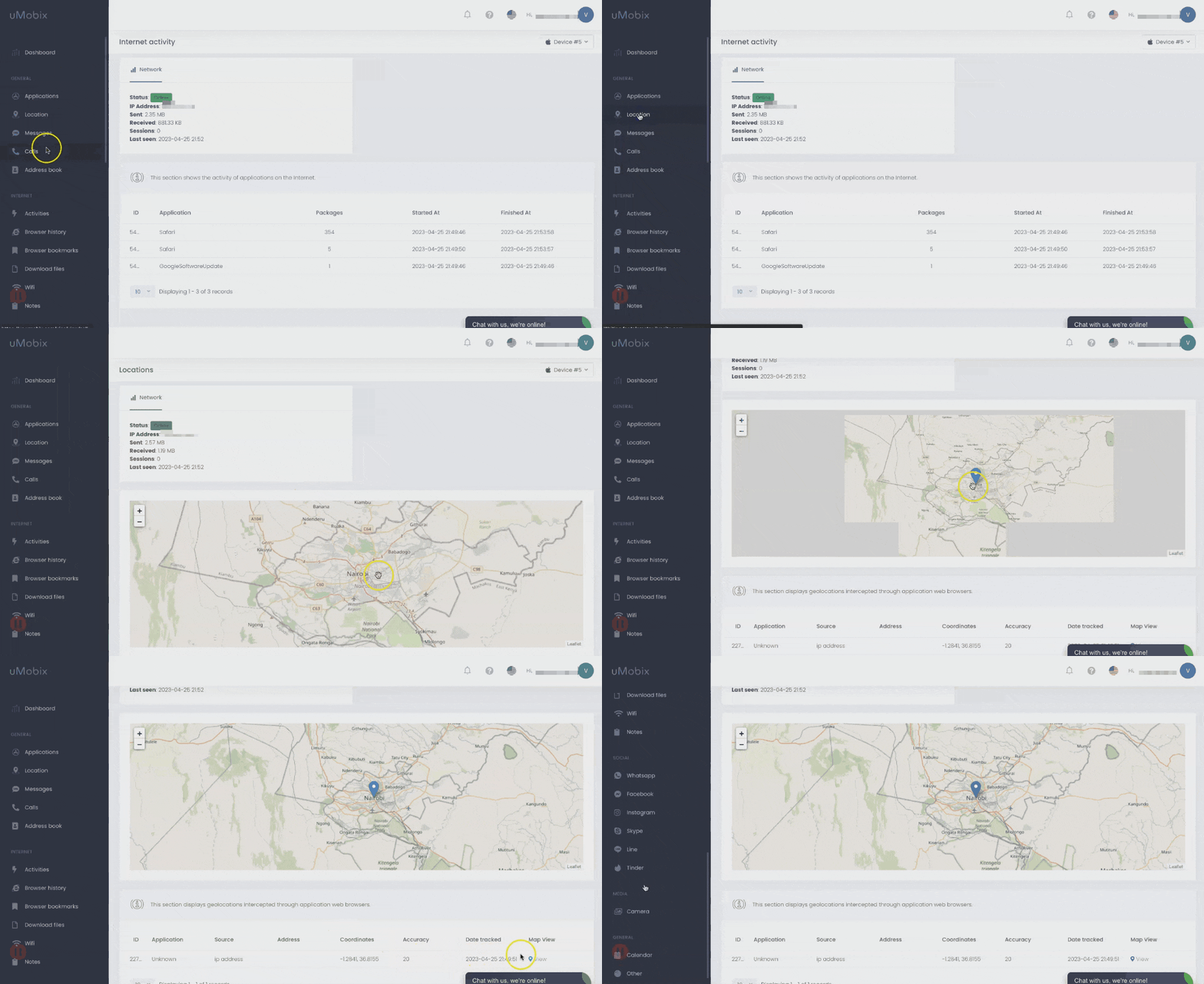
The demo feature provided by uMobix was extremely helpful in helping me understand the features and functionality of the app before I decided to buy it.
| Quickness | Simplicity | Effectiveness | Safety |
|---|---|---|---|
| 4 | 5 | 4 | 5 |
Pros:
- real-time location updates;
- demo mode for trial;
- compatible with iOS and Android devices;
- powerful phone tracking capabilities.
Cons:
- 2-factor authentication required for activation on iPhone;
- pricey subscription fees.
Cocospy
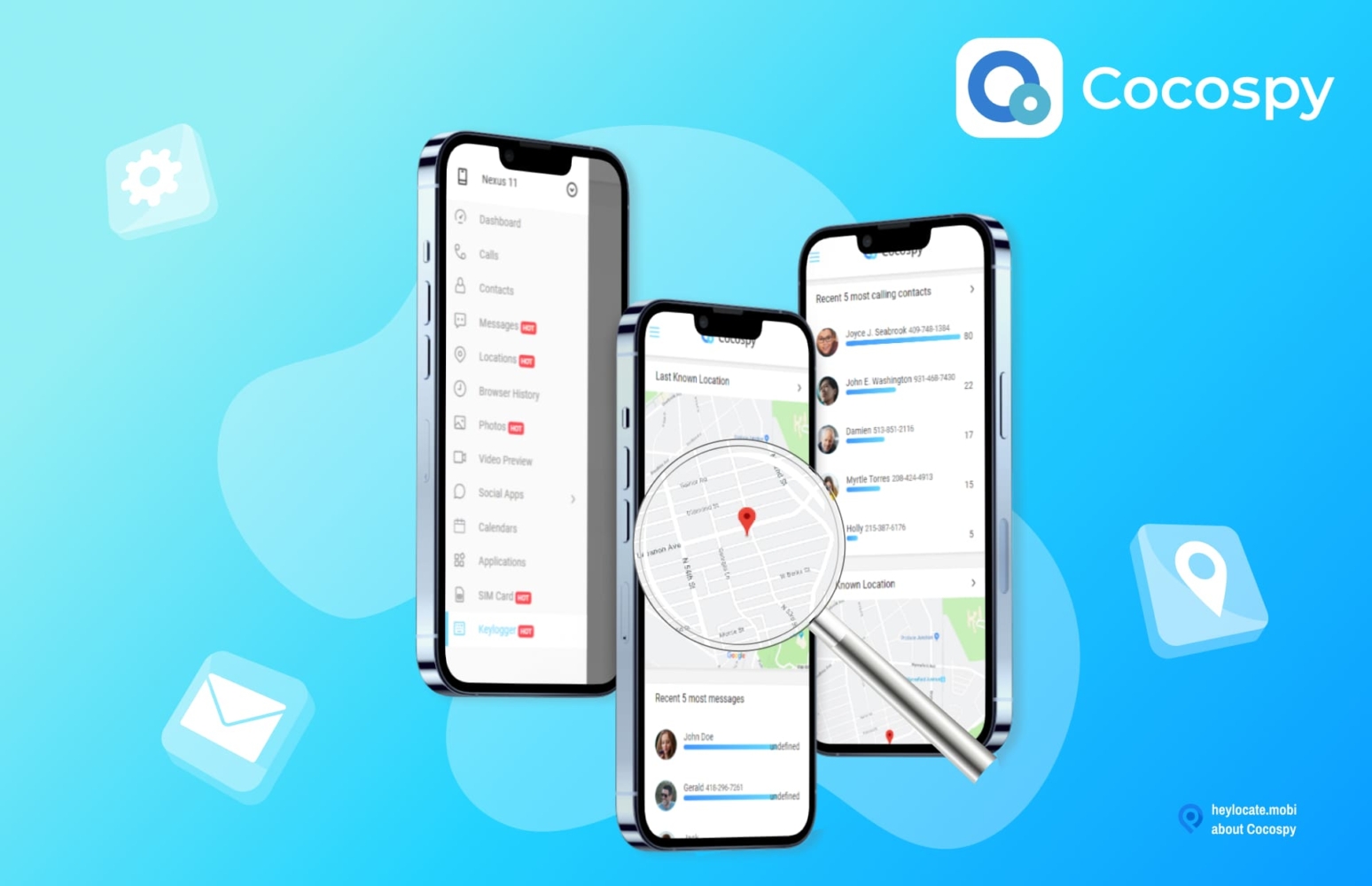
Cocospy is a powerful tracking app that is used to monitor your child’s phone usage in real-time and also allows you to share your locations between Android and iPhone through the Locations feature.
What you need to share location:
Cocospy requires iCloud credentials of the target iOS device or app installation on an Android device to share their location.
User Experience:
Cocospy is an impressive monitoring app that allowed me to share/ track the location of my kid’s Android phone. I first chose a subscription plan as per my requirement and selected my target device to be an Android phone, though I am an iPhone user, aiming to receive location updates from an Android phone that belonged to my kid.
After selecting my target device, I received the installation steps via email. I downloaded and installed this app on my child’s Android and synchronize the data to my Cocospy account.
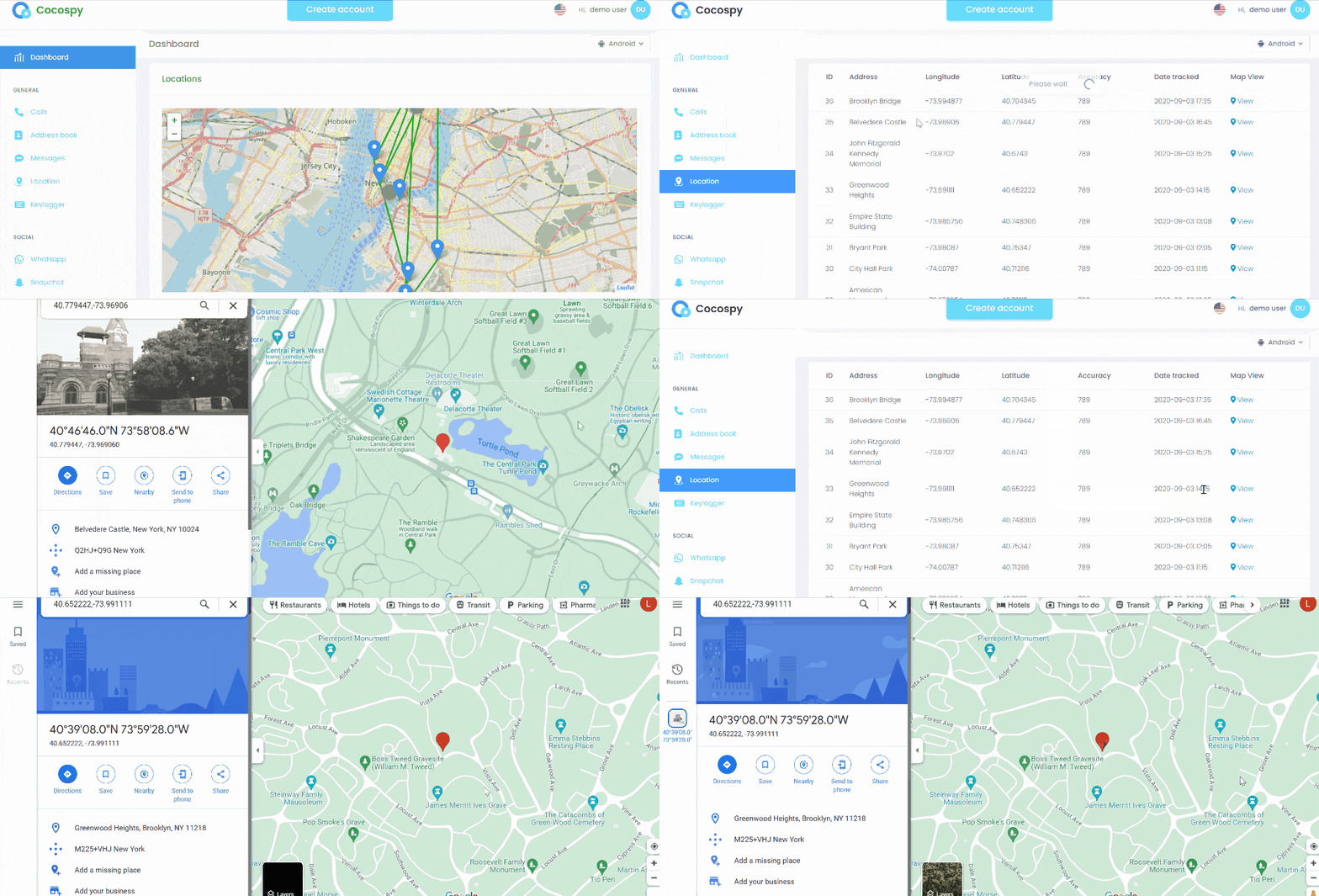
In a few minutes, I had access to several features, including the location feature that allowed me to receive and monitor the live location updates of my kid’s Android phone. The location feature also provided me with frequent updates on the past locations of my kid’s phone, which is helpful in case I ever need to access that information.
| Quickness | Simplicity | Effectiveness | Safety |
|---|---|---|---|
| 4 | 5 | 4 | 5 |
Pros:
- offers a demo version;
- variety of monitoring features;
- no jailbreak or root needed for iPhones.
Cons:
- limited availability of features for iPhones;
- can be pricier than other tracking solutions.
Bonus: Emergency Location Sharing
iPhone and Android phones suggest one more extra option.
How to use emergency location sharing on an iPhone
Follow these steps:
- Press and hold the side button and one of the volume buttons until the Emergency SOS slider appears.
- Drag the Emergency SOS slider to call emergency services.
- If you continue to hold down the side button and volume button, your iPhone will automatically call emergency services and share your location with them.
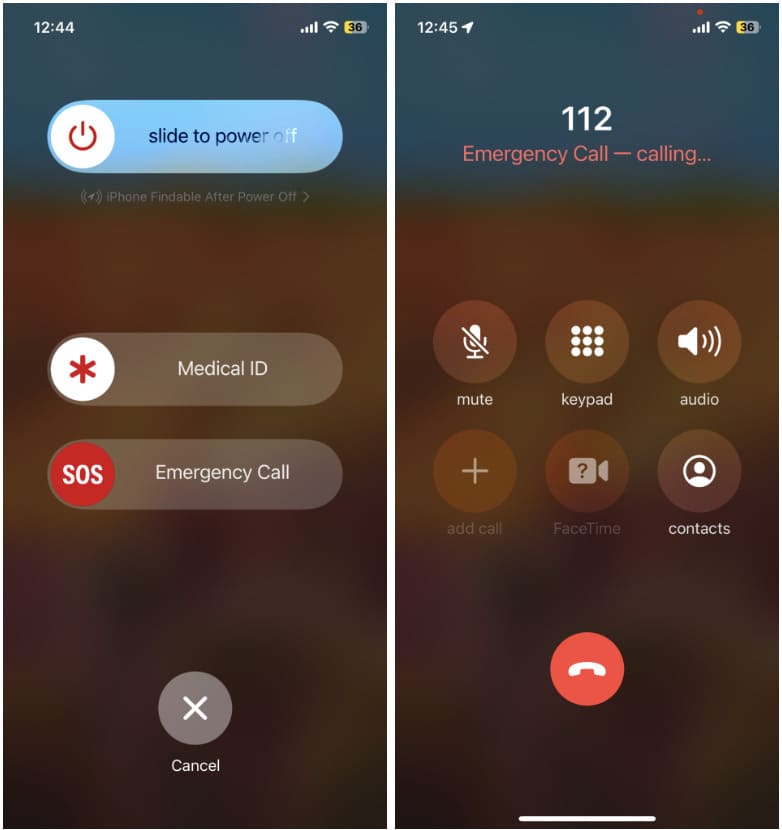
When you make an Emergency SOS call, your iPhone sends a text message to your emergency contacts with your current location and a message saying that you made an emergency call. Your emergency contacts will also receive updates on your location as it changes.
How to Use Emergency Location Sharing on Android
Follow these steps:
- On your Android device, long press the power button or press it five times.
- The Emergency SOS slider will appear.
- Drag the Emergency SOS slider to call emergency services.
- It will automatically share your location with emergency contacts.
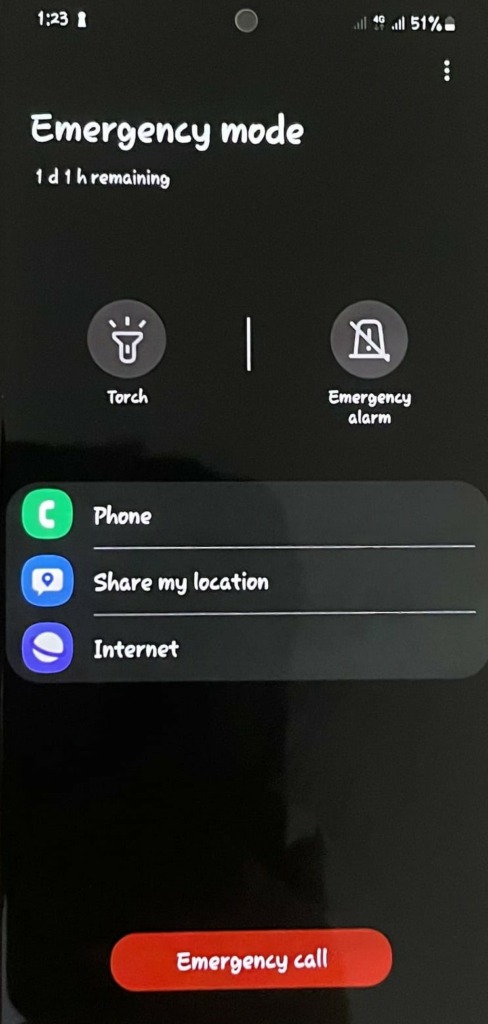
Note: For most of the Android phone, before using the emergency location sharing, make sure it is turned on by going to Setting > Safety & emergency > Turn on Location services.
Track the Location of Any Phone By Its Number
- Number Tracking
- Phone Lookup
Conclusion
To sum it up, if you’re looking for a reliable and secure service for tracking or location sharing between iPhone and Android, there are many options available, from Scannero.io and Locationtracker.mobi to uMobix. They all offer great features and anonymous tracking. Google Maps and social media apps also offer location-sharing services, but often one-time and without stealth mode.
Whichever option you choose, make sure to weigh up the pros and cons before deciding.
FAQ
Yes, an iPhone user can share his/her location with an Android user by using Google Maps or social media apps, as well as third-party trackers.
Yes, you can track a friend with Android through Google Maps, social media apps and third-party services such as Scannero.io, and GEOfinder.mobi.
Yes, you can track a Samsung phone with an Android through Google Maps or third-party apps such as Locationtracker.mobi, and GEOfinder.mobi.
No, there is no Find my friends app on Android. However, there are other alternative tools you can use to track your friends, family, and colleagues, such as Google Maps, and location sharing through messengers.


 Monday-Sunday: 5:00am - 8:00pm (PT)
Leave a Comment