



 Affiliate Disclaimer
 The tool for tracking a Samsung phone depends on the situation: whether you need to find a lost Samsung, locate a kid or friend, or track someone anonymously if possible. Thus, there are in-built tools, free location sharing ways or dedicated trackers.
The reasons for tracking can be various:
- you’re searching for your fresh new Samsung device, which you may have lost or misplaced;
- you could be concerned for the welfare of your family and friends and want to find out where they are;
- for partners, it might be to ensure that they are not being cheated on;
- businesses may want to use it to monitor their workers’ locations while they’re on the clock and more.
In any case, Samsung Galaxy tracking may be done in several methods.
The HeyLocate team has done some study and come up with a list of solutions that will handle these challenges in every circumstance that may arise. Read further to know the results of our research.
Top Pick Based on Our Research
You are welcome to read the whole review, but if you find that it is too lengthy to read, the following are our top 3 recommendations for locating Samsung:
This service does not need installation, is compatible with all phones and carriers, and provides precise GPS tracking with worldwide coverage. With it, you can stay anonymous.
🥈 mSpy
This app requires installation, but can work in stealth mode and allows full monitoring of Samsung Galaxy phone activity.
You may keep your identity hidden without installing any app on the target device when tracking the Samsung phone with this service.
How To Find My Samsung Phone
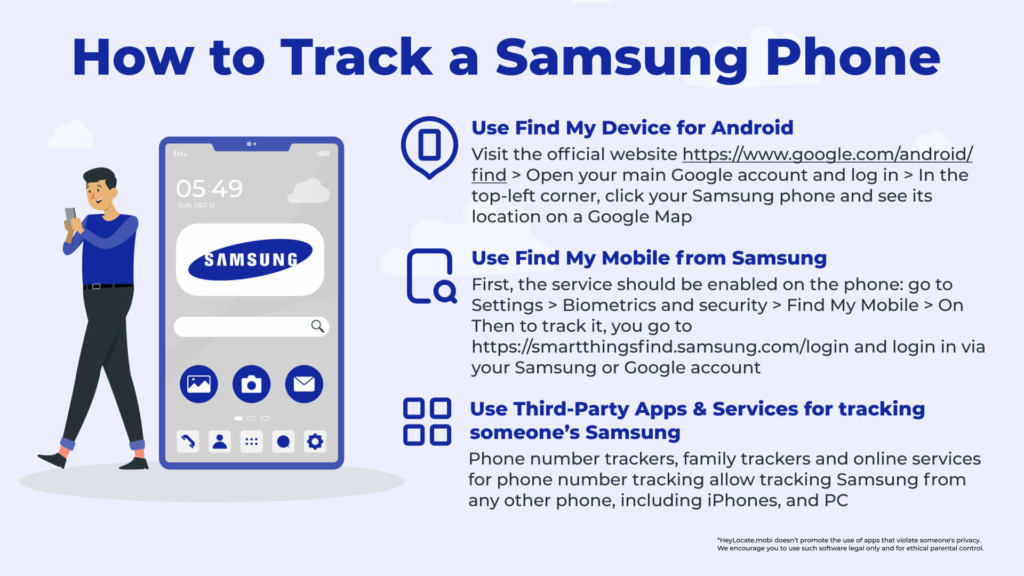
A lost Samsung phone can be found through the Find My Mobile (Smartthings Find) feature by Samsung or through Google Find My Device.
Let’s have a look at how to track a Samsung phone using these two functions.
Use Find My Device for Android
Not all lost or stolen Android device can be found. Before you can be certain that the gadget can be located, it must check a few boxes:
- the device has to be switched on;
- location services need to be turned on;
- you must be logged into your Google account;
- the gadget has to be linked to Wi-Fi or mobile data;
- Google Play should be able to see your phone;
- you must activate Find My Device.
Download the Google Find My Device app from the Play Store if you can’t find it on your device.
How To Locate Your Android Tablet Or Phone
Once you’re certain that your Android smartphone satisfies all the aforementioned criteria, you may begin the search process. As long as your phone isn’t lost in the middle of the ocean, it shouldn’t be difficult to retrieve it since it’s so straightforward. I could find my Samsung phone with it, so you will be able too:
- Visit the Find My Device official website.
- Open your main Google account and log in.
- In the top-left corner, click the misplaced phone.
- The location of your Android smartphone is shown on a Google Map.

- You may see your phone’s location since it last connected to the network if it is off.
- Even if your phone is on quiet or vibrating, you may ring it for five minutes by clicking Play Sound.
- To log out of Google and lock your device, click Secure Device.
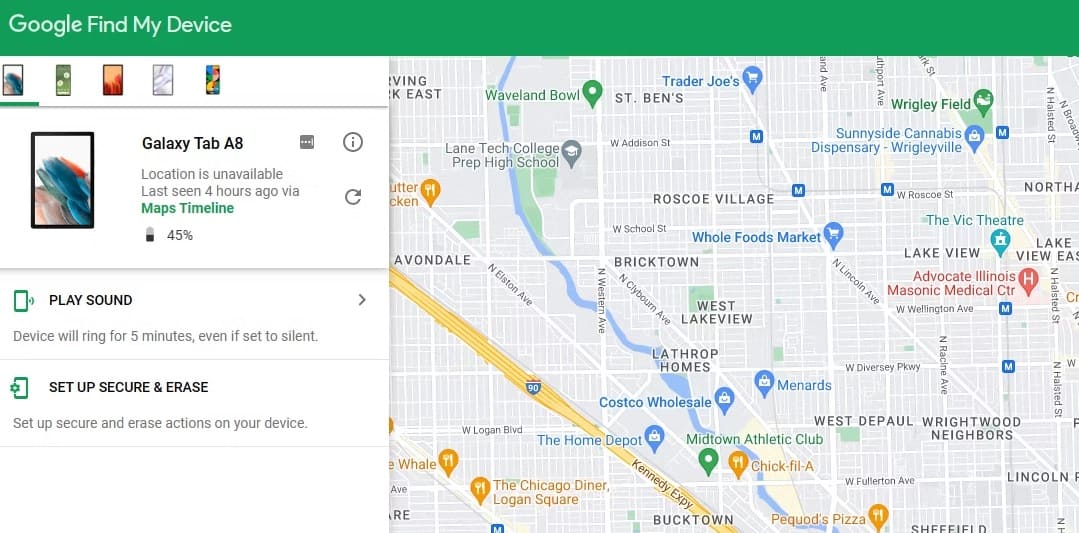
The Find My Device website enables you to show a message on the lock screen, giving the person in custody of the device the necessary information for returning it, in addition to playing a sound to secure it.
However, you are powerless to do any action whether the gadget is off or not linked to the internet; once it is on or connected, however, your commands are rapidly carried out.
Use Find My Mobile from Samsung
Find My Mobile is a service that can be accessed using a web browser and Samsung account. It allows you to track your Samsung phone for free, also, to back up or erase it from a distance.
The Track location function enables your smartphone to automatically submit an updated position every 15 minutes. It’s also possible to ring your smartphone at full volume, which is useful to pinpoint its exact location.
If you still can’t locate it, you may lock the screen, prevent others from turning it off, and display a contact message so that anybody who finds your phone can contact you.
Enabling Find My Mobile
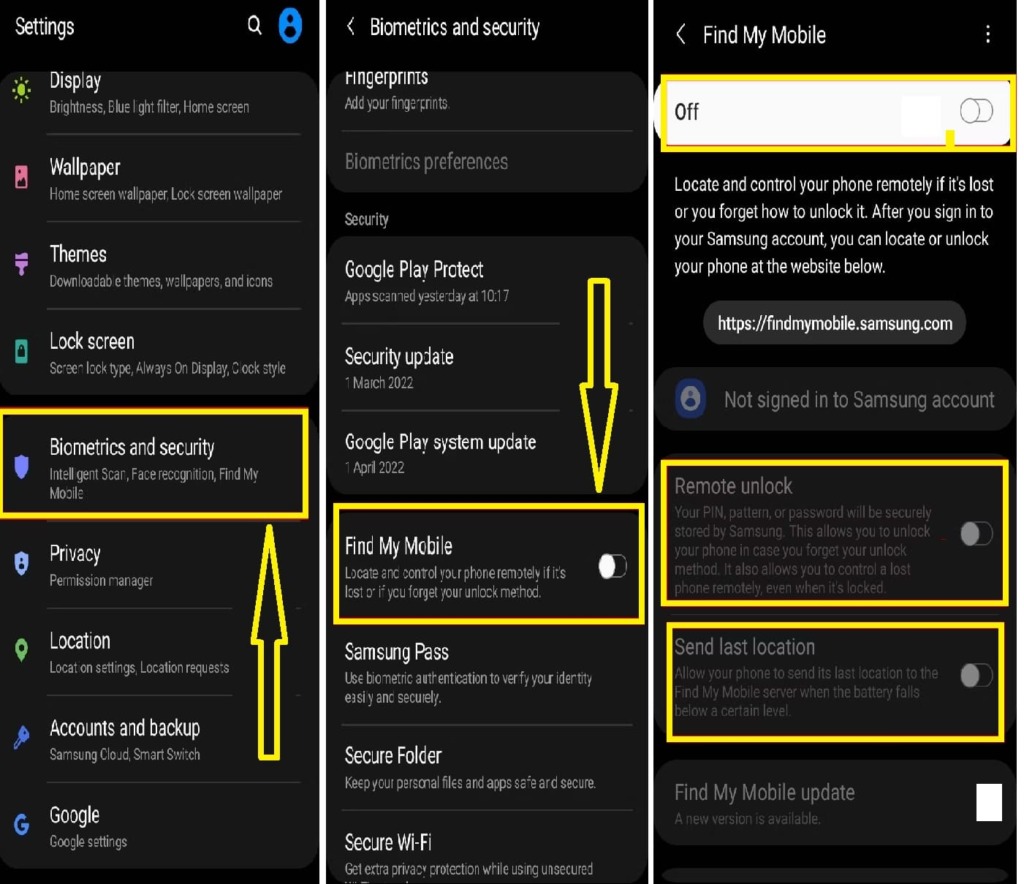
To enable Find My Mobile, complete these instructions on your phone:
- Go to Settings.
- Scroll to the bottom and choose Biometrics and security.
- Select the Find My Mobile option.
- From this option, switch the toggle to the on position.
- If desired, enable Remote unlock and Send last location.
Using Find My Mobile to find your phone
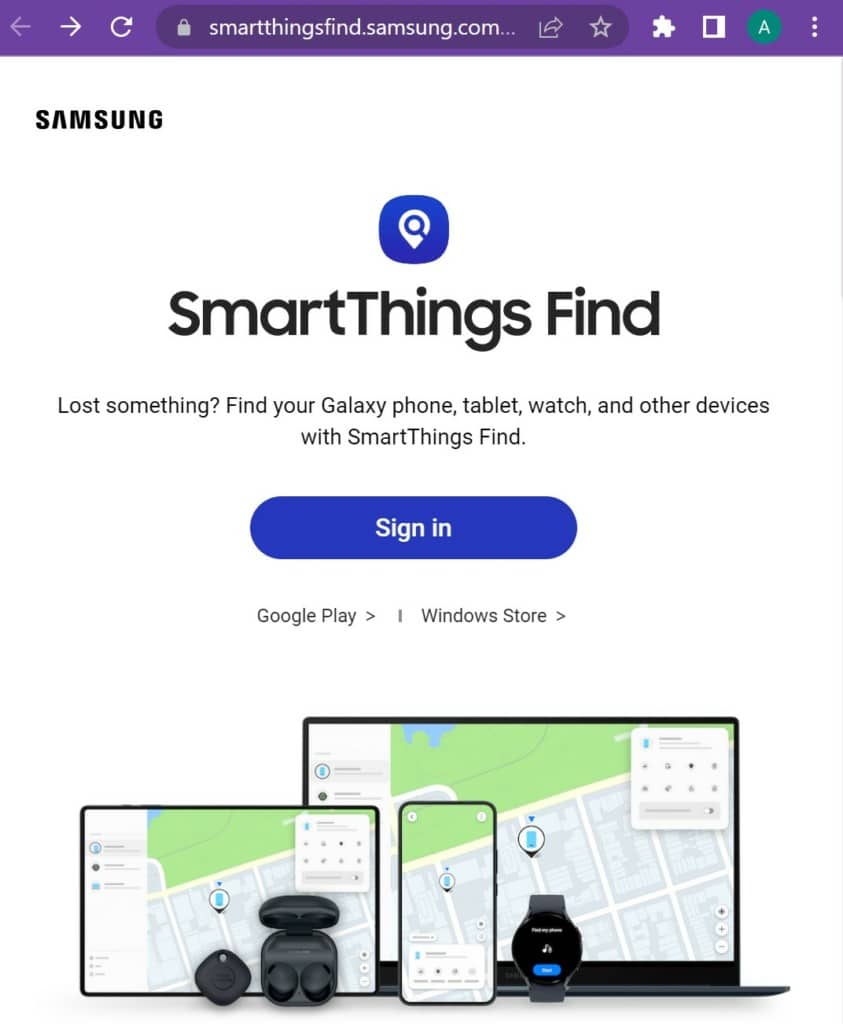
Once activated, go to the Find My Mobile web page https://smartthingsfind.samsung.com/login – now it’s called Smart Things Find – and sign in with your Samsung account. You’ll then see a list of Samsung devices for which you’ve enabled Find My Mobile.
If the device’s location is discovered, an active indication appears on the map, along with its status, battery level, and network connection type.
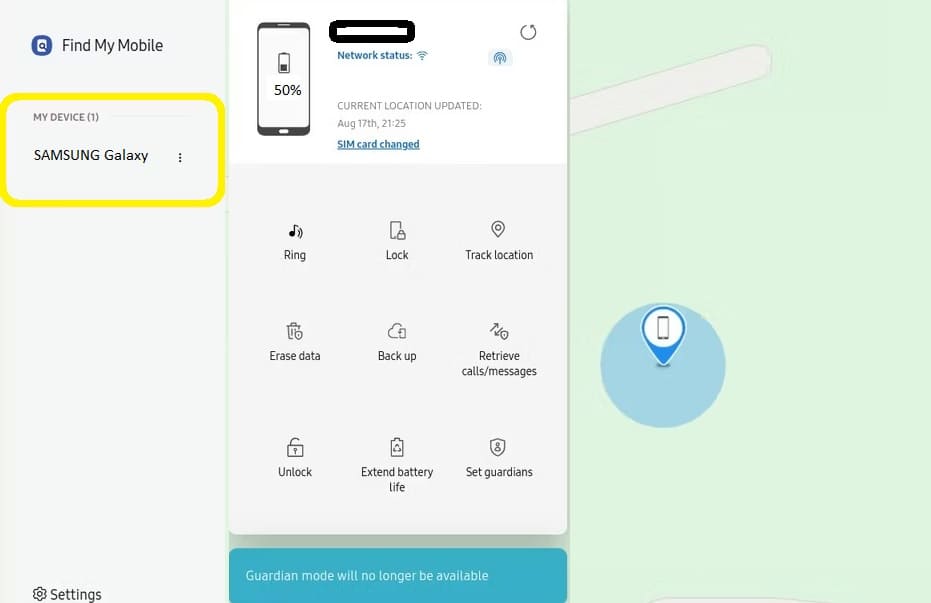
Find My Mobile is only useful if the missing handset is switched on and connected to the internet. As a result, Samsung has a function that allows you to remotely alter power settings to prolong the life of lost devices and give you more time to find them.
Additionally, Find My Mobile may be used to regain access to a device in the event of a forgotten password or PIN, but you must enable Remote Unlock during the setup procedure.
Best Samsung Phone Tracker: Online Services And Apps
These services may be used for tracking someone’s Samsung. The following online tools use just phone numbers and do so through SMS:
Scannero.io
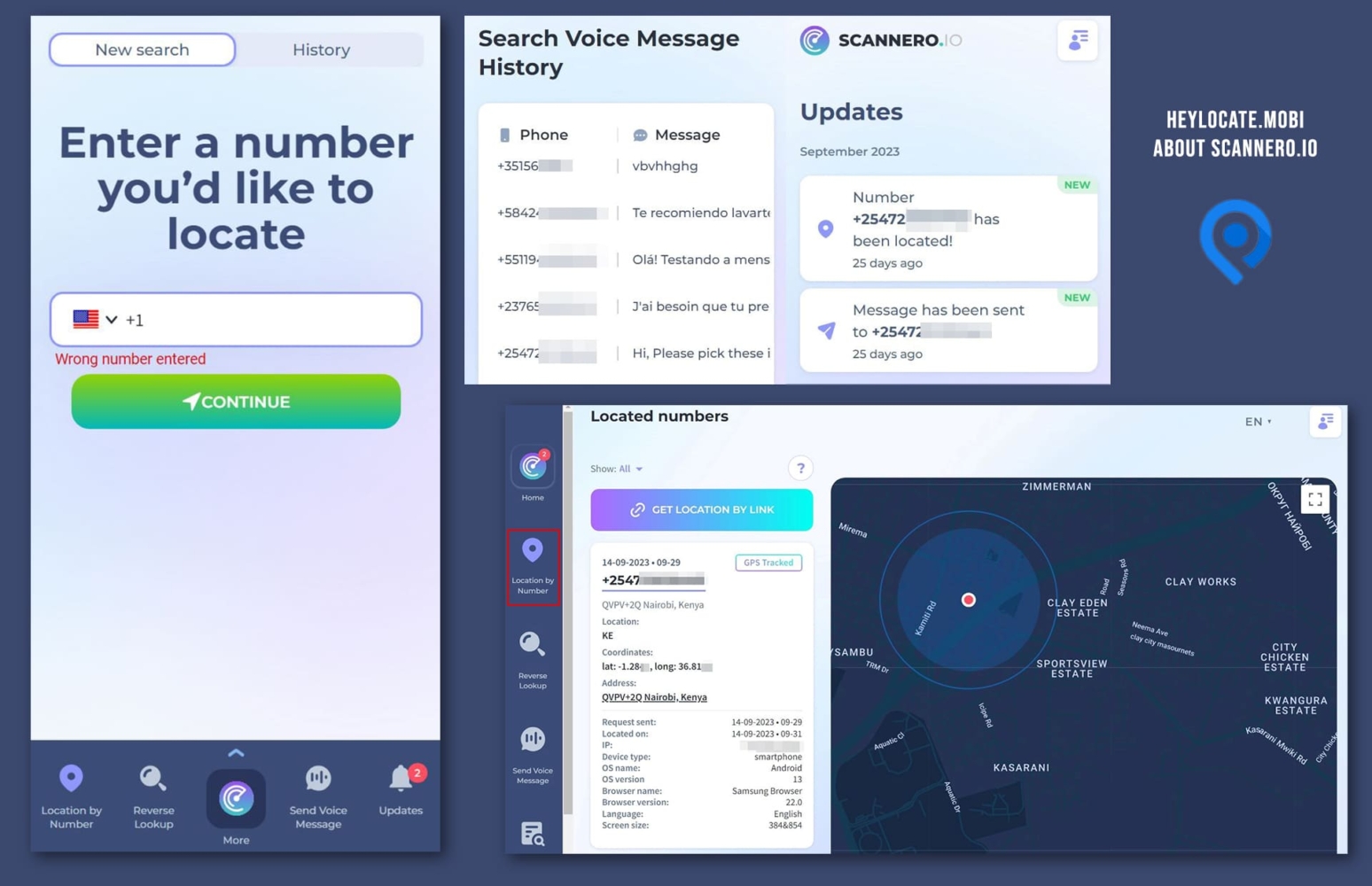
It is a web-based service that can be used for tracking any phone.
Features:
- find the target phone using the phone number;
- pinpoint precise position;
- create custom messages for location request.
User Experience:
All that is required is to enter the phone number in an online-form and the message’s text to entice the user. Then Scannero sends a text message with the tracking link to the target phone. Once the targeted Samsung user taps the link, you’ll find out their exact location.
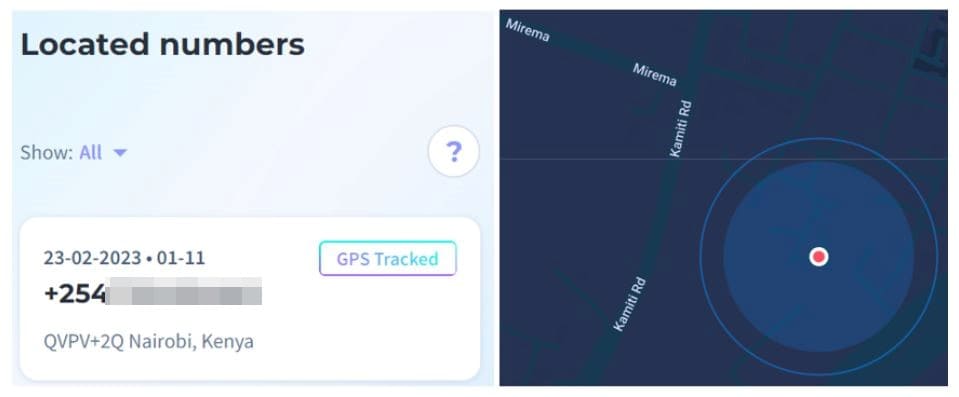
When tested, I had to create an account. There is a search box on the dashboard of your Scannero account where you can input the contact information you want to monitor. Scannero.io only allows real-time monitoring for all mobile devices, but keeps location found earlier.
You can read a full Scannero review on the HeyLocate blog.
| Quickness | Simplicity | Effectiveness | Safety | Accessibility |
|---|---|---|---|---|
| 5 | 4 | 4 | 5 | 5 |
Pros:
- you don’t require the IMEI or IP address of the target device;
- it decreases your risk of being exposed since it does not need installation on the target device;
- it is compatible with all phones;
- maximum privacy.
Cons:
- Scannero.io needs the target device’s user to touch on the given link for tracking to take effect;
- there is no free version, although the trial is $0.89;
- has a single capability rather than multiple.
Detectico
Detectico is an online platform that can track not just Samsung phones, but also any other phone globally. All you need is the target’s Samsung phone mobile number, and you can start tracking their location right away.
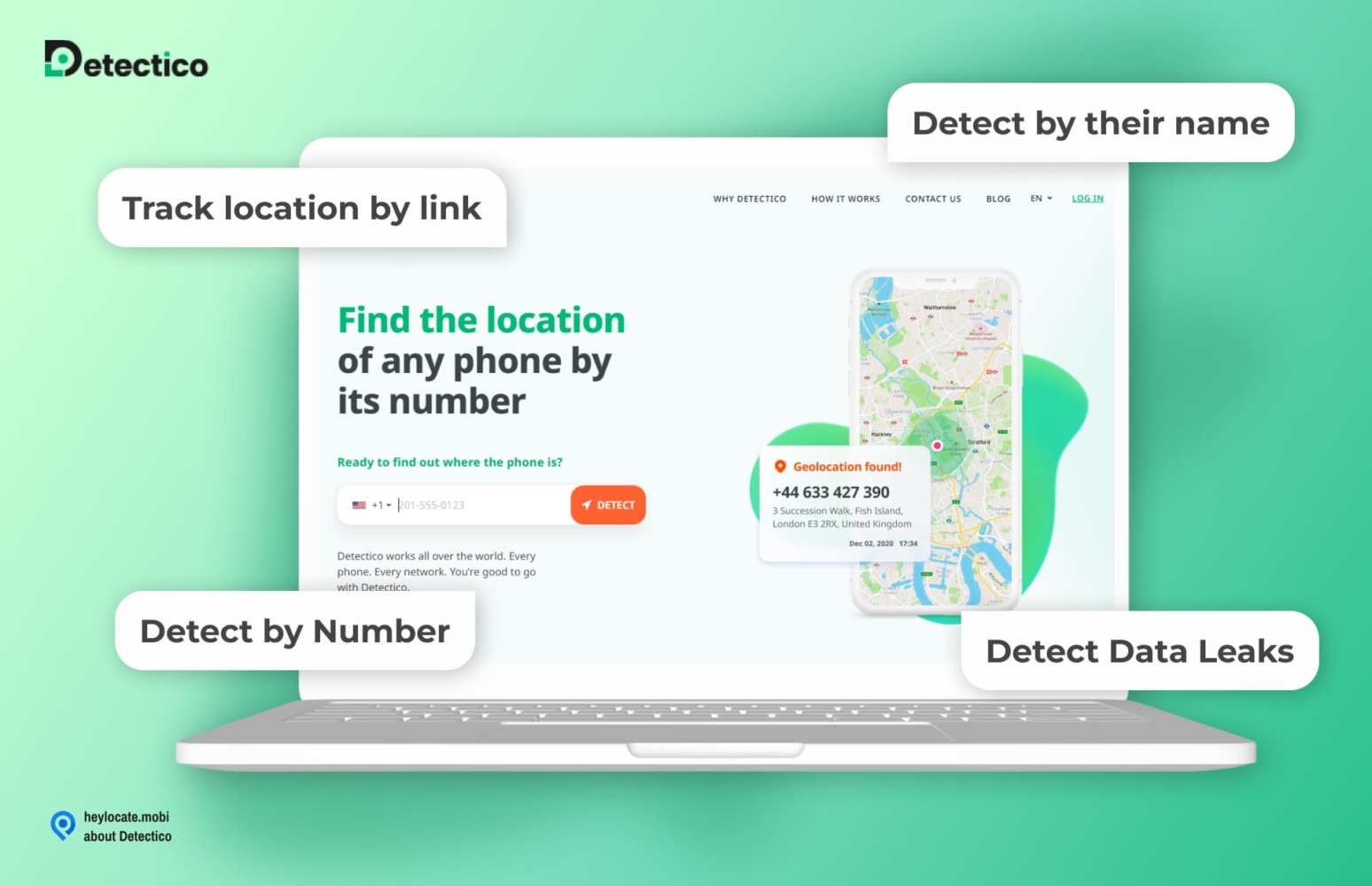
Features:
- GPS location tracker;
- reverse phone lookup;
- voice message sender;
- phone carrier information;
- data leak checker.
User Experience:
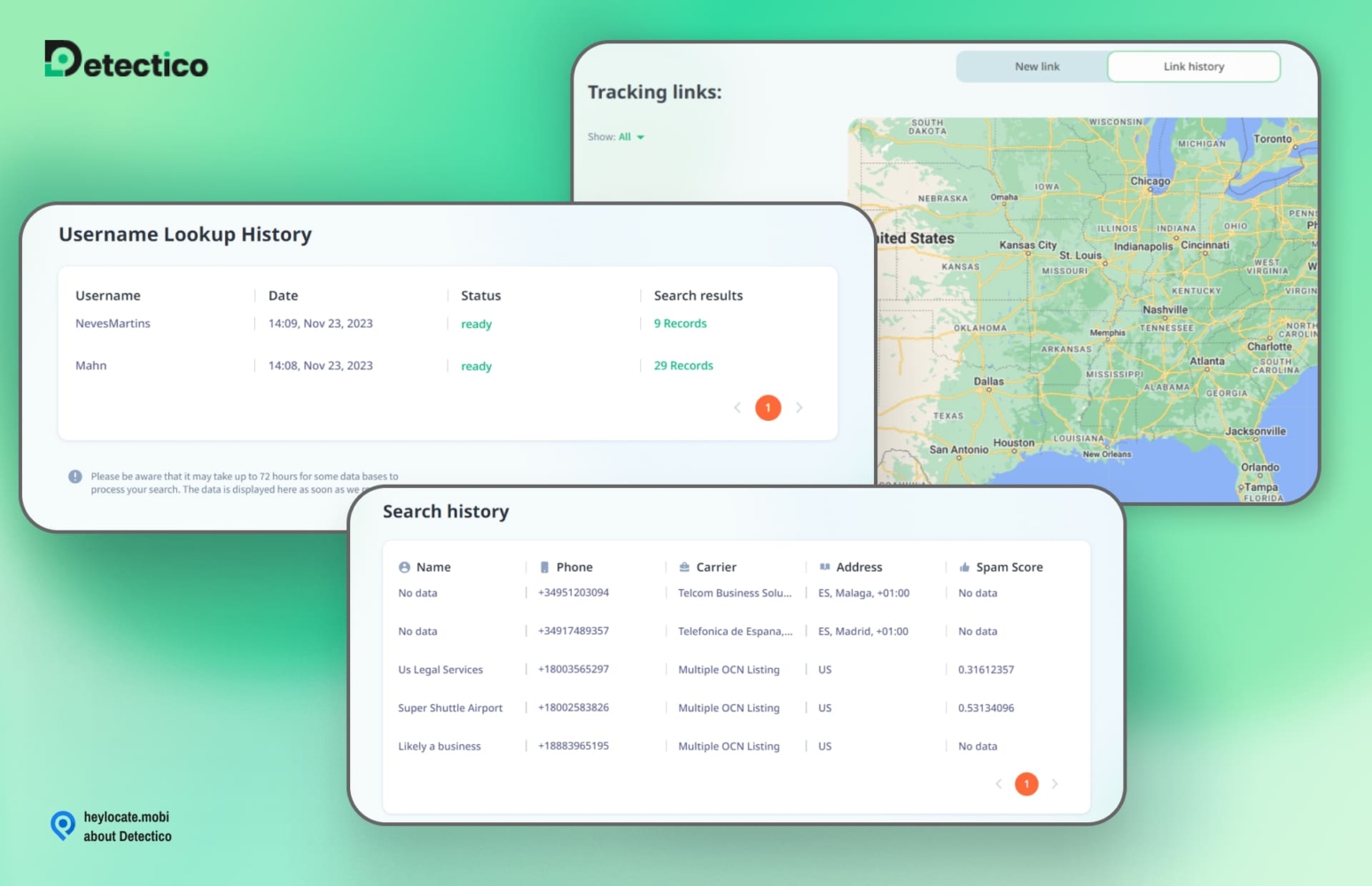
I entered the target Samsung phone’s number, and Detectico gave me a list of text messages to choose before sending to the owner.
In about five minutes, indicated it had tracked the phone’s location, and it showed its real-time location on a map. Detectico allowed me to zoom in on the map to see the phone’s precise location.
| Quickness | Simplicity | Effectiveness | Safety | Accessibility |
|---|---|---|---|---|
| 4 | 5 | 4 | 5 | 4 |
Pros:
- fast location tracking;
- can ping phone’s location in real-time;
- supports all mobile networks;
- can track any Samsung phone, old and new.
Cons:
- the phone owner must give tracking consent;
- may experience delays if the recipient fails to click on the link right away.
Locationtracker.mobi
The unique feature of this web-based tracker is the ability to send a location request link via any messenger. Thus, it can be used for Samsung Galaxy tracking too.
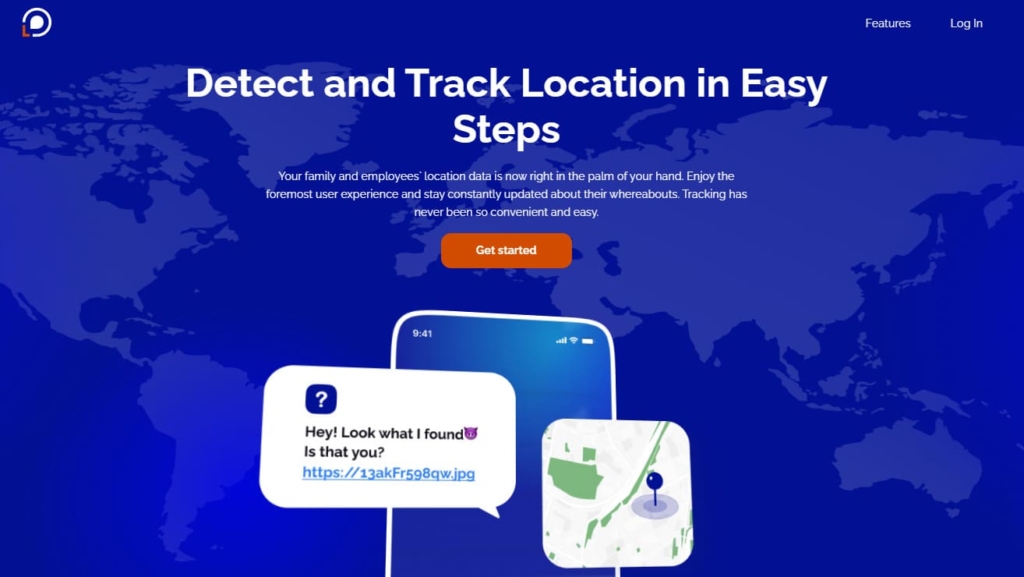
Features:
- GPS tracker;
- IP logger;
- Wi-Fi tracker;
- VPN checker;
- cell phone carrier lookup.
User Experience:
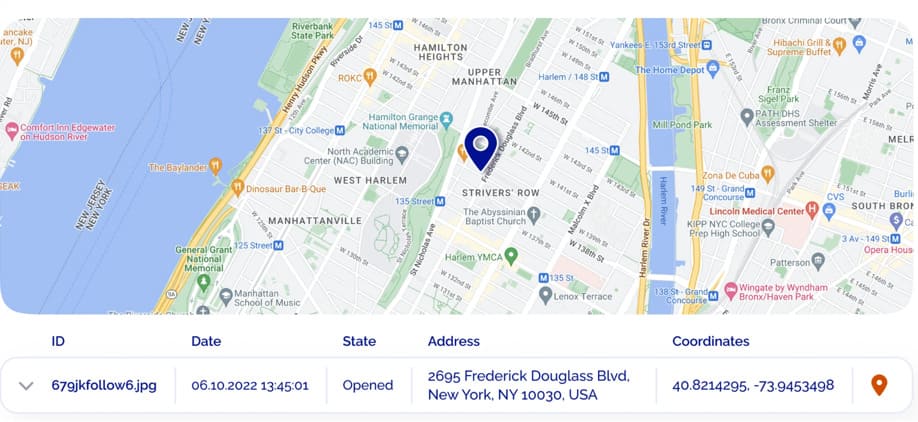
Although it is a web-based tracker, I had to log in and submit some picture to the site to utilize Locationtracking.mobi. After logging in, I copied the produced link and sent it to the one of my friend-Samsung users through a social media messenger.
When my friend clicked on the link, I visited the Locationtracker.mobi account to check the transmitted data. And the report included geolocation feedback from the Samsung phone of my friend. Position Tracker showed me the precise location on Google Maps.
As I could notice, Locationtracker.mobi does not provide a trial version for its users.
| Quickness | Simplicity | Effectiveness | Safety | Accessibility |
|---|---|---|---|---|
| 5 | 4 | 4 | 5 | 5 |
Pros:
- tracks the exact position of the device;
- installation is not required;
- all mobile devices are compatible.
Cons:
- to track devices over time, you must upgrade to the premium version of the software;
- the major functionality of the app directs you to a website;
- it is up to the target user to click on the link given to their mobile device.
GEOfinder.mobi
This tracker works the same as the previous – via sending SMS with a link.
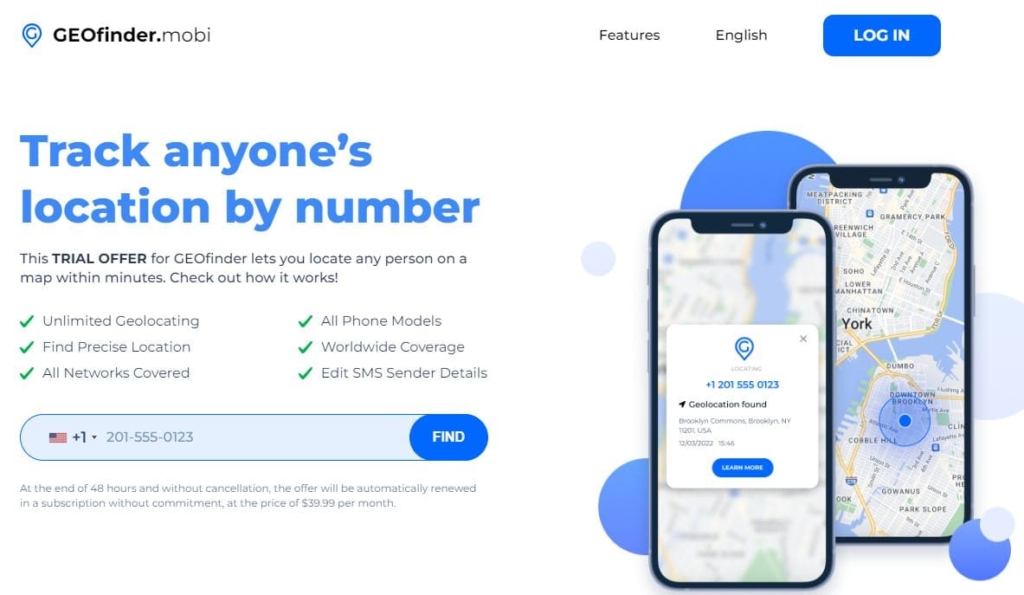
Features:
- IP logger GPS tracker;
- Wi-Fi tracker;
- VPN checker;
- cell phone carrier lookup.
User Experience:
GEOfinder operates by tracking the target’s phone number. You choose the SMS to be sent, the Samsung phone owner gets the SMS with the link and discloses their position by simply clicking on the attached link. The position of the Samsung phone may then be seen on the dashboard.
While there is no demo version of GEOfinder, the main platform is simple to use. It includes a GPS tracker, IP logger, Wi-Fi tracker, and other valuable information for monitoring someone’s Samsung device. You can try GEOfinder’s trial offer.
The dashboard also displays the Samsung phone’s location in latitude and longitude coordinates. Lastly, you will also have access to the target Samsung phone’s location history.
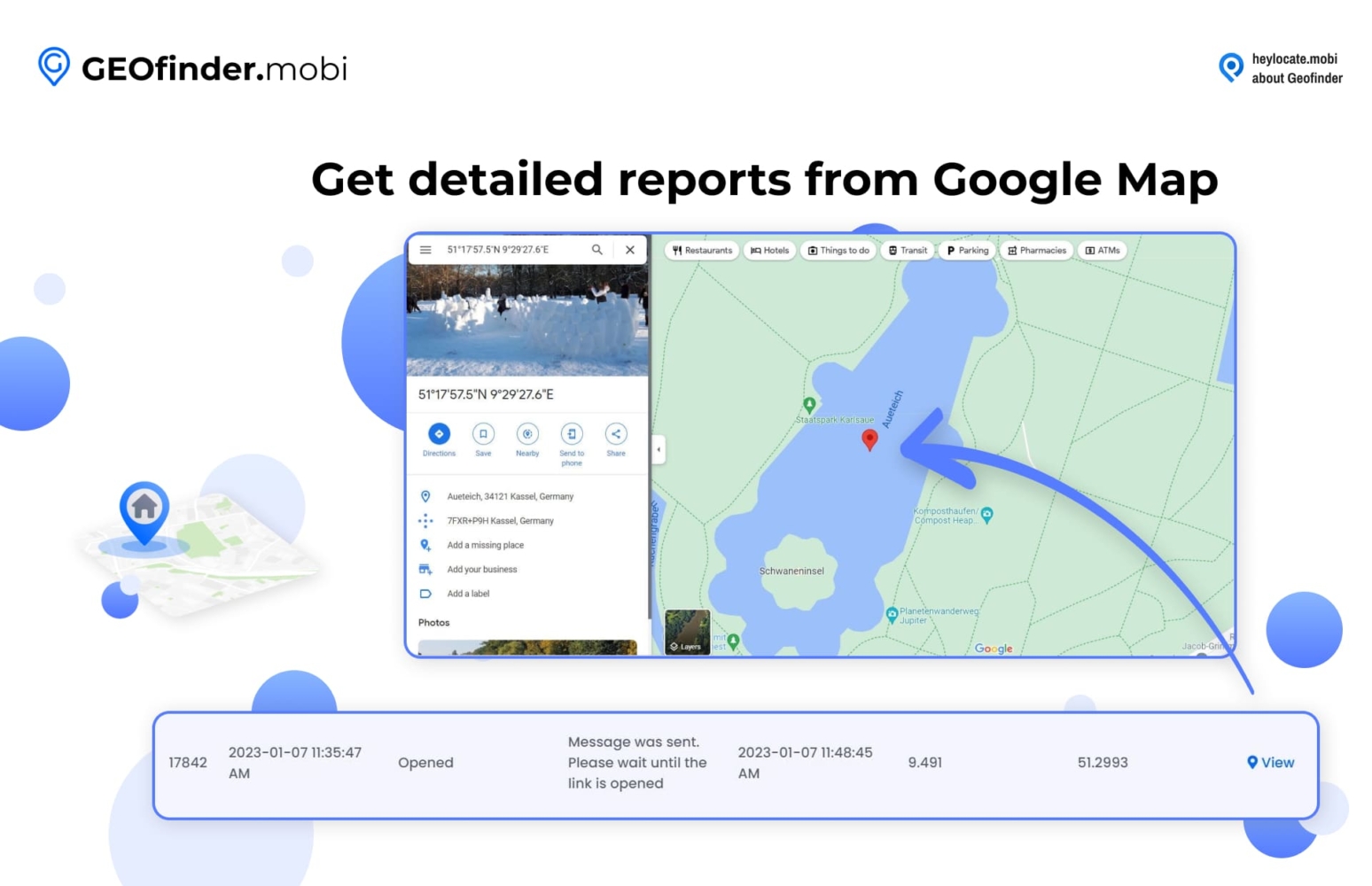
You can read the full GEOfinder review on the HeyLocate blog.
| Quickness | Simplicity | Effectiveness | Safety | Accessibility |
|---|---|---|---|---|
| 5 | 5 | 5 | 5 | 4 |
Pros:
- compatible with all major smartphone platforms and manufacturers;
- allows for more exact location tracking;
- operate remotely without requiring the user to be physically near the device;
- geolocation history of the target may be discovered;
- useful for synchronizing locations.
Cons:
- price structure that only allows access to one offered function;
- may only send one message per three hours.
The following services function as Samsung family applications or parental controls, yet they may be used by anybody. These services enable you to monitor each other at all times, regardless of the type or operating system on which your phones operate. You should not transmit your location every time; instead, install the app and be aware of each other’s whereabouts at all times. However, they must be pre-installed.
mSpy
This service can be great Samsung phone tracker, also allowing monitoring of the device.
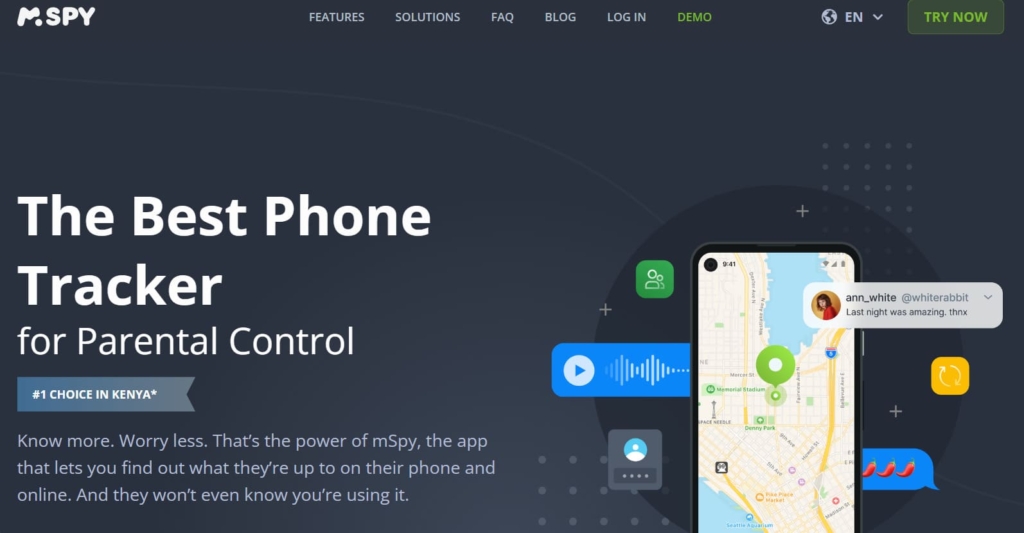
Features:
- quick access to the current GPS position and routes;
- view the timestamps and durations of incoming and outgoing calls;
- tracks travel routes;
- take a screenshot of the phone’s screen;
- real-time monitoring of every internet activity;
- provides technical help and no jailbreaking or rooting of the target.
User Experience:
The program runs in the background when mSpy is installed on a Samsung mobile phone. It is entirely concealed, so the target is unaware of any monitoring activity. Regardless of whether the app is hidden or not, there are no options accessible on the target phone to alter the app.
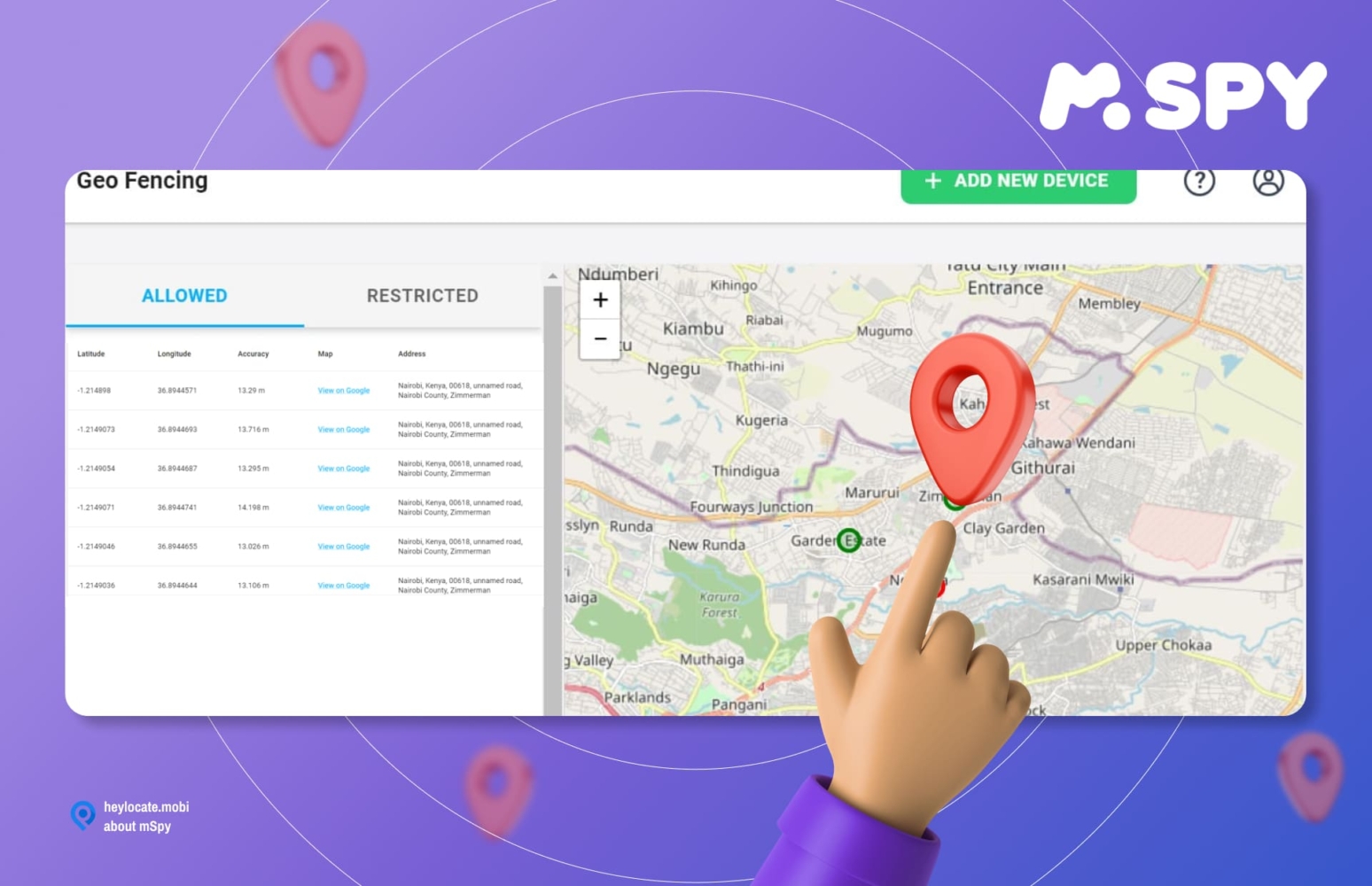
mSpy provides its users with an easily accessible demo version. As seen when reviewed, its dashboard includes features such as GPS position monitoring, Geofencing, keylogger, keyword tracking, and many more. Users of mSpy benefit from real-time monitoring as well as location updates on the target phone based on my review.
| Quickness | Simplicity | Effectiveness | Safety | Accessibility |
|---|---|---|---|---|
| 5 | 5 | 4 | 5 | 5 |
Pros:
- send frequent updates about the target location within a certain time window;
- keeping track of deleted text messages;
- features capability for monitoring instant messengers;
- provides simple Wi-Fi monitoring;
- no need for a jailbreak.
Cons:
- if the target device is erased, your mSpy data may be lost;
- mSpy can only be used on one smartphone at a time.
Phonsee
Phonsee can track a Samsung phone’s location, texts, calls, social media chats, and web activity.
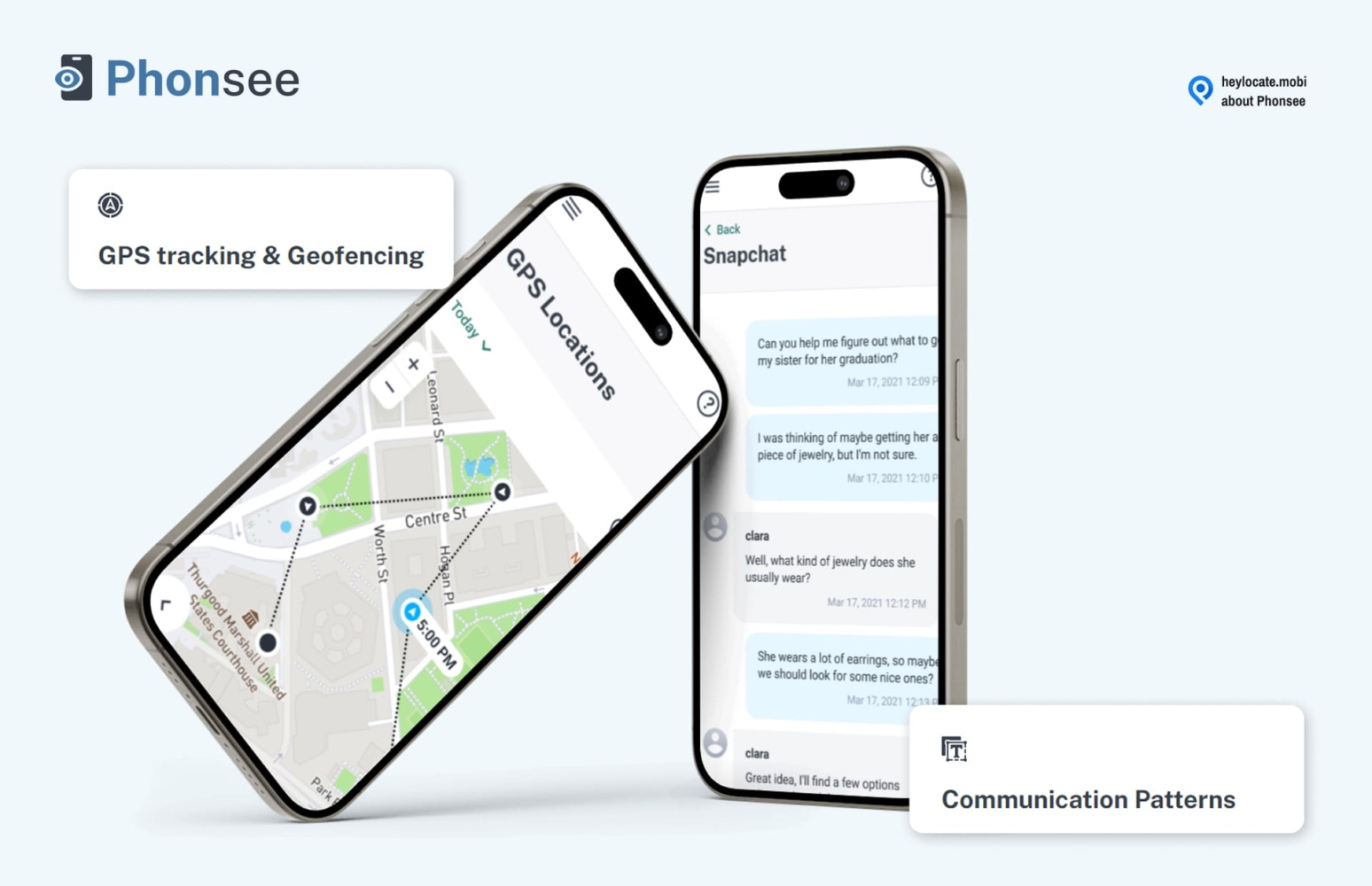
Features:
- text messages with time stamp monitoring;
- calls monitoring;
- emails monitoring;
- messengers and social apps monitoring;
- GPS location pinging;
- geofence with real-time alerts.
User Experience:
I installed Phonsee on a Samsung A33 phone running on Android 13. The app was configured in a few minutes and soon I could view the various phone features on the Phonsee dashboard.
The service pinged the phone’s location and it also displayed the phone’s location history. In addition, it could show sent and received text messages, outcoming, and incoming calls, and it could view photos, videos, and texts shared on social media apps.
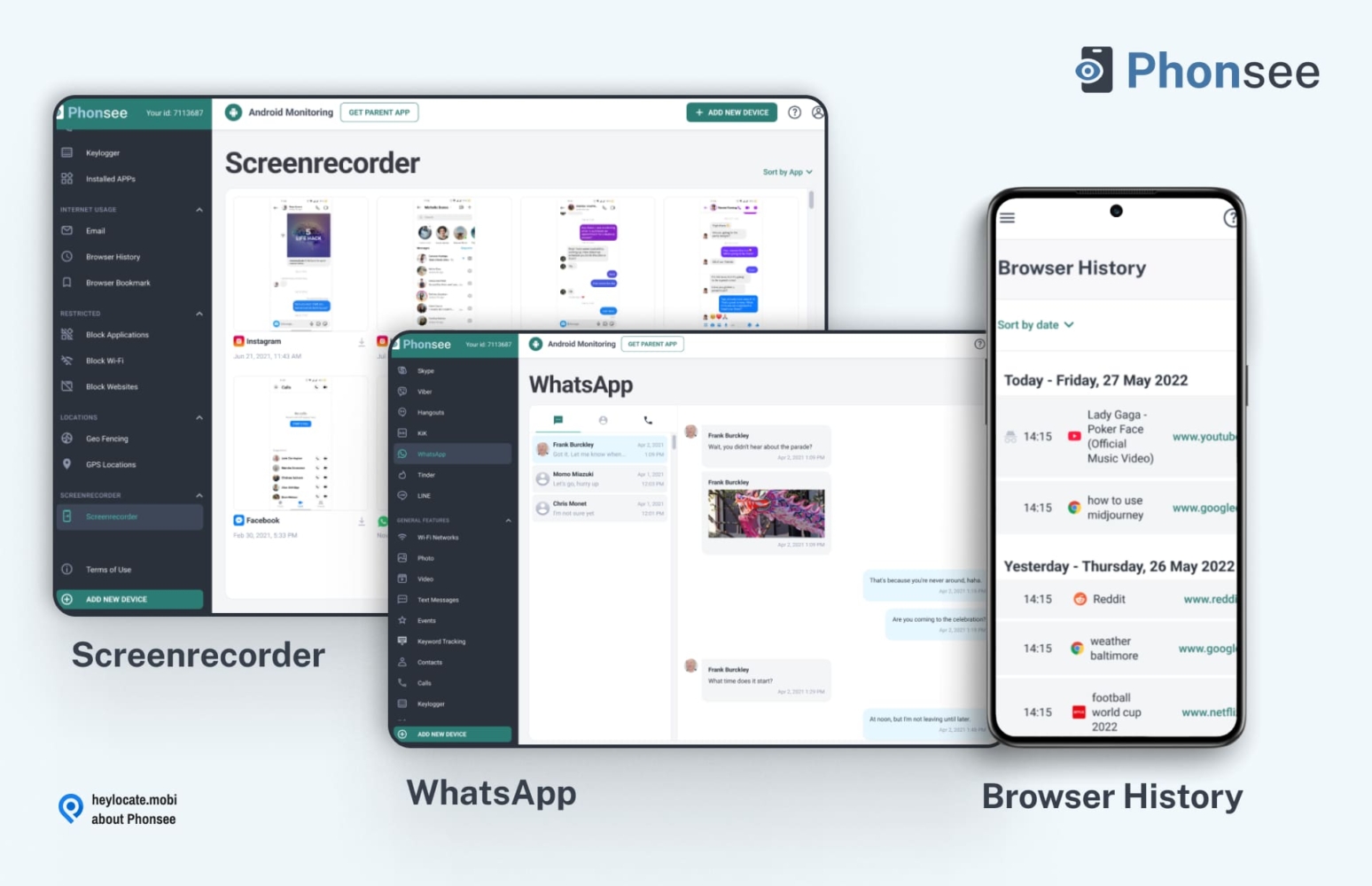
Phonsee proved to be a wholesome app for Samsung phone monitoring.
| Quickness | Simplicity | Effectiveness | Safety | Accessibility |
|---|---|---|---|---|
| 5 | 4 | 5 | 5 | 4 |
Pros:
- installs in five minutes on a Samsung phone;
- views all activities on social media apps;
- shows the accurate position of a monitored phone;
- can capture screenshots and keystrokes.
Cons:
- refund policy is only 14 days;
- phone must be connected to the internet for real-time tracking.
Track Any Phone With Its Number. Try Now
- Number Tracking
- Phone Lookup
XNSPY
The service allows many more features than just Samsung Galaxy location tracking.
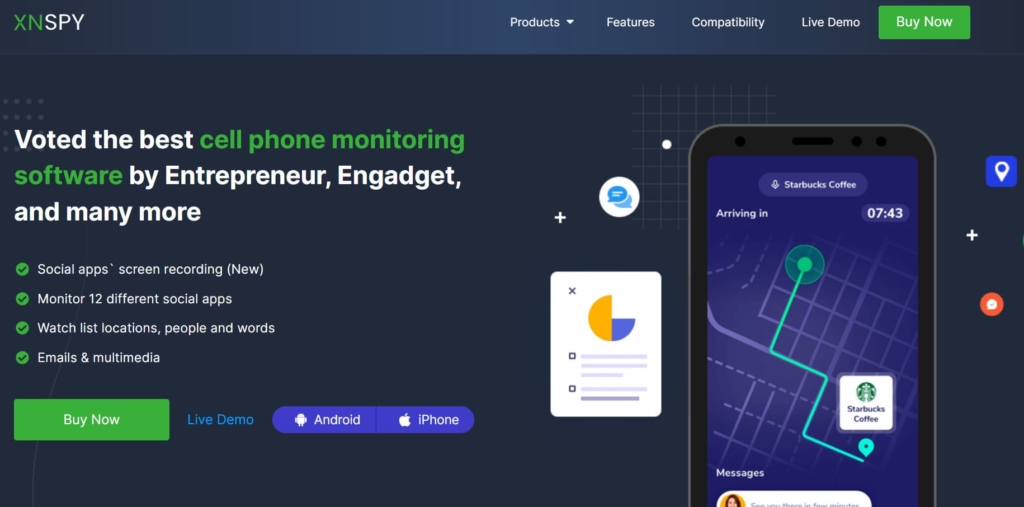
Features:
- location tracking;
- reports and analytics/call log monitoring;
- SMS monitoring, Gmail monitoring, & contact monitoring;
- internet history & calendar;
- social media and instant messaging monitoring;
- app monitoring and multimedia access;
- recording features.
User Experience:
XNSPY works in three steps: select your mobile monitoring subscription plan and the payment option that best meets your monitoring needs; follow the emailed instructions to download and install the XNSPY monitoring app on the target cell phone or tablet; and complete the setup by logging into your XNSPY dashboard using the provided account credentials.
The dashboard is the command and control center for all XNSPY features. I was able to obtain a fast update on the progress of the target phone from here.
The immediate dashboard features major windows: device information – device details page, which comprises the target phone’s general condition, the account overview tab, the calls, and text analytics tab, and the functionality tab.
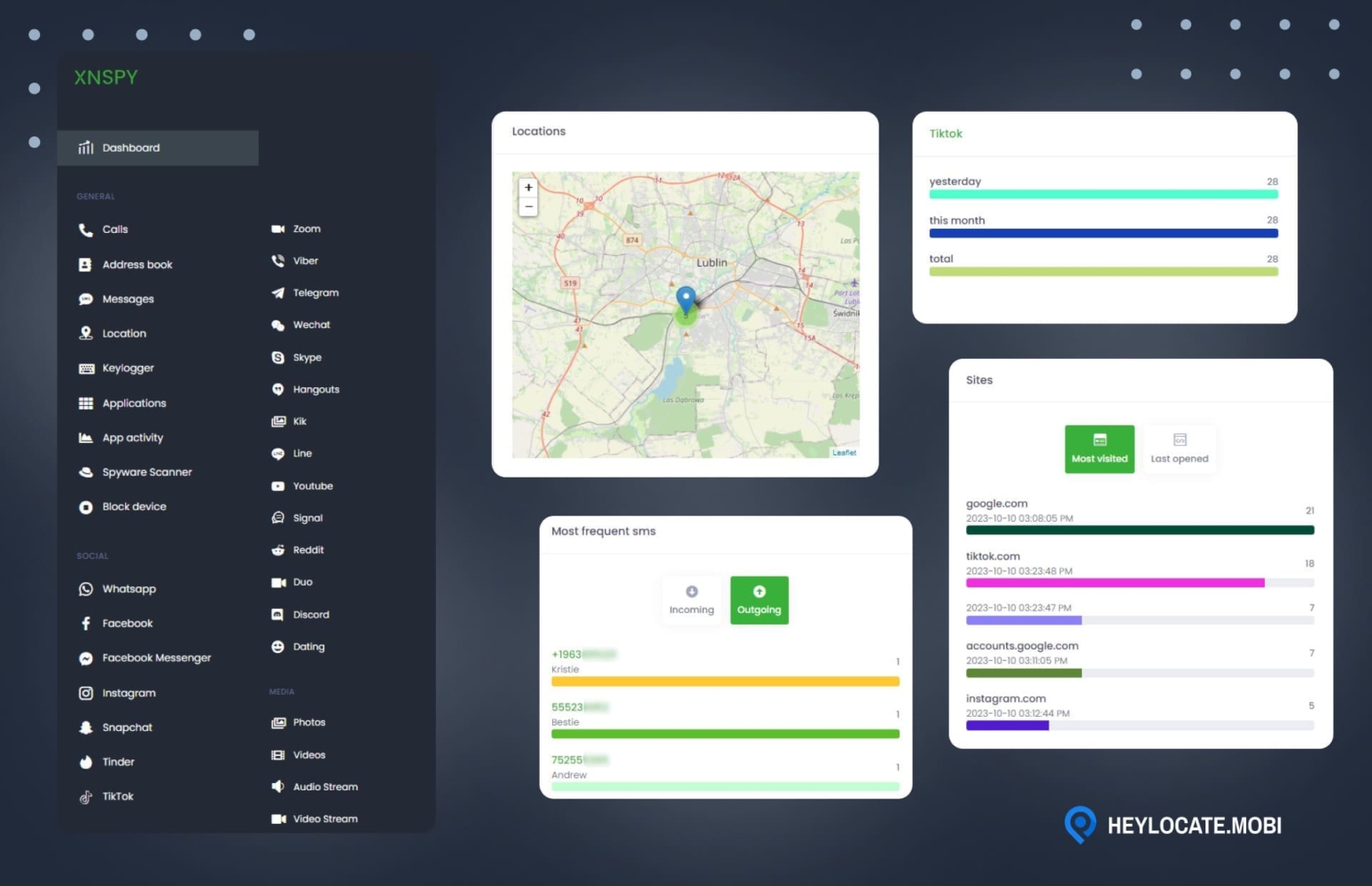
According to my findings, this service allows real-time location sharing.
| Quickness | Simplicity | Effectiveness | Safety | Accessibility |
|---|---|---|---|---|
| 5 | 4 | 4 | 5 | 4 |
Pros:
- comprehensive examination;
- complete watch listing and alerting;
- some sophisticated features are functional even without roots;
- great customer support.
Cons:
- data upload intervals cannot be configured;
- incomplete information;
- device unlinking is not manual and costs money.
EyeZy
EyeZy is great as Samsung phone tracker, as well as phone monitoring and parental control app.
Features:
- capture of keystrokes;
- social highlight;
- phone analyzer and file locator;
- connection restrictor;
- plan breaker and web magnifier.
User Experience:
You may link this app to the target device’s iCloud account for iPhones or install the app for Samsung users. The eyeZy software will then operate in the background, recording data such as call records, keystrokes, location, and more. It will then transfer these facts to its cloud-based servers, where you can begin monitoring the device.
Its dashboard is where you can see all the information on the target phone, such as its activity, calls, texts, and location, in one area. If you’re in a rush, a fast glance at the dashboard might provide useful information.
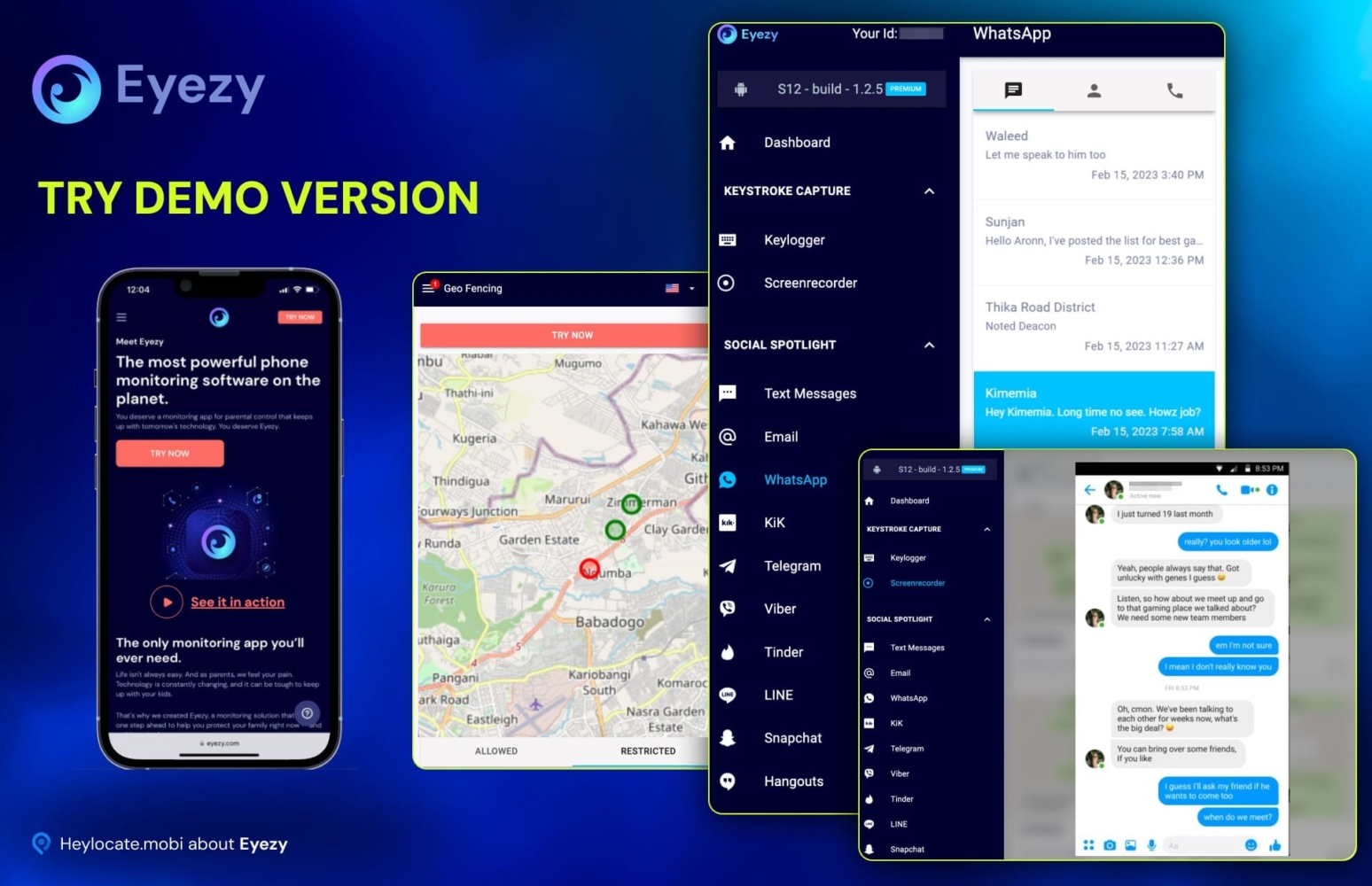
This service combines GPS location monitoring and Wi-Fi network analysis to, well, identify the precise position of your target user.
| Quickness | Simplicity | Effectiveness | Safety | Accessibility |
|---|---|---|---|---|
| 5 | 4 | 4 | 5 | 5 |
Pros:
- has a built-in screen recorder capability;
- may also utilize a sophisticated keylogger.
Cons:
- there is no free trial version of eyeZy available;
- the application must be installed on the target device;
- might be costly to use it to monitor several devices in one location.
OverWatch
This tracker allows social media monitoring; thus it’s better for parents.
Features:
- Facebook & Viber & WhatsApp tracking;
- text messages and calls;
- geolocation feature;
- Instagram spy app;
- keylogger.
User Experience:
I had first to sign up for a free account on the program’s official website. Once I’ve created an account, the program guided through the process of signing up for the tracking service and downloading the OverWatch software, which I had to install on the device I wanted to track.
The program operates in the background, so the device’s owner will be fully ignorant of its operations.
The OverWatch monitoring dashboard displayed user activity as messages sent and received, call history and audio, camera, and GPS positions. The app delivers data to its server, so you can see everything in your account.
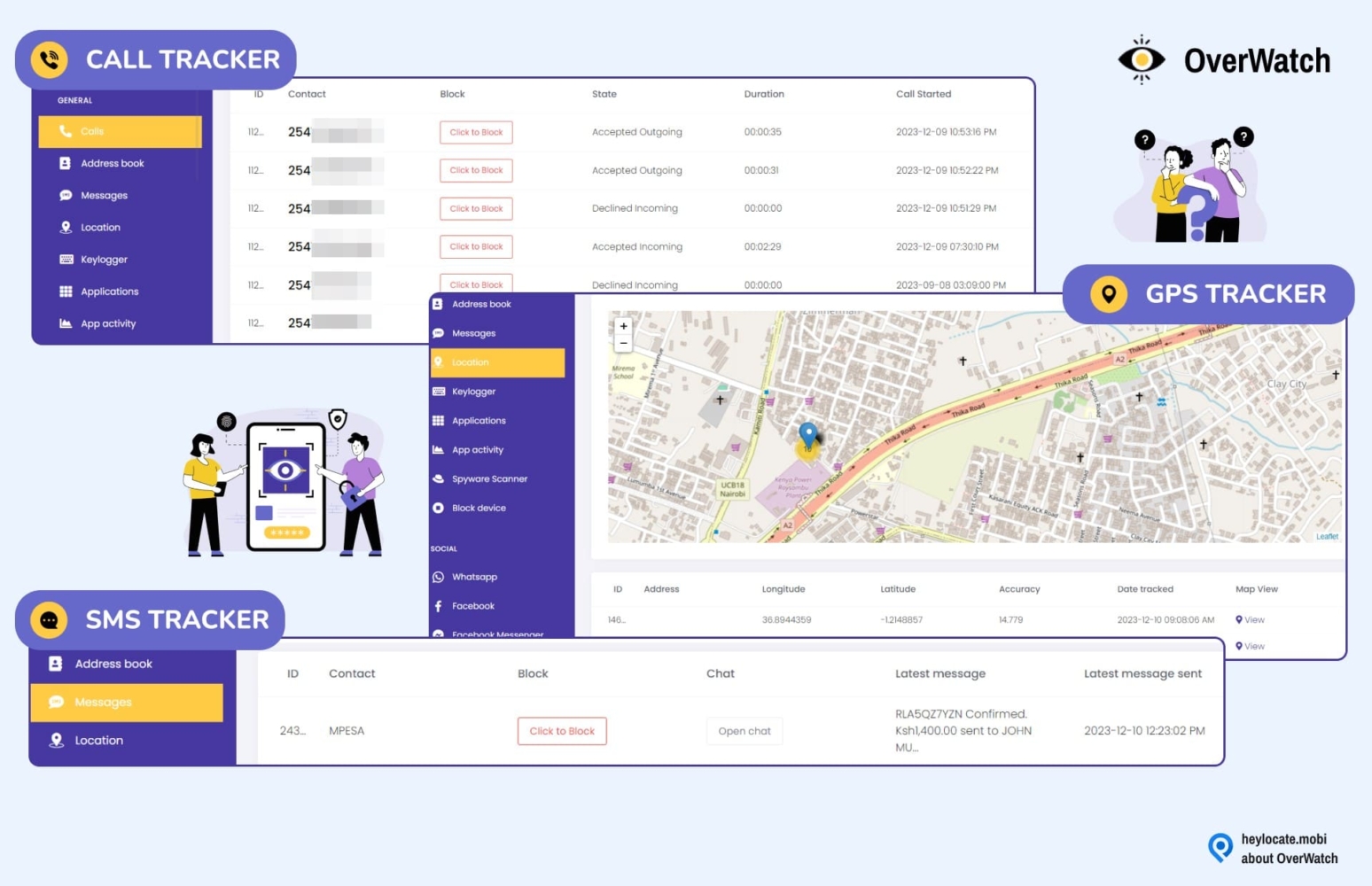
GPS tracking may also be used to track where the target device is at any given moment.
| Quickness | Simplicity | Effectiveness | Safety | Accessibility |
|---|---|---|---|---|
| 5 | 5 | 4 | 5 | 5 |
Pros:
- secure and discreet;
- extensive features;
- cost-effective;
- ideal for parental control.
Cons:
- a one-time installation requires physical access;
- some reviewers claim that this app is riddled with errors, but that can depend on iOS or phone model.
uMobix
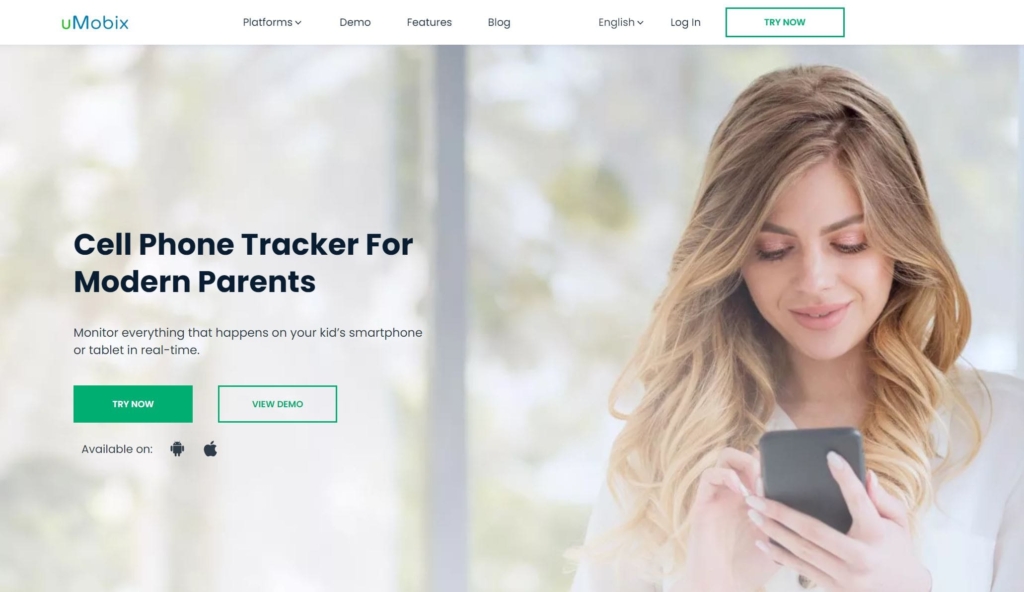
It is well-known service that can be used for various purposes.
Features:
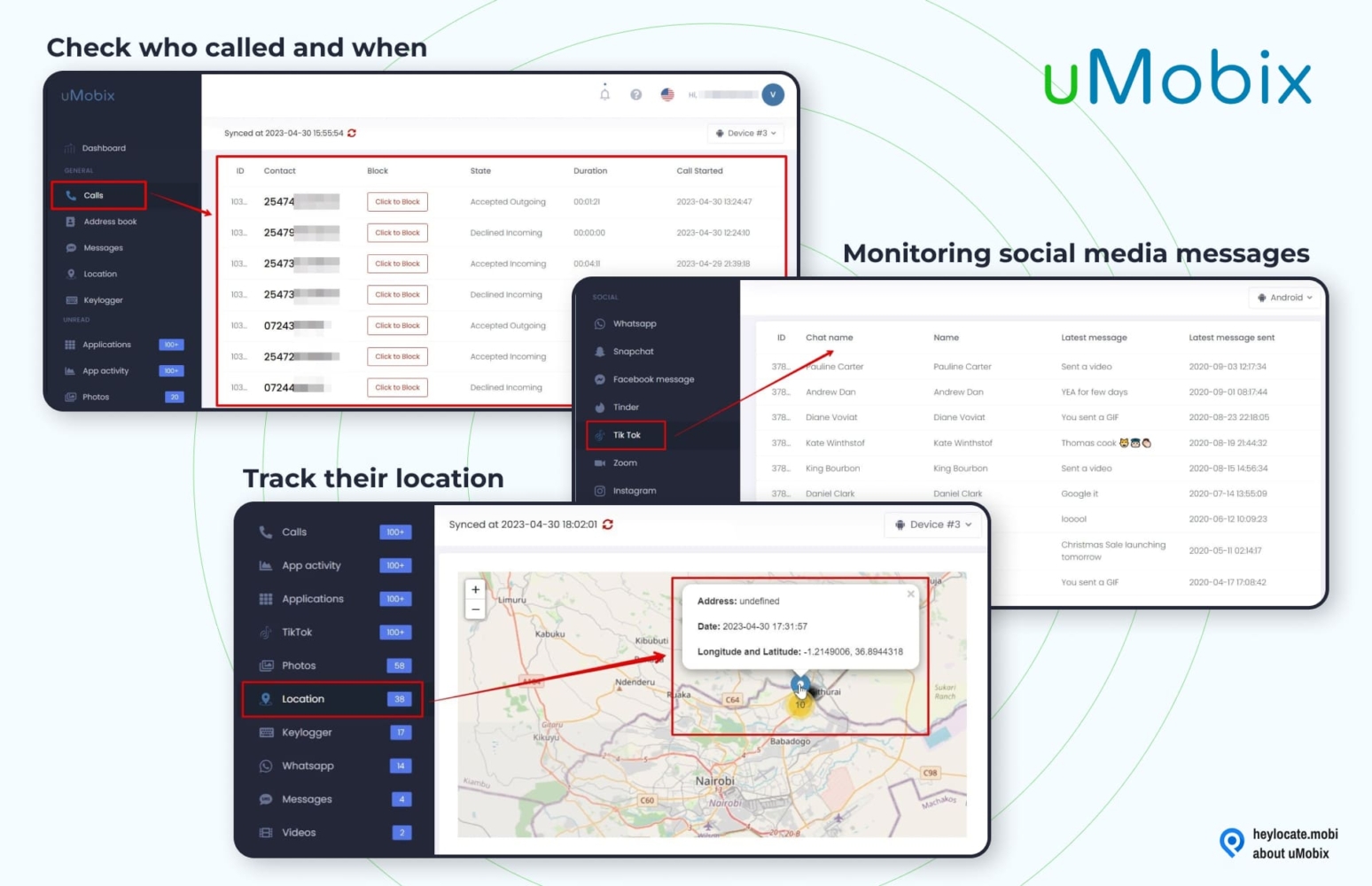
- GPS coordinates;
- keylogger;
- view the status of all incoming and outgoing calls;
- address book monitoring;
- read messages sent and received over WhatsApp, Facebook, Instagram, and other platforms.
User Experience:
uMobix is a phone tracking app that, once installed on the target device, begins saving all vital data for you, which you can view via your dashboard. To install uMobix on a Samsung smartphone, you must have physical access.
The uMobix dashboard, as shown in the trial version, is the first thing you see when the installation procedure is complete. You may go to whatever functionality you want from the dashboard, which features pertinent information like basic phone data and call logs, SMS, the location of the monitored device, and data on social networking applications.
| Quickness | Simplicity | Effectiveness | Safety | Accessibility |
|---|---|---|---|---|
| 5 | 5 | 4 | 5 | 5 |
Pros:
- keep an eye on social media activity and messaging;
- history of the browser;
- responsive tech support;
- no need for rooting or jailbreaking.
Cons:
- battery power consumption is high;
- a little more pricey.
Cocospy
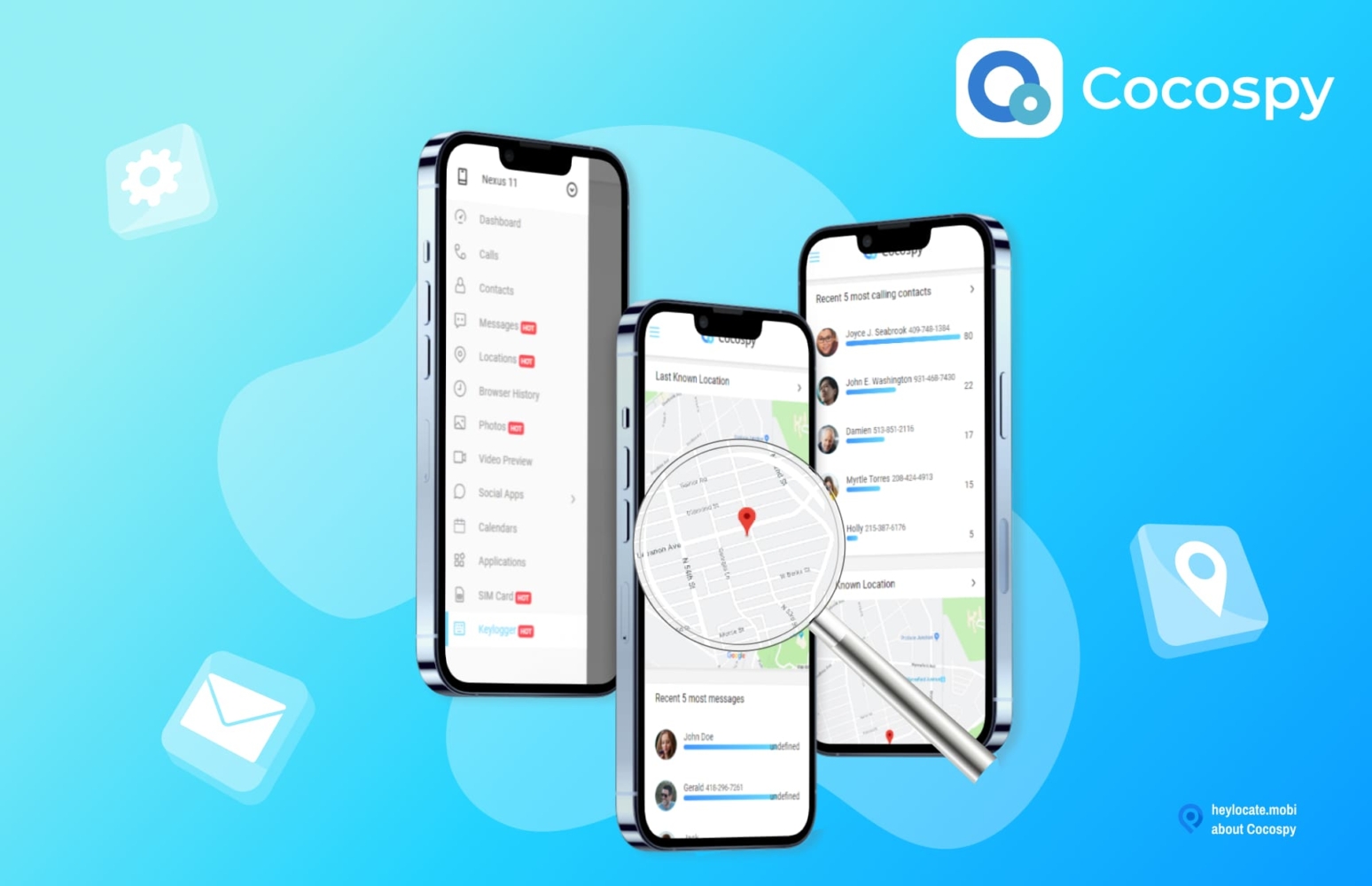
Cocospy offers a wide range of tracking features. It can be great Samsung phone tracker too.
Features:
- social media spying;
- GPS location tracking;
- phone call & SMS message spying;
- monitor installed applications;
- internet activity monitoring;
- dating app monitoring.
User Experience:
Cocospy was installed as a stealthy Samsung tracking app during our review. To ensure that you have enough time to finish the installation, you must have access to the target mobile phone for at least 15 minutes.
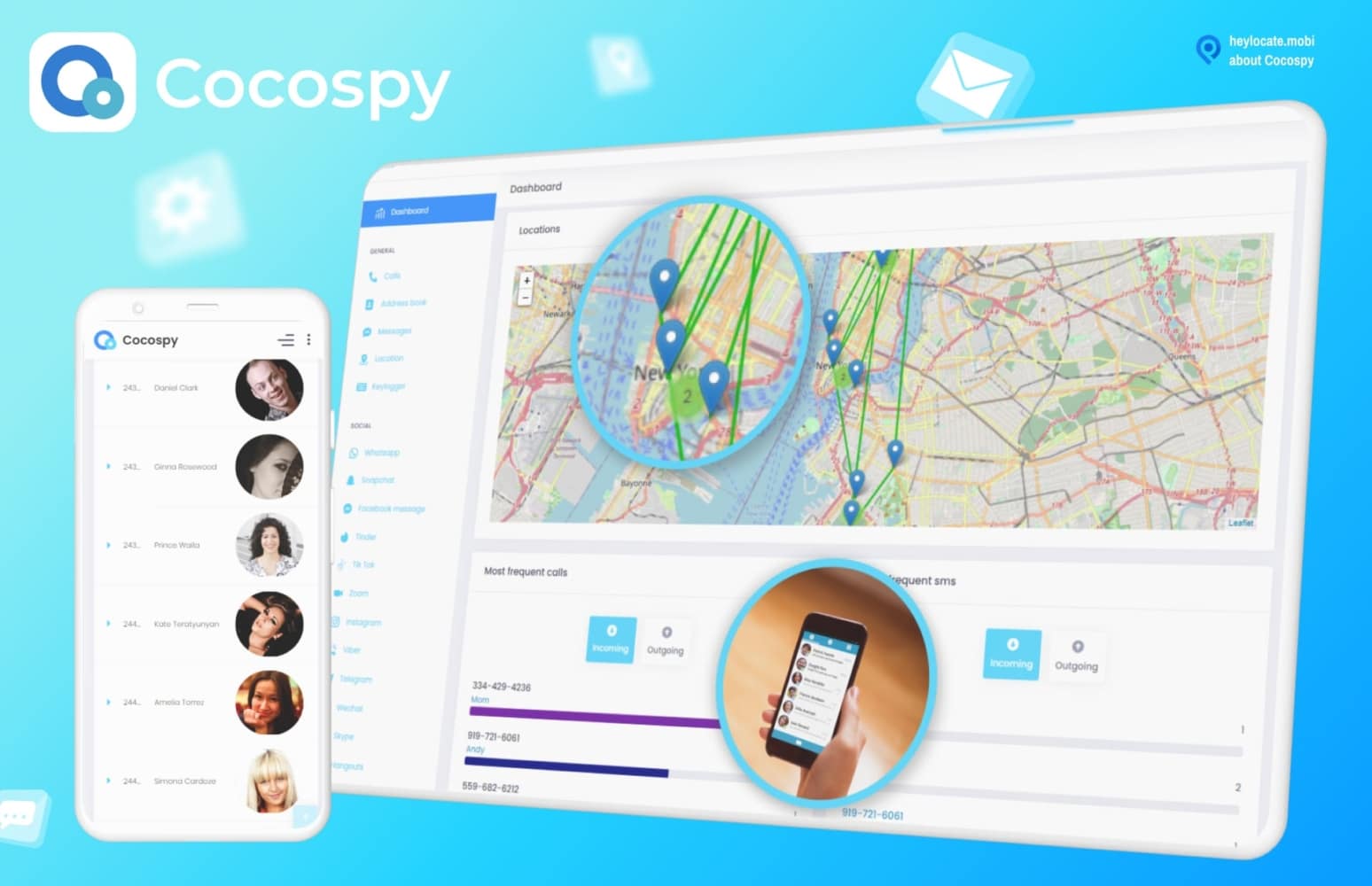
Once installed, you may choose to conceal it from the user, and it will run in the background. All intercepted data will then be available through a web-based dashboard, and you will no longer require physical access to the target phone.
You can see the target person’s current location and recently visited addresses on a map, with longitude and latitude numbers.
| Quickness | Simplicity | Effectiveness | Safety | Accessibility |
|---|---|---|---|---|
| 4 | 5 | 4 | 4 | 4 |
Pros:
- designed with parents and employers in mind;
- amazing GPS tracking accuracy;
- geo-fencing features that are precise;
- on the target phone, it remains absolutely invisible;
- there are many price options;
- customer service is available around the clock;
- pricing is reasonable.
Cons:
- in terms of features, it is quite restricted;
- premium edition monitors just one device;
- no remote microphone or camera activation.
How to Track a Samsung Phone for Free
There are varieties of free tracker apps that are compatible with Samsung phone. They include:
Life360
If you don’t hear anything about Life360, then you should definitely refill this experience gap.
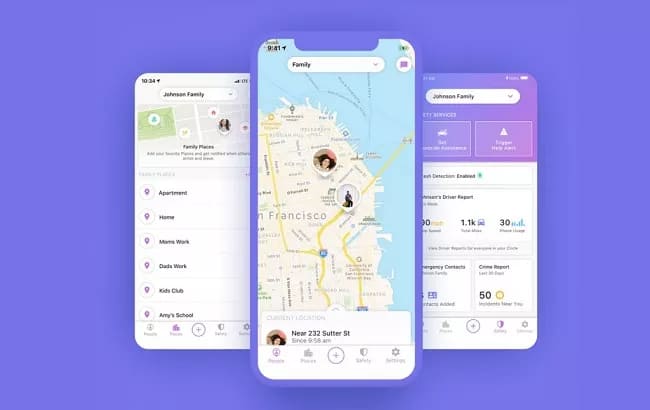
Features:
- location tracking;
- place alerts;
- driver report.
User Experience:
To utilize the Life360 app, you must first install it on the phone of each family member you wish to join your private Circle. From there on, you can follow their whereabouts and view their driving metrics.
Life360 uses GPS to monitor the position of the phones of the newly joined family members.
The service does provide a free trial, and the software is simple to use since it is accessible on both Google Play and the App Store for those who want to track Samsung phones from iPhones.
Life360 dashboard includes a Circle Management page, Drive detection tab, Smart notification tab, and other useful features.
| Quickness | Simplicity | Effectiveness | Safety | Accessibility |
|---|---|---|---|---|
| 4 | 4 | 4 | 4 | 4 |
Pros:
- comprehensive family location monitoring app that includes all important tracking features;
- monitor driving activity and tailor warnings to your needs;
- proper navigation and battery status monitoring are available.
Cons:
- aside from location tracking and driving statistics, there are no other features;
- support staff is not always accessible.
iSharing
To track a Samsung phone location for free, iSharing uses a combination of GPS, your phone signal, and a Wi-Fi connection.
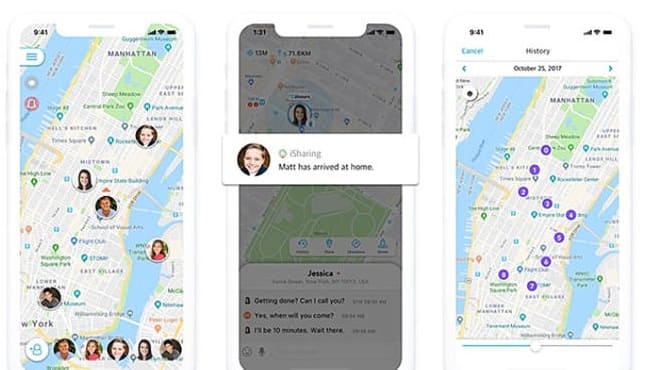
Features:
- GPS location tracker;
- place alerts;
- group management.
User Experience:
iSharing uses Apple or Google Maps to show the location, enabling users to experience the location tracker from anywhere globally.
The service is free; however, additional services are available for a fee. The iSharing location tracking dashboard features easy-to-use options such as place notifications, proximity alerts, group administration, free to premium upgrades, and more. With this service, you can get access to the current location of your target Samsung device.
| Quickness | Simplicity | Effectiveness | Safety | Accessibility |
|---|---|---|---|---|
| 5 | 4 | 4 | 4 | 4 |
Pros:
- keep track of preferred contacts;
- if your target device exits “the zone,” it will notify you;
- allows you to keep an eye on your children;
- can track the location of the phone;
- with an optional premium membership, it is free.
Cons:
- precision of location tracking is bad;
- location and privacy settings might be ambiguous to configure.
How to Track a Samsung Phone From an iPhone
To track a Samsung phone from an iPhone, you may use Safari for trying web-based services like Scannero.io, Locationtracker.mobi, and GEOfinder.mobi. Furthermore, you can utilize app-based trackers that are compatible with iPhones. Trackers based on iOS applications include mSpy, XNSpy, eyeZy, OverWatch, uMobix, Cocospy, and many more.
Track Any Phone With Its Number. Try Now
- Number Tracking
- Phone Lookup
Conclusion
It’s possible and straightforward to track a Samsung phone for free when it’s your device. But when you are eager to track someone else’s Samsung phone, you will need to utilize various tracker services, including web-based and app-based.
Our top 3 services, including Scannero.io, mSpy, and Locationtracker.mobi, are suggested to effectively track your Samsung phone or someone else’s Samsung phone. Finally, there are a plethora of services available in the Play Store, App Store and online.
FAQ
Yes, you can use Find My Device and Find My Mobile to track your Samsung phone. Use web-based trackers like Scannero.io for tracking Samsung phone with its number, or third-party apps for continuous tracking.
To track someone else’s Samsung phone, use location sharing through Google Maps or messengers.
You may monitor a Samsung phone without the device owner’s knowledge using services such as Scannero.io, GEOfinder.mobi and Locationtracker.mobi, among others.
If you’ve misplaced your Samsung phone or tablet, you may use Find My Mobile to locate it. To trace your Samsung phone using Find My Mobile, go to findmymobile.samsung.com.
If you choose the ‘Send last location’ option in Find My Mobile settings, your device will send its last known position to the server before being turned off, allowing you to follow its whereabouts.


 Monday-Sunday: 5:00am - 8:00pm (PT)
Leave a Comment